
1. المقدمة
Welcome to the user manual for your new UXD A5 Android 13 Tablet. This guide provides essential information on setting up, operating, maintaining, and troubleshooting your device to ensure optimal performance and user experience. Please read this manual thoroughly before using your tablet.
2. محتويات العبوة
تأكد من تضمين جميع العناصر المدرجة أدناه في الحزمة الخاصة بك:
- UXD A5 Android 13 Tablet
- قلم
- واقي الشاشة
- OTG Dongle
- لوحة المفاتيح
- الفأر
- Foldable Bag
- كابل الشحن
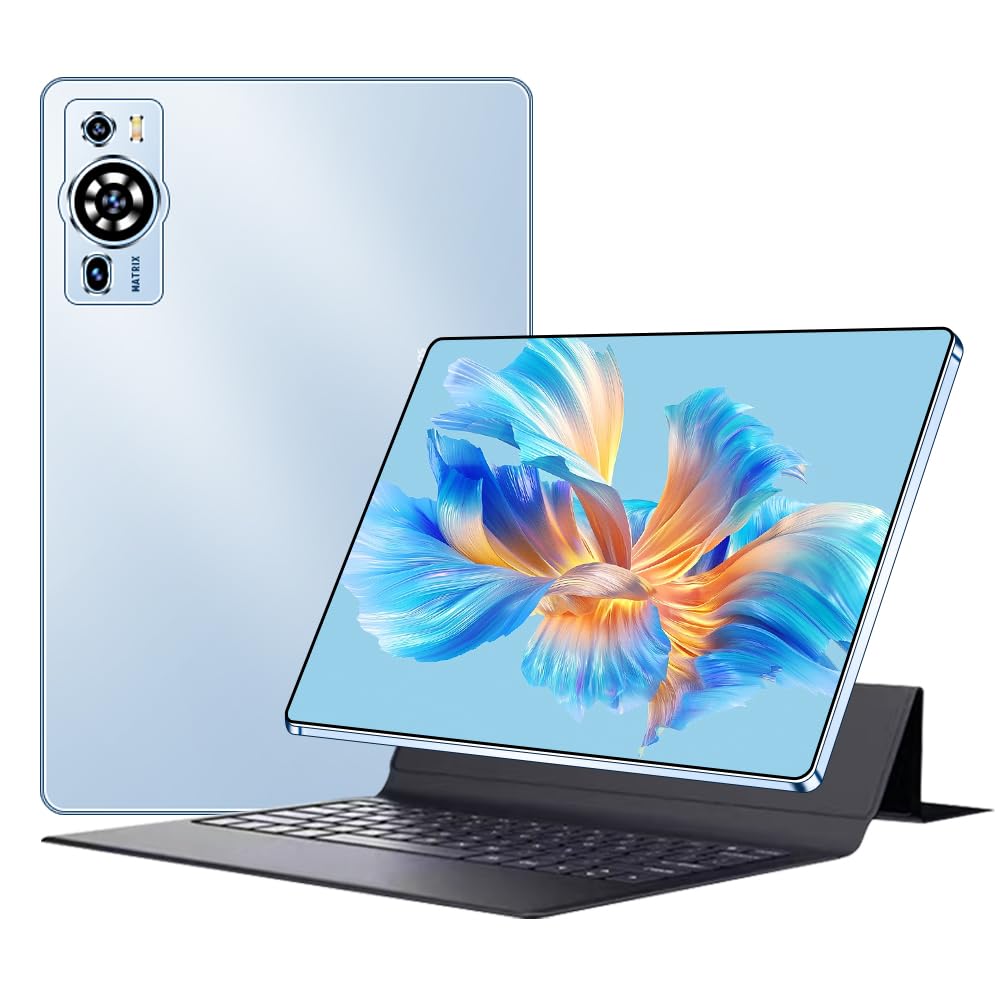
Image 2.1: UXD A5 Tablet with keyboard, mouse, stylus, and other accessories.
3. انتهى المنتجview
Familiarize yourself with the physical components of your tablet:

Image 3.1: Diagram illustrating the tablet's ports and buttons.
- مقبس سماعة الرأس: لتوصيل سماعات الرأس السلكية.
- زر الطاقة: اضغط مع الاستمرار لتشغيل/إيقاف التشغيل أو إعادة التشغيل. اضغط لفترة وجيزة لتنشيط/إيقاف تشغيل الشاشة.
- مفاتيح الصوت: اضبط مستوى صوت الجهاز اللوحي.
- Charging Port (Type C): Connect the provided USB-C cable for charging.
- الكاميرا الأمامية: لإجراء مكالمات الفيديو والتقاط صور السيلفي.
- فتحة بطاقة SIM: Insert a Nano-SIM card for 4G cellular connectivity and a microSD card for expandable storage.
- المتحدثون: مكبرات صوت ستيريو لإخراج الصوت.
4. الإعداد الأولي
4.1. شحن الجهاز اللوحي
Before first use, fully charge your tablet. Connect the provided USB-C charging cable to the tablet's charging port and plug the other end into a power adapter (not always included) or a computer's USB port. The battery indicator on the screen will show charging status.
4.2. تشغيل / إيقاف التشغيل
- لتشغيل: Press and hold the Power Button until the UXD logo appears.
- لإيقاف التشغيل: Press and hold the Power Button until the power options menu appears, then select "Power off."
- لإعادة التشغيل: Press and hold the Power Button until the power options menu appears, then select "Restart."
4.3. إدخال بطاقة SIM وبطاقة MicroSD
Locate the SIM card slot on the side of the tablet. Use the provided SIM ejector tool (if included) to open the tray. Carefully place your Nano-SIM card and/or microSD card into the designated slots on the tray, ensuring correct orientation. Insert the tray back into the tablet until it clicks into place.
4.4. ملحقات التوصيل
- لوحة المفاتيح والفأرة: These accessories typically connect via Bluetooth. Go to الإعدادات > الأجهزة المتصلة > البلوتوث on your tablet, turn on Bluetooth, and pair with the keyboard and mouse. Follow the specific pairing instructions for each accessory.
- القلم: The stylus can be used directly on the screen for drawing, writing, and navigation. No pairing is usually required for basic functionality.
- OTG Dongle: Connect the OTG dongle to the tablet's USB-C port to connect USB devices like flash drives or external hard drives.
5. تعليمات التشغيل
5.1. التنقل في نظام Android 13
Your tablet runs on Android 13, offering an intuitive user interface. Swipe up from the bottom for the app drawer, swipe down from the top for quick settings and notifications. Use gestures or the navigation bar for Home, Back, and Recent Apps functions.
5.2. الاتصال
- واي فاي 6: للاتصال بشبكة Wi-Fi، انتقل إلى الإعدادات > الشبكة والإنترنت > الإنترنتاختر الشبكة التي تريدها، ثم أدخل كلمة المرور.
- بلوتوث شنومكس: For connecting wireless headphones, speakers, or other Bluetooth devices, go to الإعدادات > الأجهزة المتصلة > البلوتوث.
- 4G الخلوية: If you have inserted a SIM card, enable mobile data in الإعدادات> الشبكة والإنترنت> شبكة الهاتف المحمول.
5.3. إعدادات العرض
The 10.1-inch HD IPS display offers vibrant visuals. Adjust brightness, dark theme, and font size in الإعدادات > العرض. The tablet supports features like eye protection modes to reduce strain.

Image 5.1: Tablet display highlighting key features like connectivity and eye protection.
5.4. استخدام الكاميرا
Your tablet is equipped with dual cameras. Open the Camera app to take photos or record videos. Tap on the screen to focus and use the on-screen controls for various modes and settings.
5.5. إدارة البطارية
The 8000 mAh battery provides extended usage. To optimize battery life, adjust screen brightness, close unused apps, and enable battery saver mode when needed. Avoid extreme temperatures.

الصورة 5.2: أداء البطارية على مدىview لمختلف الأنشطة.
5.6. سيناريوهات الاستخدام
The UXD A5 tablet is versatile for various tasks:

الصورة 5.3: مثالamples of tablet use for creative, entertainment, and productivity tasks.
- Painting & Drawing: Utilize the stylus for creative applications.
- الألعاب: Enjoy a smooth gaming experience with the Octa-Core processor and 12GB RAM.
- Study & Work: Use the keyboard and mouse for productivity, and the stylus for note-taking.
- استهلاك الوسائط الإعلامية: Watch videos and listen to music on the HD display and stereo speakers.
6. الرعاية والصيانة
- تنظيف: استخدم قطعة قماش ناعمة وخالية من الوبر لتنظيف الشاشة وجسم الجهاز. تجنب المواد الكيميائية القاسية.
- تخزين: يُحفظ الجهاز اللوحي في مكان بارد وجاف بعيداً عن أشعة الشمس المباشرة ودرجات الحرارة القصوى.
- تحديثات البرامج: قم بفحص وتثبيت تحديثات النظام بانتظام لضمان الأداء الأمثل والأمان. انتقل إلى الإعدادات > النظام > تحديث النظام.
- حماية الشاشة: Apply the included screen protector to prevent scratches.
7. دليل استكشاف الأخطاء وإصلاحها
يتناول هذا القسم المشكلات الشائعة التي قد تواجهها:
- لن يتم تشغيل الجهاز اللوحي: Ensure the tablet is charged. Connect it to a charger for at least 30 minutes, then try powering on again. If it still doesn't turn on, perform a forced restart by holding the power button for 10-15 seconds.
- الشاشة لا تستجيب: أعد تشغيل الجهاز اللوحي. إذا استمرت المشكلة، فتأكد من أن الشاشة نظيفة وخالية من أي شوائب.
- مشاكل الاتصال بشبكة Wi-Fi: تأكد من تفعيل الواي فاي في الإعدادات. أعد تشغيل جهاز التوجيه والجهاز اللوحي. احذف الشبكة وأعد الاتصال بها.
- الأداء البطيء: Close unused applications. Clear cache data from apps. Consider performing a factory reset (back up your data first).
- الملحقات لا تتصل: Ensure Bluetooth is enabled on the tablet and the accessory is in pairing mode. Check battery levels of wireless accessories.
8. المواصفات الفنية
| ماركة | تجربة المستخدم |
| رقم الموديل | A5 |
| نظام التشغيل | أندرويد 13 |
| ماركة المعالج | MediaTek Octa Core |
| كبش | 12 جيجا بايت |
| سعة التخزين | 256 جيجا بايت |
| حجم الشاشة | 10.1 بوصة |
| دقة العرض | 1920 × 1200 بكسل (HD IPS) |
| سعة البطارية | 8000 مللي أمبير |
| عمر البطارية | تصل إلى 8 ساعة |
| الاتصال اللاسلكي | Wi-Fi 6 (802.11ax, 802.11b), Bluetooth 5.0, 4G Cellular |
| الواجهات | منفذ USB من النوع C، بلوتوث |
| الأبعاد (الطول × العرض × الارتفاع) | 24 × 16 × 0.9 سم |
| وزن المنتج | 1 كيلوجرام |
| المميزات الخاصة | Detachable Keyboard, Stereo Speakers, USB OTG Support, Stylus Support |

Image 8.1: Tablet showcasing its ultra-slim design and weight.
9. الضمان والدعم
Information regarding specific warranty terms and availability of spare parts is not provided in the product details. For warranty claims, technical support, or inquiries about spare parts, please refer to the manufacturer's official website or contact their customer service directly. Please retain your proof of purchase for any warranty-related requests.