
DOQAUS Life 4
دليل مستخدم سماعات بلوتوث DOQUAUS Life 4
النموذج: لايف 4
1. المقدمة
Thank you for choosing DOQAUS Life 4 Bluetooth Headphones. This manual provides instructions for the proper setup, operation, and maintenance of your headphones. Please read this manual thoroughly before use to ensure optimal performance and longevity of your device.
محتويات الحزمة
- DOQAUS Life 4 Bluetooth Headphones
- كابل شحن USB-C
- كابل صوت 3.5 ملم
- دليل المستخدم
2. معلومات السلامة
لتجنب تلف سماعات الرأس أو إصابتك، يرجى مراعاة احتياطات السلامة التالية:
- لا تعرض سماعات الرأس لدرجات حرارة عالية أو رطوبة أو بيئات تآكلية.
- تجنب إسقاط سماعات الرأس أو تعريضها لصدمات قوية.
- لا تقم بفكّ سماعات الرأس أو محاولة إصلاحها بنفسك. سيؤدي ذلك إلى إلغاء الضمان.
- نظّف سماعات الرأس بقطعة قماش ناعمة وجافة فقط. لا تستخدم المنظفات السائلة.
- الاستماع لفترات طويلة بمستويات صوت عالية قد يُسبب ضررًا بالسمع. اضبط مستوى الصوت على مستوى آمن.
- يحفظ بعيدًا عن متناول الأطفال.
3. انتهى المنتجview
The DOQAUS Life 4 headphones are designed for comfort and high-quality audio. They feature 40mm drivers for clear sound and Bluetooth 5.4 technology for stable wireless connectivity.
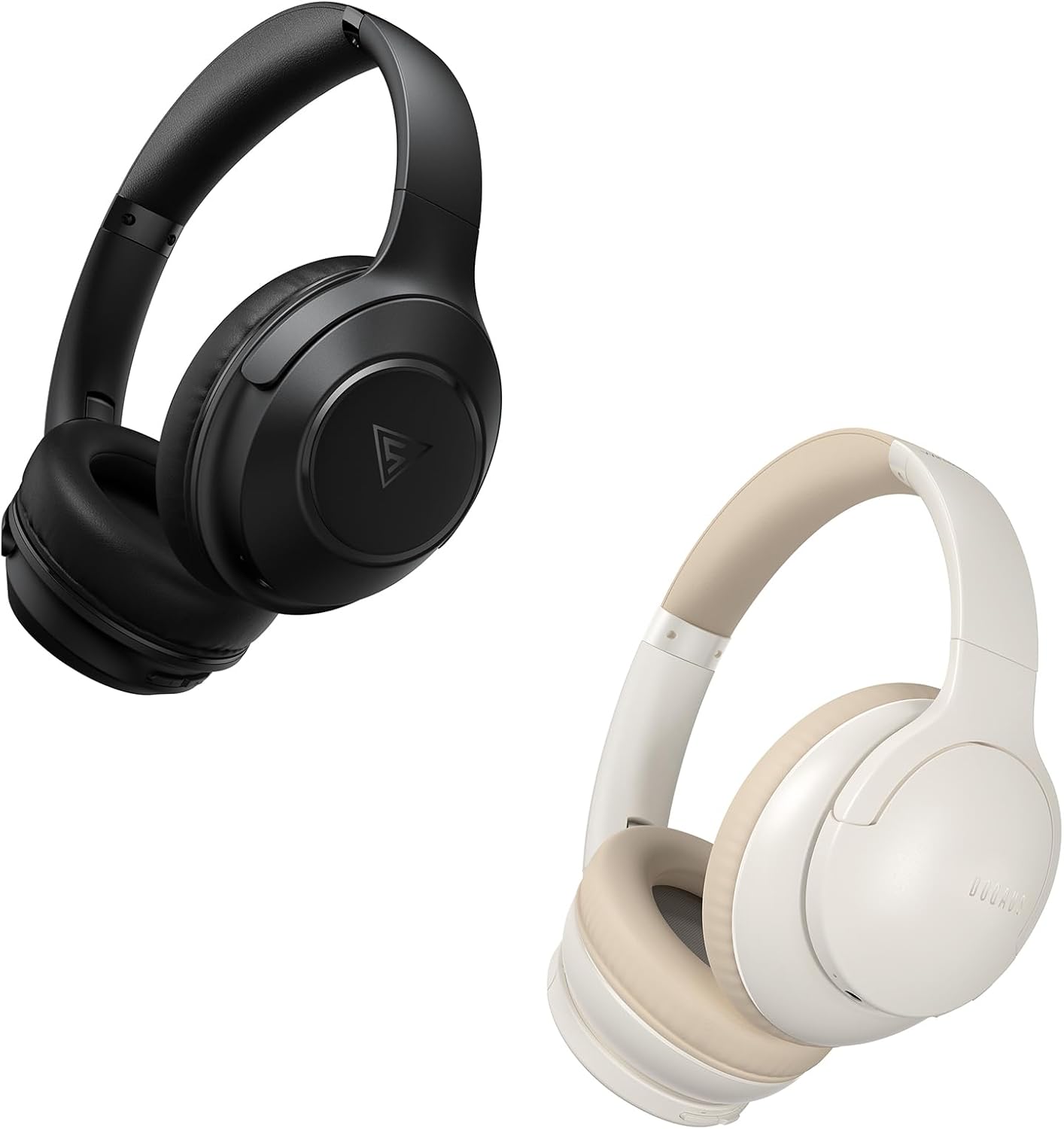
Image: DOQAUS Life 4 Bluetooth Headphones, showing both black and white color variants. These over-ear headphones feature soft earcups and an adjustable headband for comfortable wear.

الصورة: داخلية view of the DOQAUS Life 4 headphone, highlighting the advanced Bluetooth 5.4 wireless technology chip for stable and fast connections.

Image: A close-up of the DOQAUS Life 4 headphone earcup, illustrating the 40mm large-aperture driver responsible for powerful HD sound quality.

Image: A person wearing the DOQAUS Life 4 headphones, illustrating their comfortable design suitable for all-day wear.
4. الإعداد
4.1 الشحن الأولي
Before first use, fully charge your headphones. Connect the USB-C charging cable to the charging port on the headphones and the other end to a USB power source (e.g., computer, wall adapter). The LED indicator will show charging status.
- توفر عملية الشحن الكاملة ما يصل إلى 90 ساعة من وقت التشغيل في وضع البلوتوث.
- A quick 10-minute charge can provide approximately 5 hours of listening time.

Image: The DOQAUS Life 4 headphones displayed with text indicating "90-HOURS PLAYTIME" and "10 minutes of charging for 5 hours of listening," highlighting the extended battery life.
4.2 اقتران بلوتوث
- تأكد من إيقاف تشغيل سماعات الرأس.
- اضغط مع الاستمرار على زر الطاقة حتى يومض مؤشر LED باللونين الأزرق والأحمر بالتناوب، مما يشير إلى وضع الاقتران.
- على جهازك (الهاتف الذكي، الجهاز اللوحي، الكمبيوتر)، قم بتمكين البلوتوث وابحث عن الأجهزة المتاحة.
- Select "DOQAUS Life 4" from the list of found devices.
- Once connected, the LED indicator will slowly flash blue.
الاتصال متعدد النقاط: The DOQAUS Life 4 headphones support connecting to two Bluetooth devices simultaneously. After connecting to the first device, disable Bluetooth on that device, then pair with the second device. Re-enable Bluetooth on the first device, and the headphones should connect to both.
4.3 اتصال سلكي (وضع AUX)
To use the headphones in wired mode, connect one end of the 3.5mm audio cable to the AUX port on the headphones and the other end to your audio source. The headphones will automatically switch to wired mode, and Bluetooth functionality will be disabled.

Image: The DOQAUS Life 4 headphones demonstrating both wireless Bluetooth connectivity with a smartphone and a wired connection using a 3.5mm audio cable, illustrating versatile connection options.
5. تعليمات التشغيل
5.1 الضوابط الأساسية
- تشغيل/إيقاف التشغيل: اضغط مع الاستمرار على زر الطاقة لمدة ثانيتين.
- تشغيل/إيقاف مؤقت: اضغط على الزر متعدد الوظائف مرة واحدة.
- رفع الصوت: اضغط على زر "+".
- اخفض الصوت: اضغط على زر "-".
- المسار التالي: اضغط مع الاستمرار على زر "+" لمدة ثانيتين.
- المسار السابق: اضغط مع الاستمرار على زر "-" لمدة ثانيتين.
- الرد/إنهاء المكالمة: اضغط على الزر متعدد الوظائف مرة واحدة.
- رفض المكالمة: اضغط مع الاستمرار على الزر متعدد الوظائف لمدة ثانيتين.
- تنشيط مساعد الصوت: اضغط مرتين على الزر متعدد الوظائف.
5.2 أوضاع المعادل
The DOQAUS Life 4 headphones feature three equalizer (EQ) modes to optimize your listening experience for different music styles. Press the EQ button to cycle through the modes:
- وضع الجهير الثقيل: Enhances low-frequency sounds for a deeper bass experience.
- الوضع الصوتي: Optimizes mid-range frequencies for clearer vocals.
- الوضع المتوازن: يوفر صوتًا محايدًاfile suitable for various genres.

Image: A collage demonstrating the three EQ music modes of the DOQAUS Life 4 headphones: Heavy Bass, Vocal, and Balanced. The image shows the headphones and individuals enjoying music, indicating the versatility of sound profiles.
6. الصيانة
6.1 التنظيف
- امسح سماعات الرأس بقطعة قماش ناعمة وجافة وخالية من الوبر.
- لا تستخدم المنظفات الكاشطة أو الكحول أو المذيبات الكيميائية.
- Ensure charging ports and audio jacks are free of dust and debris.
6.2 التخزين
- قم بتخزين سماعات الرأس في مكان بارد وجاف بعيدًا عن أشعة الشمس المباشرة ودرجات الحرارة القصوى.
- If storing for an extended period, charge the headphones periodically to maintain battery health.
7. استكشاف الأخطاء وإصلاحها
| مشكلة | السبب المحتمل | حل |
|---|---|---|
| لا يتم تشغيل سماعات الرأس. | بطارية منخفضة. | اشحن سماعات الرأس بالكامل. |
| لا يمكن الاقتران بالجهاز. | سماعات الرأس ليست في وضع الاقتران؛ تم تعطيل البلوتوث على الجهاز؛ الجهاز بعيد جدًا. | Ensure headphones are in pairing mode (flashing blue/red). Enable Bluetooth on your device. Move device closer to headphones. |
| لا يوجد صوت. | مستوى الصوت منخفض جدًا؛ سماعات الرأس غير موصولة؛ مصدر الصوت غير صحيح. | Increase volume. Verify Bluetooth connection or 3.5mm cable connection. Check audio output settings on your device. |
| جودة الصوت رديئة. | Weak Bluetooth signal; incorrect EQ mode. | Move closer to your device. Try switching EQ modes. |
8. المواصفات
- نموذج: الحياة 4
- إصدار البلوتوث: 5.4
- حجم السائق: 40 ملم
- وقت اللعب: تصل مدة التشغيل إلى 90 ساعة (وضع البلوتوث)
- الشحن السريع: 10 دقائق من الشحن تكفي لتشغيل لمدة 5 ساعة
- تنسيقات الصوت المدعومة: A2DP, AVRCP, HSP, HFP, SBC, AAC
- الاتصال: بلوتوث ، 3.5 ملم AUX
9. الضمان والدعم
DOQAUS Life 4 headphones come with a 30-day return policy and an 18-month replacement warranty. For any inquiries or support needs, please contact our customer service team. All inquiries are typically processed within 24 hours.
For further assistance, please refer to the contact information provided with your purchase or visit the official DOQAUS webموقع.
Ask a question about this manual
Ask about setup, troubleshooting, compatibility, parts, safety, or missing instructions. Manuals+ will review the question and use this page’s manual context to help answer it.