
1. المقدمة
The iFLYTEK AINOTE Air 2 is an 8.2-inch AI E Ink tablet designed for smart note-taking, document management, and enhanced productivity. It integrates advanced AI features such as real-time voice-to-text transcription, multi-language translation, and intelligent meeting summaries. The device offers a paper-like writing experience with its E Ink display and included stylus, making it suitable for various professional and academic applications.

Image 1.1: The AINOTE Air 2 tablet with its stylus, showcasing its AI-powered note-taking features.
2. ماذا يوجد في الصندوق
تأكد من وجود جميع المكونات في العبوة:
- AINOTE Air 2 Main Unit
- قلم ستايلس
- كابل الشحن (النوع C)
- دليل المستخدم (هذا المستند)

Image 2.1: Standard accessories included with the AINOTE Air 2.
3. الإعداد
3.1 الشحن الأولي
Before first use, fully charge your AINOTE Air 2 tablet. Connect the provided USB Type-C cable to the tablet's charging port and a compatible USB power adapter (not included). The charging indicator will illuminate.
3.2 تشغيل/إيقاف التشغيل
- لتشغيل: Press and hold the power button located on the top edge of the tablet until the screen activates.
- لإيقاف التشغيل: اضغط مع الاستمرار على زر الطاقة، ثم حدد "إيقاف التشغيل" من الخيارات التي تظهر على الشاشة.
3.3 التكوين الأولي
عند تشغيل الجهاز لأول مرة، اتبع الإرشادات التي تظهر على الشاشة لـ:
- اختر اللغة المفضلة لديك.
- الاتصال بشبكة Wi-Fi.
- Set up your iFLYTEK account or log in.
- Complete any system updates.
4. تعليمات التشغيل
4.1 Note-Taking and Writing
The AINOTE Air 2 provides a paper-like writing experience using the included stylus. Open the 'Notes' application to begin a new note or access existing ones.
- استخدام القلم: The stylus is designed for precise input. It features a built-in eraser and offers 4096 levels of pressure sensitivity for a natural writing feel. No charging is required for the stylus.
- Handwriting-to-Text: Convert handwritten notes to editable text in 83 languages. Select the conversion option within the notes interface.

Image 4.1: The AINOTE Air 2 demonstrating handwritten notes and their digital transcription.

Image 4.2: Close-up of the stylus in use on the AINOTE Air 2, illustrating the immersive writing experience.
4.2 AI Note-Taking and Transcription
The tablet offers real-time voice-to-text transcription and AI-powered meeting summaries.
- Voice Transcription: Record audio during meetings or lectures. The tablet transcribes spoken words into text in 15 languages, including English, Spanish, Chinese, French, and more.
- ملخصات الاجتماعات: Utilize the AI to generate concise summaries of recorded and transcribed meetings, highlighting key points and action items.

Image 4.3: The AINOTE Air 2 displaying multi-language transcription capabilities.

الصورة 4.4: انتهىview of the AINOTE Air 2's extensive language support for transcription, translation, and handwriting conversion.
4.3 Reading and Display
The 8.2-inch HD E Ink screen provides a comfortable reading experience, similar to physical paper.
- شاشة صديقة للعين: The E Ink technology reduces eye strain, making it suitable for extended reading sessions.
- إضاءة قابلة للتعديل: Features a dual-color temperature reading light with 24 adjustable brightness levels to customize warm/cool tones for various environments.
- دقة عالية: A 1920x1440 resolution (293 PPI) ensures sharp text and image clarity.

Image 4.5: The AINOTE Air 2's adjustable dual-color temperature lighting for comfortable reading.
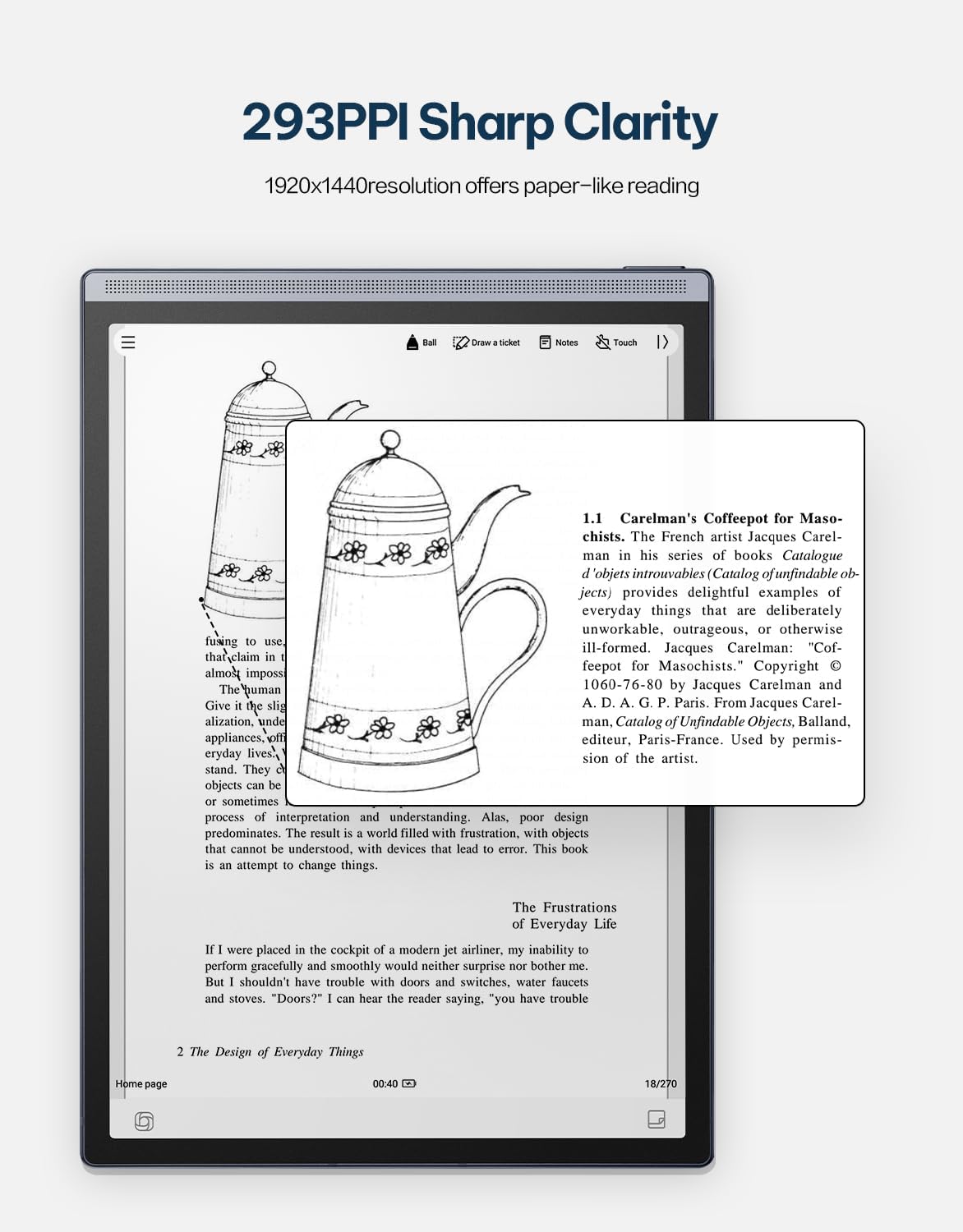
Image 4.6: The AINOTE Air 2's display quality, showing sharp text and images for reading.
4.4 Schedule Management and AI Features
The tablet integrates AI for efficient schedule management and enhanced productivity.
- الجدولة الذكية: Mark handwritten notes with special symbols (stars, triangles, circles) using the stylus to automatically create to-dos and highlight important items, syncing them with your schedule.
- تكامل ChatGPT: Engage in intelligent dialogues with ChatGPT for information retrieval, brainstorming, and task assistance.
- البحث المدعوم بالذكاء الاصطناعي: Utilize semantic retrieval to quickly locate key points in meetings and documents, supporting text, voice, and handwriting search.

Image 4.7: Various productivity features of the AINOTE Air 2, including smart scheduling and cloud synchronization.

Image 4.8: The AINOTE Air 2's integration with ChatGPT for interactive assistance.
4.5 Cloud Sync and Storage
The AINOTE Air 2 supports secure cloud syncing for your notes and documents.
- OneDrive Integration: Sync your content with OneDrive for access across multiple devices and secure storage.
- جوجل بلاي: The tablet integrates with Google Play, allowing access to a wider range of applications.
5. الصيانة
5.1 تنظيف الجهاز
- Use a soft, lint-free cloth to gently wipe the screen and body of the tablet.
- Do not use abrasive cleaners, alcohol, or chemical solvents, as these can damage the screen and finish.
- تأكد من إيقاف تشغيل الجهاز وفصله عن أي مصدر طاقة قبل التنظيف.
5.2 العناية بالبطارية
- Avoid exposing the tablet to extreme temperatures (hot or cold) as this can affect battery life and performance.
- للحصول على عمر افتراضي مثالي للبطارية، تجنب تفريغ البطارية بالكامل بشكل متكرر.
- If storing the device for an extended period, charge it to approximately 50% before storage.

Image 5.1: The AINOTE Air 2's USB-C port and battery capacity information.

Image 5.2: Visual representation of the AINOTE Air 2's 2600 mAh battery and its extended usage time.
6. استكشاف الأخطاء وإصلاحها
6.1 المشكلات والحلول الشائعة
| مشكلة | السبب المحتمل | حل |
|---|---|---|
| الجهاز لا يعمل | بطارية منخفضة؛ تعطل النظام | اشحن الجهاز لمدة 30 دقيقة على الأقل. ثم أعد تشغيله قسراً بالضغط مع الاستمرار على زر التشغيل لمدة 10-15 ثانية. |
| القلم لا يستجيب | Stylus tip worn; Software glitch | Check if the stylus tip needs replacement. Restart the tablet. Ensure the stylus is within operating range. |
| مشاكل اتصال Wi-Fi | Incorrect password; Router issue; Software bug | Verify Wi-Fi password. Restart your router. Restart the tablet and try connecting again. |
| أداء بطيء/تأخير | فتح العديد من التطبيقات؛ مساحة تخزين منخفضة؛ برامج قديمة | Close unnecessary applications. Free up storage space. Check for and install system updates. |
7. المواصفات
| ميزة | التفاصيل |
|---|---|
| اسم الموديل | AINOTE Air 2 (XF-DX-B282E) |
| حجم الشاشة | 8.2 بوصة |
| نوع العرض | E Ink, 1920x1440 resolution (293 PPI) |
| نظام التشغيل | أندرويد |
| المعالج | RK3566 رباعي النواة 1.8 جيجا هرتز |
| ذاكرة | 4 جيجابايت LPDDR4x |
| تخزين | 32 جيجابايت إي إم إم سي |
| بطارية | 2600 mAh (Up to 1 week daily use, 3 weeks standby) |
| الاتصال | يو إس بي 2.0 من النوع سي |
| أبعاد | 7.5 x 0.2 x 5.3 inches (Ultra-slim 5mm) |
| وزن | 1.06 رطل (230 جرام) |
| قلم | 4096 pressure sensitivity, built-in eraser, no charging required |
| إضاءة | Dual-color temperature reading light, 24 adjustable levels |

Image 7.1: Physical dimensions and weight of the portable AINOTE Air 2 tablet.

Image 7.2: Internal specifications of the AINOTE Air 2, including CPU, memory, and operating system.
8. الضمان والدعم
8.1 ضمان المنتج
The iFLYTEK AINOTE Air 2 comes with a standard manufacturer's warranty. Please refer to the warranty card included in your product packaging or visit the official iFLYTEK webالموقع للحصول على شروط وأحكام الضمان التفصيلية.
8.2 دعم العملاء
For technical assistance, troubleshooting, or general inquiries, please contact iFLYTEK customer support through their official webالموقع أو معلومات الاتصال المقدمة في وثائق المنتج الخاص بك.
9. انتهى المنتجview فيديو
شاهد هذا الفيديو للحصول على عرض مرئيview of the AINOTE Air 2 tablet's features and functionality.
Video 9.1: An official product video demonstrating the key features and usage of the AINOTE Air 2 tablet.