
1. المقدمة
Welcome to the user manual for your new Google Pixel 9 smartphone. This guide provides essential information on setting up, operating, maintaining, and troubleshooting your device. The Google Pixel 9 combines advanced technology with user-friendly design, offering a powerful and intuitive mobile experience.
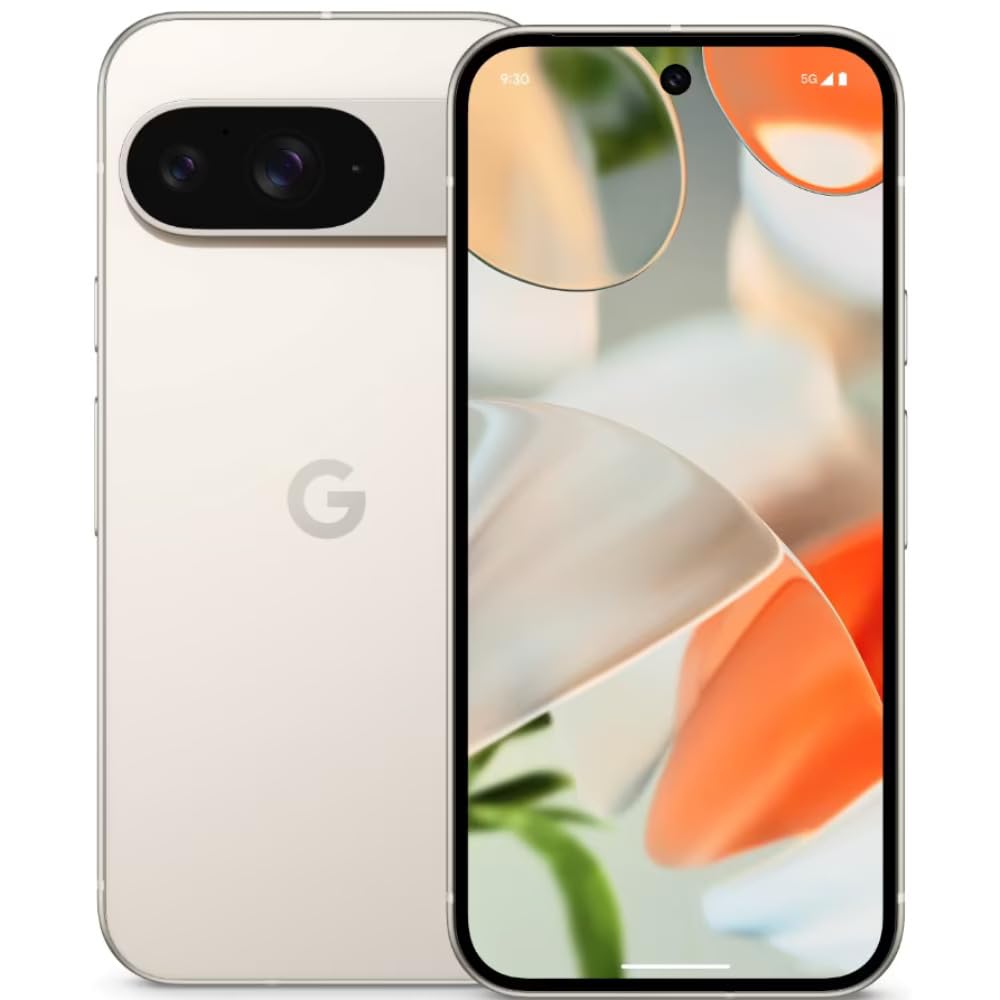
Image: The Google Pixel 9 smartphone, showcasing its sleek design and camera bar on the rear.
2. الإعداد
2.1. فك الصندوق والشحن الأولي
Carefully remove all components from the packaging. Before first use, it is recommended to fully charge your Pixel 9 using the provided USB-C to USB-C cable and a compatible power adapter (sold separately).
2.2. إدخال بطاقة SIM
- حدد مكان درج بطاقة SIM على جانب جهاز Pixel 9 الخاص بك.
- Insert the SIM ejector tool (included in the box) into the small hole on the tray and press firmly until the tray pops out.
- Place your Nano SIM card(s) into the tray with the gold contacts facing down. The Pixel 9 supports Dual SIM functionality.
- ادفع الدرج برفق إلى داخل الهاتف حتى يستقر في مكانه.
2.3. التشغيل والتكوين الأولي
Press and hold the Power button on the side of the device until the Google logo appears. Follow the on-screen instructions to complete the initial setup, including connecting to Wi-Fi, signing in with your Google account, and setting up security features like fingerprint recognition.
3. Operating Your Google Pixel 9
3.1. العرض والتنقل
The Pixel 9 features a 6.3-inch OLED display with a dynamic refresh rate up to 120Hz, providing smooth visuals. Navigate the device using touch gestures. Swipe up from the bottom to go home, swipe from the sides to go back, and swipe up and hold for recent apps.
3.2. الأداء
Powered by the Google Tensor G4 processor and 12 GB of RAM, the Pixel 9 delivers efficient multitasking and responsive performance for applications and games.
3.3. نظام الكاميرا
The Pixel 9 is equipped with a dual rear camera system: a 50 MP main sensor and a 48 MP ultrawide lens (123° field of view). The front camera is 10.5 MP. Advanced AI features enhance photography, including:
- أضفني: Allows users to insert themselves into photos.
- Pixel Studio: Enables image creation from text prompts.

Image: A visual representation of the Google Pixel 9's AI photo editing capabilities, showing how images can be enhanced or modified.

Image: Screenshots from the Google Pixel 9 illustrating AI functionalities such as Gemini for assistance, advanced Pixel Screenshots, and the 'Circle to Search' feature.
3.4. البطارية والشحن
The device includes a 4700 mAh battery. It supports 45W USB-PD fast charging and 15W wireless charging. For optimal charging, use compatible USB-PD chargers.
3.5. ميزات الأمان
Unlock your device securely using the integrated fingerprint recognition sensor.
4. الصيانة
4.1. المتانة والحماية
The Pixel 9 is designed with durability in mind, featuring Corning Gorilla Glass Victus 2 for scratch resistance and protection against minor drops and spills. It is also water resistant.
Image: The Google Pixel 9, highlighting its robust construction and the commitment to seven years of OS and security updates, ensuring longevity.
4.2. تحديثات البرامج
Google provides seven years of OS and security updates for the Pixel 9, ensuring your device remains secure and up-to-date with the latest features. Regularly check for and install available updates via Settings > System > System update.
4.3. تنظيف جهازك
To clean your Pixel 9, use a soft, lint-free cloth. Avoid abrasive materials or harsh chemicals. For stubborn marks, slightly dampen the cloth with water. Do not submerge the device in water.
5. استكشاف الأخطاء وإصلاحها
If you encounter issues with your Pixel 9, consider the following general troubleshooting steps:
- أعد تشغيل الجهاز: يمكن أن تؤدي إعادة التشغيل البسيطة إلى حل العديد من المشكلات البسيطة في البرامج.
- التحقق من تحديثات البرامج: تأكد من أن جهازك يعمل بإصدار البرنامج الأحدث.
- Review أذونات التطبيق: If an app is not functioning correctly, check its permissions in Settings.
- مسح ذاكرة التخزين المؤقت: For app-specific issues, try clearing the app's cache via Settings > Apps.
- اعدادات المصنع: كحل أخير، يمكن أن تحل إعادة ضبط المصنع مشاكل البرامج المستعصية. قم بعمل نسخة احتياطية من بياناتك قبل إجراء إعادة ضبط المصنع.
For more complex issues or hardware malfunctions, please contact Google Support.
6. المواصفات
| ميزة | مواصفة |
|---|---|
| ماركة | جوجل |
| نموذج | بكسل 9 |
| نظام التشغيل | أندرويد 14 |
| المعالج | جوجل تينسور جي 4 |
| كبش | 12 جيجا بايت |
| التخزين الداخلي | 256 جيجا بايت |
| حجم العرض | 6.3 بوصة |
| نوع العرض | شاشة OLED |
| دقة | 2424 × 1080 بكسل |
| الكاميرا الخلفية | 50 MP (Main), 48 MP (Ultrawide) |
| الكاميرا الأمامية | 10.5 ميجا بكسل |
| سعة البطارية | 4700 مللي أمبير |
| الشحن | 45W USB-PD Fast Charging, 15W Wireless Charging |
| الاتصال | 5G, Wi-Fi, USB Type C |
| نوع بطاقة SIM | Nano SIM (Dual SIM) |
| الأمن البيومتري | التعرف على بصمات الأصابع |
| مستوى مقاومة الماء | مقاوم للماء |
| الأبعاد (الطول × العرض × الارتفاع) | 15.2 × 7.2 × 0.8 سنتيمتر |
| وزن | 198 جرام |
7. ماذا يوجد في الصندوق
The Google Pixel 9 retail package includes the following items:
- هاتف جوجل بيكسل 9 الذكي
- كابل USB-C إلى USB-C
- أداة إخراج درج بطاقة SIM
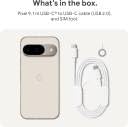
Image: A clear depiction of the Google Pixel 9 and its included accessories: a USB-C to USB-C cable and a SIM ejector tool.
8. الضمان والدعم
8.1. ضمان المنتج
Your Google Pixel 9 comes with a 1-year limited warranty from the date of purchase. This warranty covers manufacturing defects. Please retain your proof of purchase for warranty claims.
8.2. دعم العملاء
For technical assistance, warranty claims, or further information, please visit the official Google Support website or contact Google customer service. Refer to the Google support page for your region for specific contact details and service center locations.