
مقدمة
Thank you for choosing the VALUE Wall Mount TV Bracket. This manual provides essential information for the safe and correct installation, operation, and maintenance of your TV wall mount. Please read this manual thoroughly before installation and keep it for future reference.
This bracket is designed for mounting flat-panel televisions ranging from 13 to 43 inches and weighing up to 20 kg. It offers flexible viewing angles with tilt, swivel, and rotation capabilities.
معلومات السلامة
تحذير: Failure to read and follow these instructions may result in serious personal injury, property damage, or voiding of your warranty.
- تأكد من أن سطح التثبيت يمكنه دعم الوزن الإجمالي للحامل والتلفزيون بأمان.
- لا تتجاوز سعة الحمولة القصوى البالغة 20 كجم (44 رطلاً).
- هذا المنتج مخصص للاستخدام الداخلي فقط.
- Use only the provided hardware. If any parts are missing or damaged, contact customer support.
- استعن دائمًا بفني متخصص مؤهل للتركيب إذا كنت غير متأكد من العملية.
- احتفظ بالأطفال والحيوانات الأليفة بعيدًا أثناء التثبيت.
- قم بفحص جميع البراغي والوصلات بشكل دوري للتأكد من بقائها آمنة.
محتويات الحزمة
يرجى التأكد من أن جميع المكونات موجودة وغير تالفة قبل البدء في التثبيت.
- تجميع لوحة الحائط
- VESA TV Plate
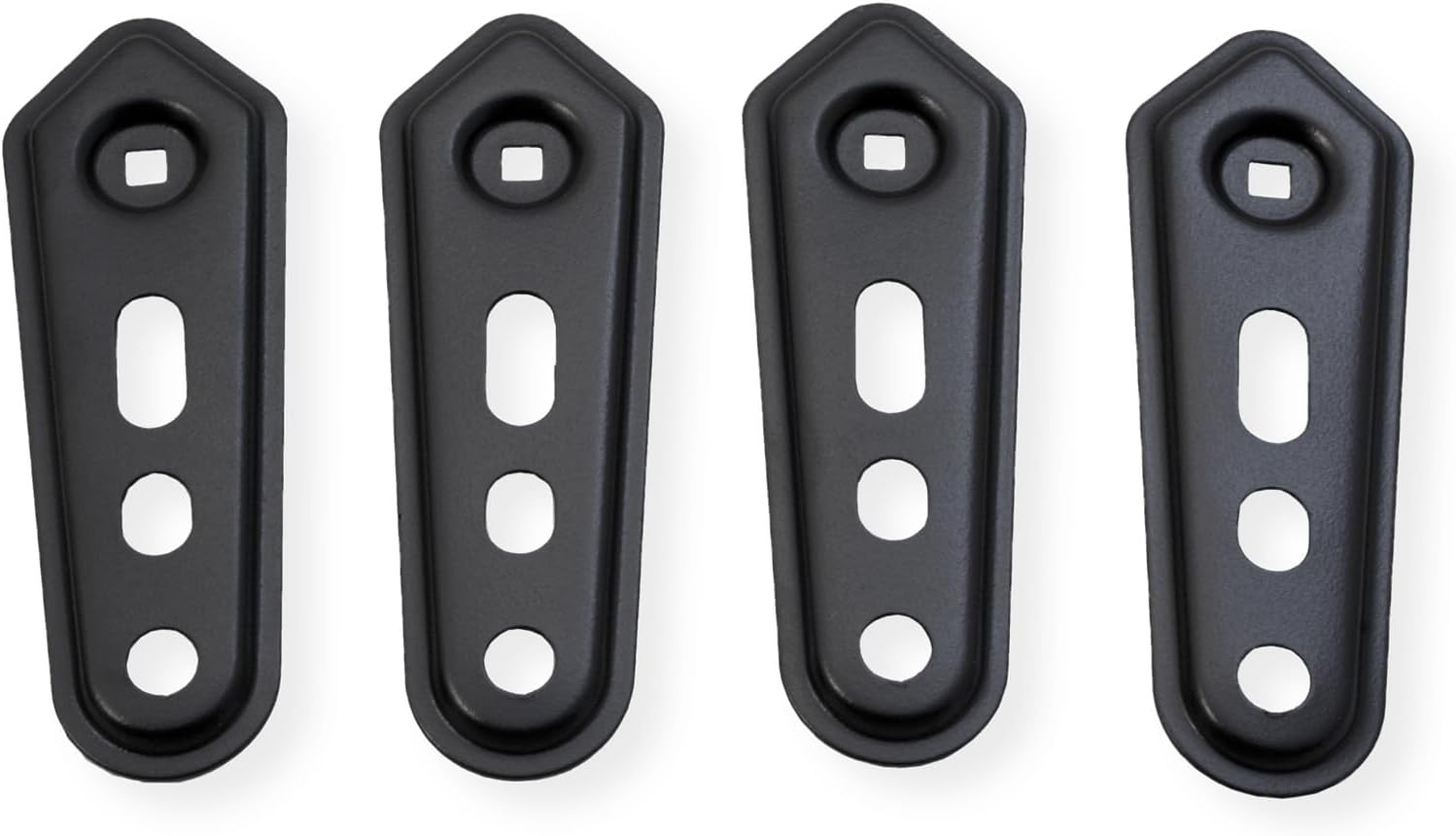
- مجموعة أدوات التثبيت (براغي، مثبتات، حلقات، فواصل)
- دليل التعليمات
الشكل 1: زيادةview of the VALUE TV Wall Mount components. This image displays the main wall plate, the VESA TV plate, and various screws and accessories that come with the product.
الإعداد والتثبيت
Before installation, identify your wall type (wood stud, concrete, brick) and ensure you have the necessary tools (drill, level, stud finder, screwdriver, wrench).
الخطوة 1: تركيب لوحة VESA على التلفزيون
- ضع جهاز التلفزيون الخاص بك بعناية ووجهه لأسفل على سطح ناعم ونظيف.
- قم بتحديد فتحات التثبيت VESA الموجودة على الجزء الخلفي من التلفزيون الخاص بك.
- Select the appropriate screws, washers, and spacers from the hardware kit that fit your TV's VESA pattern (75x75, 100x100, 100x200, 200x100, 200x200).
- Attach the VESA TV plate to the back of your TV using the selected hardware. Ensure it is securely fastened but do not overtighten.

الشكل 2: The detachable extension plate allows for compatibility with larger VESA patterns. This image highlights how the extensions can be added to the main VESA plate to accommodate different TV sizes.
الخطوة 2: تثبيت لوحة الحائط على الحائط
- Determine the desired height and position for your TV. Use a stud finder to locate wood studs if applicable.
- Mark the drilling locations on the wall using the wall plate as a template.
- Drill pilot holes at the marked locations. For wood studs, drill appropriate size holes. For concrete/brick, use a masonry drill bit and insert wall anchors.
- Attach the wall plate assembly to the wall using the provided lag bolts and washers. Tighten securely.
- Use a level to ensure the wall plate is perfectly horizontal.
الخطوة 3: تعليق التلفزيون على لوحة الحائط
- With assistance, carefully lift the TV (with the VESA plate attached) and hook it onto the wall plate arm.
- Ensure the VESA plate is securely seated on the arm.
- Tighten any safety screws or locking mechanisms to prevent accidental dislodgement.
تعليمات التشغيل
This TV wall mount offers flexible adjustments for optimal viewجي الراحة.
- تعديل الميل: The screen can be tilted from +5° to -15°. Loosen the tilt adjustment knobs, set to the desired angle, and retighten.
- تعديل الدوران: The arm allows for a swivel range of +90° to -90°. Gently push or pull the TV to the desired left or right angle.
- دوران الشاشة: The TV can be rotated from +5° to -90°. This allows for minor horizontal leveling adjustments or portrait orientation if desired.
- إدارة الكابلات: Utilize the integrated cable management clips or channels on the arm to route and organize your TV cables, keeping them tidy and secure.

الشكل 3: This diagram shows the various adjustable movements of the TV mount, including tilt (+5° to -15°), swivel (up to ±90° as per specifications), and rotation (+5° to -90°). It also highlights the cable management feature to keep wires organized.
صيانة
تضمن الصيانة المنتظمة طول عمر وتشغيل حامل التلفزيون الخاص بك بشكل آمن.
- تنظيف: امسح الحامل بقطعة قماش ناعمة وجافة. لا تستخدم المنظفات الكاشطة أو المذيبات.
- تقتيش: Periodically (e.g., every 6 months) check all mounting screws and connections to ensure they are tight and secure. Retighten if necessary.
- تشحيم: Moving parts are designed for smooth operation and generally do not require lubrication. If movement becomes stiff, consult customer support.
استكشاف الأخطاء وإصلاحها
| مشكلة | السبب المحتمل | حل |
|---|---|---|
| التلفزيون ليس مستويًا بعد التثبيت. | Wall plate not level, or screen rotation needs adjustment. | Check wall plate with a level and adjust if necessary. Use the screen rotation feature (+5° to -90°) to fine-tune the TV's horizontal alignment. |
| يبدو الحامل مرتخياً أو متذبذباً. | Mounting screws are not tight enough, or wall anchors are not secure. | Immediately remove TV. Re-tighten all wall mounting screws. If using anchors, ensure they are properly installed and secure. Consult a professional if unsure. |
| صعوبة في ضبط الإمالة/الدوران. | Adjustment knobs/bolts are too tight. | Loosen the relevant adjustment knobs/bolts slightly, make the adjustment, then retighten to secure the position. |
تحديد
- رقم الموديل: 17991233
- ماركة: قيمة
- مادة: فُولاَذ
- لون: أسود
- أحجام الشاشة المتوافقة: 13 - 43 بوصة (33 - 109 سم)
- سعة التحميل القصوى: 20 كجم (44 رطل)
- التوافق مع VESA: 75×75، 100×100، 100×200، 200×100، 200×200 مم
- إمالة المدى: +5° إلى -15°
- نطاق الدوران: +90° إلى -90°
- دوران الشاشة: +5° إلى -90°
- Max. Arm Extension: 19.8 سم (7.8 بوصة)
- نوع التركيب: حامل الحائط

الشكل 4: Detailed dimensions of the VALUE TV Wall Mount, including arm length, VESA plate measurements, and ranges for tilt, swivel, and rotation.
الضمان والدعم
This VALUE TV Wall Mount is covered by a ضمان الشركة المصنعة لمدة عامين من تاريخ الشراء. يغطي هذا الضمان عيوب المواد والصناعة في ظل الاستخدام العادي.
For warranty claims, technical support, or any questions regarding this product, please contact your retailer or the manufacturer's customer service. Please have your model number (17991233) and proof of purchase ready.
الشركة المصنعة: قيمة