
1. المقدمة
This manual provides essential information for setting up, operating, maintaining, and troubleshooting your Acer Aspire C24 All-in-One Desktop PC. Please read this manual thoroughly before using your device to ensure proper operation and to prevent damage.
2. معلومات السلامة
Observe the following safety precautions to ensure the longevity of your device and your personal safety:
- لا تعرض الجهاز للرطوبة أو درجات الحرارة العالية أو أشعة الشمس المباشرة.
- استخدم فقط محول الطاقة المرفق مع الجهاز.
- تجنب سد فتحات التهوية لمنع ارتفاع درجة الحرارة.
- لا تحاول تفكيك الجهاز أو إصلاحه بنفسك. استشر فني صيانة مؤهلًا.
- أبعد الجهاز عن المجالات المغناطيسية القوية.
3. محتويات العبوة
تأكد من وجود جميع العناصر في عبوة المنتج الخاص بك:
- Acer Aspire C24 All-in-One Desktop PC
- لوحة المفاتيح اللاسلكية
- ماوس لاسلكي
- محول الطاقة
- سلك الطاقة

Image: Acer Aspire C24 All-in-One PC shown with its included wireless keyboard and mouse.
4. الإعداد
4.1 التفريغ والتنسيب
Carefully remove the computer from its packaging. Place the All-in-One PC on a stable, flat surface with adequate ventilation around the unit.
4.2 توصيل الطاقة
- Connect the power adapter to the DC-in port on the rear of the computer.
- Plug the power cord into the power adapter, then into a grounded electrical outlet.
4.3 توصيل الأجهزة الطرفية
Connect the wireless keyboard and mouse. Ensure batteries are installed in both devices. The system typically detects these devices automatically upon first boot.
The Acer Aspire C24 offers various ports for connecting external devices:
- منافذ الإدخال/الإخراج الأمامية: 1x USB 2.0 Type-C, 1x USB 2.0 Type-A, 1x Combo Audio Jack.
- منافذ الإدخال/الإخراج الخلفية: 2x USB 2.0 Type-A, 2x USB 3.2 Gen2 10Gbps Type-A, 1x DisplayPort, 1x HDMI 1.4b, 1x Ethernet RJ-45.

الصورة: عن قرب view of the conveniently located front I/O ports on the Acer Aspire C24, including USB and audio jacks.

الصورة: الخلفية view of the Acer Aspire C24 All-in-One PC, highlighting the various connectivity ports available.
5. تعليمات التشغيل
5.1 تشغيل/إيقاف التشغيل
To power on the computer, press the power button located on the front or side of the display. To power off, use the Windows Shut Down option or press and hold the power button for a few seconds.
5.2 ميزات العرض
The Acer Aspire C24 features a 23.8-inch Full HD (1920x1080) IPS LED display with a 120Hz refresh rate. This provides smooth visuals and wide viewing angles (178 degrees). Acer VisionCare technology is integrated for comfortable viewing, including flicker-free, BluelightShield, and low dimming features.

Image: The Acer Aspire C24 display showcasing its wide 178-degree viewing angles and Full HD resolution.

Image: The Acer Aspire C24 display highlighting its 120Hz refresh rate for smooth motion.
5.3 الاتصال اللاسلكي
The system supports dual-band Wi-Fi 6 (802.11ax) for fast and stable wireless internet connectivity, with speeds up to 9.6 Gbps and WPA3 encryption. Bluetooth 5.2 is also included for connecting wireless peripherals.

Image: The Acer Aspire C24 display with a Wi-Fi 6 graphic, indicating its advanced wireless capabilities.
5.4 Webالكاميرا والصوت
الكاميرا المدمجة بدقة 2.0 ميجابكسل webcam and dual microphones are suitable for video calls. A privacy shutter is included for the webcam to ensure privacy when not in use.
5.5 Windows 11 Home and Copilot
Your computer comes pre-installed with Windows 11 Home. Utilize the dedicated Copilot key for quick access to AI assistance within Windows.
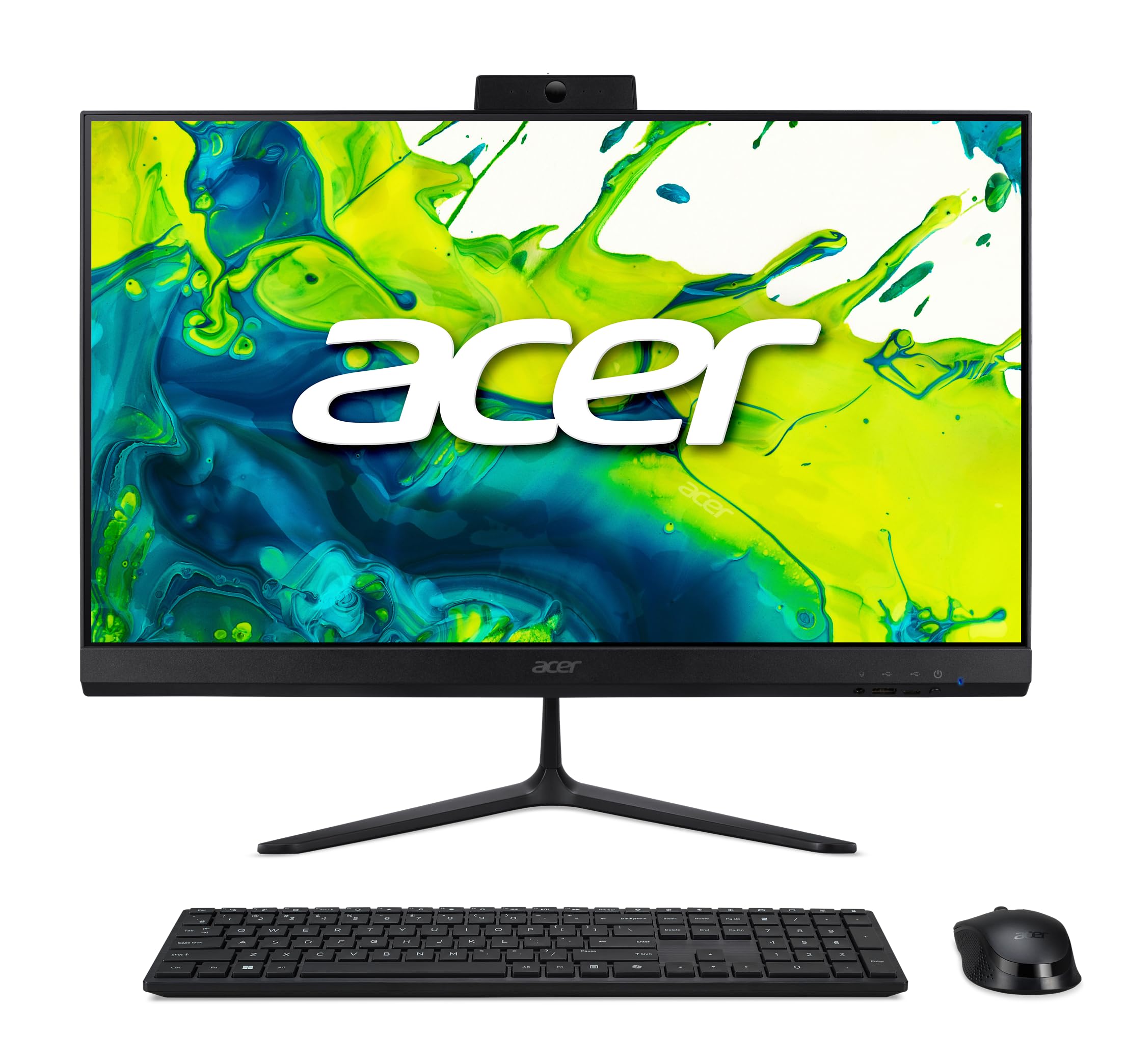
Image: The Acer Aspire C24 desktop displaying the Windows 11 operating system interface, including the Copilot feature.
6. الصيانة
6.1 تنظيف الجهاز
استخدم قطعة قماش ناعمة وخالية من الوبر لتنظيف الشاشة والأسطح الخارجية. بالنسبة للبقع الصعبة، دampen the cloth slightly with water or a mild, non-abrasive cleaner. Avoid spraying liquids directly onto the screen or into openings.
6.2 تحديثات البرامج
Regularly check for and install operating system updates via Windows Update to ensure optimal performance and security. Driver updates for hardware components can be found on the Acer support webموقع.
7. استكشاف الأخطاء وإصلاحها
If you encounter issues with your Acer Aspire C24, refer to the following common troubleshooting steps:
- لا يوجد طاقة: تأكد من توصيل سلك الطاقة بإحكام بكل من الكمبيوتر ومأخذ الكهرباء. اختبر المأخذ بجهاز آخر.
- لا يوجد عرض: Check that the computer is powered on. If an external monitor is connected, ensure it is properly connected and selected as the display output.
- الأجهزة الطرفية لا تعمل: Verify that the keyboard and mouse have fresh batteries and are properly paired. For wired devices, ensure they are connected to the correct USB ports.
- لا يوجد اتصال بالإنترنت: Check Wi-Fi settings and ensure you are connected to the correct network. If using an Ethernet cable, ensure it is securely plugged in. Restart your router if necessary.
- تباطؤ النظام: Close unnecessary applications. Check for background processes that may be consuming resources. Ensure your system is up-to-date with the latest software and drivers.
بالنسبة للمشكلات الأكثر تعقيدًا، راجع دعم Acer webالموقع أو الاتصال بخدمة العملاء.
8. المواصفات
| ميزة | التفاصيل |
|---|---|
| رقم الموديل | C24-2G-UR12 |
| المعالج | AMD Ryzen 7 5700U Octa-Core (up to 4.3 GHz) |
| الرسومات | رسومات AMD Radeon (متكاملة) |
| عرض | 23.8-inch Full HD (1920x1080) IPS LED, 120Hz Refresh Rate |
| كبش | 16 GB DDR4 3200 MHz SO-DIMM (Max 32 GB) |
| تخزين | محرك أقراص الحالة الصلبة PCIe NVMe بسعة 1 تيرابايت |
| نظام التشغيل | ويندوز 11 هوم |
| الاتصال اللاسلكي | واي فاي 6 (802.11ax)، بلوتوث 5.2 |
| Webكاميرا | 2.0 MP (1920x1080) with Privacy Shutter and Dual Microphones |
| المنافذ الأمامية | 1x USB 2.0 Type-C, 1x USB 2.0 Type-A, 1x Combo Audio Jack |
| موانئ الخلفية | 2x USB 2.0 Type-A, 2x USB 3.2 Gen2 10Gbps Type-A, 1x DisplayPort, 1x HDMI 1.4b, 1x Ethernet RJ-45 |
| الأبعاد (الطول × العرض × الارتفاع) | 54.03 x 16.33 x 41.55 cm (21.27 x 6.43 x 16.36 inches) |
| وزن | 6.58 كجم (14.51 رطل) |
| الأجهزة الطرفية المضمنة | لوحة مفاتيح لاسلكية، فأرة لاسلكية |
9. الضمان والدعم
للحصول على معلومات الضمان والدعم الفني، يرجى الرجوع إلى الوثائق المضمنة مع المنتج أو زيارة موقع دعم Acer الرسمي webالموقع. احتفظ بإثبات الشراء الخاص بك لتقديم مطالبات الضمان.
دعم أيسر Webموقع: www.acer.com/support