
مقدمة
The King Lucky i21 Open Ear Clip-on Earbuds are designed for comfort, secure fit, and high-quality audio while maintaining awareness of your surroundings. Featuring Bluetooth 5.4 technology and advanced ENC noise-cancelling, these earbuds provide a reliable and clear audio experience for various activities. This manual provides instructions for setup, operation, maintenance, and troubleshooting to ensure optimal use of your earbuds.
ماذا يوجد في الصندوق
Your King Lucky i21 Open Ear Clip-on Earbuds package includes:
- One pair of King Lucky i21 Open Ear Clip-on Earbuds
- علبة شحن واحدة
- دليل المستخدم
يثبت
1. الرسوم الأولية
Before first use, fully charge the earbuds and charging case. Place the earbuds into the charging case and connect the case to a power source using a compatible USB cable. The indicator lights on the case will show charging status. A full charge typically takes approximately 2 hours for the case.

2. الاقتران بجهازك
- تأكد من شحن كلا سماعات الأذن.
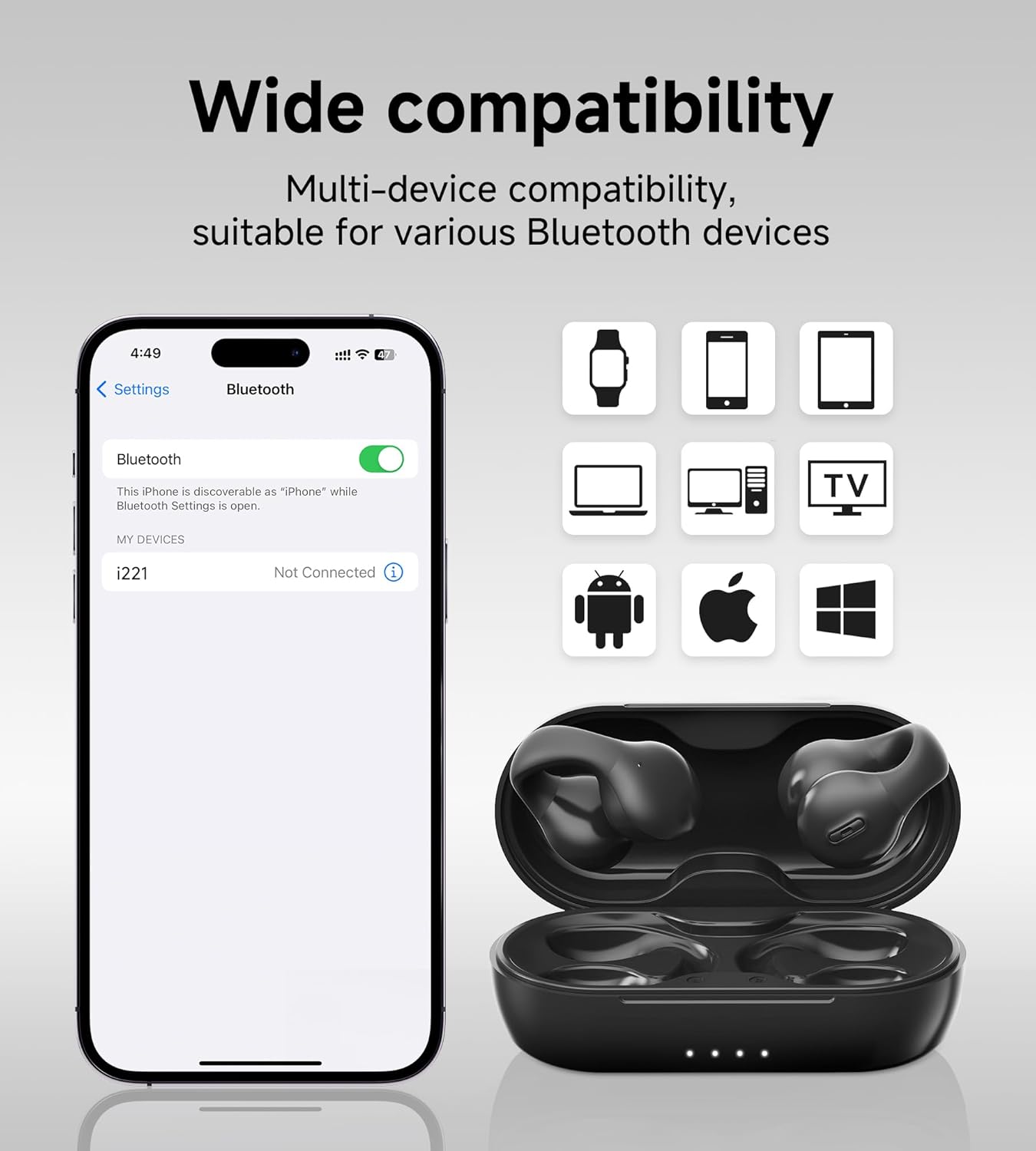
- Open the charging case. The earbuds will automatically power on and enter pairing mode, indicated by a flashing light on one of the earbuds.
- على جهازك (الهاتف الذكي، أو الجهاز اللوحي، وما إلى ذلك)، انتقل إلى إعدادات البلوتوث وقم بتشغيل البلوتوث.
- بحث عن الأجهزة المتاحة واختر 'King Lucky i21' (أو اسم مشابه) من القائمة.
- Once connected, the earbud indicator light will turn off or show a steady light, and you will hear a confirmation tone.
3. ارتداء سماعات الأذن
The King Lucky i21 earbuds feature an upgraded C-shaped bridge design for a secure and comfortable open-ear fit. Gently clip the earbuds onto your ear, ensuring the speaker is positioned near your ear canal without entering it. This design allows you to enjoy high-quality audio while remaining aware of your surroundings.


تعليمات التشغيل
تشغيل/إيقاف الطاقة
The earbuds power on automatically when removed from the charging case and power off when placed back into the case and the lid is closed.
Music Playback (Touch Controls)
- تشغيل/إيقاف مؤقت: انقر مرة واحدة على أي من سماعتي الأذن.
- المسار التالي: انقر نقرًا مزدوجًا على سماعة الأذن اليمنى.
- المسار السابق: انقر نقرًا مزدوجًا على سماعة الأذن اليسرى.
Call Management (Touch Controls)
- الرد/إنهاء المكالمة: انقر مرة واحدة على أي من سماعتي الأذن أثناء مكالمة واردة أو مكالمة جارية.
- رفض المكالمة: اضغط مع الاستمرار على أي سماعة أذن لمدة ثانيتين أثناء المكالمة الواردة.
التحكم في مستوى الصوت
Volume control is typically managed through your connected device. Please adjust the volume directly on your smartphone, tablet, or other Bluetooth-enabled device.
ENC Noise Cancelling
The earbuds feature ENC (Environmental Noise Cancellation) technology for clear calls in noisy environments. This feature is automatically active during phone calls to reduce background noise for the person on the other end.

صيانة
تنظيف
Gently wipe the earbuds and charging case with a soft, dry, lint-free cloth. Do not use abrasive cleaners, solvents, or immerse the earbuds or case in water. Ensure charging contacts are clean and dry.
تخزين
Store the earbuds in their charging case when not in use to protect them from damage and maintain battery charge. Avoid storing in extreme temperatures (hot or cold) or high humidity.
العناية بالبطارية
To prolong battery life, avoid fully discharging the earbuds and charging case frequently. Charge regularly, even if not used for extended periods. Do not attempt to replace the battery yourself.
استكشاف الأخطاء وإصلاحها
- سماعات الأذن غير مقترنة: Ensure both earbuds are charged and removed from the case. Turn off and on Bluetooth on your device. Forget the device from your Bluetooth list and try pairing again.
- لا يوجد صوت من سماعة أذن واحدة: Place both earbuds back into the charging case, close the lid, wait a few seconds, then remove them. This can reset the connection between the earbuds.
- قضايا الشحن: Check the charging cable and power adapter. Ensure the charging contacts on the earbuds and inside the case are clean and free of debris. Try a different USB port or charger.
- ضعف جودة المكالمة: Ensure the earbuds are properly seated on your ears. Move closer to your connected device. Avoid environments with strong electromagnetic interference.
- Earbuds falling off: Ensure the earbuds are correctly clipped onto your ear, following the C-shaped design. Experiment with slight adjustments for a more secure fit.
تحديد
| ماركة | الملك لاكي |
| اسم الموديل | Clip on Earbuds Open Ear Earbuds |
| رقم الموديل | B0DWSQFRZK |
| تكنولوجيا الاتصال | لاسلكي (بلوتوث 5.4) |
| وضع الأذن | أذن مفتوحة |
| عامل الشكل | على الأذن |
| التحكم في الضوضاء | إلغاء الضوضاء النشط (ENC للمكالمات) |
| نوع برنامج تشغيل الصوت | محرك ديناميكي (12 مم) |
| نطاق التردد | 20 هرتز - 20,000 هرتز |
| عمر البطارية (شحنة واحدة) | حتى ساعتين |
| عمر البطارية (مع علبة الشحن) | حتى ساعتين |
| طريقة التحكم | يلمس |
| مستوى مقاومة الماء | ضد للماء |
| مادة | بلاستيك |
| وزن ياربود | حوالي 4.7 جرام لكل سماعة أذن |


الضمان والدعم
King Lucky products are designed for reliability and performance. For detailed warranty information, technical support, or customer service inquiries, please refer to the official King Lucky website or contact customer support through your original purchase platform. Please retain your proof of purchase for any warranty claims.
You can visit the King Lucky store for more information: King Lucky Store