
مقدمة
Thank you for choosing the BoxWave SlimKeys Bluetooth Keyboard. This ultra-thin and portable keyboard is designed to enhance your typing experience with your Volla Tablet (12.3 in) and other compatible devices. Featuring a sleek design, comfortable chiclet-style keys, and efficient Bluetooth 3.0 connectivity, it is ideal for productivity on the go. Please read this manual carefully to ensure proper setup and operation.
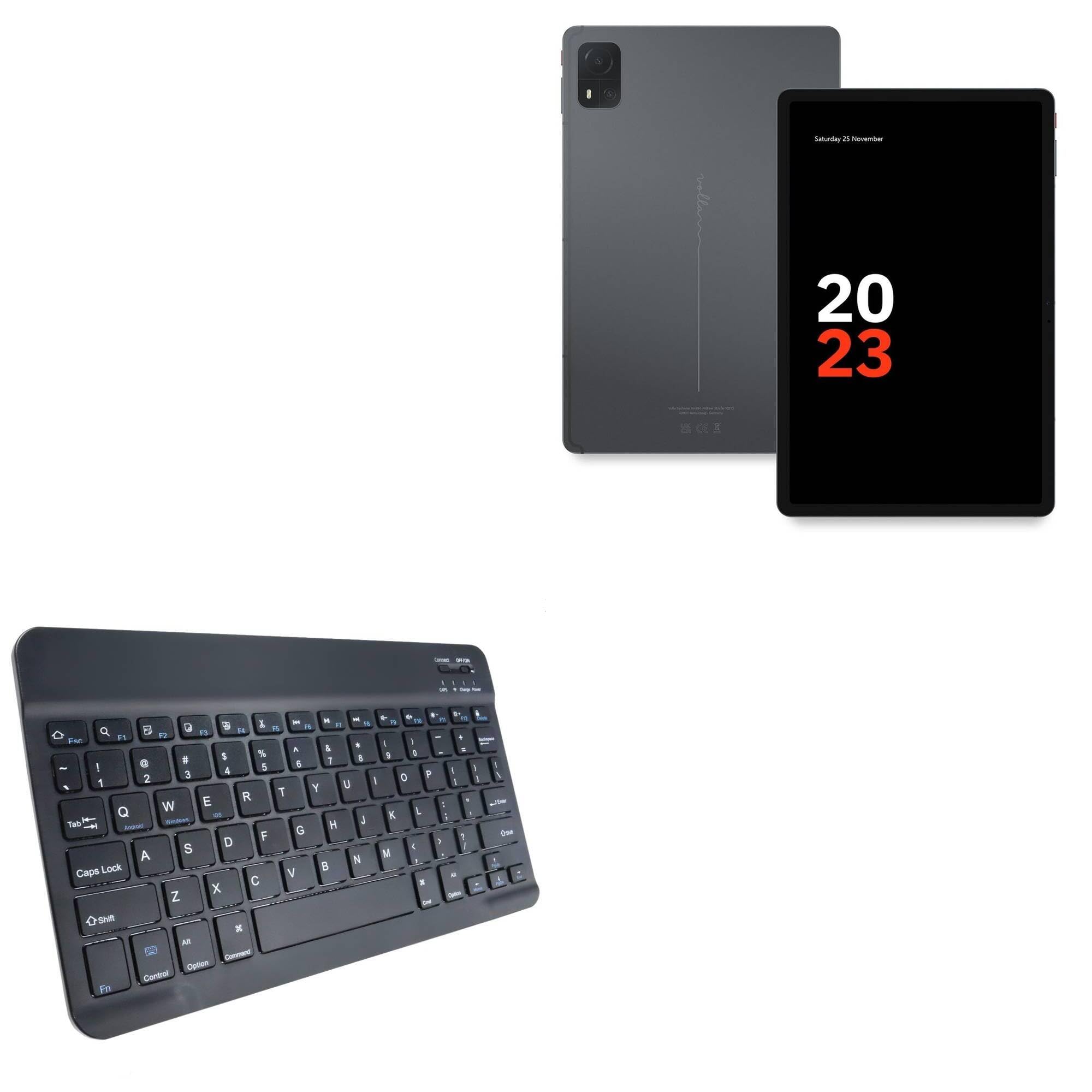
Image: The BoxWave SlimKeys Bluetooth Keyboard in Jet Black, showcasing its full QWERTY layout and compact design.
محتويات الحزمة
- BoxWave SlimKeys Bluetooth Keyboard
- كابل شحن USB
- دليل التعليمات
مميزات المنتج
- تصميم رفيع للغاية: Measuring just 3/16 inch thick, the keyboard offers a sleek, compact profile لسهولة النقل.
- خفيفة الوزن ومريحة: Responsive, chiclet-style keys provide a tactile typing experience.
- Power-Efficient Functionality: Built-in on/off switch and Bluetooth 3.0 for reduced power consumption.
- اقتران سريع بتقنية البلوتوث: Ensures quick and reliable connection without lag.
- التوافق مع منصات متعددة: يعمل بسلاسة مع أجهزة أندرويد وويندوز وآي أو إس.
- بطارية تدوم طويلاً: Up to 30 days of battery life and 6 months on standby.

Image: A visual summary of the keyboard's key features, including Chiclet Keys, Multi-Platform compatibility, Bluetooth 3.0, and its ultra-slim and light design.
يثبت
1. شحن لوحة المفاتيح
- Locate the charging port on the keyboard (usually on the top edge).
- Connect the provided USB charging cable to the keyboard's charging port.
- قم بتوصيل الطرف الآخر من كبل USB بمصدر طاقة USB (مثل الكمبيوتر أو محول الحائط).
- The 'Charge' indicator light will illuminate during charging. It will turn off or change color when fully charged.
A full charge provides up to 30 days of active use or 6 months of standby time.

Image: The SlimKeys Bluetooth Keyboard connected to a charging cable, illustrating its long-lasting battery feature.
2. Pairing with Your Device (Bluetooth Connection)
- Ensure the keyboard is charged and the power switch (usually labeled 'ON/OFF') is in the 'ON' position.
- Press the 'Connect' button on the keyboard (often a small button near the power switch or an Fn key combination). The Bluetooth indicator light will start blinking, indicating it's in pairing mode.
- On your Volla Tablet (or other device), go to إعدادات > بلوتوث and ensure Bluetooth is enabled.
- Your device will search for available Bluetooth devices. Select "BoxWave SlimKeys Keyboard" or a similar name from the list.
- If prompted, enter the displayed pairing code on the SlimKeys keyboard and press يدخل.
- بمجرد الاقتران، سيتوقف ضوء مؤشر البلوتوث الموجود على لوحة المفاتيح عن الوميض وسيظل ثابتًا أو سينطفئ، مما يشير إلى نجاح الاتصال.
تعليمات التشغيل
1. تشغيل/إيقاف التشغيل
Slide the 'ON/OFF' switch located on the top right of the keyboard to turn it on or off. To conserve battery, turn off the keyboard when not in use.
2. Operating System Selection
The SlimKeys keyboard supports multiple operating systems. To optimize function keys for your device, press the following key combinations:
- الجبهة الوطنية + س: لأجهزة الأندرويد
- الجبهة الوطنية + ث: لأجهزة ويندوز
- الجبهة الوطنية + E: لأجهزة iOS
3. مفاتيح الوظائف
The keyboard features specialized function keys (F1-F12) that provide quick access to various commands. These keys are typically activated by pressing the Fn اضغط على المفتاح في نفس الوقت مع مفتاح الوظيفة المطلوبة.

الصورة: لقطة مقربة view of the specialized function keys on the SlimKeys Bluetooth Keyboard, detailing their icons and corresponding actions.
| مجموعة المفاتيح | وظيفة |
|---|---|
| مفتاح Fn + مفتاح Esc | بيت |
| فن + F1 | بحث |
| فن + F2 | حدد الكل |
| فن + F3 | ينسخ |
| فن + F4 | لصق |
| فن + F5 | يقطع |
| فن + F6 | تخطي للخلف |
| فن + F7 | تشغيل / إيقاف مؤقت |
| فن + F8 | تخطي للأمام |
| فن + F9 | خفض الصوت |
| فن + F10 | رفع الصوت |
| فن + F11 | خفض السطوع |
| فن + F12 | زيادة السطوع |
| الجبهة الوطنية + حذف | قفل |
صيانة
- تنظيف: استخدم قطعة قماش ناعمة وخالية من الوبر وامسحها برفق.ampened with water or a mild cleaning solution to wipe the keyboard surface. Avoid excessive moisture. Do not spray cleaners directly onto the keyboard.
- تخزين: Store the keyboard in a cool, dry place away from direct sunlight and extreme temperatures. When traveling, consider placing it in a protective sleeve to prevent scratches.
- العناية بالبطارية: For optimal battery life, avoid fully discharging the keyboard frequently. Charge it regularly, especially if it will be stored for an extended period.
استكشاف الأخطاء وإصلاحها
Keyboard Not Pairing
- تأكد من شحن لوحة المفاتيح وتشغيلها.
- تأكد من تمكين البلوتوث على جهازك.
- اضغط على زر "الاتصال" الموجود على لوحة المفاتيح للدخول إلى وضع الاقتران.
- If previously paired, try 'forgetting' the keyboard from your device's Bluetooth settings and re-pairing.
- Ensure the keyboard is within the effective Bluetooth range (typically 10 meters or 33 feet).
المفاتيح لا تستجيب
- Check if the keyboard is powered on and successfully connected via Bluetooth.
- Ensure the correct operating system mode (Fn+Q/W/E) is selected for your device.
- The battery might be low; try charging the keyboard.
- أعد تشغيل كل من لوحة المفاتيح (إيقاف التشغيل/تشغيله) وجهازك.
Lag or Disconnections
- قرّب لوحة المفاتيح من جهازك لتقليل التداخل.
- Ensure there are no other strong wireless signals or devices causing interference.
- تحقق من مستوى شحن بطارية لوحة المفاتيح.
تحديد
| ميزة | التفاصيل |
|---|---|
| اسم الموديل | SlimKeys Bluetooth Keyboard |
| ماركة | بوكس ويف |
| الاتصال | بلوتوث 3.0 |
| التوافق | أندرويد، ويندوز، آي أو إس |
| الأبعاد (تقريبًا) | 9.5 in (Width) x 5.75 in (Depth) x 0.2 in (Height) |
| وزن | 8.6 أونصات |
| نوع البطارية | خاص بالمنتج (مشمول) |
| عمر البطارية | Up to 30 days (active use), 6 months (standby) |
| لون | أسود كالفحم |

Image: The SlimKeys Bluetooth Keyboard with its ultra-slim and lightweight dimensions highlighted.
معلومات السلامة
- لا تعرض لوحة المفاتيح للماء أو الرطوبة الزائدة.
- تجنب إسقاط لوحة المفاتيح أو تعريضها لصدمات قوية.
- يحفظ بعيدًا عن متناول الأطفال.
- Do not attempt to disassemble or repair the keyboard yourself. This may void the warranty and cause damage.
- استخدم فقط كابل الشحن المقدم أو ما يعادله المعتمد.
الضمان والدعم
BoxWave products are designed for quality and reliability. For warranty information or technical support, please refer to the BoxWave official webالموقع أو تواصل مع خدمة العملاء مباشرةً. احتفظ بإيصال الشراء كإثبات للشراء.