
WANPTEK DPS305U
دليل مستخدم مصدر الطاقة DC التبديلي WANPTEK DPS305U
Model: DPS305U
1. المقدمة
This user manual provides detailed instructions for the safe and efficient operation of the WANPTEK DPS305U Switching DC Power Supply. This device is a high-precision, four-digit LED display power supply offering adjustable voltage from 0-30V and current from 0-5A. It is designed for various applications including laboratory research, electronic production lines, communication equipment maintenance, and product development.
يرجى قراءة هذا الدليل جيداً قبل تشغيل الجهاز لضمان الاستخدام السليم ومنع حدوث أي ضرر أو إصابة.
2. احتياطات السلامة
- قم دائمًا بتوصيل مصدر الطاقة بمأخذ أرضي.
- لا تقم بتشغيل الجهاز في حالة رطبة أو دamp شروط.
- Ensure proper ventilation; do not block the ventilation openings.
- لا تفتح الصندوقasinوحدة تزويد الطاقة. لا توجد أي أجزاء قابلة للصيانة من قِبل المستخدم. يُرجى تكليف فنيين مؤهلين بجميع أعمال الصيانة.
- التحقق من حجم الإدخالtage matches the power supply's requirements before connecting to the mains.
- افصل الطاقة قبل إجراء أو تغيير التوصيلات بأطراف الإخراج.
- Avoid short-circuiting the output terminals for extended periods, although the device has protection features.
3. انتهى المنتجview
The WANPTEK DPS305U features a compact design with intuitive controls and a clear LED display for precise readings.
3.1 تخطيط اللوحة الأمامية

الشكل 3.1: الجبهة view of the WANPTEK DPS305U DC Power Supply, showing the LED display, control knobs, USB ports, and output terminals.
تتضمن اللوحة الأمامية:
- عرض الصمام: يظهر حجم الصوت في الوقت الحقيقيtage (V), current (A), and power (W) readings with four digits of precision.
- المجلدtage Adjustment Knobs (V-COARSE, V-FINE): يُستخدم لضبط مستوى صوت الإخراجtage. V-COARSE for large adjustments, V-FINE for precise tuning.
- Current Adjustment Knobs (A-COARSE, A-FINE): Used to set the output current limit. A-COARSE for large adjustments, A-FINE for precise tuning.
- منافذ USB-A وUSB-C: For charging compatible devices or powering low-current USB devices.
- OCP (Over Current Protection) Indicator: Lights up when over-current protection is active.
- مفتاح الطاقة (تشغيل/إيقاف): لتشغيل الوحدة أو إيقاف تشغيلها.
- أطراف الإخراج (+، -، أرضي): For connecting loads using banana plugs or bare wires.
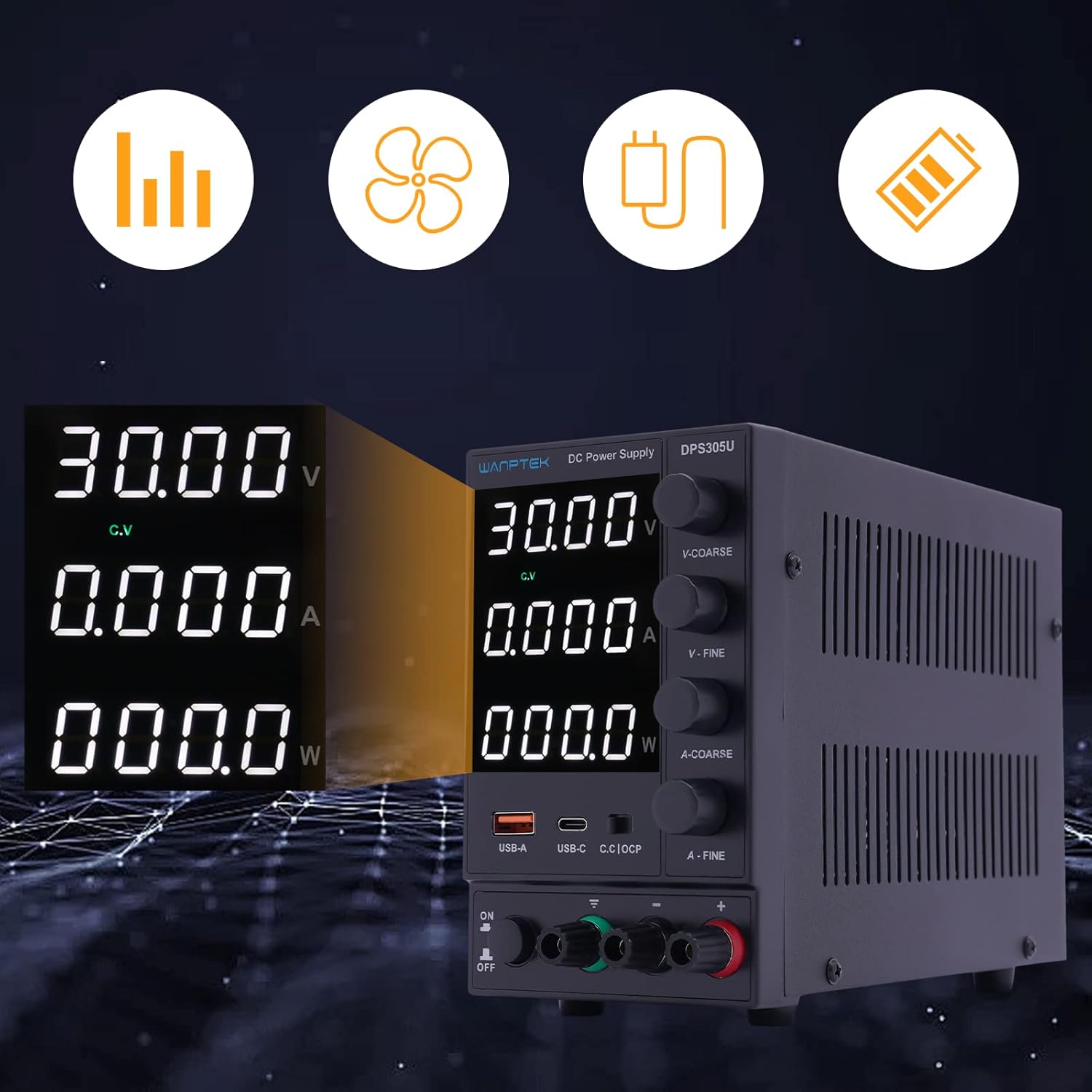
الشكل 3.2: مفصل view of the digital display, indicating voltage, current, and power output, along with status indicators.
The display provides clear, real-time feedback on the power supply's output, essential for precise control during operation.
3.2 تخطيط اللوحة الخلفية

الشكل 3.3: خلفي view of the power supply, showing the power input socket and ventilation fan.
The rear panel typically includes the AC power input socket and a cooling fan for thermal management.
3.3 محتويات العبوة
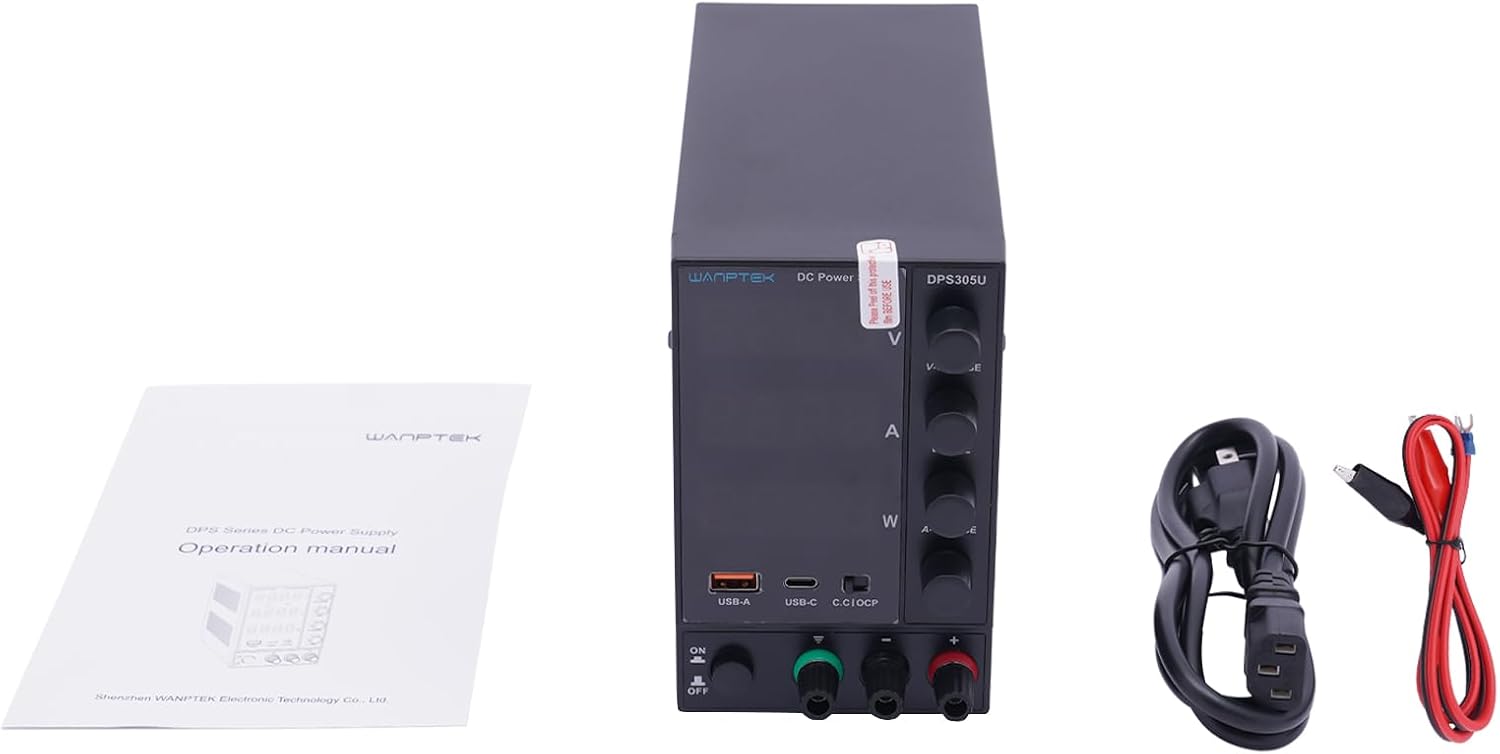
Figure 3.4: The standard package contents for the DPS305U, including the power supply unit, user manual, and necessary power and output cables.
عند فتح العبوة، تأكد من وجود جميع العناصر:
- WANPTEK DPS305U DC Power Supply Unit
- سلك الطاقة المتردد
- Output Test Leads (Banana Plug to Alligator Clip)
- دليل المستخدم
4. الإعداد
- الموقع: Place the power supply on a stable, level surface with adequate ventilation space around it. Ensure no objects block the air vents on the sides and rear.
- توصيل الطاقة: Connect the supplied AC power cord to the power input socket on the rear panel of the power supply, then plug the other end into a grounded AC outlet.
- الفحص الأولي: Before connecting any load, ensure the power supply is off. Turn the voltage and current adjustment knobs to their minimum settings (fully counter-clockwise).
5. تعليمات التشغيل
5.1 حجم الإعدادtage and Current Limits (Constant Voltage / Constant Current Mode)
- تشغيل الطاقة: Turn on the power supply using the ON/OFF switch. The LED display will illuminate.
- ضبط مستوى الصوت مسبقًاtage: Without a load connected, adjust the V-COARSE and V-FINE knobs to set the desired output voltagه. مراقبة المجلدtagالقراءة على الشاشة.
- Pre-setting Current Limit: To set the current limit, temporarily short the positive and negative output terminals using a test lead (or a low-resistance load). The display will show the current. Adjust the A-COARSE and A-FINE knobs to set the desired maximum current. Remove the short circuit after setting.
- حمل التوصيل: Connect your device or circuit to the output terminals. Ensure correct polarity (+ to +, - to -).
- عملية: The power supply will operate in Constant Voltage (CV) mode if the load current is below the set limit, or in Constant Current (CC) mode if the load attempts to draw more current than the set limit. The corresponding CV or CC indicator on the display will light up.
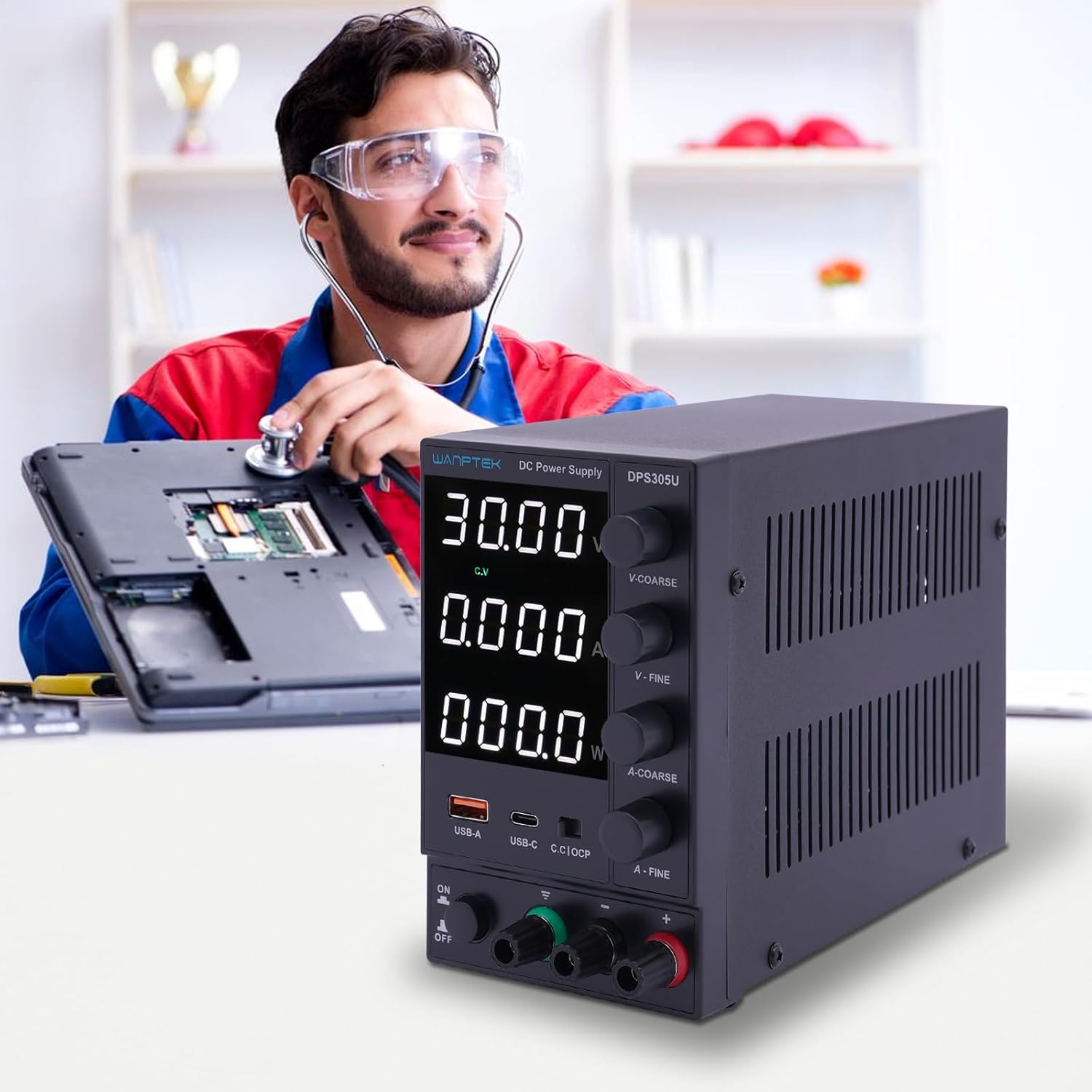
Figure 5.1: The DPS305U in use, demonstrating its application in electronic testing and repair environments.
5.2 Using USB-A and USB-C Output Ports
The integrated USB-A and USB-C ports provide a convenient 5V output for charging or powering compatible USB devices. These ports operate independently of the main adjustable DC output.
- تأكد من تشغيل مصدر الطاقة.
- Connect your USB device to either the USB-A or USB-C port using an appropriate cable.
- The device will begin charging or operating.
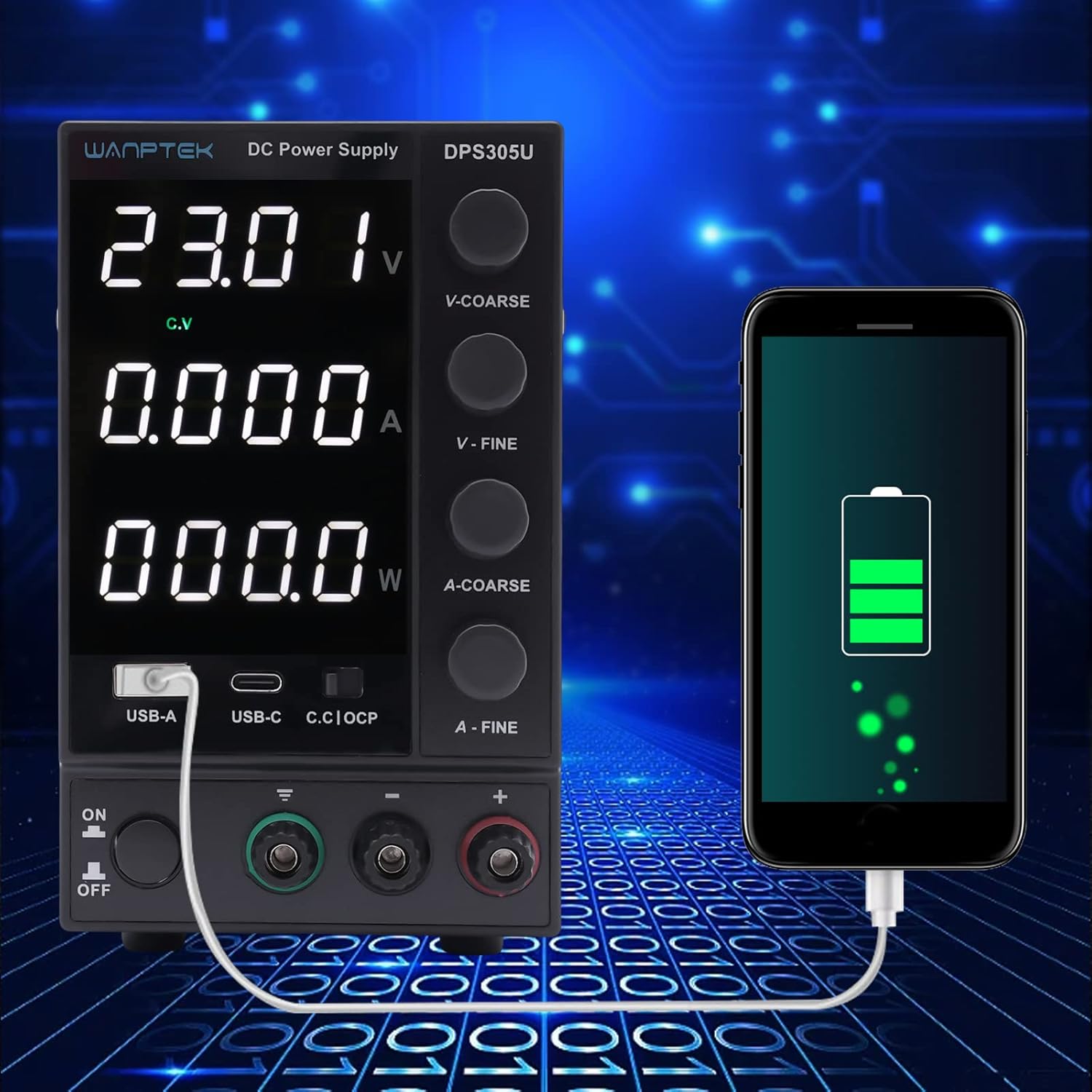
Figure 5.2: Demonstration of the power supply's USB-A port being used to charge a smartphone, highlighting its versatility.
5.3 الحماية الزائدة (OCP)
The OCP function protects the connected load from excessive current. When the output current exceeds the preset limit, the OCP indicator will light up, and the power supply will limit the current to the set value. This prevents damage to both the power supply and the connected device.
6. الصيانة
- تنظيف: افصل مصدر الطاقة عن التيار الكهربائي قبل التنظيف. استخدم قطعة قماش ناعمة وجافة لمسح الجزء الخارجي. لا تستخدم منظفات أو مذيبات كاشطة.
- تهوية: تأكد بانتظام من أن فتحات التهوية خالية من الغبار والحطام لضمان تدفق الهواء بشكل صحيح ومنع ارتفاع درجة الحرارة.
- تخزين: عند عدم الاستخدام لفترات طويلة، قم بتخزين مصدر الطاقة في مكان بارد وجاف، بعيدًا عن أشعة الشمس المباشرة ودرجات الحرارة القصوى.
7. استكشاف الأخطاء وإصلاحها
| مشكلة | السبب المحتمل | حل |
|---|---|---|
| لا يوجد طاقة/إيقاف تشغيل الشاشة | سلك الطاقة غير متصل؛ تم إيقاف تشغيل الطاقة؛ فتيل محترق. | Check power cord connection; Turn on power switch; Check and replace fuse (if accessible and safe to do so, otherwise contact support). |
| لا يوجد مجلد إخراجtagه/الحالي | أطراف الإخراج غير متصلة؛ مستوى الصوتtage/current knobs set to zero; OCP activated. | Ensure proper connection to load; Adjust voltage/current knobs; Check for short circuit in load, remove it, and reset OCP if necessary. |
| إخراج المجلدtage/current fluctuates | Unstable input power; Loose connections; Faulty load. | Ensure stable AC input; Check all connections; Test with a different load. |
| وحدة يسخن | انسداد التهوية؛ حمل زائد. | تأكد من خلو فتحات التهوية من العوائق؛ قلل الحمل أو قم بالتشغيل ضمن الحدود المحددة. |
8. المواصفات
| المعلمة | قيمة |
|---|---|
| نموذج | دي بي اس 305 يو |
| حجم الإدخالtage | تيار متردد 110 فولت/220 فولت ±10% (قابل للتبديل) |
| حجم الإخراجtage | 0-DC 30V |
| تيار الخرج | 0-5 أمبير تيار مستمر |
| عرض | 4-digit LED (Voltage, Current, Power) |
| تنظيم الحمل (الحجم)tage) | ≤0.5% + 10 م فولت |
| تنظيم الحمل (التيار) | ≤0.5٪ + 3 مللي أمبير |
| تموج وضجيج (مجلد)tage) | ≥5mVrms |
| تموج وضوضاء (حالي) | ≥3 م ذراع |
| حماية | Overload, Over-temperature, Over-voltagهـ، التيار الزائد |
| مخرج يو اس بي | USB-A: 5V/2A, USB-C: 5V/3A |
| الأبعاد (الطول×العرض×الارتفاع) | Approx. 19cm × 9cm × 14.5cm (7.48in × 3.54in × 5.7in) |
| وزن | حوالي 1.5 كجم |

Figure 8.1: Physical dimensions of the WANPTEK DPS305U power supply.
9. الضمان والدعم
هذا المنتج مشمول بضمان المصنّع القياسي. للاطلاع على شروط وأحكام الضمان بالتفصيل، يُرجى الرجوع إلى الوثائق المرفقة مع المنتج أو التواصل مباشرةً مع البائع.
For technical support, troubleshooting assistance, or inquiries regarding parts and service, please contact your point of purchase or the manufacturer's customer service department. Please have your model number (DPS305U) and serial number (if applicable) ready when contacting support.
Ask a question about this manual
Ask about setup, troubleshooting, compatibility, parts, safety, or missing instructions. Manuals+ will review the question and use this page’s manual context to help answer it.