
1. الإعداد الأولي
1.1 الاتصال بجهاز بلاي ستيشن 5
To ensure proper functionality with your PlayStation 5 console, a specific setting adjustment is required. Follow these steps:
- قم بتشغيل جهاز PS5 الخاص بك.
- Navigate to the PS5 system settings.
- يختار مُكَمِّلات.
- يختار المراقب (عام).
- يختار طريقة التواصل.
- تغيير الإعداد إلى استخدم كابل USB.

Image: Dinosoo wired controller connected to a PlayStation 5 console, emphasizing the critical setting change required on the PS5 to 'Use USB Cable' for proper functionality.
1.2 Connecting to PlayStation 4, PC, and MAC
The Dinosoo Wired Controller offers broad compatibility across multiple platforms. Simply connect the controller's 10ft USB cable to an available USB port on your PlayStation 4, PC, or MAC. The controller is designed for plug-and-play operation on these systems.
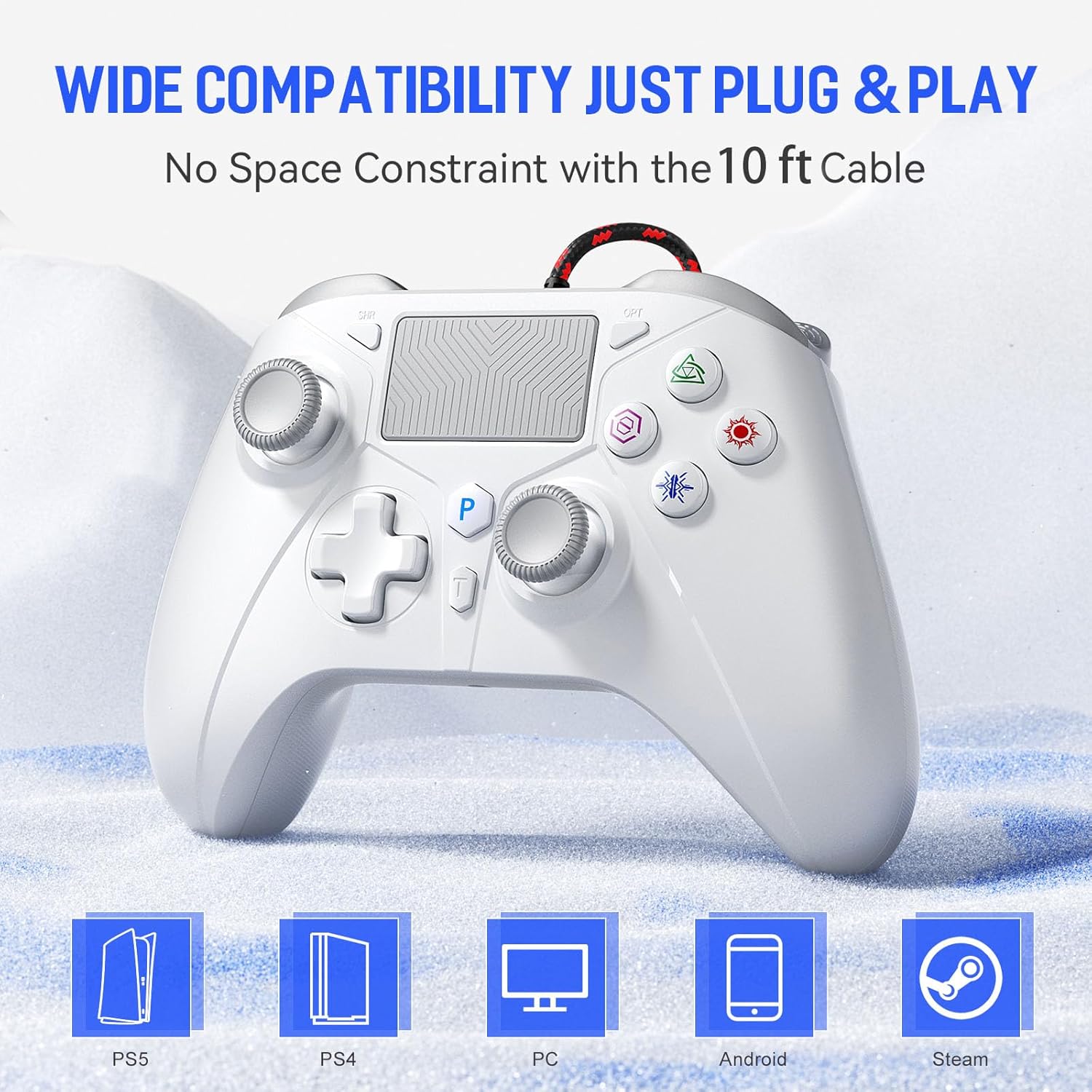
Image: This image illustrates the broad compatibility of the Dinosoo wired controller, showing icons for PlayStation 5, PlayStation 4, PC, Android, and Steam, highlighting its plug-and-play functionality.
2. تعليمات التشغيل
2.1 تخطيط وحدة التحكم
Familiarize yourself with the various buttons and features of your Dinosoo Wired Controller:

Image: A detailed diagram of the Dinosoo Wired Controller, with labels for the Share button, Touchpad, Options button, PS button, Left Stick, Right Stick, D-pad, Turbo button, Headphone Jack, Type-C Charging Port, L1/L2/R1/R2 triggers, and the programmable PR/PL buttons.
2.2 Programmable Rear Buttons (PL/PR)
The controller features two mappable advanced game buttons (PL/PR) on the rear, allowing you to program complex operations for quick execution.
- اضغط على تعيين button located on the underside of the controller. The controller will vibrate.
- Press the button you wish to map (e.g., R1, L3, etc.).
- اضغط على أي من PL or PR button on the rear to assign the mapped function.
- اضغط على تعيين button again to save the mapping. The controller will vibrate to confirm.

Image: This image displays the underside of the controller, highlighting the two programmable PL/PR keys and the 'SET' button, which allow for easy customization of complex operations.
2.3 وظيفة توربو
ال توربيني button allows you to toggle between different combo settings for rapid, repeated inputs, enhancing your gaming experience.

Image: The controller highlighting the 'TURBO' button, which allows for rapid, repeated inputs to enhance gaming experience.
2.4 عصي التحكم وأزرار التشغيل بتقنية تأثير هول
The Dinosoo controller incorporates Hall Effect technology for both its joysticks and triggers, providing enhanced precision and durability.
- عصا التحكم ذات التأثير القاعة: These joysticks utilize magnetic fields for input, eliminating physical contact wear and preventing stick drift. They offer high sensitivity and accuracy with a 500Hz return rate.
- محفزات تأثير هول: Designed to solve problems of excessive friction and linear trigger jamming, these triggers provide a smoother, more consistent feel with added texture for increased accuracy.

الصورة: رسم تخطيطي مفصل يوضحasing the Hall Effect triggers within the controller, designed to prevent friction and jamming for smoother operation.

Image: This image highlights the Hall Effect joystick technology, ensuring high sensitivity and accuracy without drift, with a 500Hz return rate.

Image: An illustration of the Hall Linear Trigger, emphasizing its added texture for increased accuracy and precise input.

Image: This image details the new joystick design, engineered for improved accuracy and reduced errors during gameplay.
2.5 ردود الفعل الاهتزازية
The controller features a lightweight vibration system designed to provide a better sense of control and realism, offering simulated in-game action and environmental feedback.

Image: An image depicting the controller's vibration motors, which provide realistic haptic feedback for an immersive gaming experience.
2.6 مقبس صوت 3.5 ملم
The integrated 3.5mm audio jack provides stereo headset output sound and chat functionality, allowing for immersive audio and communication during gameplay.
2.7 Anti-Slip Grips
The controller's grips feature a laser-etched carving, providing a comfortable and sweat-resistant hold for extended gaming sessions.
3. الرعاية والصيانة
To ensure the longevity and optimal performance of your Dinosoo Wired Controller, follow these care guidelines:
- حافظ على نظافة وحدة التحكم بمسحها بقطعة قماش ناعمة وجافة. تجنب استخدام المواد الكيميائية القاسية أو المواد الكاشطة.
- قم بتخزين وحدة التحكم في مكان بارد وجاف بعيدًا عن أشعة الشمس المباشرة ودرجات الحرارة القصوى.
- تجنب إسقاط وحدة التحكم أو تعريضها لصدمات قوية.
- لا تحاول تفكيك وحدة التحكم، لأن ذلك قد يبطل أي ضمان محتمل ويسبب تلفًا.
4. استكشاف الأخطاء وإصلاحها
4.1 Controller Not Connecting to PS5
If your controller is not recognized by your PlayStation 5, please re-verify the PS5 system settings:
- اذهب الى PS5 system settings > Accessories > Controller (General) > Communication Method > Use USB Cable.
- Ensure the USB cable is securely connected to both the controller and the PS5 console.
- Try connecting the controller to a different USB port on the PS5.
4.2 Button or Joystick Issues
If you experience unresponsive buttons or joystick drift:
- Ensure the controller's cable is not damaged and is securely connected.
- أعد تشغيل جهازك أو جهاز الكمبيوتر الخاص بك.
- For programmable buttons, ensure they are correctly mapped as per the instructions in Section 2.2.
- نظف المنطقة المحيطة بالأزرار وعصا التحكم بقطعة قماش ناعمة وجافة لإزالة أي بقايا.
5. مواصفات المنتج
- ماركة: ديناصور
- نموذج: Wired 10ft Controller
- الأجهزة المتوافقة: PlayStation 5, PlayStation 4, PC, MAC
- تقنية الاتصال: Wired (10ft USB Cable)
- نوع تحكم: لوحة الألعاب
- Button Quantity: 21
- المميزات الخاصة: Hall Effect Joysticks, Hall Effect Triggers, Turbo Function, Programmable Rear Buttons (PL/PR), Multi-Touch Pad, 3.5mm Audio Jack, Vibration Feedback, Anti-Slip Grips
- وزن السلعة: 0.35 كيلوغرام