
1. المقدمة
The Yasola RC Drone Car Model 828 is a versatile 2-in-1 remote control vehicle designed for both ground driving and aerial flight. This manual provides essential instructions for safe operation, setup, and maintenance to ensure an enjoyable experience.
2. احتياطات السلامة
- إشراف الكبار: Always ensure adult supervision when children are operating the drone car.
- بيئة الرحلة: Operate the drone in open, clear areas, away from people, animals, buildings, and other obstacles. Avoid flying in strong winds or rain.
- سلامة البطارية:
- استخدم فقط كابل الشحن والبطاريات المرفقة.
- لا تقم بشحن البطاريات بشكل زائد أو بتقصير الدائرة الكهربائية.
- لا تعرض البطاريات لدرجات حرارة شديدة أو للنار.
- If batteries swell or leak, discontinue use immediately.
- سلامة المروحة: أبقِ أصابعك وشعرك وملابسك الفضفاضة بعيدًا عن المراوح الدوارة.
- تجنب التأثير: Avoid collisions with objects or people to prevent damage to the drone car and potential injury.
- التعرض للماء: Do not expose the drone car to water or moisture.
3. محتويات العبوة
يرجى التأكد من وجود جميع العناصر في الحزمة:
- 1 x Yasola RC Drone Car (Model 828)
- 1 × جهاز التحكم عن بعد
- 2 x Lithium Batteries (for drone car)
- 1 × كابل شحن USB
- 4 مراوح احتياطية
- 1 × دليل المستخدم (هذه الوثيقة)
4. دليل الإعداد
4.1 تركيب البطارية
For the Drone Car:
- Locate the battery compartment on the underside of the drone car.
- افتح غطاء حجرة البطارية بعناية.
- Connect the drone battery to the drone's power connector.
- ضع البطارية داخل الحجرة وأغلق الغطاء بإحكام.
- Use a small screwdriver to turn the battery cover screw to secure it.


لجهاز التحكم عن بعد:
- افتح حجرة البطارية الموجودة في الجزء الخلفي من جهاز التحكم عن بعد.
- Insert 2 LR44 batteries (included) according to the polarity markings.
- أغلق حجرة البطارية.
4.2 شحن بطارية الطائرة بدون طيار
- قم بتوصيل كابل الشحن USB ببطارية الطائرة بدون طيار.
- Plug the USB end into a compatible USB power source (e.g., computer, USB wall adapter).
- The indicator light on the USB cable will show charging status (refer to charger for specific light indications).
- Charging typically takes approximately 60-90 minutes. Do not leave unattended while charging.
4.3 Pairing the Remote Control with the Drone Car
- Ensure the drone car battery is installed and fully charged.
- Long press the power button on the drone car to turn it on. The LED lights will begin to flash.
- قم بتشغيل جهاز التحكم عن بعد. سيومض ضوء المؤشر الموجود على جهاز التحكم عن بعد.
- Move the left joystick (throttle) on the remote control up and then down. The remote control will beep, and the drone car's lights will become solid, indicating successful pairing.
- The default mode after pairing is typically Flight Mode.
5. تعليمات التشغيل
5.1 التحكم عن بعد أكثرview
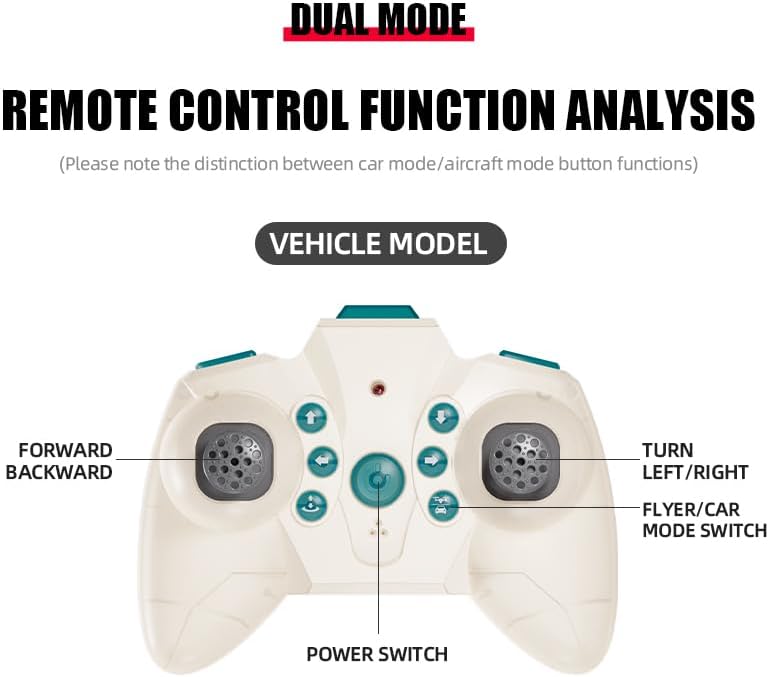
The remote control features dual modes for car and flight operation. Familiarize yourself with the controls:
- عصا التحكم اليسرى (الخانق): Controls forward/backward movement in car mode, and ascent/descent in flight mode.
- Right Joystick (Steering/Direction): Controls left/right turns in car mode, and directional flight (forward, backward, left, right) in flight mode.
- زر تبديل الوضع: Toggles between Flight Mode and Car Mode.
- One-Key Take Off/Landing Button: Initiates automatic take-off or landing in flight mode.
- Speed Shift Button: Adjusts the speed setting (low/high).
- زر وضع مقطوعة الرأس: Activates headless mode for simplified flight control.
- زر تبديل الضوء: Toggles the LED lights.
5.2 Switching Between Flight Mode and Car Mode
- After pairing, the drone car is typically in Flight Mode.
- للتبديل إلى وضع السيارة: Ensure the drone car has landed and propellers have stopped spinning. Press the Mode Switch button on the remote control. The lights on the drone car will turn red to indicate Car Mode.
- للتبديل إلى وضع الطيران: Press the Mode Switch button again. The lights on the drone car will turn blue to indicate Flight Mode.

5.3 عمليات الطيران
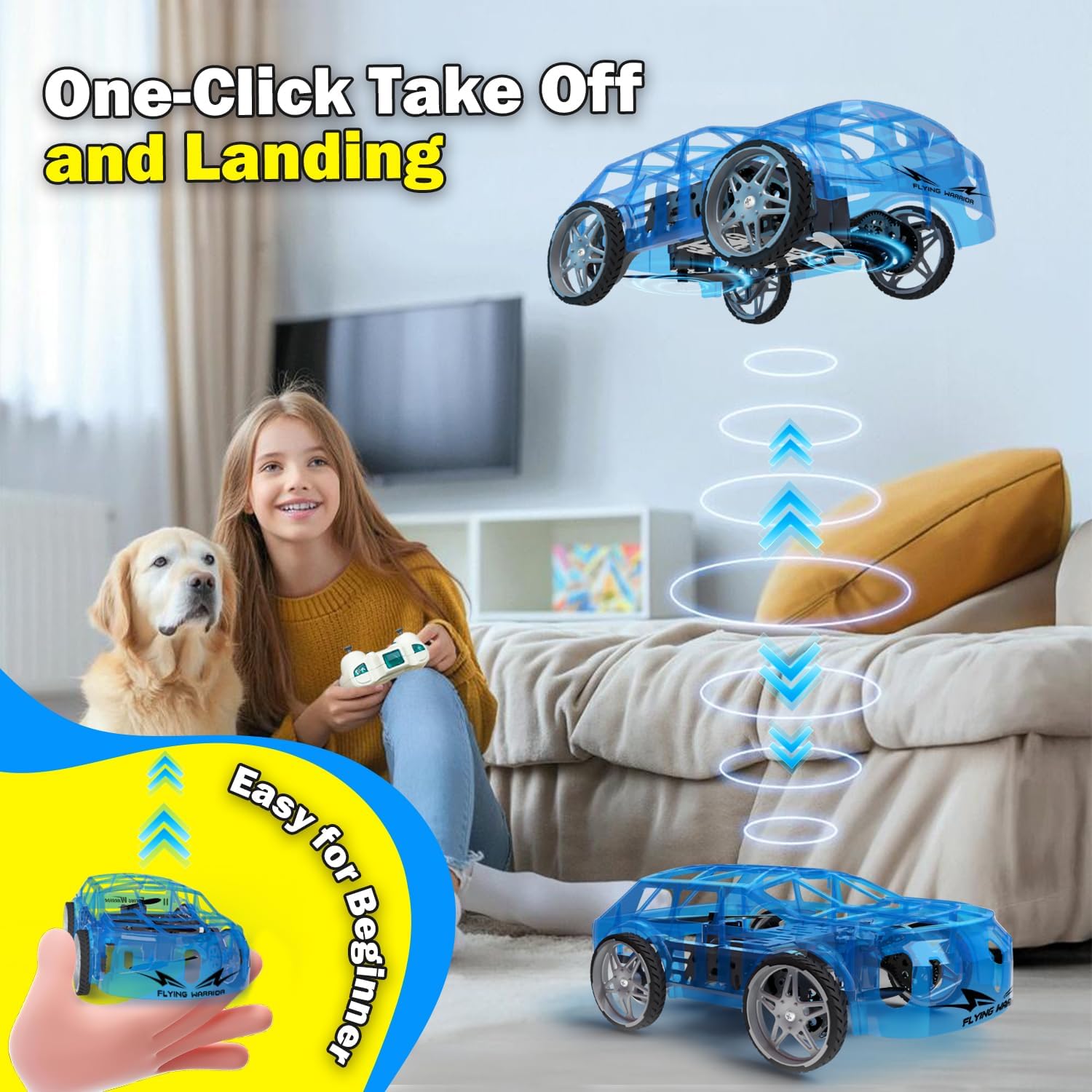
- One-Key Take Off: With the drone car in Flight Mode, press the One-Key Take Off/Landing button. The drone will automatically ascend to a stable hovering altitude.
- التحكم في الارتفاع: ادفع عصا التحكم اليسرى لأعلى للصعود ولأسفل للنزول.
- Directional Flight: Push the right joystick forward to fly forward, backward to fly backward, left to fly left, and right to fly right.
- تناوب: Push the left joystick left or right to rotate the drone car.
- تعديل السرعة: Press the Speed Shift button to toggle between low and high-speed modes.
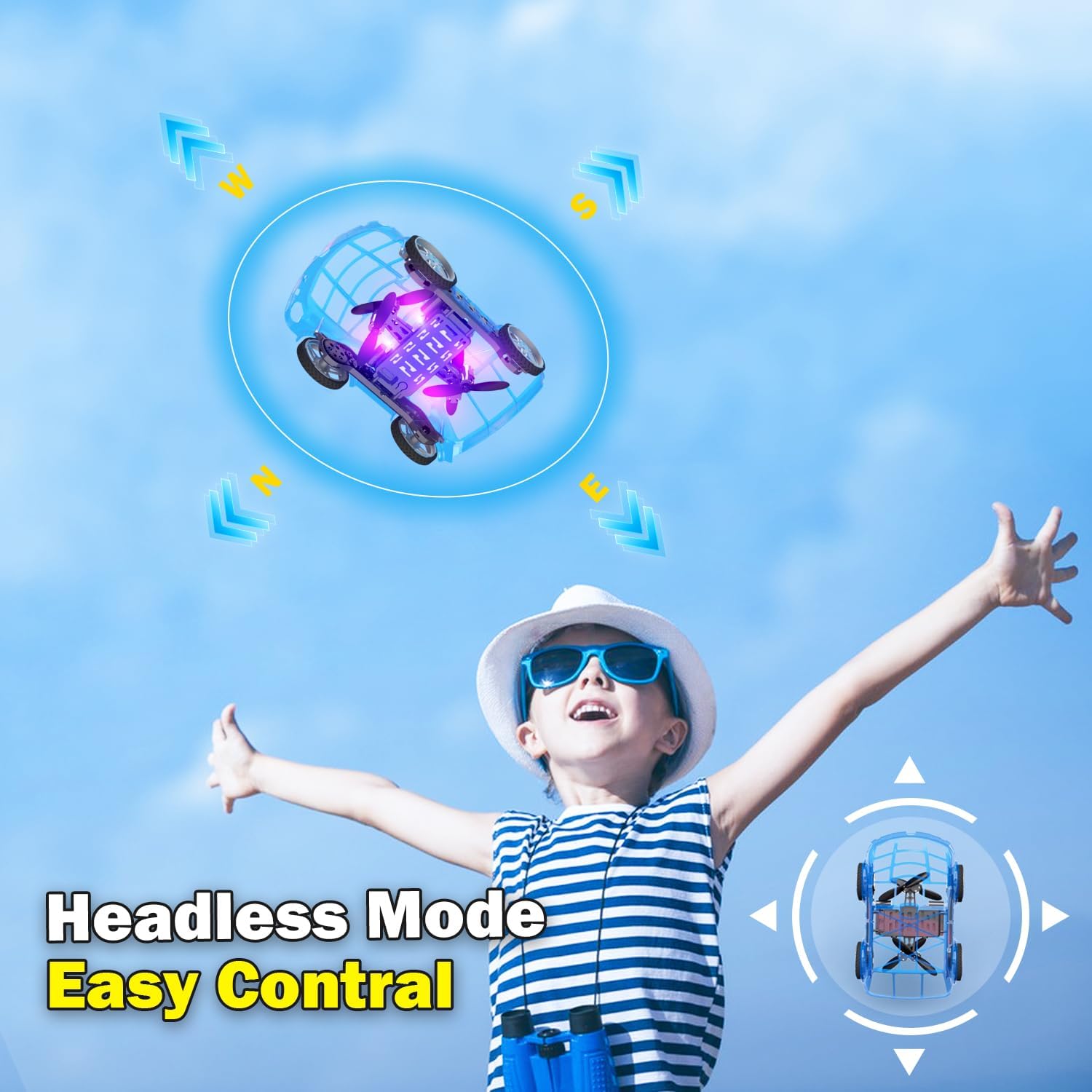
- الوضع بدون رأس: Press the Headless Mode button to activate. In this mode, the drone's orientation is relative to the pilot, regardless of the drone's front direction. Press again to exit.
- هبوط بمفتاح واحد: Press the One-Key Take Off/Landing button again to initiate an automatic landing. The drone will slowly descend and land.

5.4 Car Operations
- إلى الأمام / الخلف: Push the left joystick up to drive forward and down to drive backward.
- التحول: Push the right joystick left to turn left and right to turn right.
- تعديل السرعة: Press the Speed Shift button to toggle between low and high-speed modes.
6. الصيانة
- تنظيف: Use a soft, dry cloth to clean the drone car. Do not use water or chemical cleaners.
- استبدال المروحة: If a propeller is damaged, carefully remove it and replace it with a spare propeller, ensuring correct orientation.
- العناية بالبطارية:
- قم بتخزين البطاريات في مكان بارد وجاف عندما لا تكون قيد الاستعمال.
- لا تقم بتخزين البطاريات المشحونة بالكامل أو الفارغة تماماً لفترات طويلة.
- Charge batteries at least once every three months to maintain their health.
7. استكشاف الأخطاء وإصلاحها
| مشكلة | السبب المحتمل | حل |
|---|---|---|
| Drone car does not respond to remote control. | Not paired; low battery in drone or remote; drone not powered on. | Ensure drone and remote are powered on. Re-pair the remote control (Section 4.3). Charge drone battery. Replace remote control batteries. |
| Drone car cannot take off or flies unstably. | Low drone battery; damaged propellers; incorrect calibration; operating in windy conditions. | Charge drone battery. Check and replace damaged propellers. Perform "Outer eight calibration" (refer to video demonstration). Operate in calm conditions. |
| Short flight time (e.g., 3-5 minutes). | Normal battery capacity for mini drones; battery not fully charged. | Ensure battery is fully charged before use. Utilize the second included battery for extended play. |
| Drone car drifts during flight. | Needs fine-tuning/trimming; environmental factors (e.g., slight breeze). | Use the direction fine-tuning buttons on the remote control to correct drift. Ensure operation in a calm environment. |
8. المواصفات
- ماركة: Yasola
- اسم الموديل: 828
- أبعاد المنتج: 9.56 بوصة طول × 5.11 بوصة عرض × 3.54 بوصة ارتفاع
- وزن السلعة: 9.4 أونصة (0.59 رطل)
- مادة: بلاستيك
- لون: أزرق
- تقنية الاتصال: Remote control 2.4G
- سعة البطارية: 600 مليamp ساعات (أيون الليثيوم)
- الفئة العمرية (الوصف): Kid (recommended for ages 8-12)
- المميزات الخاصة: Drone car, UFO, flying and running RC drone, flying car, One-Key Take Off/Landing, LED Lights, 2 Mode Control, Headless Mode, High-Low Speed Shift.
9. الضمان والدعم
For warranty information, technical support, or any inquiries regarding your Yasola RC Drone Car Model 828, please refer to the contact information provided on the product packaging or visit the official Yasola webموقع.