
مقدمة
شكرا لك على الشراءasing the POFOTO 15.6-inch Portable DVD Player. This device is designed to provide versatile entertainment with its high-definition swivel screen, long-lasting battery, and multi-format support. This manual will guide you through the setup, operation, maintenance, and troubleshooting of your new portable DVD player to ensure optimal performance and enjoyment.
ماذا يوجد في الصندوق
Please check the contents of your package. If any items are missing or damaged, please contact POFOTO customer support.
- POFOTO 15.6-inch Portable DVD Player
- محول التيار المتردد
- شاحن السيارة
- 3 في 1 كابل صوت وصورة
- جهاز التحكم عن بعد
المنتج انتهىview
The POFOTO portable DVD player features a 15.6-inch HD screen with a resolution of 1280 x 800 pixels. The screen can rotate 270 degrees and fold 180 degrees, offering flexible viewing angles. It includes dual stereo speakers for clear audio output and supports various media formats via disc, USB, and SD card.

Image: The POFOTO 15.6-inch Portable DVD Player showcasing its large display with a scenic view.
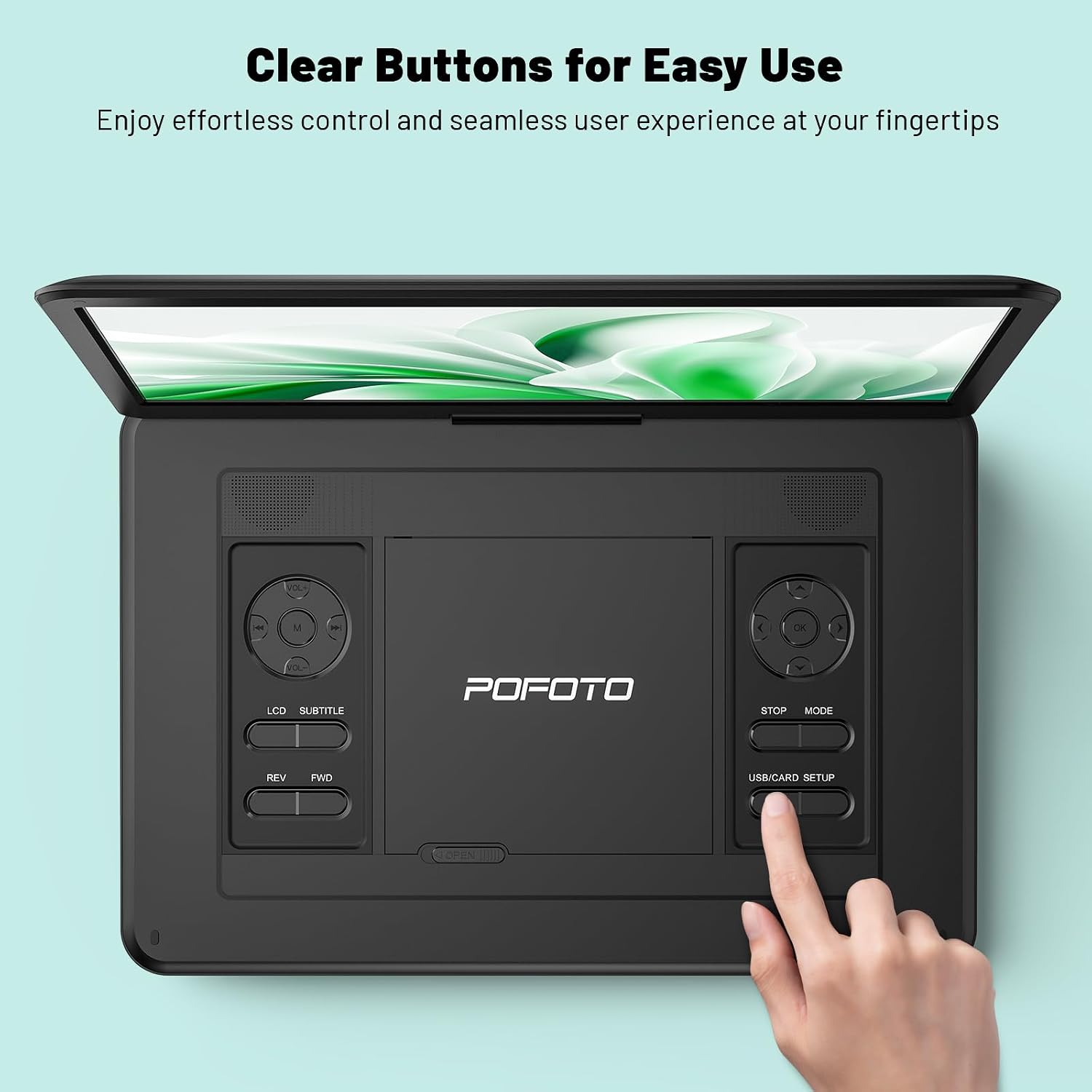
Image: A close-up of the player's control panel, highlighting the clearly labeled buttons for easy operation.
يثبت
1. الشحن الأولي
Before first use, fully charge the device. Connect the AC adapter to the DC IN port on the player and plug it into a power outlet. The charging indicator light will illuminate. A full charge provides up to 6 hours of playback.

Image: Illustration of the player's power sources, including the 5000mAh battery, AC adapter, and car charger.
2. تشغيل / إيقاف التشغيل
- To power on: Slide the POWER switch to the ON position.
- To power off: Slide the POWER switch to the OFF position.
3. ضبط الشاشة
The screen can be rotated 270 degrees horizontally and folded 180 degrees vertically to achieve the desired viewing angle. Handle the screen gently during adjustment.
تعليمات التشغيل
1. Playing DVDs/CDs
- Gently slide the OPEN latch to open the disc cover.
- Place a compatible DVD or CD onto the disc spindle with the label side facing up.
- Close the disc cover until it clicks securely.
- The player will automatically detect and begin playing the disc. If not, press the PLAY button.
تنسيقات الأقراص المدعومة: DVD/CD, DVD±R/RW, CD-R(RW), SVCD-R(RW), VCD (Blu-ray discs are not supported).

Image: A hand demonstrating how to open the disc cover and insert a DVD into the player.
2. Using USB/SD Card
- Insert a USB flash drive (up to 32GB) into the USB port or an SD card (up to 32GB) into the SD card slot.
- Use the MODE button on the player or remote to select USB or SD mode.
- التنقل عبر files using the directional buttons and press PLAY to select and play media.
مدعوم File التنسيقات: VOB, AVI, MPEG, MP3, WMA, JPEG.
3. Connecting to TV/Projector
To enjoy content on a larger screen, use the included 3-in-1 AV cable:
- قم بتوصيل أحد طرفي كابل AV بمنفذ AV OUT الموجود على مشغل DVD.
- قم بتوصيل الطرف الآخر من كابل AV بمنافذ AV IN المقابلة (الأصفر للفيديو، والأحمر للصوت الأيمن، والأبيض للصوت الأيسر) على جهاز التلفزيون أو جهاز العرض الخاص بك.
- حدد مصدر إدخال الصوت والفيديو الصحيح على جهاز التلفزيون أو جهاز العرض الخاص بك.
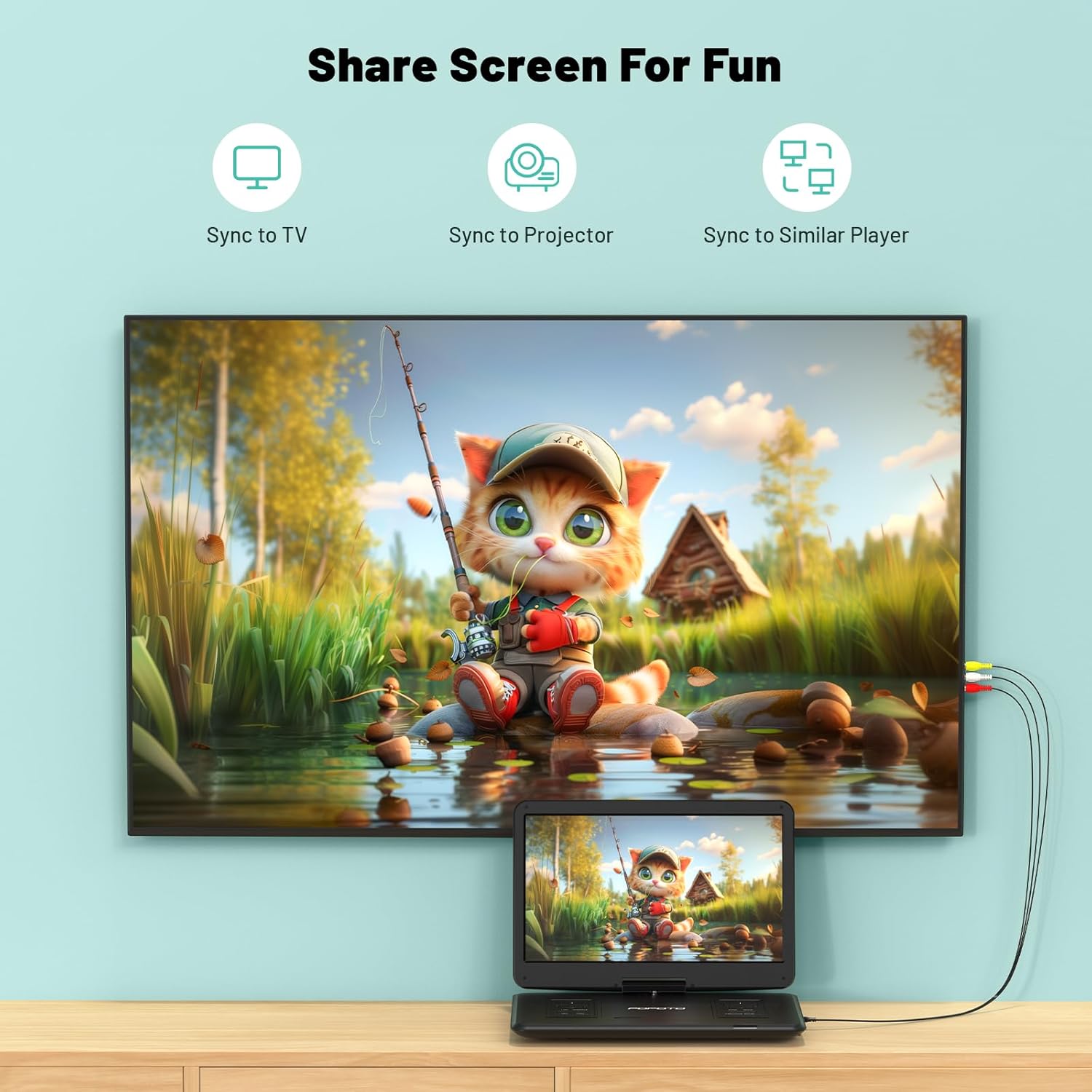
Image: The portable DVD player connected to a television, demonstrating the screen sharing capability.
4. مخرج الصوت
- مكبرات صوت ستيريو مزدوجة: The player features built-in dual stereo speakers for direct audio playback. Adjust volume using the VOL+/- buttons.
- مقبس سماعة الرأس: For private listening, connect 3.5mm headphones to the headphone jack. The built-in speakers will automatically mute.
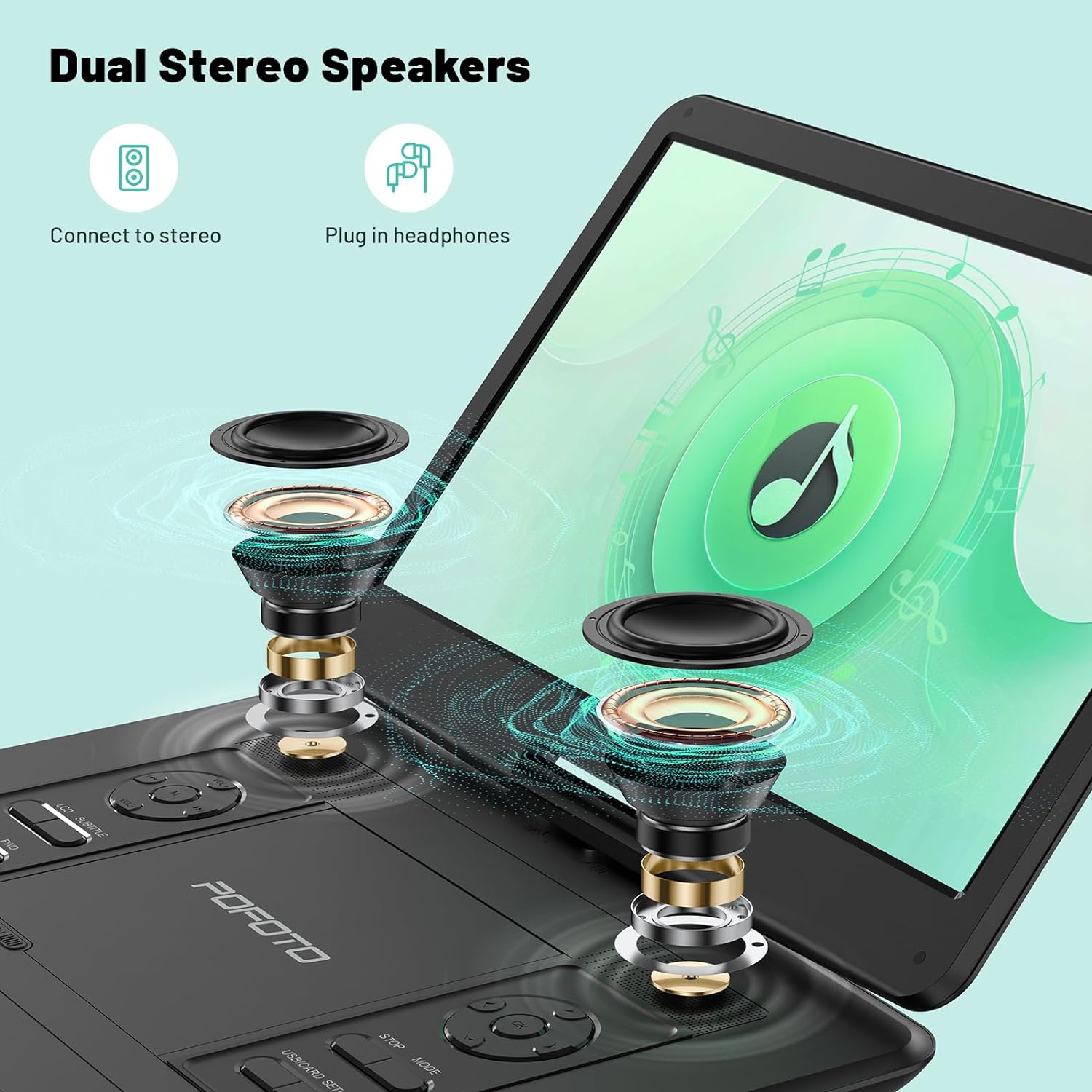
الصورة: انفجار view highlighting the internal dual stereo speakers and the option to connect external headphones.
5. Last Memory Function (Resume Play)
The player is equipped with a last memory function. If the device is powered off or playback is interrupted, it will automatically resume from the last stopped point when powered on again. This feature is particularly useful for long journeys or when taking breaks.

Image: A visual representation of the player's ability to resume playback from the last watched scene.
صيانة
1. تنظيف الجهاز
- استخدم قطعة قماش ناعمة وجافة لتنظيف الجزء الخارجي من المشغل.
- استخدم قطعة قماش ناعمة وخالية من الوبر مصممة خصيصًا لشاشات الأجهزة الإلكترونية لتنظيف الشاشة. تجنب استخدام المنظفات الكاشطة أو المذيبات.
- Keep the disc tray and lens clean. Use a specialized DVD/CD lens cleaner if necessary.
2. العناية بالبطارية
- لإطالة عمر البطارية، تجنب تفريغ البطارية بالكامل بشكل متكرر.
- If storing the device for an extended period, charge it to about 50% every few months.
- تجنب تعريض الجهاز لدرجات حرارة قصوى، لأن ذلك قد يؤدي إلى تدهور أداء البطارية.
3. التخزين
Store the player in a cool, dry place away from direct sunlight and excessive dust. Ensure the disc tray is empty and closed before storage.
استكشاف الأخطاء وإصلاحها
If you encounter any issues with your POFOTO Portable DVD Player, please refer to the following common problems and solutions:
لا يوجد طاقة
- تأكد من أن مفتاح الطاقة في وضع التشغيل.
- Check if the AC adapter is securely connected to both the player and a working power outlet.
- Verify that the battery is charged. If not, charge the device for at least 30 minutes.
القرص لا يعمل / خطأ في القرص
- تأكد من أن القرص نظيف وخالٍ من الخدوش أو البقع. امسحه برفق بقطعة قماش ناعمة من المركز إلى الخارج.
- تأكد من إدخال القرص بشكل صحيح مع توجيه جانب الملصق لأعلى.
- Check if the disc format is supported (e.g., Blu-ray discs are not supported).
- Try a different disc to determine if the issue is with the player or the disc.
لا يوجد صوت
- Increase the volume using the VOL+ button on the player or remote control.
- If headphones are connected, disconnect them to enable the built-in speakers.
- If connected to a TV/projector, ensure the TV/projector's volume is up and the correct audio input is selected.
مشاكل جودة الصورة
- Adjust the screen brightness, contrast, and color settings in the player's menu.
- Ensure the disc or media file ذات جودة جيدة.
- If connected to an external display, check the AV cable connection and the display's settings.
For further assistance, please contact POFOTO customer support.
تحديد
| ميزة | التفاصيل |
|---|---|
| رقم الموديل | PD14-Black-DE-14.1 |
| حجم الشاشة | 15.6 Inches (Note: Some specifications may list 14.1 inches) |
| دقة العرض | 1280×800 |
| نوع العرض | شاشة الكريستال السائل |
| بطارية | 1 Lithium-polymer (included), 5000 mAh, up to 6 hours playback |
| وسائط الأقراص المدعومة | CD, DVD, CD-R/RW, DVD±R/±RW, VCD/SVCD (Blu-ray not supported) |
| Supported Digital Media | AVI, VOB, MP3, WMA, OGG, ACC, JPG (via USB/SD up to 32GB) |
| الاتصال | USB, SD Card, AV Out (for TV/Projector) |
| الأجهزة المتوافقة | Headphones, Projector, Television |
| أبعاد المنتج | 38 طول × 27 عرض × 5 ارتفاع سم |
| وزن العنصر | 2500 جرام |
| لون | أسود |
| الشركة المصنعة | POFOTO |
الضمان والدعم
POFOTO is committed to providing reliable products and excellent customer service.
معلومات الضمان
يأتي هذا المنتج مع ضمان لمدة 24 شهرًا from the date of purchase. The warranty covers manufacturing defects and malfunctions under normal use. It does not cover damage caused by misuse, accidents, unauthorized modifications, or natural disasters.

Image: POFOTO's service guarantee highlights, including a 24-month warranty.
دعم العملاء
If you have any questions, require technical assistance, or need to claim warranty service, please contact the POFOTO support center. We offer professional and technical support with a commitment to a 24-hour response time to resolve any issues you may encounter.