
1. المقدمة
Thank you for choosing the ZIHNIC AI Translation Earphones S11A. These earphones are designed to provide seamless communication across language barriers with real-time translation capabilities. This manual will guide you through the setup, operation, and maintenance of your device to ensure optimal performance.
2. انتهى المنتجview
2.1 محتويات العبوة
- ZIHNIC AI Translation Earphones S11A
- كابل الشحن
- دليل المستخدم
2.2 الميزات الرئيسية
- 3 Smart Translation Modes: Supports real-time translation in up to 138 languages.
- تصنيف IPX5 للماء: Resistant to sweat and rain, suitable for various environments.
- التحكم باللمس البديهي: يمكنك إدارة الموسيقى والمكالمات والمساعد الصوتي بنقرات بسيطة.
- Bluetooth Wireless Freedom: Stable and quick pairing with compatible devices.
- تصميم مريح للأذن المفتوحة: Flexible earhooks ensure a secure and comfortable fit for extended wear.
- صوت ستيريو عالي الدقة: Delivers clear audio quality for music and calls.
- HD Noise-Canceling Calls: يحسّن وضوح المكالمات عن طريق تقليل الضوضاء المحيطة.

Image: ZIHNIC AI Translation Earphones S11A and charging case. The earphones are shown with text indicating translation capabilities.

Image: Diagram illustrating HiFi Stereo Sound and Voice Assistant features of the earphones.

Image: Diagram highlighting 360-degree surround sound quality, HD Noise-canceling Calls, Open Ear Design, IPX5 Water Resistance, and Convenient Touch Control.
3. الإعداد
3.1 شحن سماعات الأذن
Before first use, fully charge the earphones and their charging case. Connect the provided charging cable to the charging case and a USB power source. The indicator lights on the case will show the charging status.
3.2 ارتداء سماعات الأذن
For optimal comfort and sound quality, ensure the earphones are worn correctly.
- Take out the earbud from the charging case.
- Hang the end of the earbud on the ear bone.
- Turn the earbud and slide it behind the ear.
- Adjust the ear hook to fit your ears securely.

Image: Step-by-step guide on how to wear the earphones for a secure and comfortable fit.
3.3 اقتران بلوتوث
- Open the charging case; the earphones will automatically enter pairing mode.
- على هاتفك الذكي أو جهازك، قم بتمكين البلوتوث وابحث عن الأجهزة المتاحة.
- Select "ZIHNIC S11A" from the list to connect.
- بمجرد الاتصال، ستسمع تنبيهًا صوتيًا، وسيتغير ضوء المؤشر الموجود على سماعات الأذن.
3.4 App Installation for Translation
To utilize the full translation features, you will need to download and install the dedicated ZIHNIC translation application on your smartphone. Refer to the QR code provided in the product packaging or search for the official ZIHNIC translation app in your device's app store. Follow the in-app instructions for setup and language selection.
4. تعليمات التشغيل
4.1 الضوابط التي تعمل باللمس
The ZIHNIC S11A earphones feature intuitive touch controls on each earbud. Specific functions may vary slightly based on the connected device and app settings.
- تشغيل/إيقاف الموسيقى: ضغطة واحدة على أي سماعة أذن.
- الرد/إنهاء المكالمة: ضغطة واحدة على أي سماعة أذن.
- رفض المكالمة: اضغط مع الاستمرار على أي من سماعات الأذن لمدة ثانيتين.
- المسار التالي: اضغط مرتين على سماعة الأذن اليمنى.
- المسار السابق: اضغط مرتين على سماعة الأذن اليسرى.
- تنشيط مساعد الصوت: اضغط ثلاث مرات على أي سماعة أذن.
- ضبط مستوى الصوت: Typically controlled via your connected device. Some apps may offer in-app volume control.
4.2 أنماط الترجمة
The earphones support multiple translation modes through the dedicated ZIHNIC translation app:
- الترجمة وجهاً لوجه: Ideal for direct conversations. One person speaks, and the earphones provide real-time translation to the other person.
- AI Automatic Translation: For continuous conversations, the earphones automatically detect pauses in speech and provide translations.
- وضع الدردشة بالذكاء الاصطناعي: Use the app to type or speak, and the earphones will translate and output the audio.
To initiate translation, open the ZIHNIC translation app, select the desired mode and languages, then follow the on-screen prompts. A simple tap on the earbud may activate the translation function within the app.

Image: Illustration of face-to-face translation using the earphones, showing translated text on screen.

Image: Depiction of automatic AI translation in a business setting, with the app interface visible.
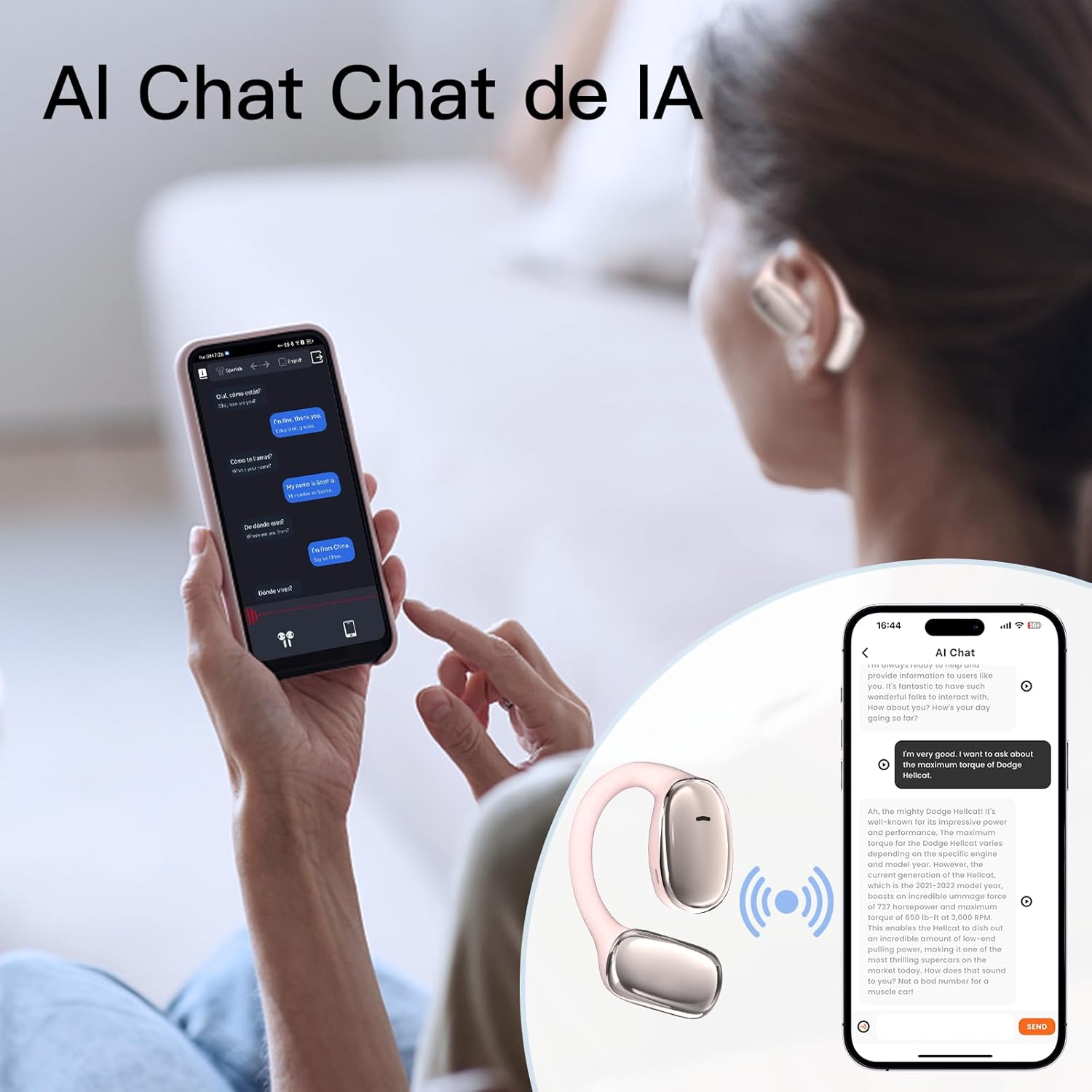
Image: User interacting with an AI chat application on a smartphone, with the earphones providing translation.

Image: A woman using the earphones with a smartphone showing real-time translation in a chat interface.
5. الصيانة
5.1 التنظيف
- امسح سماعات الأذن وعلبة الشحن برفق باستخدام قطعة قماش ناعمة وجافة وخالية من الوبر.
- لا تستخدم المنظفات الكاشطة أو الكحول أو المذيبات الكيميائية.
- تأكد من أن نقاط اتصال الشحن نظيفة وخالية من الحطام.
5.2 التخزين
- قم بتخزين سماعات الأذن في علبة الشحن الخاصة بها عندما لا تكون قيد الاستخدام لحمايتها والحفاظ على شحنها.
- تجنب التخزين في درجات حرارة قصوى، أو تحت أشعة الشمس المباشرة، أو في بيئة ذات رطوبة عالية.
5.3 مقاومة الماء
The earphones have an IPX5 waterproof rating, meaning they are resistant to sweat and light splashes of water. They are not designed for submersion in water or use during swimming. Ensure the earphones are dry before placing them back in the charging case to prevent damage.
6. استكشاف الأخطاء وإصلاحها
If you encounter issues with your ZIHNIC AI Translation Earphones S11A, please refer to the following common solutions:
| مشكلة | الحل المحتمل |
|---|---|
| سماعات الأذن غير مقترنة/متصلة |
|
| لا يوجد صوت أو جودة الصوت سيئة |
|
| الترجمة لا تعمل |
|
| Earphones not charging or holding charge |
|
| الضوابط التي تعمل باللمس لا تستجيب |
|
7. المواصفات
- نموذج: S11A
- وزن السلعة: 1.76 أونصة (حوالي 50 جرامًا)
- أبعاد الحزمة: 4.92 × 3.82 × 1.54 بوصة
- نوع البطارية: بوليمر الليثيوم (متضمن)
- تصنيف مقاومة الماء: IPX5
- لغات الترجمة: Up to 138 languages
- الاتصال: بلوتوث لاسلكي

Image: Illustration indicating long battery life, with a 450mAh battery capacity likely referring to the charging case.
8. معلومات الضمان
ZIHNIC products are covered by a limited warranty. Please refer to the warranty card included in your product packaging or visit the official ZIHNIC webللاطلاع على شروط وأحكام الضمان المفصلة، يُرجى زيارة الموقع. احتفظ بإيصال الشراء كإثبات للشراء في حال وجود أي مطالبات بالضمان.
9. دعم العملاء
For further assistance, technical support, or inquiries regarding your ZIHNIC AI Translation Earphones S11A, please contact ZIHNIC customer service through the following channels:
- رسمي Webموقع: Visit the ZIHNIC official webموقع للأسئلة الشائعة، وموارد الدعم، ونماذج الاتصال.
- دعم البريد الإلكتروني: راجع عبوة المنتج أو الموقع الرسمي webموقع مخصص لعنوان البريد الإلكتروني لدعم العملاء.