
1. المقدمة
شكرا لك على الشراءasing the AGPTEK A02XT MP3 Player. This device is designed to provide a high-quality audio experience with its HIFI lossless sound and Bluetooth 5.3 connectivity. It features a compact design, button operation, and various functions including FM radio, voice recording, and a pedometer. This manual will guide you through the setup, operation, and maintenance of your new MP3 player.

Figure 1.1: AGPTEK A02XT MP3 Player with accessories.
2. انتهى المنتجview
2.1 محتويات العبوة
- AGPTEK A02XT MP3 Player (1)
- كابل شحن USB-C (1)
- دليل المستخدم (1)
- Earphones (1 pair) - May vary by region/package

Figure 2.1: Contents of the AGPTEK A02XT package.
2.2 تصميم الجهاز وعناصر التحكم
Familiarize yourself with the buttons and ports on your A02XT MP3 player.

الشكل 2.2: الجبهة view of the A02XT MP3 Player.
- شاشة: Displays menus, music information, and settings.
- زر M: Menu/Back button. Long press to lock/unlock the screen.
- زر التشغيل/الإيقاف المؤقت: يبدأ التشغيل أو يوقفه مؤقتًا.
- الأزرار السابقة/التالي: Navigates through tracks or menu options.
- زر حجم الصوت: التحكم في مستوى الصوت.
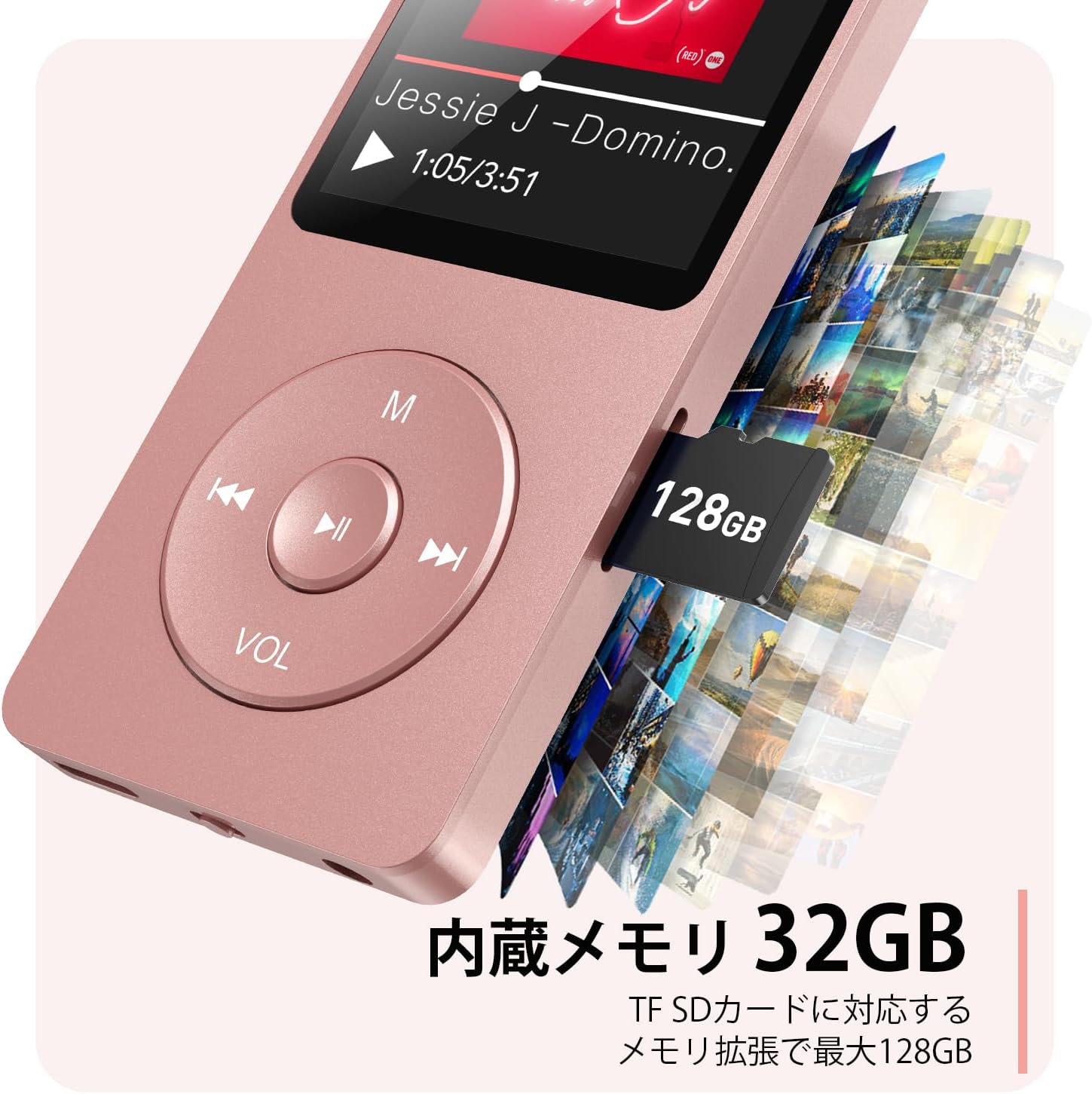
الشكل 2.3: الجانب view with microSD card slot.
- منفذ USB-C: للشحن ونقل البيانات.
- مقبس سماعة رأس مقاس 3.5 ملم: لمخرجات الصوت السلكية.
- منفذ كارت الذاكرة الصغيرة: For expandable storage up to 64GB.
3. الإعداد
3.1 شحن الجهاز
Before first use, fully charge the MP3 player. Connect the provided USB-C cable to the player's USB-C port and the other end to a USB power adapter (not included) or a computer's USB port. The screen will indicate charging status. A full charge takes approximately 2 hours and provides up to 40 hours of music playback.

Figure 3.1: MP3 Player charging indication.
3.2 إدخال بطاقة MicroSD
The player has 32GB of internal storage. To expand storage, insert a microSD card (up to 64GB, not included) into the microSD card slot until it clicks into place. Ensure the card is inserted correctly to avoid damage.
3.3 نقل الموسيقى Files
- Connect the MP3 player to your computer using the USB-C cable.
- The player will appear as a removable disk on your computer.
- اسحب وأفلت الموسيقى الخاصة بك files (MP3, WMA, OGG, WAV, APE, FLAC, AAC, ACELP) into the 'Music' folder on the player or microSD card.
- قم بإخراج الجهاز من جهاز الكمبيوتر الخاص بك بأمان قبل فصل الكابل.
4. تعليمات التشغيل
4.1 تشغيل/إيقاف التشغيل
- تشغيل الطاقة: Long press the Power button (usually on the side or top edge) until the screen lights up.
- إيقاف التشغيل: Long press the Power button until the 'Power Off' option appears, then select it.
4.2 الملاحة الأساسية
Use the navigation buttons (Previous, Next, Play/Pause, M) to move through menus and select options. The Play/Pause button often acts as a 'Confirm' button in menus.

Figure 4.1: Main menu interface with various functions.
4.3 تشغيل الموسيقى
- من القائمة الرئيسية، اختر "الموسيقى".
- Browse by Artist, Album, Songs, Playlists, etc.
- اختر أغنية لبدء التشغيل.
- Use the Previous/Next buttons to skip tracks, and Play/Pause to control playback.
- اضبط مستوى الصوت باستخدام زر VOL.
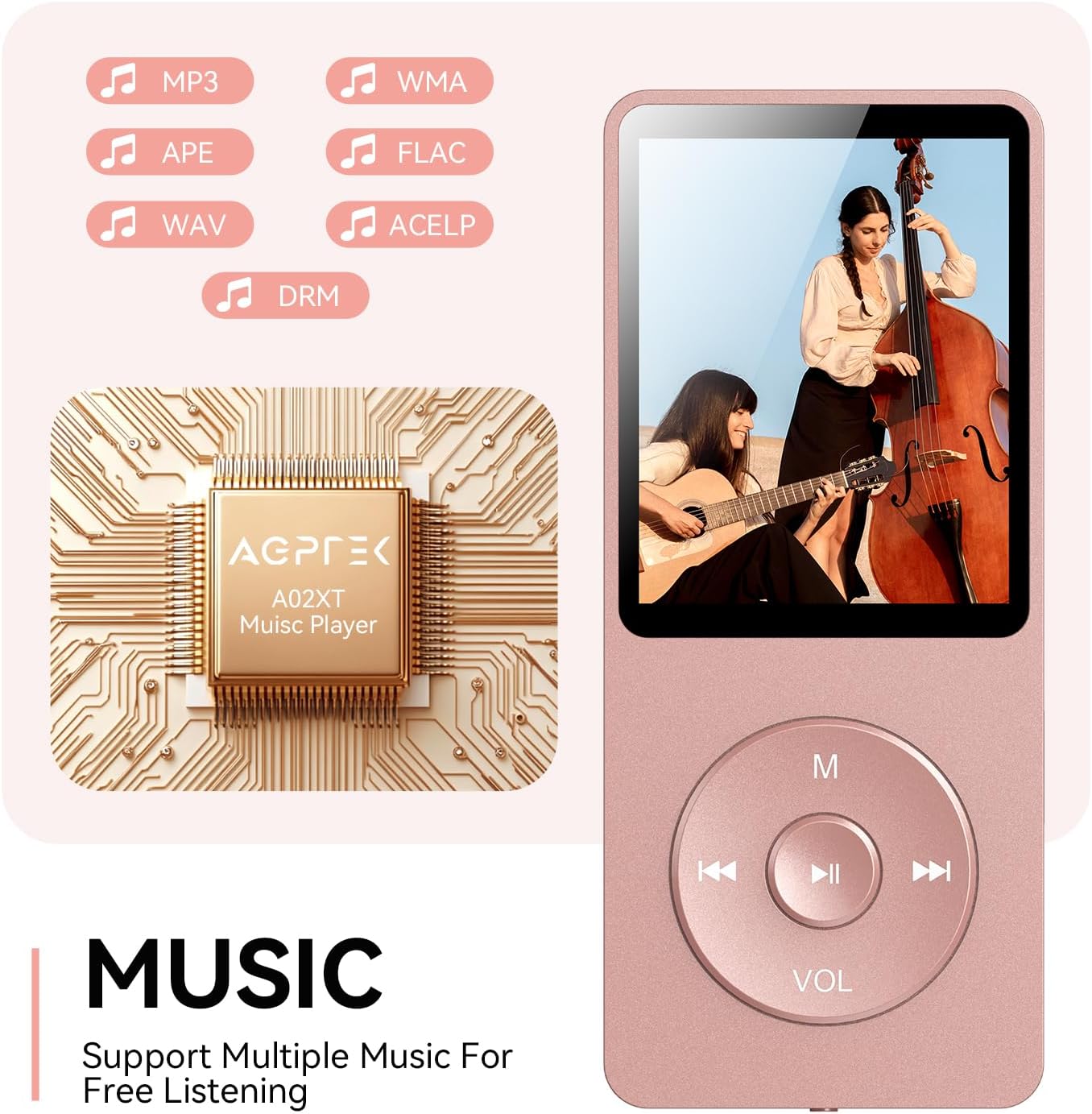
Figure 4.2: Music playback screen and supported formats.
4.4 اتصال البلوتوث
The A02XT supports Bluetooth 5.3 for wireless audio output to headphones or speakers.
- من القائمة الرئيسية، اختر "بلوتوث".
- قم بتشغيل البلوتوث على المشغل.
- تأكد من أن سماعات الرأس/مكبر الصوت بتقنية البلوتوث في وضع الاقتران.
- The player will search for nearby devices. Select your device from the list to pair.
4.5 راديو FM
- Connect wired earphones to the 3.5mm jack; they act as the antenna.
- من القائمة الرئيسية، اختر "راديو FM".
- استخدم أزرار التنقل للبحث عن المحطات أو لضبطها يدويًا.
4.6 التسجيل الصوتي
- From the main menu, select 'Record'.
- اختر "بدء تسجيل الصوت" للبدء.
- Press Play/Pause to stop and save the recording.
4.7 قفل الشاشة
To prevent accidental button presses, long press the 'M' button to lock the screen. Repeat the action to unlock.
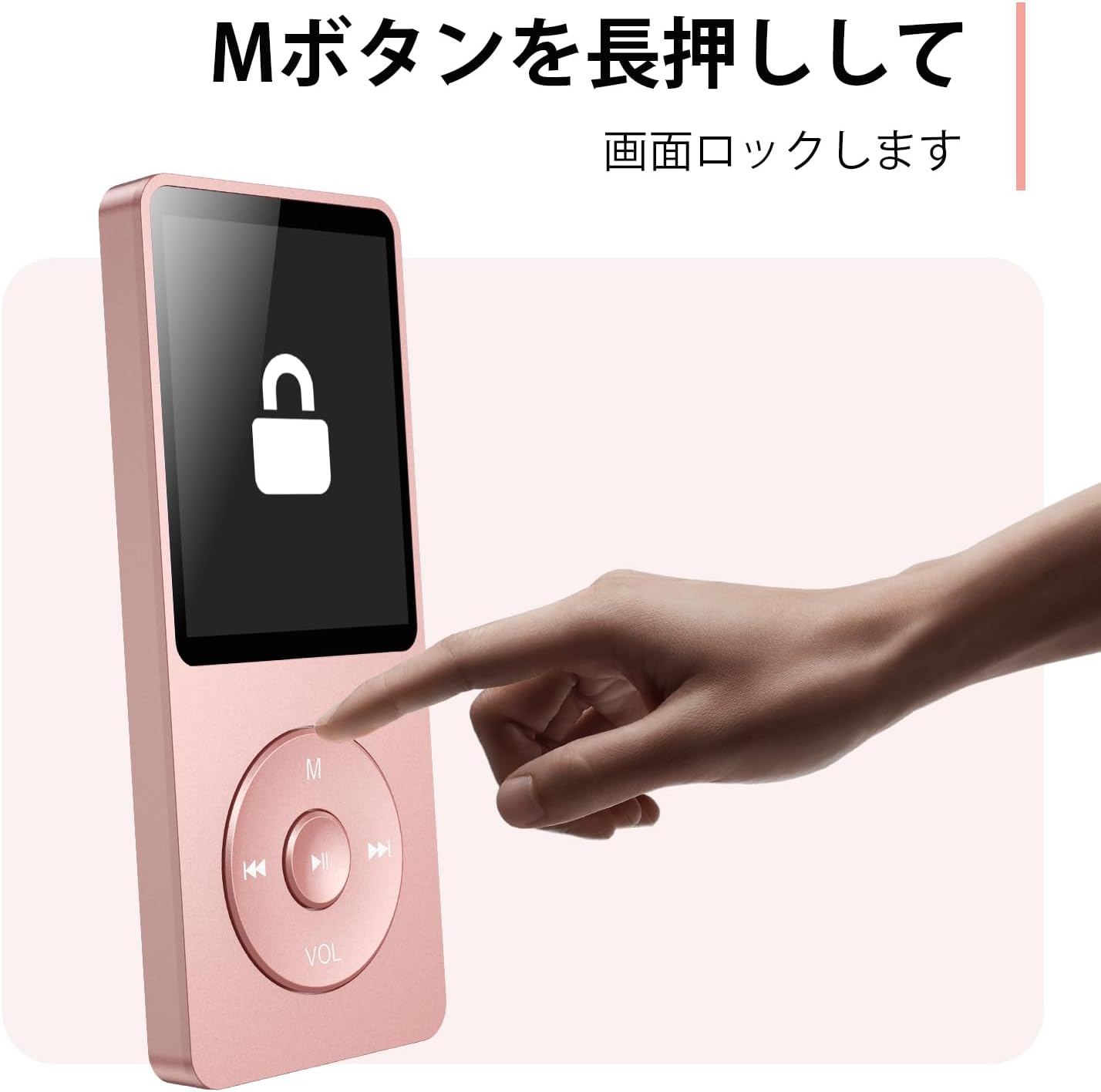
Figure 4.3: Screen lock function using the M button.
5. الصيانة
5.1 التنظيف
- امسح الجهاز بقطعة قماش ناعمة وجافة.
- لا تستخدم المنظفات السائلة أو المذيبات.
5.2 التخزين
- قم بتخزين المشغل في مكان بارد وجاف بعيدًا عن أشعة الشمس المباشرة ودرجات الحرارة القصوى.
- تجنب إسقاط الجهاز أو تعريضه لصدمات قوية.
5.3 العناية بالبطارية
- اشحن البطارية بانتظام، حتى لو لم تكن قيد الاستخدام، للحفاظ على صحة البطارية.
- تجنب تفريغ البطارية بالكامل بشكل متكرر.
6. استكشاف الأخطاء وإصلاحها
6.1 الجهاز لا يعمل
- تأكد من شحن البطارية. وصّل الجهاز بمصدر طاقة وحاول مرة أخرى.
- قم بإجراء إعادة ضبط صلبة عن طريق الضغط مع الاستمرار على زر الطاقة لمدة 10-15 ثانية.
6.2 لا يمكن النقل Files
- Check the USB-C cable connection. Try a different cable or USB port.
- Ensure the device is properly recognized by your computer.
- تأكد من أن file يدعم المشغل هذا التنسيق.
6.3 مشاكل اقتران البلوتوث
- Ensure both the player and the Bluetooth device are in pairing mode and within range.
- Turn off and on Bluetooth on both devices.
- احذف عمليات الاقتران السابقة وحاول الاقتران مرة أخرى.
6.4 لا يوجد صوت
- تحقق من مستوى الصوت.
- Ensure headphones are properly connected or Bluetooth device is paired.
- Test with different headphones or Bluetooth device.
7. المواصفات
| ماركة | AGPTEK |
| اسم الموديل | A02XT |
| سعة تخزين الذاكرة | 32 GB (expandable up to 64 GB via microSD card) |
| لون | لون القرنفل |
| حجم الشاشة | 8.9 سم (حوالي 3.5 بوصة) |
| نوع الوسائط | بطاقة مايكرو التنمية المستدامة |
| تكنولوجيا العرض | شاشة الكريستال السائل |
| تنسيقات الصوت المدعومة | MP3, WMA, OGG, WAV, APE, FLAC, AAC, ACELP |
| عمر البطارية | حتى ساعتين |
| وزن العنصر | 130 جرام |
8. الضمان والدعم
8.1 معلومات الضمان
This AGPTEK A02XT MP3 Player comes with a ضمان لمدة 1 سنوات يسري هذا الضمان من تاريخ الشراء. ويغطي عيوب التصنيع والأعطال الناتجة عن الاستخدام العادي. ولا يغطي الأضرار الناجمة عن سوء الاستخدام أو الحوادث أو التعديلات غير المصرح بها أو التلف الناتج عن الاستخدام العادي.
8.2 دعم العملاء
If you encounter any issues or have questions regarding your AGPTEK A02XT MP3 Player, please refer to the troubleshooting section of this manual first. If the problem persists, contact AGPTEK customer support through the official website or your retailer's support channels. Please have your purchase receipt and product model number (A02XT) ready when contacting support.