
مقدمة
This manual provides essential information for the setup, operation, maintenance, and troubleshooting of your Onn 22 inch 1080P 100 Hz FHD LED Monitor. Please read this guide thoroughly before using the product to ensure optimal performance and safety.
The Onn 22 inch FHD LED Monitor is designed for a variety of applications, offering a vivid 1920x1080 resolution, a 100Hz refresh rate, and a 6.5ms response time for efficient performance. Its slim profile and T-shaped base are ideal for saving desk space.
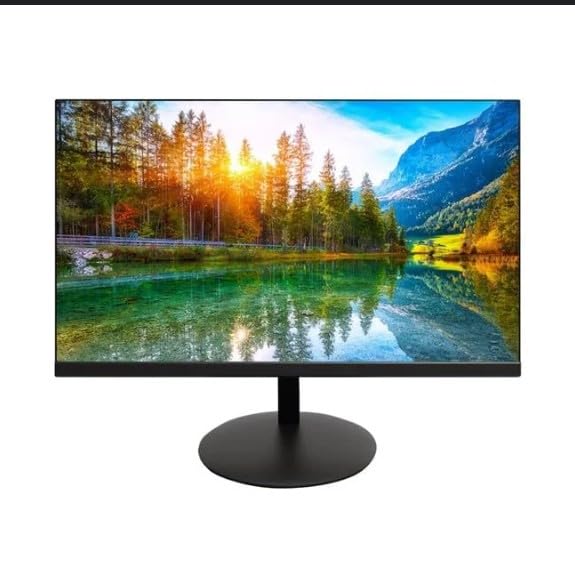
The image shows the Onn 22 inch FHD LED Monitor, highlighting its 100Hz refresh rate and 1080p resolution. The monitor features a slim design and a T-shaped base.
تعليمات الإعداد
- فك التعبئة: Carefully remove the monitor and all accessories from the packaging. Ensure all components are present: monitor, T-shaped base, HDMI cable, and power adapter.
- تجميع الحامل: Attach the T-shaped base to the monitor. The design is screw-less for easy assembly. Ensure it is securely fastened.
- التوصيل بجهاز:
The monitor supports both HDMI and VGA inputs. Connect the provided HDMI cable from your computer's HDMI output to the HDMI IN port on the monitor. Alternatively, use a VGA cable for VGA input.

This image displays the rear panel of the Onn monitor, illustrating the available input ports: HDMI IN, VGA IN, and the DC 12V power input. These ports are essential for connecting the monitor to a computer or other devices.
- توصيل الطاقة: قم بتوصيل محول الطاقة بمنفذ إدخال التيار المستمر 12 فولت الموجود على الشاشة، ثم قم بتوصيل المحول بمأخذ الطاقة.
- ضبط الشاشة: The monitor is capable of swivel, tilt, rotation, and height adjustment. Adjust the screen to your preferred viewزاوية لراحة مريحة.
- إعداد الشاشة المزدوجة: This monitor is suitable for a fully functioning dual monitor setup. Connect a second monitor using the appropriate cables and configure your operating system's display settings.
تعليمات التشغيل
- تشغيل/إيقاف التشغيل: Press the power button, usually located on the bottom or back of the monitor, to turn it on or off.
- اختيار الإدخال: If the monitor does not automatically detect the input source, use the On-Screen Display (OSD) menu buttons to manually select between HDMI and VGA inputs.
- التنقل في قائمة OSD: Use the physical buttons on the monitor (typically on the back or bottom edge) to navigate the OSD menu. This allows you to adjust settings such as brightness, contrast, color temperature, and input source.
- الدقة ومعدل التحديث: The monitor supports a native resolution of 1920x1080 at a 100Hz refresh rate. Ensure your computer's display settings are configured to these specifications for the best visual experience.
- المزامنة التكيفية: The monitor features Adaptive Sync for gaming, which helps to reduce screen tearing and stuttering. Ensure this feature is enabled in your graphics card settings if supported.
صيانة
- تنظيف الشاشة: امسح الشاشة برفق بقطعة قماش ناعمة وخالية من الوبر. لإزالة البقع الصعبة، امسح برفقampen the cloth with water or a non-abrasive, monitor-specific cleaning solution. Avoid spraying liquids directly onto the screen.
- تنظيف Casing: استخدم قطعة قماش ناعمة وجافة لتنظيف الشاشة.asing. Do not use strong detergents or solvents, as they may damage the finish.
- تهوية: تأكد من عدم حجب فتحات تهوية الشاشة لمنع ارتفاع درجة الحرارة.
- تخزين: عند عدم استخدام الشاشة لفترات طويلة، قم بتخزينها في مكان بارد وجاف، بعيدًا عن أشعة الشمس المباشرة ودرجات الحرارة القصوى.
استكشاف الأخطاء وإصلاحها
- لا يوجد طاقة:
- تحقق مما إذا كان كابل الطاقة متصلاً بشكل آمن بكل من الشاشة ومأخذ الطاقة.
- تأكد من أن مأخذ الطاقة يعمل بشكل صحيح.
- لا توجد تغطية:
- تأكد من توصيل كابل الفيديو (HDMI أو VGA) بإحكام بكل من الشاشة والكمبيوتر.
- حدد مصدر الإدخال الصحيح باستخدام قائمة العرض على الشاشة (OSD).
- تحقق مما إذا كان جهاز الكمبيوتر الخاص بك قيد التشغيل وليس في وضع السكون.
- Flickering Screen or Poor Image Quality:
- افحص كابل الفيديو بحثًا عن أي تلف أو اتصالات فضفاضة.
- Adjust the resolution and refresh rate settings on your computer to match the monitor's specifications (1920x1080, 100Hz).
- أعد ضبط إعدادات الشاشة إلى إعدادات المصنع الافتراضية عبر قائمة العرض على الشاشة (OSD).
- الأزرار لا تستجيب:
- Unplug the monitor from the power outlet, wait for 30 seconds, and then plug it back in.
If problems persist, please refer to the support information provided in the "Support and Warranty" section.
تحديد
| ماركة | أون |
| رقم الموديل | 100140681 |
| اسم الموديل | أوتو |
| حجم الشاشة | 21.5 بوصة |
| نوع العرض | LED، LCD |
| دقة | 1920 × 1080 (FHD 1080p) |
| معدل التحديث | 100 هرتز |
| وقت الاستجابة | 6.5 ميلي ثانية |
| واجهة الأجهزة | HDMI ، VGA |
| المميزات الخاصة | ضبط الارتفاع |
| Viewزاوية جي | 160 درجة |
| نسبة العرض إلى الارتفاع | 16:9 |
| أبعاد المنتج | 49.2 × 20 × 37.2 سم؛ 3.24 كجم |
الدعم والضمان
For technical support, product inquiries, or warranty information, please visit the official Onn support webالموقع أو الاتصال بخدمة العملاء الخاصة بهم.
- الدعم الرسمي Webموقع: onnsupport.ca
- ضمان: Specific warranty details may vary by region and purchase date. Please refer to the documentation included with your product or visit the support webالموقع للحصول على أحدث معلومات الضمان.