
1. المقدمة وما فوقview
The Akko 5098B Santorini Wireless Mechanical Gaming Keyboard is designed with an 1800 compact layout, featuring a number pad and a unique Santorini theme. It incorporates a 1.47-inch TFT LCD screen, hot-swappable switches, RGB lighting, and a gasket-mounted structure for a comfortable typing experience. This manual provides instructions for setting up, operating, and maintaining your keyboard.
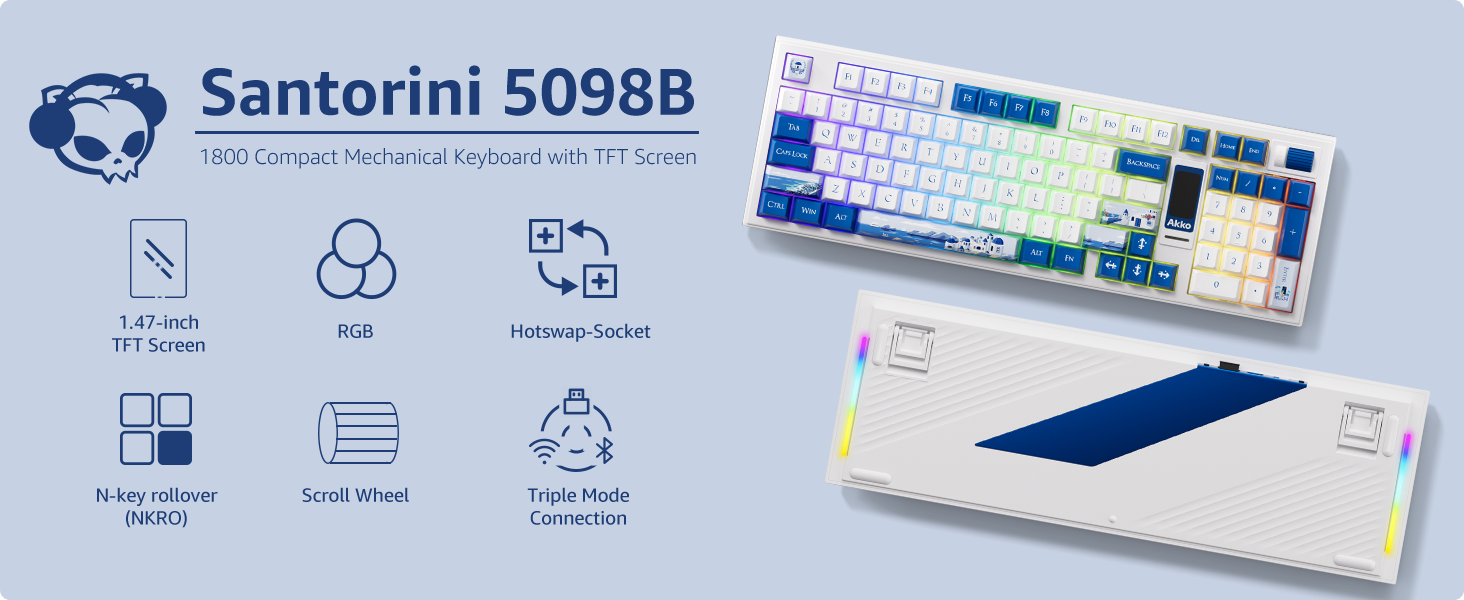
الصورة: أكثر منview of the Akko 5098B Santorini keyboard highlighting its 1800 compact layout, 1.47-inch TFT screen, RGB, hot-swappable sockets, N-key rollover, scroll wheel, and triple mode connection.
2. الإعداد
2.1. محتويات العبوة
عند فتح العلبة، تأكد من وجود جميع العناصر التالية:
- Akko 5098B Santorini Mechanical Gaming Keyboard
- كابل شحن USB-C
- Keycap Remover
- Additional Replaceable Switches (Piano Black Series)
- دليل المستخدم

Image: The Akko 5098B keyboard along with its included USB-C cable, keycap remover, and extra switches.
2.2. خيارات الاتصال
The Akko 5098B keyboard supports three connection modes:
- لاسلكي (2.4 جيجا هرتز): Use the included USB adapter for a stable wireless connection.
- سلكي (USB Type-C): Connect the keyboard directly to your device using the USB-C cable.
- بلوتوث شنومكس: Pair the keyboard wirelessly with compatible Bluetooth devices.

Image: The Akko 5098B keyboard demonstrating its triple mode connectivity: USB Type-C, 2.4GHz wireless, and Bluetooth.
2.3. الشحن
The keyboard is equipped with an 8000mAh battery and supports 2A fast charging, which is up to 4 times faster than standard keyboards. Connect the USB-C cable to charge the device.
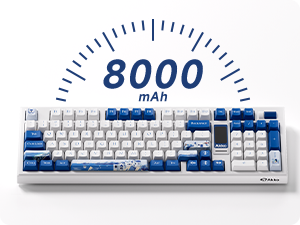
Image: An illustration highlighting the 8000mAh battery capacity of the keyboard.
3. تعليمات التشغيل
3.1. شاشة TFT LCD
The 1.47-inch TFT LCD screen allows control over various settings and displays useful information:
- الإضاءة الخلفية: Adjust lighting effects, color, brightness, and speed.
- أوضاع الاتصال: Switch between 2.4GHz, Bluetooth, and wired modes.
- إعدادات اللغة: قم بضبط لغة العرض.
- صور مخصصة: Upload your favorite emojis or images via the Akko Cloud Driver.
- عرض المعلومات: Shows battery level, current mode, time, and date.
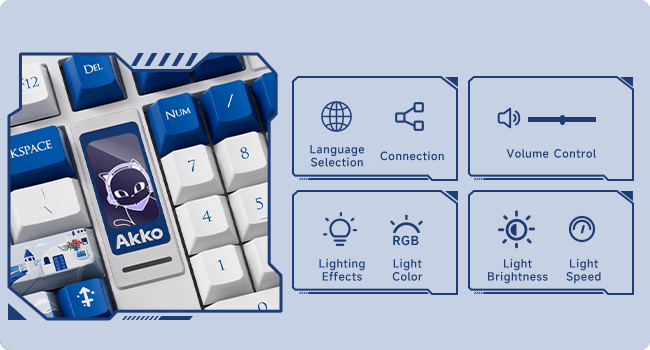
Image: A close-up of the TFT LCD screen on the Akko 5098B keyboard, illustrating its capabilities for language selection, connection status, volume control, RGB lighting effects, color, brightness, and speed adjustments.
3.2. عجلة التمرير
The scroll wheel provides quick access to several functions:
- التحكم في مستوى الصوت: ضبط مستوى الصوت.
- تشغيل الوسائط: Pause/play media.
- نظام الملاحة عبر شاشة LCD: Use in conjunction with the Fn key to navigate and change settings on the LCD screen.
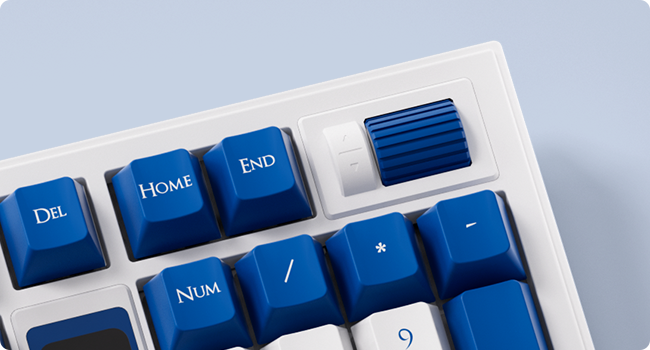
الصورة: تفصيلية view of the encoder scroll wheel on the Akko 5098B keyboard, used for various controls.
3.3. إضاءة RGB
The keyboard features south-facing RGB lighting, offering vibrant and customizable illumination. The RGB effects can be controlled via the LCD screen or the Akko Cloud Driver software. An RGB bar is also present below the LCD screen for additional visual flair.

Image: The Akko 5098B keyboard showcasinتتميز بإضاءة خلفية RGB قابلة للتخصيص.
3.4. Key Switches
The Akko 5098B comes with Piano Pre-Lubed switches, known for their quiet operation. The keyboard's hot-swappable PCB allows users to easily replace switches with other 5-pin compatible mechanical switches without soldering.

الصورة: لقطة مقربة view of the Piano Pre-Lubed mechanical switch.
3.5. Keyboard Risers
The keyboard features adjustable risers on the bottom, offering two different height settings (big and small) to provide a comfortable and ergonomic typing angle.

Image: The underside of the Akko 5098B keyboard, showing the adjustable risers for ergonomic positioning.
4. التخصيص
The Akko 5098B keyboard is highly customizable:
- لوحة دوائر مطبوعة قابلة للاستبدال السريع: Easily change out the mechanical switches to suit your preference without soldering.
- Keycap Compatibility: The south-facing keycap style allows for compatibility with a wide range of aftermarket keycaps, enabling personalized aesthetics.
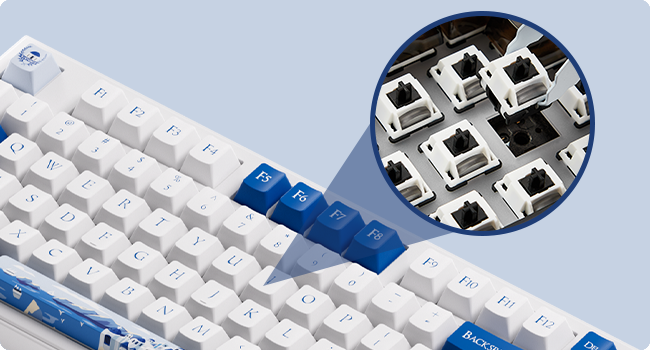
الصورة: لقطة مقربة view of the hot-swappable sockets on the keyboard's PCB.
5. المواصفات
| ميزة | التفاصيل |
|---|---|
| ماركة | عكا |
| نموذج | 5098ب |
| الأجهزة المتوافقة | كمبيوتر شخصي ، كمبيوتر محمول |
| تكنولوجيا الاتصال | USB Type-C, Bluetooth 5.0, 2.4GHz |
| وصف لوحة المفاتيح | بيئة العمل المريحة |
| لون | سانتوريني |
| مصدر الطاقة | تعمل بالبطارية (8000 مللي أمبير في الساعة) |
| نوع المفتاح | Mechanical (Piano Pre Lubed Switch) |
| تخطيط لوحة المفاتيح | 1800 Compact (Maltron) |
| اتجاه اليد | ثنائي الاستخدام |
| عدد المفاتيح | 104 |
6. الصيانة
To ensure the longevity and optimal performance of your Akko 5098B keyboard, regular maintenance is recommended:
- تنظيف أغطية المفاتيح: Use the provided keycap remover to carefully detach keycaps for deep cleaning. Wipe keycaps with a soft, damp قطعة قماش.
- مفاتيح التنظيف: With keycaps removed, use compressed air to clear dust and debris from around the switches.
- النظافة العامة: Wipe the keyboard surface with a soft, dry cloth. Avoid harsh chemicals or abrasive materials.
7. استكشاف الأخطاء وإصلاحها
If you encounter issues with your keyboard, consider the following:
- Akko Cloud Driver Issues: Ensure you download the correct version of the Akko Cloud Driver for your operating system (e.g., "Akko Cloud Driver (Win) 370.1.54" for Windows, not "Akko Cloud Driver v4 (WIN) 370.2.16"). If the software doesn't launch, try reinstalling or checking for system compatibility.
- LCD Screen Time Format: The LCD screen may display time in 24-hour format only. To sync the time with your computer, open the Akko Cloud Driver, navigate to Screen > Customize > Other Settings > "Sync Time on Screen".
- Scroll Wheel Responsiveness: If the scroll wheel is unresponsive, ensure you are holding the correct Fn key combination when attempting to change settings. Check for any physical obstructions or debris around the wheel.
- Dongle Fit: If the USB dongle feels too tight, exercise caution when inserting or removing it to prevent damage. Consider using the wired or Bluetooth connection if preferred.
8. الضمان والدعم
للحصول على معلومات الضمان أو الدعم الفني أو الاستفسارات المتعلقة بالخدمة، يرجى الرجوع إلى موقع Akko الرسمي webالموقع أو تواصل مع خدمة العملاء. احتفظ بإثبات الشراء لطلبات الضمان.