
1. المقدمة
The Cooler Master MasterFrame 600 is a versatile PC case designed for optimal performance and extensive customization. Constructed from high-quality aluminum, it offers a flexible space configuration to accommodate various hardware setups. This case supports the latest generation GPUs and features an optimized cooling layout to ensure efficient airflow and stable thermal performance. It is an ideal choice for users seeking both high functionality and personalized aesthetics for their computing needs.
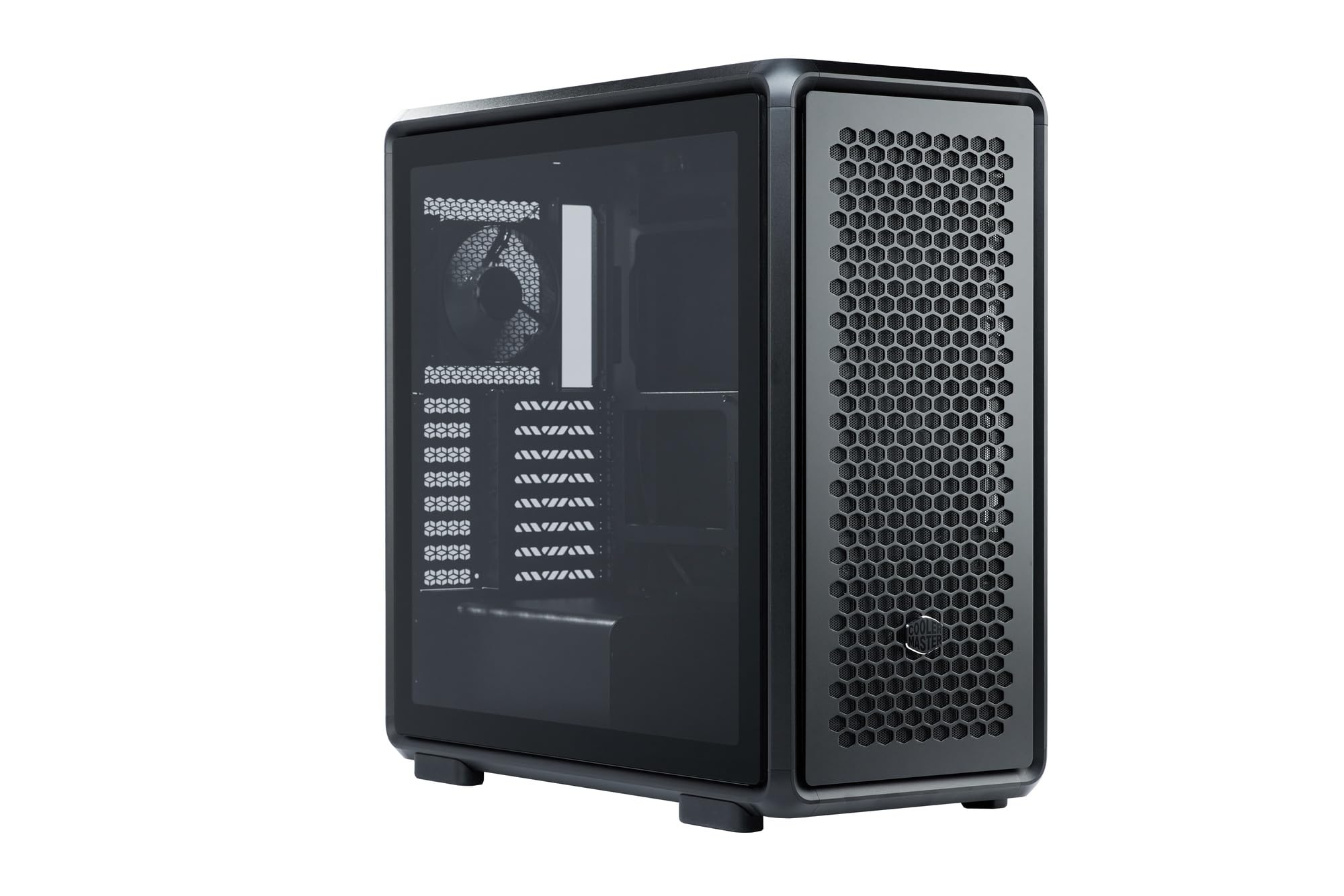
Figure 1: Cooler Master MasterFrame 600 PC Case, showcasing its sleek design and mesh panels.
فيديو 1: أكثر منview of the MasterFrame 600's design, highlighting its EXO-STRUCTURE, adaptable frame, and versatile, maker-driven customization options. (Note: Video source is a placeholder as a specific m3u8 URL was not provided in the product data.)
2. الإعداد والتثبيت
This section provides general guidelines for assembling your PC components within the MasterFrame 600. Always refer to the specific manuals for your individual components (motherboard, GPU, PSU, etc.) for detailed instructions.
2.1 فتح العلبة وتحديد المكونات
Carefully remove all components from the packaging. Verify that all parts listed in the packing list are present. Familiarize yourself with the case's internal layout and mounting points.

الشكل 2: انفجرت view of the MasterFrame 600, illustrating its modular components and assembly parts.
2.2 تركيب اللوحة الأم
- Identify the correct standoff positions for your motherboard form factor (ITX, Micro-ATX, ATX, E-ATX).
- Install the necessary standoffs onto the motherboard tray.
- Place the I/O shield into the rear opening of the case.
- قم بمحاذاة اللوحة الأم بعناية مع الدعامات ودرع الإدخال/الإخراج، ثم قم بتثبيتها بالمسامير.
2.3 تركيب محرك الأقراص
The MasterFrame 600 supports 2x 3.5-inch drives and 5x 2.5-inch drives.
- Locate the designated drive bays or mounting points.
- Secure your 3.5-inch or 2.5-inch drives using the provided screws or tool-less mechanisms.
2.4 تركيب وحدة إمداد الطاقة (PSU)
- Position your PSU in the bottom-mount location.
- Secure the PSU to the case using the appropriate screws.
- قم بتمرير كابلات الطاقة اللازمة عبر فتحات إدارة الكابلات.
2.5 تثبيت بطاقة الرسومات (GPU)
The case supports GPUs up to 485mm in length (without front fan/radiator).
- قم بإزالة أغطية فتحة PCIe الضرورية من الجزء الخلفي للعلبة.
- أدخل وحدة معالجة الرسومات (GPU) في فتحة PCIe المناسبة على اللوحة الأم.
- Secure the GPU with the retention clip and screws.
2.6 تركيب نظام التبريد
Install fans and/or radiators according to your cooling configuration. The case is designed for efficient airflow.
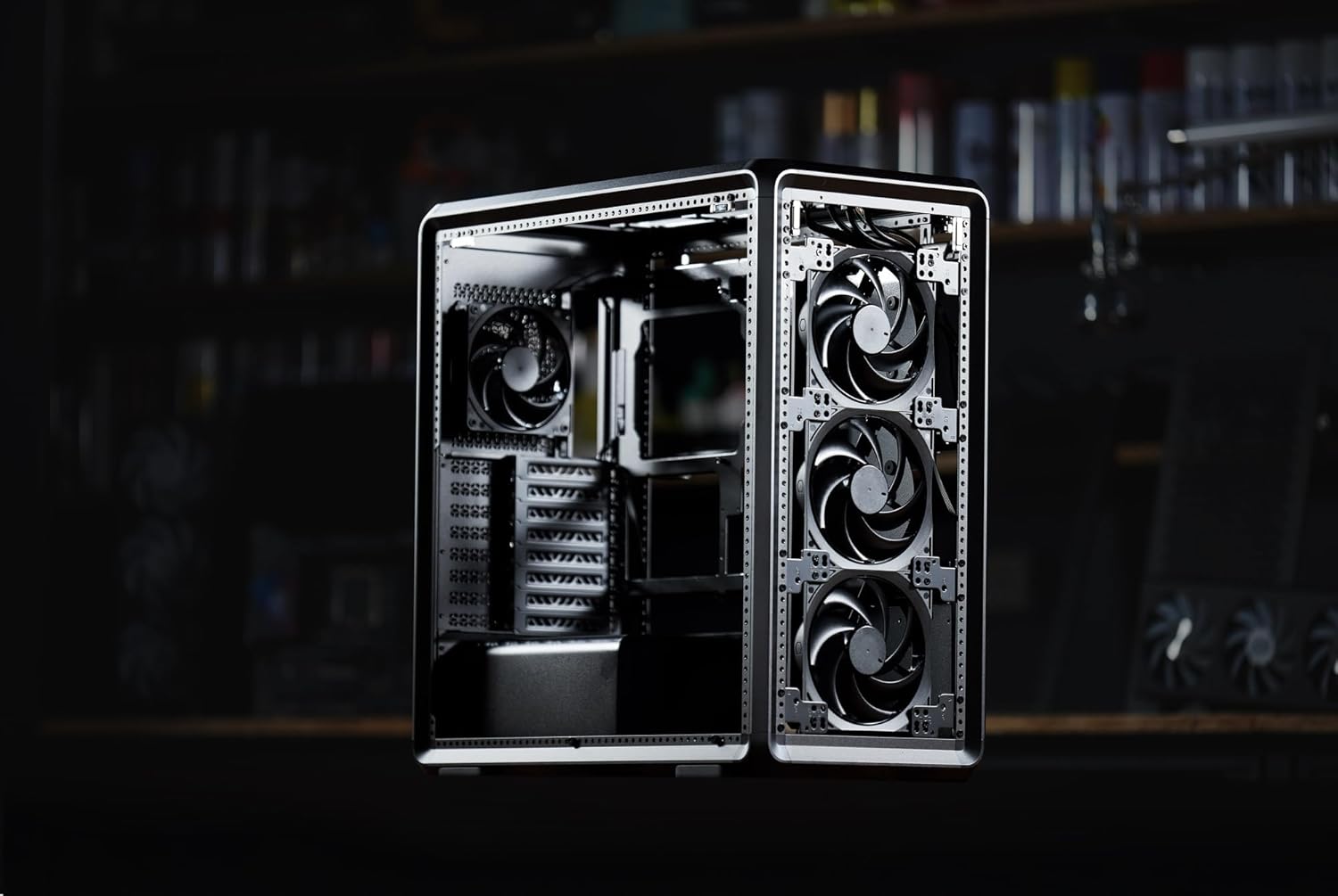
الشكل 3: داخلي view of the MasterFrame 600, showing potential fan mounting locations for optimized airflow.
2.7 إدارة الكابلات
Utilize the various cutouts and tie-down points behind the motherboard tray to route and secure cables. This improves airflow and aesthetics.
3. تعليمات التشغيل
3.1 تشغيل
After all components are securely installed and connected, plug the power cable into your PSU and a wall outlet. Press the power button on the front panel to start your system.
3.2 توصيلات اللوحة الأمامية
The front panel provides convenient access to USB 3.0 ports and audio jacks. Connect your peripherals as needed.
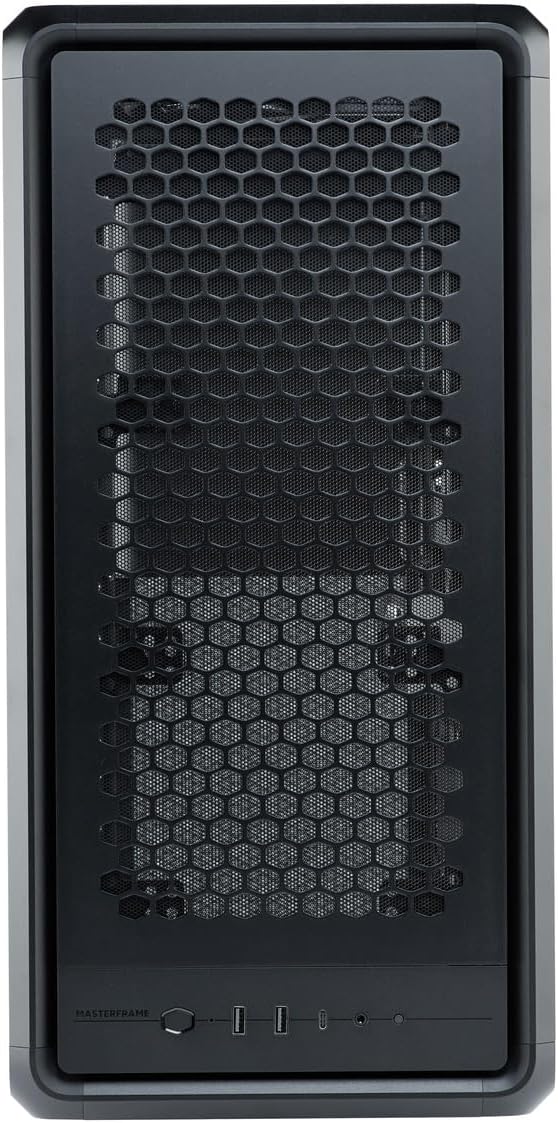
Figure 4: Close-up of the MasterFrame 600's front panel, detailing the power button and I/O ports.
3.3 تحسين تدفق الهواء
The MasterFrame 600's design promotes excellent airflow. Ensure that fans are oriented correctly for intake and exhaust to maintain optimal component temperatures.
4. الصيانة
تساعد الصيانة الدورية على ضمان طول عمر مكونات جهاز الكمبيوتر الخاص بك وأدائها.
4.1 تنظيف فلتر الغبار
The MasterFrame 600 features removable dust filters. Periodically remove and clean these filters to prevent dust buildup and maintain optimal airflow. Use compressed air or a soft brush.
4.2 General Case Cleaning
امسح الجزء الخارجي من العلبة بقطعة قماش ناعمة.amp القماش. تجنب استخدام المنظفات الكاشطة أو المذيبات التي قد تؤدي إلى إتلاف الطبقة النهائية.
4.3 تنظيف المروحة
If accessible, gently clean fan blades with compressed air or a soft brush to remove accumulated dust.
5. استكشاف الأخطاء وإصلاحها
إذا واجهت مشكلات في بناء جهاز الكمبيوتر الخاص بك، ففكر في خطوات استكشاف الأخطاء وإصلاحها الشائعة التالية:
- لا يوجد طاقة: تأكد من توصيل جميع كابلات الطاقة (من وحدة التزويد بالطاقة إلى الحائط، ومن وحدة التزويد بالطاقة إلى اللوحة الأم، ووحدة المعالجة المركزية، ووحدة معالجة الرسومات) بإحكام. تحقق من مفتاح الطاقة الموجود على وحدة التزويد بالطاقة.
- لا يوجد عرض: Verify that your monitor is connected to the graphics card (not the motherboard's integrated graphics, unless intended) and that the GPU is properly seated and powered.
- ضوضاء المروحة: Excessive fan noise can indicate dust buildup or loose fan mounts. Clean fans and ensure they are securely fastened.
- لم يتم اكتشاف المكون: Re-seat the component (e.g., RAM, GPU, storage drive) and check all associated power and data cables.
For specific component-related issues, consult the respective component manuals or Cooler Master's support resources.
6. المواصفات
| ميزة | التفاصيل |
|---|---|
| ماركة | كولر ماستر |
| اسم الموديل | MasterFrame 600 |
| رقم الموديل | MF600-KGNN-S00 |
| نوع الحالة | البرج الاوسط |
| لون | أسود |
| اللوحات الأم المدعومة | ITX / Micro-ATX / ATX / E-ATX |
| Product Dimensions (including protrusions) | 531 × 261 × 544 ملم |
| Product Dimensions (excluding protrusions) | 514 × 244 × 514 ملم |
| وزن العنصر | 12000 جرام |
| Drive Bays (3.5-inch) | 2 |
| Drive Bays (2.5-inch) | 5 |
| Supported Video Card Length | Max 485 mm (without front fan, radiator) |
| Power Supply Unit Length | 235 ملم |
| ارتفاع مبرد وحدة المعالجة المركزية | 190 ملم |
| نوع تركيب مصدر الطاقة | التركيب السفلي |
| منافذ USB 3.0 | 3 |
| سمات | Modular structure 'Freeform 2.0' |

Figure 5: Dimensional diagram of the MasterFrame 600, showing height, width, and depth measurements.
7. معلومات الضمان
The Cooler Master MasterFrame 600 PC Case comes with a ضمان لمدة 2 سنوات from the date of purchase. This warranty covers defects in materials and workmanship under normal use. Please retain your proof of purchase for warranty claims. For full warranty terms and conditions, please refer to the official Cooler Master webالموقع أو الاتصال بدعم العملاء.
8. الدعم
For technical assistance, troubleshooting, or general inquiries regarding your Cooler Master MasterFrame 600 PC Case, please visit the official Cooler Master support webيمكنك عادةً العثور على الأسئلة الشائعة، وتنزيلات برامج التشغيل، ومعلومات الاتصال بخدمة العملاء هناك.
كولر ماستر الرسمي Webموقع: www.coolermaster.com