
1. المقدمة
This manual provides instructions for the BoxWave DirectSync PD 100W USB-C to USB-C Cable (10ft). This cable is designed for efficient power delivery and high-speed data transfer between compatible USB-C devices. It features a durable braided nylon construction and reinforced strain reliefs for enhanced longevity.
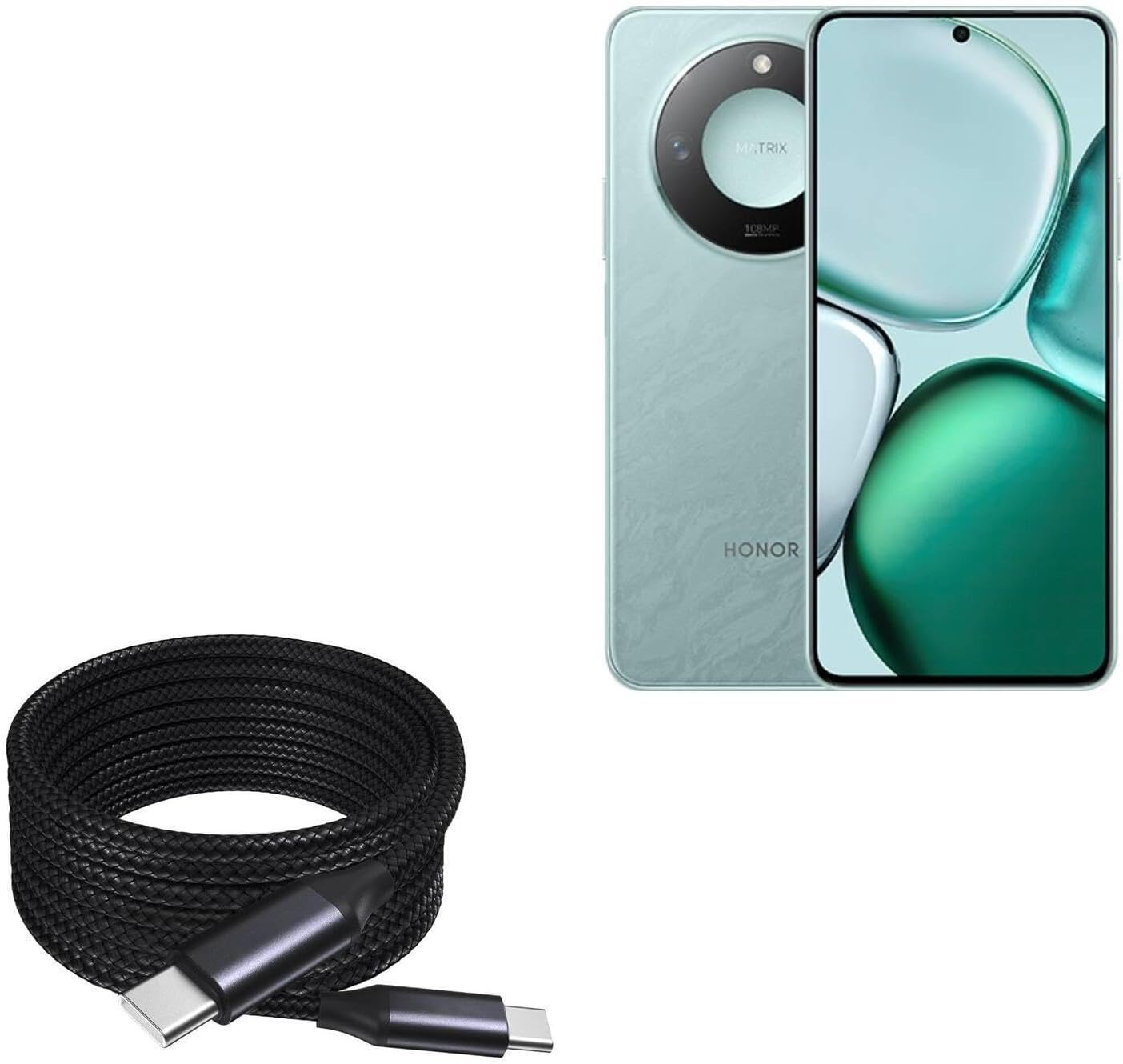
Image 1: The BoxWave DirectSync PD 100W USB-C to USB-C Cable (10ft) shown coiled next to a compatible smartphone, illustrating its design and intended use.
2. الإعداد والاتصال
The DirectSync PD Cable is designed for simple plug-and-play functionality. No software installation is required.
- تحديد المنافذ: Ensure both your charging adapter/power source and your device have USB-C ports.
- الاتصال للشحن: Insert one end of the USB-C cable into a compatible USB-C power adapter or power bank. Insert the other end into the USB-C charging port of your device (e.g., smartphone, tablet, laptop).
- Connect for Data Transfer: Insert one end of the USB-C cable into the USB-C port of your computer. Insert the other end into the USB-C port of your device. Your device should appear as a connected storage device on your computer.

الصورة 2: لقطة مقربة view of the coiled braided nylon cable, highlighting the robust USB-C connectors at each end.
3. تعليمات التشغيل
3.1 شحن توصيل الطاقة (PD)
The DirectSync PD Cable supports up to 100W Power Delivery, allowing for rapid charging of compatible devices, including laptops, tablets, and smartphones. For optimal charging speeds, ensure your power adapter also supports 100W PD or a wattage suitable for your device.
- Connect the cable as described in Section 2.
- The charging indicator on your device should activate, confirming power delivery.

Image 3: The DirectSync PD cable connected to a laptop, demonstrating its capability for high-wattage power delivery.
3.2 نقل البيانات
This cable facilitates high-speed data transfers up to 480Mbps, allowing you to sync files, photos, and videos between your devices and computer efficiently.
- Connect the cable between your device and computer as described in Section 2.
- Once connected, your device should be recognized by your computer, allowing you to access and transfer files.

Image 4: The cable simultaneously charging a smartphone and connected to a laptop, demonstrating its dual function for charging and data synchronization.
4. الصيانة
Proper care will extend the life of your BoxWave DirectSync PD Cable.
- تخزين: Store the cable in a clean, dry place. Avoid tightly coiling or bending the cable at sharp angles, especially near the connectors.
- تنظيف: استخدم قطعة قماش ناعمة وجافة لتنظيف الكابل والموصلات. لا تستخدم مواد كيميائية قاسية أو مواد كاشطة.
- التعامل: Always grasp the connector head when plugging or unplugging the cable, rather than pulling on the cable itself. This prevents stress on the internal wires and reinforced strain reliefs.

الصورة 5: تفصيلية view of the braided nylon exterior, highlighting the cable's durable construction designed to resist tangles and fraying.

Image 6: A close-up of the rubberized grommet strain relief at the connector, designed to prevent cable fraying and enhance durability.
5. استكشاف الأخطاء وإصلاحها
- الجهاز لا يشحن:
- تأكد من توصيل كلا طرفي الكابل بشكل آمن.
- Verify that your power adapter is functioning correctly and is compatible with your device's charging requirements.
- تأكد من أن منفذ شحن جهازك نظيف وخالٍ من الأوساخ.
- Confirm your power adapter supports Power Delivery (PD) for fast charging.
- الشحن البطيء:
- تأكد من أن محول الطاقة الخاص بك يوفر طاقة كافيةtage for your device. For 100W charging, a 100W PD adapter is required.
- Some devices may limit charging speed based on battery level or temperature.
- مشاكل نقل البيانات:
- تأكد من توصيل الكابل بإحكام بكل من الجهاز والكمبيوتر.
- Verify that your device is set to 'File Transfer' or 'MTP' mode when connected to a computer, if applicable.
- Try connecting to a different USB-C port on your computer.
6. المواصفات
| ميزة | مواصفة |
|---|---|
| اسم المنتج | BoxWave DirectSync PD Cable |
| نموذج | DirectSync PD Cable |
| نوع الموصل | USB-C إلى USB-C |
| توصيل الطاقة | حتى 100 وات |
| سرعة نقل البيانات | تصل إلى 480 ميجابايت في الثانية |
| طول الكابل | 10 قدم (حوالي 3 أمتار) |
| مادة | Braided Nylon, Rubberized Grommet Strain Relief |
| لون | أسود كالفحم |
| وزن العنصر | 6 أونصات |
7. الضمان والدعم
For warranty information or technical support regarding your BoxWave DirectSync PD Cable, please refer to the official BoxWave webيمكنك زيارة موقعهم الإلكتروني أو الاتصال بخدمة العملاء مباشرةً. تتوفر معلومات الاتصال عادةً على عبوة المنتج أو على موقع الشركة المصنعة. webموقع.
Webموقع: www.boxwave.com