
مقدمة
This manual provides detailed instructions for the Micool Bluetooth Headset V5.4 (Model DY20PLUS). Please read this manual carefully before using the product to ensure proper operation and to maximize its features and lifespan. This headset is designed for clear communication and comfortable wear, featuring advanced noise cancellation and long battery life.
معلومات السلامة
To ensure safe and proper use of your headset, please observe the following guidelines:
- Do not expose the headset to extreme temperatures, direct sunlight, or high humidity.
- Avoid dropping or subjecting the headset to strong impacts, which may damage internal components.
- Do not attempt to disassemble, repair, or modify the headset. This will void the warranty and may cause harm.
- أبقِ سماعة الرأس وملحقاتها بعيداً عن متناول الأطفال والحيوانات الأليفة.
- Use only the provided USB-C charging cable or a certified equivalent to prevent damage to the battery.
- تجنب الاستماع إلى مستويات صوت عالية لفترات طويلة لمنع تلف السمع.
محتويات الحزمة
يرجى التأكد من وجود جميع العناصر في الحزمة الخاصة بك:
- Micool Bluetooth Headset (DY20PLUS)
- كابل شحن USB-C
- دليل المستخدم
- Additional Eartips (Sizes L, M, S)
- خطاف الأذن

Image: Micool Bluetooth Headset and its accessories, including different sized eartips and a charging cable.
المنتج انتهىview
Familiarize yourself with the various components and controls of your Micool Bluetooth Headset:

الصورة: الجبهة view of the Micool Bluetooth Headset, highlighting the main call button, volume controls, and the LED battery indicator lights.
- زر متعدد الوظائف: Used for power on/off, answering/ending calls, and playing/pausing music.
- أزرار التحكم في مستوى الصوت +/-: Adjust volume, skip tracks, and check battery level.
- شاشة عرض طاقة LED: Indicates the remaining battery level with four segments.
- ميكروفون: Equipped with dual-mic noise reduction for clear voice input during calls.
- منفذ شحن USB-C: For connecting the charging cable to power the headset.
يثبت
1. شحن سماعة الرأس
Before initial use, fully charge your headset to ensure optimal battery performance.
- قم بتوصيل كابل الشحن USB-C بمنفذ الشحن الخاص بسماعة الرأس.
- قم بتوصيل الطرف الآخر من الكابل بمصدر طاقة USB (مثل الكمبيوتر أو محول الحائط).
- The LED power display will illuminate to indicate charging. A full charge typically takes approximately 1.5-2 hours.
2. الاقتران بجهاز
The headset utilizes Bluetooth 5.4 for a stable and efficient wireless connection up to 50 meters.
- Ensure the headset is powered off and fully charged.
- Press and hold the Multi-function Button for approximately 3-5 seconds until the LED indicator flashes blue and red alternately. This indicates the headset is in pairing mode.
- On your desired device (smartphone, tablet, laptop), enable Bluetooth and search for available devices.
- Select "DY20PLUS" from the list of found devices.
- Once successfully connected, the LED indicator will flash blue slowly.
3. Connecting to Two Devices Simultaneously (Multi-point Connection)
The DY20PLUS supports connecting to two Bluetooth devices concurrently, allowing seamless switching between them.
- Pair the headset with the first device following the steps above.
- Disable Bluetooth on the first device. The headset will re-enter pairing mode (flashing blue and red).
- قم بإقران سماعة الرأس بالجهاز الثاني.
- Re-enable Bluetooth on the first device. The headset should automatically connect to both devices. You can now receive calls or play audio from either device.
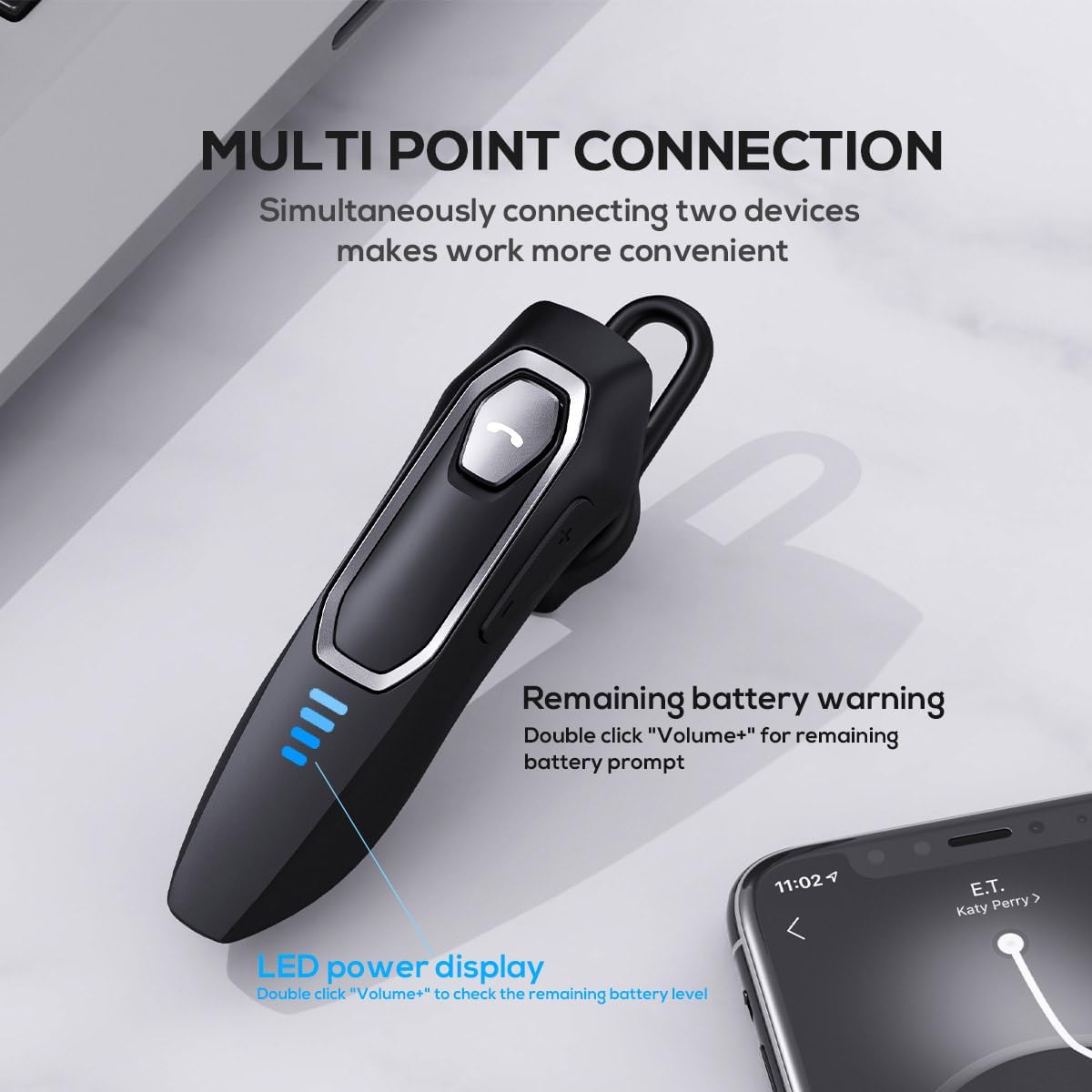
Image: The Micool headset demonstrating its multi-point connection capability, allowing simultaneous connection to two devices.
تعليمات التشغيل
تشغيل/إيقاف الطاقة
- تشغيل الطاقة: اضغط مع الاستمرار على الزر متعدد الوظائف لمدة ثانيتين.
- إيقاف التشغيل: اضغط مع الاستمرار على الزر متعدد الوظائف لمدة ثانيتين.
استدعاء إدارة
- الرد/إنهاء المكالمة: اضغط قصيرًا على الزر متعدد الوظائف.
- رفض المكالمة: اضغط مع الاستمرار على الزر متعدد الوظائف لمدة ثانيتين.
- كتم / إلغاء كتم صوت الميكروفون: During a call, press and hold the Volume "-" button for approximately 2 seconds.
- إعادة الاتصال بآخر مكالمة صادرة: Triple-tap the Multi-function Button.

Image: Illustration of the mute function, activated by holding the Volume '-' button.
تشغيل الموسيقى
- تشغيل/إيقاف مؤقت: اضغط قصيرًا على الزر متعدد الوظائف.
- المسار التالي: Press and hold the Volume "+" button for 2 seconds.
- المسار السابق: Press and hold the Volume "-" button for 2 seconds.
التحكم في مستوى الصوت
- ارفع على الصوت: Short press the Volume "+" button.
- تقليل الحجم: Short press the Volume "-" button.
مساعد صوتي
- تفعيل المساعد الصوتي (Siri، Google Assistant، وما إلى ذلك): انقر نقراً مزدوجاً على الزر متعدد الوظائف.
الصمام عرض السلطة
- The four LED lights indicate the remaining battery level, with each light representing approximately 25% charge.
- To check the remaining power, double-click the Volume "+" button.
Image: The LED power display on the headset, indicating battery level.
صيانة
Proper maintenance will help extend the life of your Micool Bluetooth Headset:
- Clean the headset regularly with a soft, dry, lint-free cloth.
- لا تستخدم المنظفات الكاشطة أو المذيبات أو المواد الكيميائية القوية، لأنها قد تتلف السطح أو المكونات الداخلية.
- قم بتخزين سماعة الرأس في مكان بارد وجاف بعيدًا عن أشعة الشمس المباشرة ودرجات الحرارة القصوى.
- Ensure the USB-C charging port is free of dust and debris to maintain proper charging connection.
- If the headset gets wet, wipe it dry immediately. Do not charge it until it is completely dry.
استكشاف الأخطاء وإصلاحها
إذا واجهت أي مشاكل مع سماعة الرأس الخاصة بك، فيرجى الرجوع إلى المشاكل والحلول الشائعة التالية:
| مشكلة | السبب المحتمل | حل |
|---|---|---|
| لن يتم تشغيل سماعة الرأس. | بطارية منخفضة أو فارغة. | اشحن سماعة الرأس بالكامل باستخدام كابل USB-C المرفق. |
| لا يمكن الاقتران بالجهاز. | سماعة الرأس ليست في وضع الاقتران؛ تم تعطيل البلوتوث على الجهاز؛ الجهاز بعيد جدًا. | Ensure headset is in pairing mode (flashing red/blue); enable Bluetooth on your device; move device closer (within 50m). Clear previous Bluetooth connections if necessary. |
| لا يوجد صوت أو جودة الصوت رديئة. | Volume too low; headset not connected; audio source issue; interference. | Adjust headset and device volume; re-pair headset; check audio source; move away from other wireless devices. |
| الميكروفون لا يعمل. | Mute function active; microphone blocked; device settings. | Deactivate mute function (hold Volume "-" for 2s); ensure microphone is clear; check microphone settings on your device. |
| عمر البطارية قصير. | Headset not fully charged; high volume usage; aging battery. | Ensure full charge before use; reduce volume; if issue persists after full charge, contact support. |
تحديد
- اسم الموديل: DY20PLUS
- تقنية الاتصال: لاسلكي (بلوتوث)
- إصدار البلوتوث: 5.4
- نطاق البلوتوث: حتى 50 أمتار
- Battery Life (Talk Time): حتى ساعتين
- عمر البطارية (تشغيل الموسيقى): حتى ساعتين
- وقت الشحن: حوالي 1.5-2 ساعة
- منفذ الشحن: يو اس بي-سي
- التحكم في الضوضاء: Active Noise Cancellation (Dual-Mic)
- الأجهزة المتوافقة: الهواتف الذكية، والأجهزة اللوحية، ومكبرات الصوت الذكية
- وزن: 2.08 أونصة (حوالي 59 جرامًا)
- مادة: أكريلونيتريل بوتادين ستايرين (ABS)
- مستوى مقاومة الماء: مقاوم للماء
- نطاق التردد: 20 هرتز - 20,000 هرتز
الضمان والدعم
Micool products are designed for reliability and performance. For detailed warranty information, including coverage and terms, please refer to the warranty card included with your product or visit the official Micool webموقع.
For technical support, troubleshooting assistance, or any inquiries regarding your Micool Bluetooth Headset, please contact our customer service team through the contact information provided on your product packaging or via the Micool Amazon Store:
Micool Amazon Store: زيارة المتجر
Our support team is available to assist you with any questions or concerns you may have.