
1. المقدمة
Thank you for choosing the Lekaby Q22 Bluetooth Headphones. This manual provides essential information for setting up, operating, and maintaining your new headphones. Please read it carefully before use to ensure optimal performance and longevity of your device.
محتويات الحزمة
- 2 x Lekaby Q22 Bluetooth Headphones
- 1 x 2600 mAh Charging Case
- 1 × كابل شحن من النوع C
- 6 x Ear Caps (S/M/L sizes)
- 1 × دليل المستخدم
2. الإعداد
2.1 شحن سماعات الرأس والعلبة
قبل الاستخدام الأول، اشحن سماعات الرأس وعلبة الشحن بالكامل.
- Place the headphones into the charging case. Ensure they are correctly seated to initiate charging.
- قم بتوصيل كابل الشحن من النوع C بمنفذ الشحن الموجود على العلبة وبمصدر طاقة USB.
- The LED digital display on the charging case will indicate the battery level of the case and the charging status of each earbud.
- A full charge provides approximately 8 hours of playtime for the headphones, and the 2600 mAh charging case can recharge the headphones multiple times for a total of up to 128 hours of playback.
- The headphones support fast charging: 10 minutes of charging provides approximately 2 hours of use.

Image: The Lekaby Q22 headphones in their charging case, highlighting the 128-hour battery life with the case and Type-C fast charging capability.
2.2 تشغيل/إيقاف التشغيل
- تشغيل الطاقة: يتم تشغيل سماعات الرأس تلقائيًا عند إخراجها من علبة الشحن.
- إيقاف التشغيل: Place the headphones back into the charging case to automatically power them off and begin charging.
2.3 اقتران بلوتوث
The Lekaby Q22 headphones feature Bluetooth 5.3 technology for stable and fast connections.
- الاقتران لأول مرة:
- Remove both headphones from the charging case. They will automatically enter pairing mode.
- على جهازك (الهاتف الذكي، الجهاز اللوحي، وما إلى ذلك)، قم بتمكين البلوتوث وابحث عن الأجهزة المتاحة.
- Select "Q22" from the list of found devices to connect.
- Once connected, you will hear a confirmation prompt, and the headphones will be ready for use.
- إعادة الاتصال التلقائي: After the initial pairing, the headphones will automatically connect to the last paired device when removed from the charging case, provided Bluetooth is enabled on the device.

Image: A smartphone screen displaying the 'Q22' device ready for connection in the Bluetooth settings, with the headphones and charging case nearby, illustrating the one-step pairing process.
2.4 تركيب سماعات الأذن
The Q22 headphones are designed with flexible ear hooks and come with three sizes of silicone ear caps (S/M/L) to ensure a secure and comfortable fit.
- Choose the ear caps that best fit your ear canal for optimal sound quality and comfort.
- ضع سماعة الأذن برفق في قناة أذنك.
- Adjust the flexible ear hook over your ear to secure the headphone in place. This design is ideal for sports and active use.

Image: A visual representation of the Lekaby Q22 headphones being worn, emphasizing the flexible ear hooks for a secure fit and the location of the button control.
3. تعليمات التشغيل
3.1 عناصر التحكم باللمس الذكية
The Q22 headphones feature intuitive touch controls on each earbud. The specific functions may vary slightly between the left and right earbud.
| فعل | وظيفة |
|---|---|
| نقرة واحدة | تشغيل / إيقاف الموسيقى ، الرد / إنهاء المكالمة |
| الضغط مرتين على سماعة الأذن اليسرى | المسار السابق |
| الضغط مرتين على سماعة الأذن اليمنى | المسار التالي |
| الضغط الثلاثي (سماعة الأذن اليسرى) | خفض الصوت |
| الضغط الثلاثي (سماعة الأذن اليمنى) | رفع الصوت |
| الضغط لفترة طويلة (2 ثوان) | Activate Voice Assistant (Siri, Google Assistant, etc.), Reject call |
Image: An illustration detailing the various smart touch control functions available on the Lekaby Q22 headphones, including play/pause, track navigation, volume adjustment, call handling, and voice assistant activation.
3.2 وظيفة بنك الطاقة الاحتياطي
The 2600mAh charging case can also serve as an emergency power bank for other devices.
- Connect your smartphone or other compatible device to the Type-C output port on the charging case using an appropriate cable.
- The charging case can provide over 30% charge to a typical mobile phone when fully charged, offering a convenient power solution on the go.
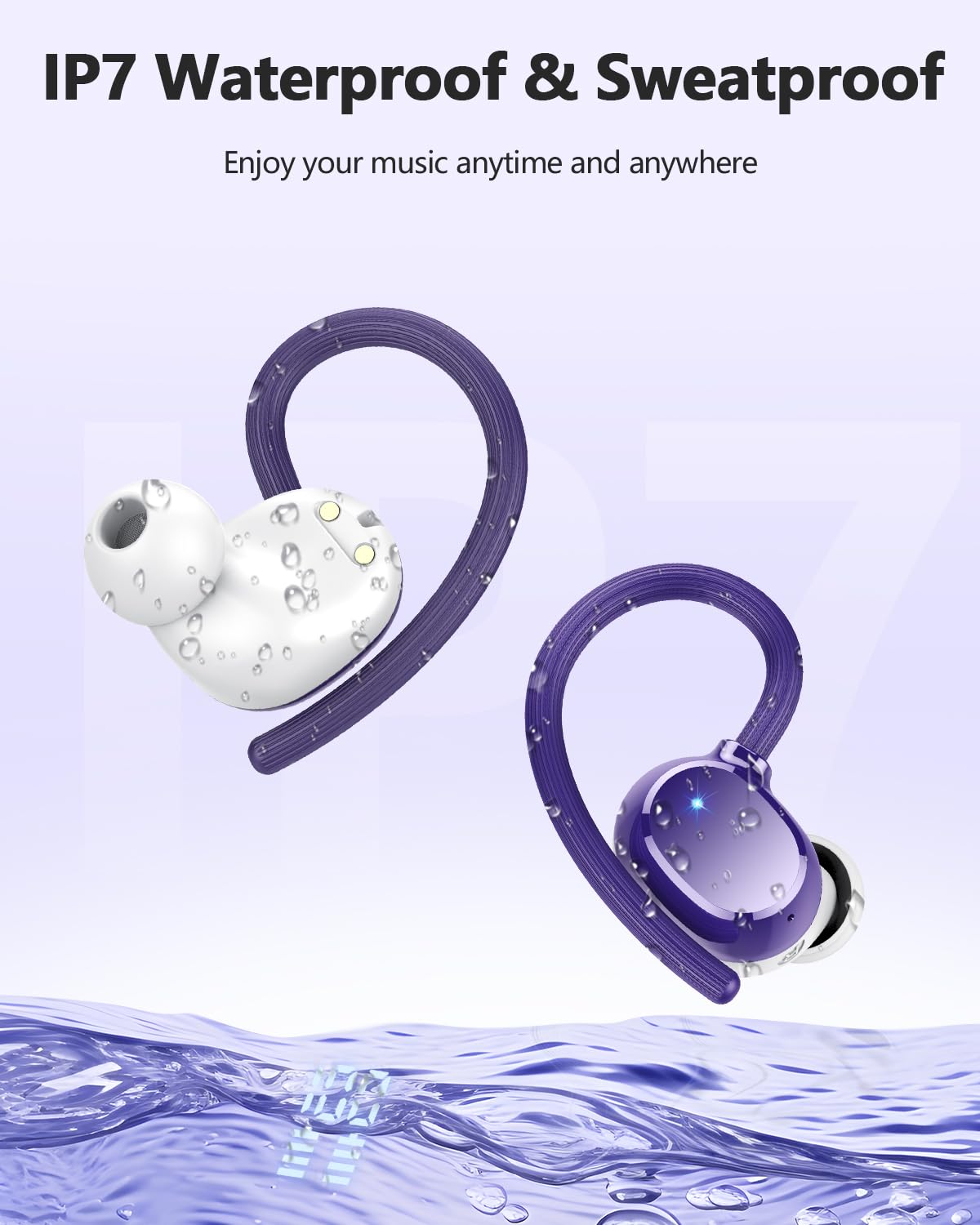
Image: The Lekaby Q22 charging case connected via a USB-C cable to a smartphone, demonstrating its emergency power bank capability.
4. الصيانة
4.1 التنظيف
- Regularly clean the earbuds, ear caps, and charging contacts with a soft, dry, lint-free cloth.
- لا تستخدم المنظفات الكاشطة أو المذيبات أو البخاخات الهوائية.
- Remove ear caps and clean them with mild soap and water if necessary, ensuring they are completely dry before reattaching.
4.2 مقاومة الماء (IPX7)
The Lekaby Q22 headphones are IPX7 waterproof, meaning they can withstand immersion in water up to 1 meter for 30 minutes. They are resistant to sweat and rain, making them suitable for sports and outdoor activities.
- لا تقم بغمر علبة الشحن عمدًا، لأنها ليست مقاومة للماء.
- Ensure the headphones are dry before placing them back into the charging case to prevent damage to the charging contacts.

Image: The Lekaby Q22 headphones depicted with water droplets, illustrating their IPX7 waterproof and sweatproof capabilities.
4.3 التخزين
عند عدم استخدام سماعات الرأس، احفظها في علبة الشحن لحمايتها والحفاظ على شحنها. خزّنها في مكان بارد وجاف بعيدًا عن درجات الحرارة المرتفعة والمنخفضة.
5. استكشاف الأخطاء وإصلاحها
If you encounter any issues with your Lekaby Q22 headphones, please refer to the following common solutions:
| مشكلة | حل |
|---|---|
| سماعات الرأس غير مقترنة |
|
| تعمل سماعة أذن واحدة فقط |
|
| جودة صوت رديئة أو انقطاعات |
|
| علبة الشحن لا تشحن |
|
6. المواصفات
| ميزة | التفاصيل |
|---|---|
| اسم الموديل | س22 |
| نسخة البلوتوث | 5.3 |
| مدى البلوتوث | حتى 15 أمتار |
| عمر بطارية سماعة الرأس | حتى 8 ساعات (شحنة واحدة) |
| إجمالي وقت اللعب (مع علبة الشحن) | تصل إلى 128 ساعة |
| سعة بطارية علبة الشحن | 2600 مللي أمبير |
| مدة الشحن (سماعات الرأس) | Approx. 1.5 hours (in case) |
| الشحن السريع | 10 دقائق من الشحن تكفي لتشغيل لمدة 2 ساعة |
| حجم برنامج تشغيل الصوت | محرك ديناميكي 13.44 ملم |
| التحكم في الضوضاء | Hybrid ENC Noise Reduction (for calls), Passive Noise Cancellation |
| تصنيف مقاومة الماء | IPX7 (headphones only) |
| نوع التحكم | التحكم باللمس |
| وزن المنتج (لكل سماعة أذن) | حوالي 6 جرام |
| الأجهزة المتوافقة | Smartphones, tablets, laptops, TVs, and other Bluetooth-enabled devices |
7. الدعم
For further assistance or inquiries, please contact Lekaby customer support through the retailer's platform or the official Lekaby website. Please have your product model (Q22) and purchase details ready when contacting support.