
مقدمة
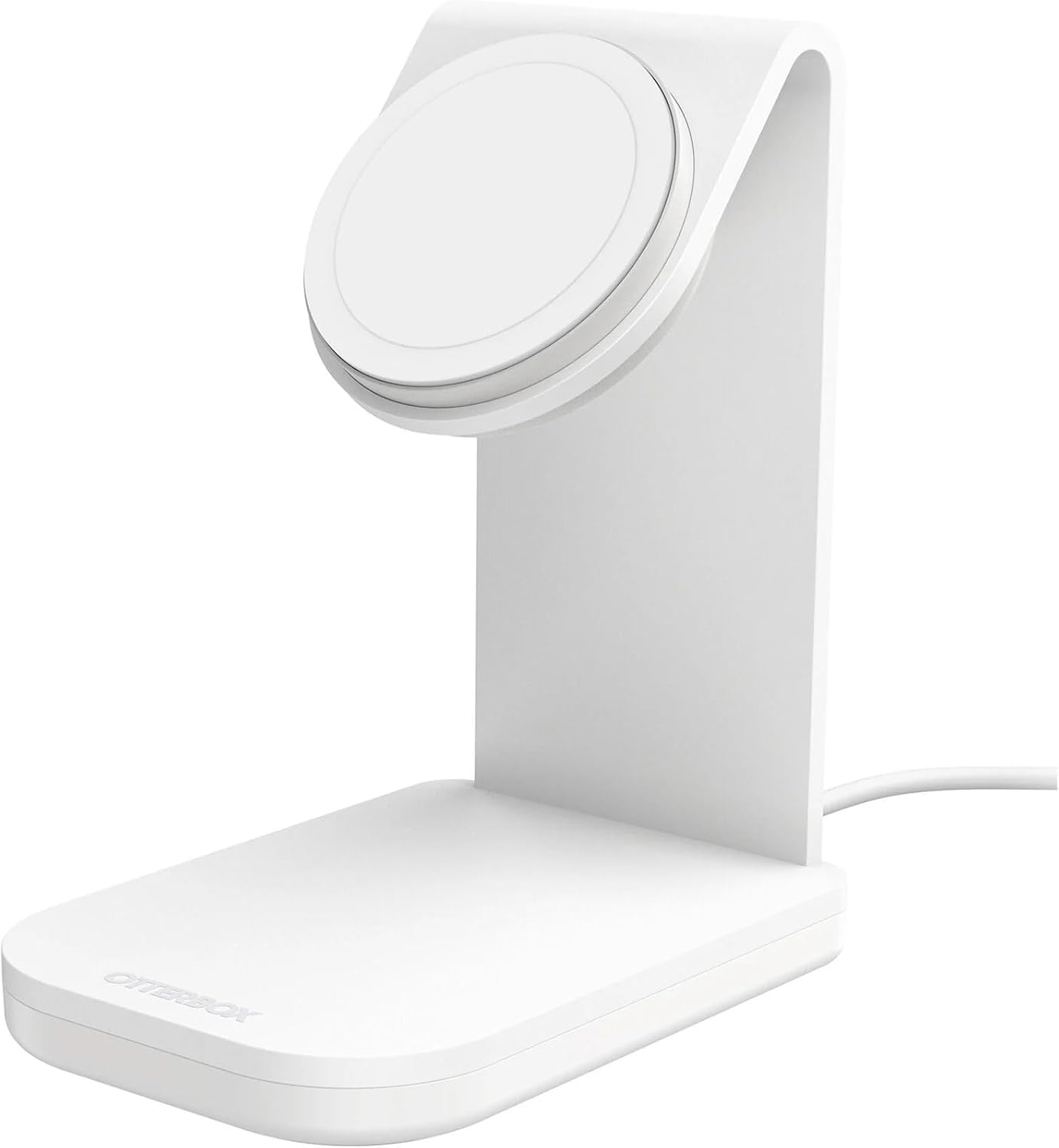
Thank you for choosing the OtterBox Wireless Charging Stand for MagSafe. This stand provides a sleek, compact, and efficient charging solution for your MagSafe-compatible iPhone and accessories. Designed for convenience and durability, it offers a fast and secure charging experience.
ماذا يوجد في الصندوق
- OtterBox Wireless Charging Stand
- OtterBox 20W Wall Charger
- OtterBox 2M (6.6FT) USB-C to USB-C Cable
يثبت
- قم بتوصيل كابل USB-C: Insert one end of the provided 2M USB-C to USB-C cable into the USB-C port located on the back of the OtterBox Wireless Charging Stand.
- الاتصال بالطاقة: Insert the other end of the USB-C cable into the OtterBox 20W Wall Charger.
- قم بتوصيل المنفذ: Plug the 20W Wall Charger into a functional power outlet. The stand is now ready for use.
تعليمات التشغيل
- ضع جهازك: Position your MagSafe-compatible iPhone or MagSafe case onto the magnetic charging pad of the stand. The strong magnetic alignment will securely attach your device.
- تأكيد الشحن: Your device will begin charging automatically. The 15W Qi wireless charger delivers optimal 7.5W charging speeds to your iPhone.
- توجيه: The stand allows you to suspend your iPhone securely in any orientation (portrait or landscape) while charging, streaming, or connecting.
- إزالة: To remove your device, simply twist it off the magnetic pad. The no-slip, weighted base ensures the stand remains steady.

التوافق
The OtterBox Wireless Charging Stand is compatible with:
- iPhone models with MagSafe capability.
- MagSafe cases, including:
- Defender Series XT
- Defender Series XT Pro
- Symmetry Series+
- Aneu Series
- Figura Series
- Commuter Series (MagSafe Edition)
- Defender Series (MagSafe Edition)
صيانة
To ensure optimal performance and longevity of your charging stand:
- Keep the charging pad clean and free of dust or debris. Use a soft, dry cloth for cleaning.
- Avoid exposing the stand to extreme temperatures or moisture.
- Do not attempt to disassemble or modify the stand.
استكشاف الأخطاء وإصلاحها
If you experience issues with your charging stand, consider the following:
- الجهاز لا يشحن: Ensure the USB-C cable is securely connected to both the stand and the wall charger, and that the wall charger is properly plugged into a live power outlet.
- الشحن البطيء: Verify that you are using the included OtterBox 20W Wall Charger or another compatible power adapter that provides sufficient wattage (at least 20W) to enable optimal 15W charging.
- مشاكل المرفقات المغناطيسية: Confirm that your iPhone is MagSafe-compatible or is housed in a MagSafe-compatible case. Remove any non-MagSafe accessories or thick cases that may interfere with the magnetic connection.
- استقرار الموقف: Ensure the stand is placed on a flat, stable surface. The weighted base is designed for stability, but excessive force or uneven surfaces may affect it.
تحديد
| أبعاد المنتج | 3.2 × 4.6 × 5.48 بوصة |
| وزن العنصر | 1.36 رطل |
| رقم موديل العنصر | 78-80872 |
| ماركة | أوتربوكس |
| نوع الموصل | يو اس بي نوع سي |
| حجم الإدخالtage | 3 فولت |
| إجمالي منافذ USB | 1 |
| واتtage | 15 واط |
| ميزة خاصة | Magnetic, Magsafe Compatible |
| لون | Brilliant Opera (White) |
الضمان والدعم
The OtterBox Wireless Charging Stand is backed by an OtterBox limited lifetime warranty. This warranty is supported by hassle-free customer service.
For detailed warranty information and support, please visit the official OtterBox webالموقع أو اتصل بخدمة العملاء الخاصة بهم مباشرة.