
Ortur LU2-10A
Ortur LU2-10A 10000mW Laser Module Instruction Manual
Model: LU2-10A
1. المقدمة
This manual provides essential information for the safe and effective use of your Ortur LU2-10A 10000mW Laser Module. Please read these instructions carefully before installation and operation. This laser module is designed for high-precision engraving and cutting with Ortur Laser Engravers.
2. محتويات العبوة
تأكد من وجود جميع المكونات المدرجة أدناه في الحزمة الخاصة بك:

الصورة: مفصلة view of all components included in the Ortur LU2-10A Laser Module package, such as the laser module, laser shield, air assist, various screws, cables, and tools.
- LU2-10A Laser Module
- Laser Shield
- مساعدة الهواء
- دعم كتلة
- منزلق
- OUC2.0
- Small Coupling
- محول طاقة 24 فولت 2 أمبير
- Dedicated LaserWire
- أنابيب الهواء
- موصل الأنابيب
- Normal Adapter Cable
- Laser Backboard
- M3x5mm Screws*6 (Used for Slider)
- Thumb Screws*2
- M3x8mm Screws*4 (Used for OLM2S2)
- M3x12mm Screws*4 (Used for OLM2)
- ربطة كابل*10
- M3 Gasket*1
- وجع
- عدسة
- منظم تدفق الهواء
- OLM2/S2 OUC Exclusive Adapter Cable
3. الإعداد والتثبيت
This section guides you through the assembly and installation of the LU2-10A Laser Module onto your Ortur Laser Engraver. Ensure the engraver is powered off and disconnected from the power source before beginning installation.
3.1. فيديو تعليمي للتثبيت
Video: A detailed installation tutorial for the Ortur Laser Master 2 Pro S2 LU2-10A, demonstrating step-by-step assembly and connection procedures.
3.2. Laser Module Installation Steps
- Attach the laser module to the engraver's carriage.
- Secure the laser module using the provided thumbscrews.
- Insert the 5-pin terminal of the dedicated laser line into the laser module's port.
- Connect the other end of the laser line to the appropriate port on the engraver's control board.
- Install the laser shield onto the laser module to ensure eye protection during operation.
- Connect the air assist hose to the air intake port on the laser module and to an external air pump (not included).

Image: The Ortur LU2-10A Laser Module actively cutting a piece of wood, demonstrating its operational capability.
4. تعليمات التشغيل
The Ortur LU2-10A Laser Module offers powerful and precise capabilities for various materials.
4.1. الميزات الرئيسية
- التوافق الواسع: Compatible with Ortur Laser Master 2, Ortur Laser Master 2 S2, Ortur Laser Master 2Pro S2, and Ortur Laser Master 3 Laser Engravers.
- تنوع المواد: Engrave and cut acrylic, metal, wood, stainless steel, glass, ceramics, leather, food, paper, fabric, and more.
- إخراج قوي: True 10000mW laser output for effective cutting and engraving.
- دقة عالية: Compressed spot size of 0.05mm x 0.1mm for detailed work.
- كفاءة عالية: Lightweight design (235g) allows for engraving speeds up to 15000mm/min.
- تبريد بمروحة مزدوجة: Optimized cooling system ensures stable long-term operation without overheating.
- تشغيل مستقر: 24V electrical system and high-quality cables support 24 hours of uninterrupted, consistent engraving.
4.2. Engraving and Cutting Capabilities
The LU2-10A module is capable of cutting various materials with significant thickness:
- Up to 30mm acrylic.
- Up to 20mm wood.

Image: An internal diagram illustrating how two 5.5W laser beams are combined using light combing lenses to achieve a true 10W output with a precise 0.05 x 0.1mm compressed spot.

Image: The Ortur LU2-10A Laser Module highlighting its air intake for cooling and its lightweight design (only 235g), contributing to high engraving speeds.

الصورة: شفافة view of the Ortur LU2-10A Laser Module, showing the internal arrangement of two 5.5W lasers combining to form a single 10W output beam.

Image: The Ortur LU2-10A Laser Module featuring its built-in air assist system, with an example showing a cleaner cut (labeled "Ours") compared to a cut without air assist (labeled "Other").
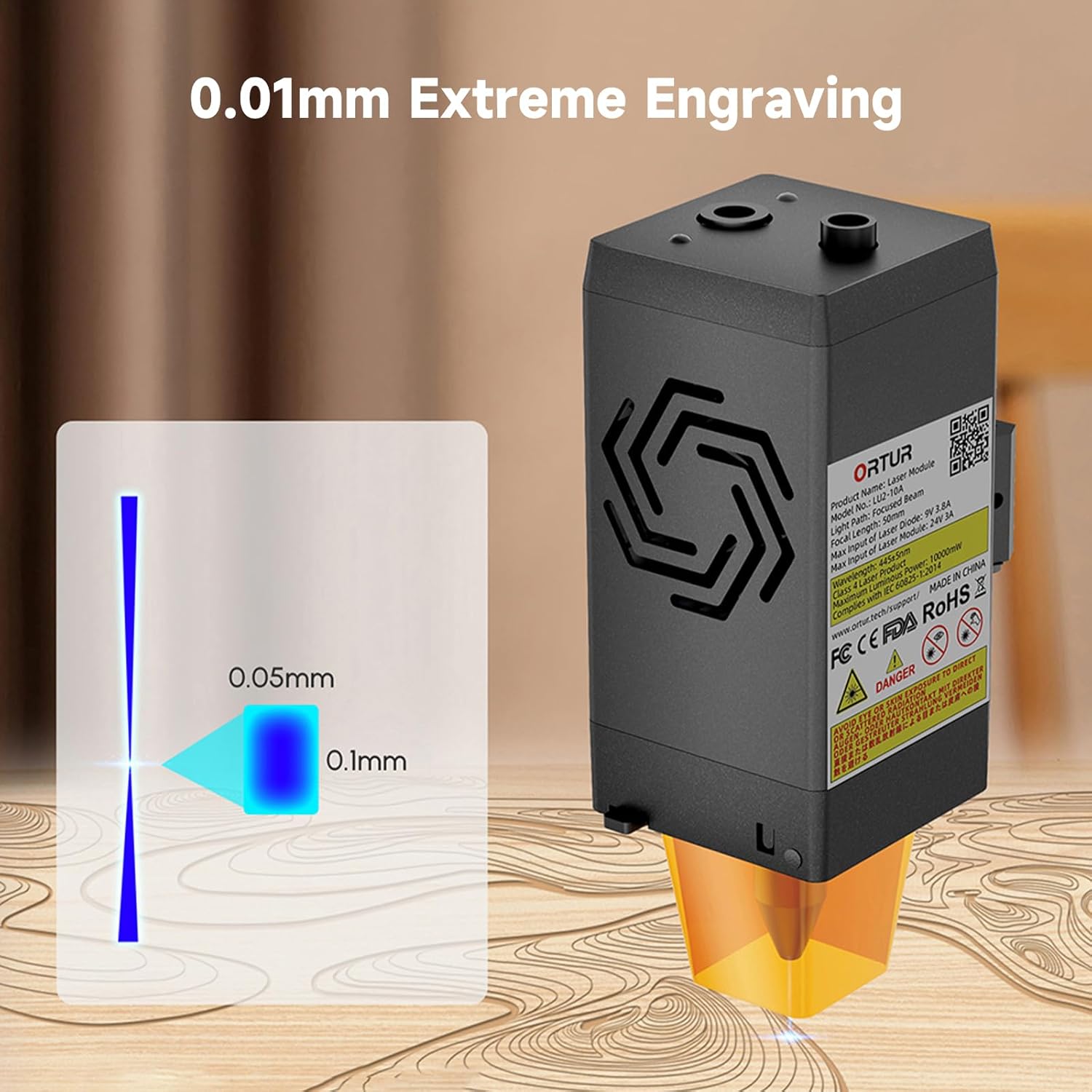
Image: A visual representation of the laser's compressed spot, showing its dimensions of 0.05mm x 0.1mm, which enables extreme precision in engraving.
5. الصيانة
تضمن الصيانة الدورية الأداء الأمثل وتطيل عمر وحدة الليزر الخاصة بك.
- تنظيف العدسات: Periodically clean the laser lens with a soft, lint-free cloth and appropriate lens cleaning solution to prevent residue buildup that can affect laser performance.
- فوهة مساعدة الهواء: Ensure the air assist nozzle is clear of debris to maintain effective airflow during cutting and engraving.
- مراوح التبريد: Check the dual cooling fans for dust accumulation and clean them gently to ensure proper heat dissipation.
- فحص الكابلات: Regularly inspect all cables for any signs of wear, damage, or loose connections.
6. استكشاف الأخطاء وإصلاحها
This section addresses common issues you might encounter with your Ortur LU2-10A Laser Module.
| مشكلة | السبب المحتمل | حل |
|---|---|---|
| الليزر لا يعمل أو أن إشارته ضعيفة. |
|
|
| Inconsistent engraving/cutting results. |
|
|
| Air assist not functioning. |
|
|
7. المواصفات
| ميزة | التفاصيل |
|---|---|
| أبعاد المنتج | 4.72 × 1.97 × 1.73 بوصة |
| رقم موديل العنصر | Ortur-LaserMaster2-ProS2 (LU2-10A variant) |
| وزن العنصر | 1.54 رطل |
| طاقة خرج الليزر | 10000 ميلي واط (10 واط) |
| Compressed Spot Size | 0.05 مم × 0.1 مم |
| سرعة النقش | تصل إلى 15000 مم/دقيقة |
| نظام التبريد | Dual Fan Cooling |
| النظام الكهربائي | 24 فولت |
| التوافق | Ortur Laser Master 2, 2 S2, 2Pro S2, 3 |
8. الضمان والدعم
For warranty information, technical support, or further assistance, please refer to the official Ortur webالموقع أو تواصل مع خدمة العملاء مباشرةً. احتفظ بإيصال الشراء كإثبات للشراء.
Official Ortur Webموقع: www.ortur.net
Ask a question about this manual
Ask about setup, troubleshooting, compatibility, parts, safety, or missing instructions. Manuals+ will review the question and use this page’s manual context to help answer it.