
1. المقدمة
This manual provides detailed instructions for the installation, operation, and maintenance of your WENMENGDE 10-inch Android Car Radio. This device features a 10-inch IPS full touch screen, Android operating system, 4-core processor, 2GB RAM, 32GB storage, and supports Apple CarPlay, Android Auto, WiFi, Bluetooth, MirrorLink, Split Screen, Picture-in-Picture (PIP), and GPS Navigation. Please read this manual thoroughly before use to ensure proper functionality and safety.
2. محتويات العبوة
قبل التثبيت، يرجى التأكد من وجود جميع العناصر المدرجة أدناه في العبوة:
- رئيس وحدة
- محول الطاقة
- هوائي نظام تحديد المواقع العالمي (GPS)
- كابلات RCA
- كابل يو اس بي
- كابل عكسي
- 9&10" Adapter Panel (for specific vehicle types)
- كاميرا العكسي
- ميكروفون

Image: Contents of the WENMENGDE 10-inch Android Car Radio package, including the head unit, various cables, GPS antenna, reverse camera, and microphone.
3. الإعداد والتثبيت
The WENMENGDE 10-inch Android Car Radio is designed to fit most general-purpose double DIN car center consoles. Installation may vary depending on your vehicle model. Professional installation is recommended.
3.1. Universal 2-DIN Installation
For vehicles with a standard 2-DIN radio panel, the head unit can be installed directly using metal brackets for fixing.

Image: Diagram illustrating the installation of the head unit into a universal 2-DIN car radio panel using metal brackets.
3.2. Specialized Vehicle Installation (with Adapter Panel)
For certain vehicle types, a specialized 9-inch or 10-inch adapter panel may be required for a seamless fit. The adapter panel is used to integrate the head unit into the vehicle's dashboard.

Image: Diagram showing the installation process with a 9-inch adapter panel for specialized vehicle types.

Image: Diagram illustrating the installation process with a 10-inch adapter panel for specialized vehicle types.
3.3. توصيلات الأسلاك
Connect the power adapter, GPS antenna, RCA cables, USB cables, reverse cable, and microphone to their respective ports on the head unit. Ensure all connections are secure.

الصورة: الجبهة view of the 10.2-inch display and rear view showing the various connection ports and internal components of the head unit. Dimensions are indicated as 255mm width and 164mm height.
4. تعليمات التشغيل
4.1. كاربلاي وأندرويد أوتو
The device supports both Apple CarPlay and Android Auto, offering both wireless and wired connection options.
- الاتصال اللاسلكي: Connect your mobile phone's Bluetooth to the car radio. Then, open the pre-installed application named "Zlink" on the head unit and wait for the automatic connection.
- الاتصال السلكي: Connect your mobile phone to the head unit using a USB cable.
Video: Demonstration of CarPlay and Android Auto functionality on the WENMENGDE car radio, showing connection and interface usage.
4.2. GPS Navigation & WiFi
The car radio includes a built-in GPS module and comes with offline maps pre-installed in the "Maps" application. For online navigation and additional features, connect the device to a WiFi network.
- الخرائط غير المتصلة بالإنترنت: Utilize the pre-installed "Maps" app for navigation without an internet connection.
- الخرائط والتطبيقات الإلكترونية: Connect to WiFi to access online maps (e.g., Google Maps, Waze) and download other applications from the Play Store, such as YouTube, TikTok, and Spotify.
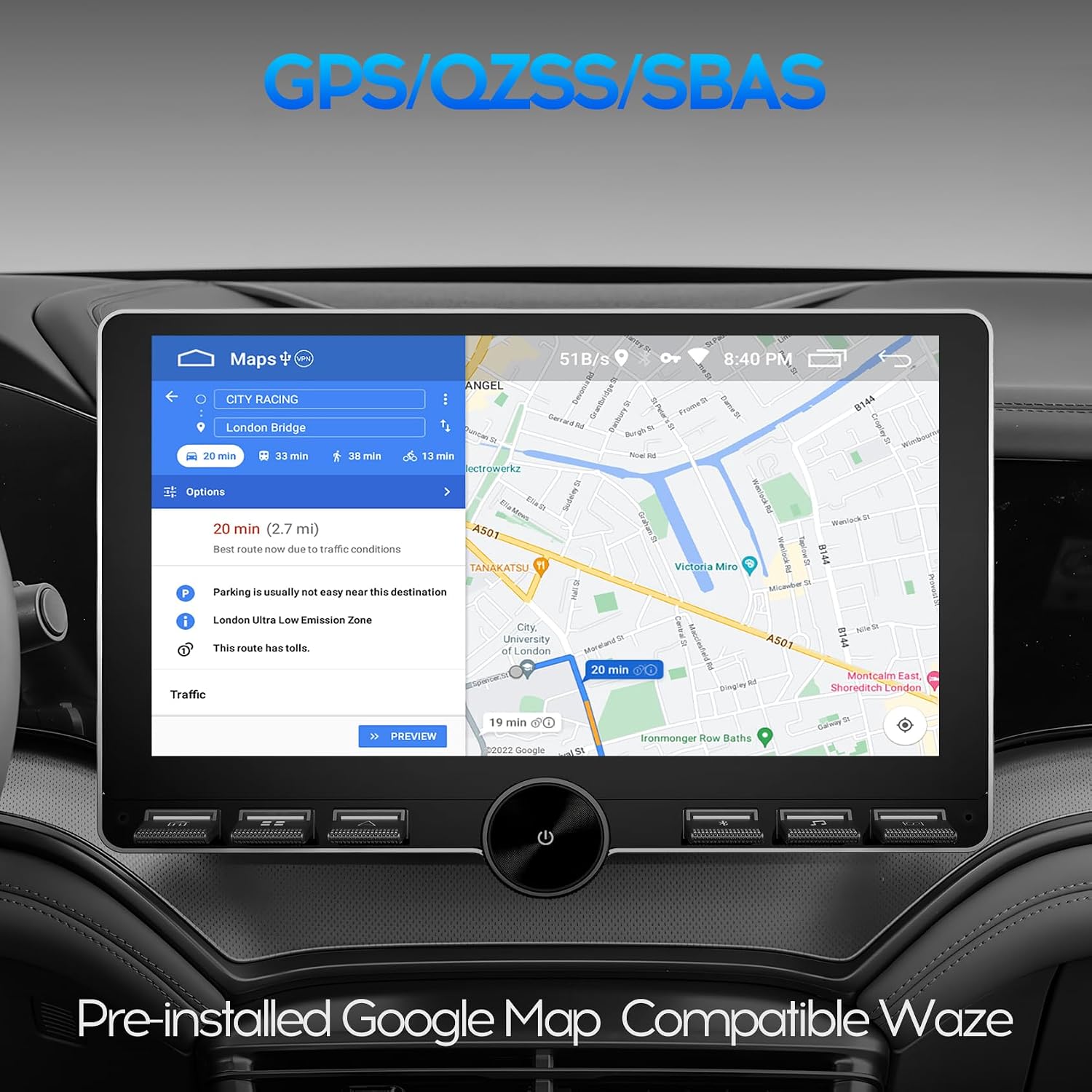
Image: The car radio display showing GPS navigation with pre-installed Google Maps, indicating route information and compatible with Waze.
4.3. اتصال البلوتوث
The unit features built-in Bluetooth 4.0 with A2DP support, enabling hands-free calling, phone book synchronization, and music streaming.
- الاتصال بدون استخدام اليدين: Pair your phone via Bluetooth to make and receive calls directly from the car radio.
- تدفق الموسيقى: Stream audio from your Bluetooth-enabled device to the car stereo.
- Phone Book Sync: Synchronize your phone's contacts for easy access.

Image: The car radio display showing the Bluetooth interface, indicating paired and available devices, with a focus on fast connection and long-distance transmission.
4.4. التحكم في عجلة القيادة (SWC)
The device supports steering wheel control functionality. Manual learning is required to map your vehicle's steering wheel buttons to the car radio functions. Two Key/SW wires are provided for analog steering wheel control.
- عملية التعلم: Access the SWC settings in the car radio menu. Follow the on-screen instructions to assign functions (e.g., volume control, track skip, answer call) to your steering wheel buttons.
- الوظائف: Control volume, switch music, answer calls, and more directly from your steering wheel.

Image: The car radio display showing the Steering Wheel Control learning interface, with options for short press and long press learning for various functions.
4.5.الخلف View Camera & DVR Function
The car radio is equipped to work with a waterproof night vision reversing camera (included). It also supports video input for a USB dash cam.
- مؤخرة View عرض: When you engage reverse gear, the car stereo will automatically display the rear view image from the connected camera.
- دعم DVR: Connect a USB dash cam to record driving footage.

Image: The car radio display showing the reverse rear view with parking guidelines, providing assistance for safe maneuvering.
4.6. Split Screen Mode & PIP
The split screen mode allows you to run two applications simultaneously on the 10-inch display, enhancing multitasking capabilities. Picture-in-Picture (PIP) provides a floating video window while using other apps.
- تقسيم الشاشة: Navigate with GPS on one side and control music on the other, or use any two compatible apps side-by-side.
- صورة داخل صورة: Watch a video in a small, movable window while interacting with other applications.
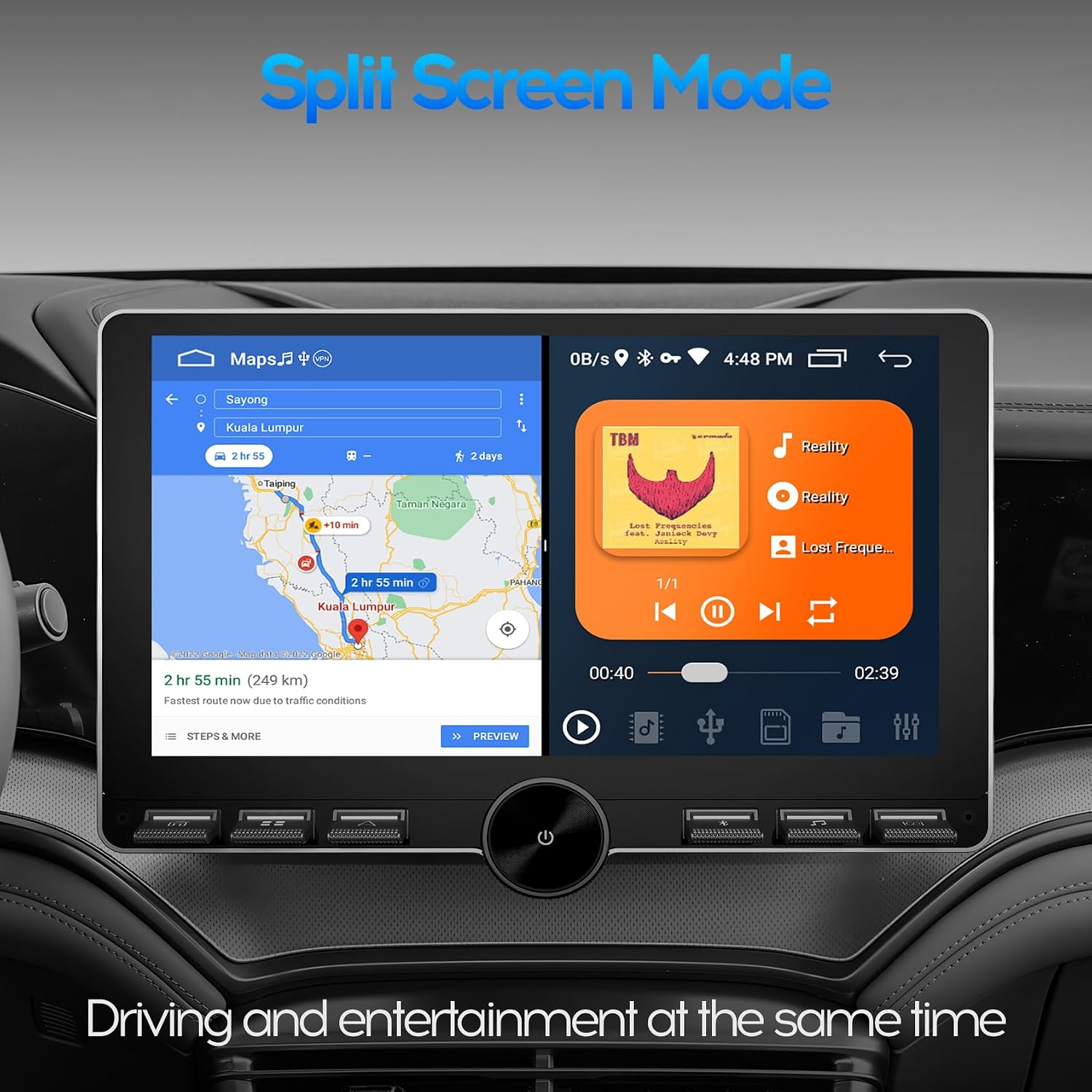
Image: The car radio display showing split screen mode, with GPS navigation on one side and a music player on the other, allowing for simultaneous driving and entertainment functions.
4.7. وظائف الراديو
The unit features an MT6625LN Radio Module, ensuring stable signal reception and clear audio quality for FM/AM radio stations.

Image: The car radio display showing the radio interface with the MT6625LN Radio Module, displaying current frequency and preset stations, emphasizing stable signal and clear sound.
5. الصيانة
To ensure the longevity and optimal performance of your WENMENGDE car radio, follow these maintenance guidelines:
- تنظيف: استخدم قطعة قماش ناعمة وجافة لتنظيف الشاشة والجزء الخارجي. تجنب المنظفات أو المذيبات الكاشطة.
- تحديثات البرامج: Periodically check for and install available software updates to ensure the system runs efficiently and has the latest features.
- الظروف البيئية: تجنب تعريض الوحدة لدرجات حرارة عالية، أو أشعة الشمس المباشرة لفترات طويلة، أو الرطوبة الزائدة.
6. استكشاف الأخطاء وإصلاحها
إذا واجهت مشكلات مع راديو سيارتك، فراجع خطوات استكشاف الأخطاء وإصلاحها الشائعة التالية:
- لا يوجد طاقة: افحص جميع توصيلات الطاقة وصندوق الفيوزات في السيارة. تأكد من تشغيل الإشعال.
- لا يوجد صوت: Verify speaker connections, volume levels, and audio source selection.
- شاشة اللمس لا تستجيب: Try restarting the unit. If the issue persists, a factory reset might be necessary (refer to system settings).
- فقدان إشارة GPS: تأكد من تثبيت هوائي نظام تحديد المواقع العالمي (GPS) بشكل صحيح وأن له صورة واضحة view من السماء.
- مشاكل اتصال البلوتوث: Ensure Bluetooth is enabled on both the car radio and your mobile device. Try unpairing and re-pairing the devices.
- عدم اتصال CarPlay/Android Auto: Check USB cable connection (for wired) or Bluetooth/WiFi connection (for wireless). Ensure the "Zlink" app is running.
في حالة وجود مشكلات مستمرة، يرجى الاتصال بدعم العملاء.
7. المواصفات
| ماركة | WENMENGDE |
| رقم الموديل | B0DRYHH6ZP |
| حجم الشاشة | 10 بوصة |
| نوع العرض | Capacitive 2.5D Tempered Glass IPS Touch Screen |
| دقة | 1024*600 |
| نظام التشغيل | أندرويد |
| المعالج | رباعي النواة |
| كبش | 2 جيجا بايت |
| التخزين الداخلي | 32 جيجا بايت |
| الاتصال | بلوتوث، يو اس بي، واي فاي |
| نسخة البلوتوث | 4.0 with A2DP |
| نظام تحديد المواقع العالمي (جي بي اس) | Built-in GPS/QZSS/SBAS module |
| الميزات المدعومة | Apple CarPlay, Android Auto, MirrorLink, Split Screen, PIP, Rear View Camera, DVR Function, Steering Wheel Control |
| وضع إخراج الصوت | ستيريو (تكوين قناة الصوت المحيطي 2.0) |
| نوع مخرج الصوت | بلوتوث ، RCA |
| ترميز الفيديو | H.264, MPEG-4, H.265/HEVC |
| خدمات الإنترنت المدعومة | YouTube, TikTok, Spotify |
8. الضمان
This WENMENGDE car radio comes with a ضمان لمدة سنتين from the date of purchase. Please retain your proof of purchase for warranty claims. The warranty covers manufacturing defects and malfunctions under normal use. It does not cover damage caused by improper installation, misuse, accidents, or unauthorized modifications.
9. الدعم
For any questions, technical assistance, or support regarding your WENMENGDE car radio, please do not hesitate to contact our professional technical team. We are committed to providing prompt assistance.
- طريقة الاتصال: Refer to the contact information provided with your product packaging or on the official WENMENGDE webموقع.
- وقت الاستجابة: Our professional technical team aims to reply within 24 hours.