
1. انتهى المنتجview
The MOVE SPEED 145W Laptop Power Bank is a high-capacity portable charging solution designed for a wide range of electronic devices, including laptops, smartphones, and tablets. Featuring PD 3.1 fast charging technology and a 25,000mAh capacity, it ensures your devices remain powered during travel, work, or outdoor activities. The integrated digital display provides real-time charging insights, enhancing user convenience.
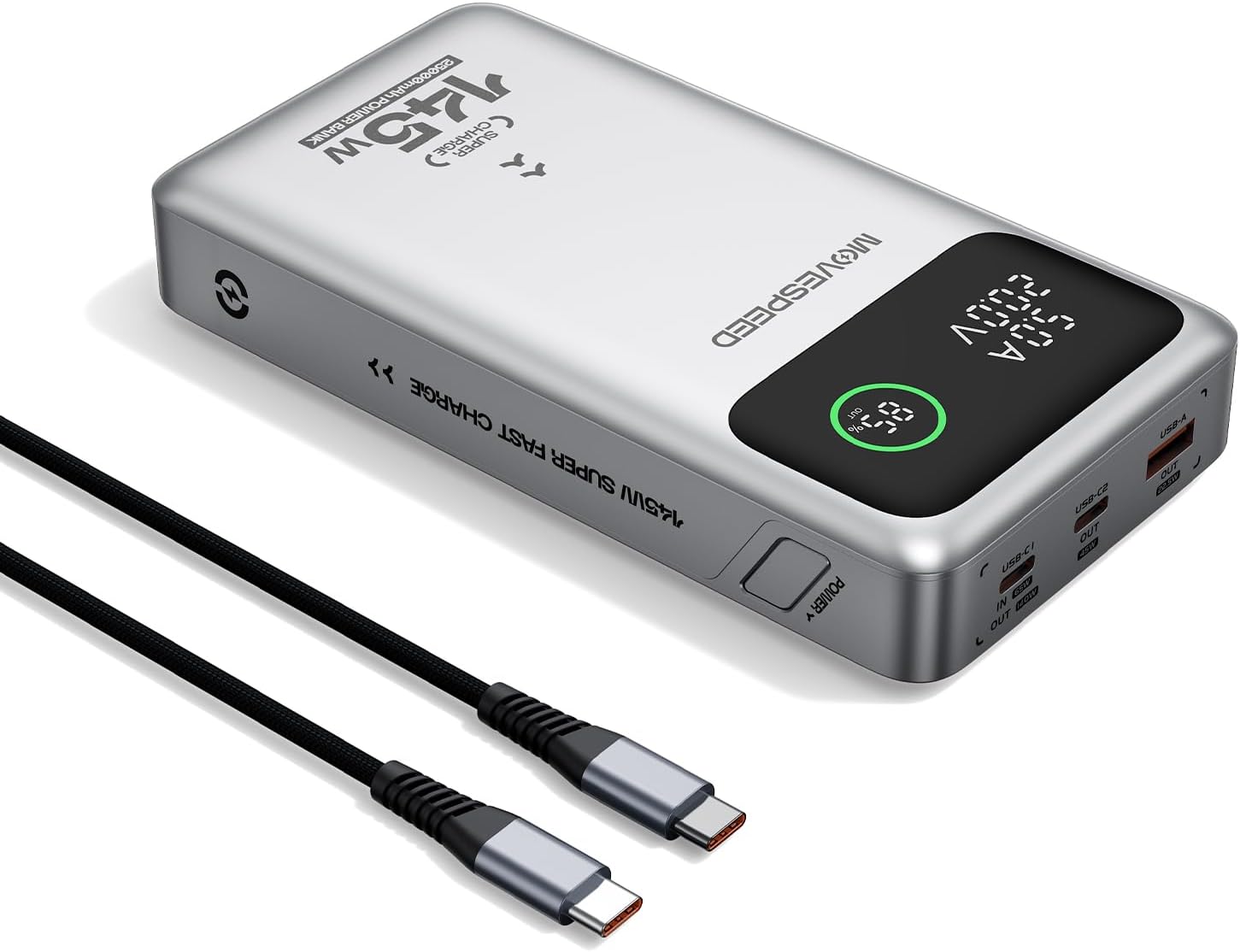
Figure 1.1: MOVE SPEED 145W Laptop Power Bank and 240W Type-C Cable.
2. معلومات السلامة
احتياطات السلامة الهامة:
- لا تعرض بنك الطاقة لدرجات حرارة عالية أو أشعة الشمس المباشرة أو النار.
- تجنب إسقاط الجهاز أو تفكيكه أو محاولة إصلاحه بنفسك.
- يحفظ بعيداً عن الماء والرطوبة العالية.
- تأكد من التهوية المناسبة أثناء الاستخدام والشحن.
- This power bank is flight-approved (25000mAh/92.5Wh) and meets FAA and TSA carry-on regulations.
- The device incorporates 9-layer protection against overcharging, overheating, and short circuits.

Figure 2.1: The power bank is designed to be air-travel friendly.

Figure 2.2: Built-in NTC Temperature Sensor and comprehensive protection features.
3. محتويات العبوة
تأكد من وجود جميع العناصر في العبوة:
- MOVE SPEED 145W Laptop Power Bank x 1
- 240W 3.28Ft Type-C Cable x 1
- دليل المستخدم × 1

Figure 3.1: Items included in the product package.
4. مواصفات المنتج
- 140W Ultra-Fast Single-Port Charging: Supports PD 3.1, capable of charging a 16-inch MacBook Pro to 56% in approximately 30 minutes.
- 65W Ultra-Fast Recharging: Fully recharges the power bank in about 2 hours using a compatible high-wattagشاحن البريد.
- سعة هائلة تبلغ 25,000 مللي أمبير في الساعة: Provides multiple charges for various devices (e.g., 4 full charges for iPhone 16, 3 for Galaxy S24, 2 for iPad 11).
- Triple-Port Output:
- USB-C1 (IN/OUT): Up to 140W output, 65W input.
- USB-C2 (OUT): Up to 45W output.
- USB-A (OUT): Up to 22.5W output.

Figure 4.1: Single port output capabilities.

Figure 4.2: Two-port simultaneous output capabilities.

Figure 4.3: Three-port simultaneous output capabilities.
- Smart Dynamic Charging: Optimizes power distribution up to 145W combined output when multiple USB-C ports are active.
- شاشة LED الذكية: يعرض النسبة المئوية الدقيقة للبطاريةtage, charging status (INPUT/OUTPUT), and real-time voltage and current for each active port.
- الشحن المار: Allows simultaneous charging of devices while the power bank itself is being recharged.

Figure 4.4: Key features of the MOVE SPEED 145W Power Bank.

Figure 4.5: Fast charging capability for laptops.

Figure 4.6: Extended power supply for multiple devices.

Figure 4.7: Simultaneous charging of up to three devices.

Figure 4.8: Rapid recharging of the power bank.

Figure 4.9: The smart LED display provides comprehensive charging information.

Figure 4.10: Pass-through charging capability for convenience.
5. الإعداد
Before first use, it is recommended to fully charge the power bank.
- Connect the included 240W Type-C cable to the USB-C1 port (IN/OUT) on the power bank.
- Connect the other end of the cable to a compatible USB-C wall charger (65W or higher recommended for optimal charging speed).
- The digital display will show "IN" and the battery percentagزيادة إلكترونيةasing, indicating that the power bank is charging.
- بمجرد أن تظهر الشاشة نسبة 100%، يكون بنك الطاقة مشحونًا بالكامل وجاهزًا للاستخدام.
6. تعليمات التشغيل
6.1 أجهزة الشحن
لشحن أجهزتك الإلكترونية:
- Connect your device's charging cable to the appropriate output port on the power bank (USB-C1, USB-C2, or USB-A).
- قم بتوصيل الطرف الآخر من الكابل بجهازك.
- The digital display will show "OUT" and the real-time voltage and current, indicating that your device is charging.
- The power bank will automatically detect the connected device and deliver the optimal charging speed.
Video 6.1: Demonstration of the MOVE SPEED power bank charging a laptop. This video highlights the product's ability to provide power to larger devices.
الفيديو 6.2: انتهىview of the MOVE SPEED laptop power bank's features and usage. This video provides a general demonstration of the product.
Video 6.3: Demonstration of the MOVESPEED portable laptop charger and its 145W power bank capabilities. This video showcases the power bank in action with various devices.
6.2 إعادة شحن بنك الطاقة
لإعادة شحن بنك الطاقة:
- Connect the included 240W Type-C cable to the USB-C1 port (IN/OUT) on the power bank.
- Connect the other end of the cable to a power source, such as a wall adapter or a computer's USB-C port.
- The digital display will indicate "IN" and the charging progress.
Note: For optimal recharging speed, use a power adapter that supports 65W Power Delivery (PD) or higher.
7. المواصفات
| ميزة | التفاصيل |
|---|---|
| رقم الموديل | YSPB-M25pro-US |
| سعة البطارية | 25,000 مللي أمبير / 92.5 واط |
| مدخل USB-C1 | شنومكسو ماكس |
| خرج USB-C1 | 140 واط كحد أقصى (PD 3.1) |
| خرج USB-C2 | شنومكسو ماكس |
| إخراج USB-A | شنومكسو ماكس |
| الناتج الإجمالي | 145W Max (Dynamic Distribution) |
| أبعاد | 8.19 × 4.49 × 1.56 بوصة |
| وزن | 1.41 رطل |
| الكابل المتضمن | 240W 3.28Ft Type-C Cable |
| ميزات السلامة | 9-layer protection (overcharging, overheating, short circuits, etc.), UN38.3 certified |
| تمت الموافقة على الرحلة | Yes (under 100Wh limit) |
8. الصيانة
- نظّف بنك الطاقة بقطعة قماش ناعمة وجافة. تجنّب استخدام مواد كيميائية قاسية أو مواد كاشطة.
- قم بتخزين بنك الطاقة في مكان بارد وجاف بعيدًا عن أشعة الشمس المباشرة ودرجات الحرارة القصوى.
- في حالة التخزين لفترة طويلة، أعد شحن البطارية المحمولة كل 3-6 أشهر للحفاظ على صحة البطارية.
- Avoid exposing the ports to dust or debris.
9. استكشاف الأخطاء وإصلاحها
المشاكل الشائعة والحلول:
- بنك الطاقة لا يشحن:
- Ensure the charging cable is securely connected to both the power bank (USB-C1 port) and the power adapter.
- تأكد من أن محول الحائط يعمل بشكل صحيح ويوفر طاقة كافية (يوصى بـ 65 واط).
- حاول استخدام كابل شحن أو محول طاقة مختلف.
- الجهاز لا يشحن من بنك الطاقة:
- تحقق مما إذا كان بنك الطاقة لديه شحن كافٍ.
- تأكد من توصيل كابل الشحن بشكل آمن بكل من بنك الطاقة والجهاز الخاص بك.
- حاول استخدام منفذ إخراج مختلف في بنك الطاقة.
- تأكد من أن كابل شحن جهازك غير تالف.
- الشحن البطيء:
- Ensure you are using the included 240W Type-C cable or another high-quality cable that supports fast charging.
- For recharging the power bank, use a 65W or higher PD-compatible wall adapter.
- When charging multiple devices, the total output power is dynamically distributed, which may result in slower charging for individual devices compared to single-port charging.
- العرض الرقمي لا يعمل:
- تأكد من أن بنك الطاقة مشحون بشكل كافٍ.
- إذا استمرت المشكلة ، فاتصل بدعم العملاء.
10. الضمان والدعم
MOVE SPEED offers a 36-month protection plan for this product. If you encounter any issues or have questions regarding your MOVE SPEED 145W Laptop Power Bank, please contact our customer support team for assistance.
For further support, visit the official MOVE SPEED store on Amazon: MOVE SPEED Store