
1. المقدمة
The ESSAGER USB to Dual 3.5mm Jack Audio Adapter is an external sound card designed to provide dedicated audio input and output ports via a USB-A connection. It allows users to connect headphones, speakers, and microphones to devices that lack these ports or have malfunctioning internal sound cards. This adapter offers a plug-and-play solution for enhanced audio experience across various platforms.
المميزات الرئيسية:
- التوافق العالمي: Works with PCs, laptops, desktops, PlayStation 4/5, and Nintendo Switch.
- التوصيل والتشغيل: لا يتطلب الأمر تثبيت برامج تشغيل أو برامج أخرى.
- Dual 3.5mm Ports: Separate jacks for microphone (audio-in) and headphones/speakers (audio-out).
- صوت عالي الجودة: Bypasses internal audio for clear, high-fidelity sound.
- تصميم متين: مصنوع من سبيكة ألومنيوم جasinز من أجل طول العمر.

Image 1.1: The ESSAGER USB to 3.5mm External Sound Card, highlighting its features and compact design.
2. انتهى المنتجview
The ESSAGER USB Audio Adapter features a USB-A connector on one end and two 3.5mm audio jacks on the other. These jacks are clearly labeled for their respective functions:
- Microphone Jack (Audio In): Marked with a microphone icon, this port is for connecting external microphones or the microphone plug of a headset.
- Headphone/Speaker Jack (Audio Out): Marked with a headphone icon, this port is for connecting headphones or speakers.
The adapter's compact size and durable aluminum alloy body ensure portability and resistance to daily wear.

الصورة 2.1: تفصيلية view of the ESSAGER adapter's dual 3.5mm audio jacks, showing the microphone and headphone icons.
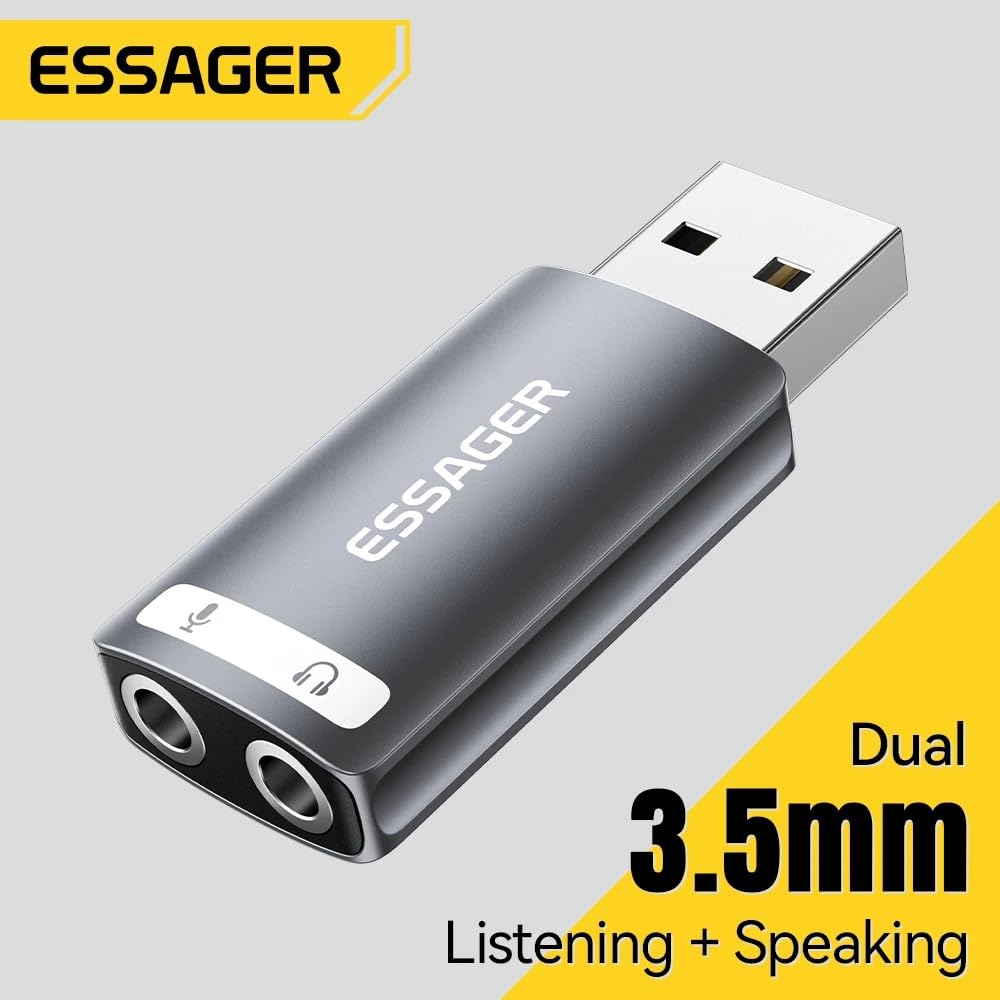
Image 2.2: The ESSAGER USB audio adapter, illustrating its dual functionality for listening and speaking.
3. تعليمات الإعداد
Setting up the ESSAGER USB Audio Adapter is a straightforward plug-and-play process.
- الاتصال بمنفذ USB: Insert the USB-A connector of the adapter into an available USB port on your computer (PC, Mac, Linux), PlayStation 4/5, or Nintendo Switch.
- التعرف على النظام: Your operating system will automatically detect and install the necessary drivers. No manual driver installation is required.
- توصيل أجهزة الصوت:
- For headphones or speakers, plug the 3.5mm audio jack into the port marked with the headphone icon.
- For a microphone, plug the 3.5mm audio jack into the port marked with the microphone icon.
- Select Audio Device (if necessary): In some operating systems (e.g., Windows, macOS), you may need to manually select the "USB Audio Device" or similar as your default playback and recording device in the sound settings.
ملاحظة هامة:
This USB audio adapter is not compatible with the USB ports of TVs, amplifiers, CD players, cars, or trucks. Ensure your device is a compatible computer or gaming console as listed above.

Image 3.1: The ESSAGER USB audio adapter connected to a laptop, demonstrating a typical setup.

Image 3.2: Compatibility chart for the ESSAGER USB audio adapter, showing supported USB devices, audio devices, and operating systems.
4. تعليمات التشغيل
Once connected and recognized by your device, the ESSAGER USB Audio Adapter functions as your primary sound input and output device.
- تشغيل الصوت: Any audio played on your device will be routed through the headphone/speaker jack. Adjust volume using your device's system controls.
- مدخل الميكروفون: Audio captured by a connected microphone will be processed through the adapter. Ensure the microphone is selected as the input device in your application settings (e.g., communication software, game settings).
- الصوت المحسن: The built-in external sound card is designed to bypass your device's internal audio, providing clearer sound and improved fidelity for both playback and recording.

Image 4.1: Illustration of the advanced audio processing chip, responsible for high-fidelity audio reproduction.
5. الصيانة
The ESSAGER USB Audio Adapter is designed for durability and requires minimal maintenance.
- تنظيف: Use a soft, dry cloth to wipe the adapter. Avoid liquid cleaners or abrasive materials.
- تخزين: قم بتخزين المحول في مكان بارد وجاف عند عدم استخدامه.
- التعامل: Avoid dropping the adapter or exposing it to extreme temperatures or moisture. The aluminum alloy casing provides protection, but proper handling extends its lifespan.

Image 5.1: The ESSAGER USB audio adapter, showcasing its full aluminum alloy shell and durable metal connector.
6. استكشاف الأخطاء وإصلاحها
If you encounter issues with your ESSAGER USB Audio Adapter, consider the following troubleshooting steps:
- لا يوجد صوت للإخراج/الإدخال:
- تأكد من إدخال المحول بالكامل في منفذ USB.
- Verify that your headphones/speakers and microphone are correctly plugged into the respective jacks on the adapter.
- Check your device's sound settings (e.g., Windows Sound Control Panel, macOS System Preferences > Sound) and ensure the "USB Audio Device" is selected as the default playback and recording device.
- Test with another pair of headphones/microphone to rule out faulty audio peripherals.
- المحول غير معترف به:
- حاول توصيل المحول بمنفذ USB مختلف على جهازك.
- أعد تشغيل جهاز الكمبيوتر أو وحدة التحكم في الألعاب.
- Confirm your device is compatible (PC, Mac, PS4/PS5, Switch). Remember, it is not compatible with TVs, amplifiers, cars, etc.
- جودة الصوت رديئة/ثابتة:
- تأكد من أن جميع التوصيلات آمنة.
- Avoid placing the adapter near sources of electromagnetic interference.
- اختبر باستخدام ملفات صوتية مختلفة files or applications to determine if the issue is specific to certain content.

Image 6.1: Common audio challenges that the ESSAGER USB External Sound Card is designed to resolve.
7. المواصفات
| ميزة | التفاصيل |
|---|---|
| ماركة | إيسيجر |
| اسم الموديل | usb a to 3.5mm |
| رقم الموديل | EZJ2K-YY0G-P |
| واجهة الأجهزة | USB |
| وضع إخراج الصوت | ستيريو |
| الأجهزة المتوافقة | Personal Computer, Laptop, Desktop, PS4/PS5, Nintendo Switch |
| التوافق مع المنصة | Linux, Windows, Mac OS, Android |
| الحد الأقصى Sampمعدل جنيه | 48 كيلو هرتز |
| أبعاد العنصر (الطول × العرض × الارتفاع) | 30L x 19W x 50H Millimeters |
| وزن العنصر | 0.1 جرام |
| محتويات الصندوق | USB Sound Card only |
8. الضمان والدعم
معلومات الضمان:
This product comes with a 6-month warranty. Please note that the warranty is void if there is no original packaging or if any kind of damage occurs to the product.
جهة الاتصال للدعم:
For any support inquiries or assistance, please contact:
MRJ ELECTRONICS AHMEDABAD
جهة الاتصال: 9023265213