
1. المقدمة
Thank you for choosing the gorsun Kids Bluetooth Headphones, Model E69. These headphones are designed specifically for children, prioritizing hearing protection, comfort, and durability. Featuring an 85dB volume limit, Bluetooth 5.3 connectivity, and a built-in microphone, they provide a safe and enjoyable audio experience for learning, travel, and entertainment.
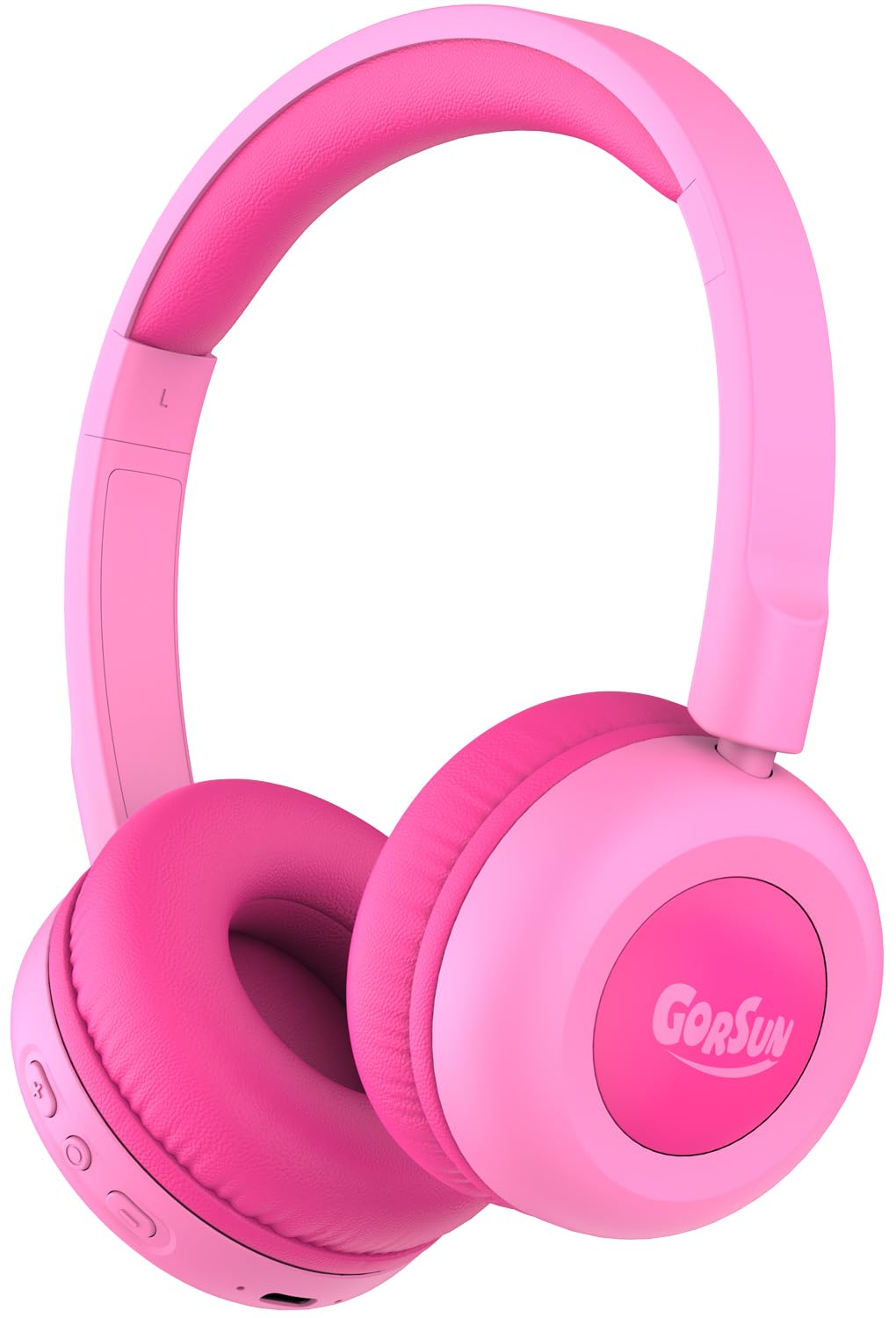
Image: gorsun Kids Bluetooth Headphones E69 in Pink.
2. ماذا يوجد في الصندوق
- gorsun Kids Wireless Headphones (Model E69)
- كابل شحن USB-C
- دليل المستخدم
3. مواصفات المنتج
- حماية السمع: Built-in fixed safety volume limit set to 85dB to protect children's ears, meeting strict safety standards.
- Unmatched Comfort & Durability: Lightweight design with memory-protein cushions for comfort. Adjustable headband accommodates children aged 3-12 years. Constructed with food-grade silicone parts to withstand daily use and accidental drops.
- عمر بطارية ممتد: Enjoy up to 50 hours of continuous playtime on a single charge, ideal for long trips and extended use without frequent recharging.
- Bluetooth 5.3 & Built-in Microphone: Equipped with the latest Bluetooth 5.3 technology for stable and fast wireless connections. The integrated microphone allows for clear communication during online classes, video calls, or talking with friends.
- Clear Sound & 40mm Driver: Delivers balanced audio specifically tuned for developing ears, with enhanced clarity. Precisely-tuned speakers eliminate harsh frequencies while maintaining rich detail.

Image: The headphones are designed to be flexible and durable, suitable for active children.

Image: A child comfortably wearing the gorsun Kids Bluetooth Headphones.
4. الإعداد
4.1 شحن سماعات الرأس
Before first use, fully charge the headphones. Connect the provided USB-C charging cable to the charging port on the headphones and the other end to a compatible USB power source (e.g., computer, wall adapter). A full charge takes approximately 2 hours and provides up to 50 hours of playtime.

Image: The headphones connected to a USB-C charging cable.
4.2 اقتران بلوتوث
- تأكد من شحن سماعات الرأس.
- اضغط مع الاستمرار على زر الطاقة الموجود على سماعات الرأس حتى يومض مؤشر LED باللونين الأزرق والأحمر، مما يشير إلى وضع الاقتران.
- على جهازك (الهاتف الذكي، الجهاز اللوحي، الكمبيوتر المحمول)، انتقل إلى إعدادات البلوتوث وقم بتشغيل البلوتوث.
- بحث عن available devices and select "gorsun E69" from the list.
- Once connected, the LED indicator on the headphones will show a solid blue light.
4.3 التوصيل السلكي (اختياري)
For devices without Bluetooth or when battery is low, you can use the included 3.5mm audio cable (if provided, check package contents) to connect the headphones directly to your device's audio jack. This model supports both Bluetooth and 3.5mm wired connection.
5. تعليمات التشغيل
5.1 الضوابط الأساسية
تتميز سماعات الرأس بعناصر تحكم بديهية توجد على سماعة الأذن:
- زر الطاقة: اضغط مع الاستمرار للتشغيل / إيقاف التشغيل.
- رفع الصوت (+): اضغط لفترة قصيرة لزيادة حجم الصوت.
- اخفض الصوت (-): اضغط لفترة قصيرة لخفض مستوى الصوت.
- زر متعدد الوظائف (تشغيل/إيقاف مؤقت/اتصال):
- Single press to Play/Pause music.
- Single press to Answer/End calls.
- Double press for Next track.
- Triple press for Previous track.
5.2 حد الحجم
The gorsun E69 headphones are designed with a fixed 85dB volume limit to protect children's hearing. This limit cannot be exceeded, ensuring a safe listening experience at all times.
6. الصيانة
- نظّف سماعات الرأس بانتظام بقطعة قماش ناعمة وجافة. تجنّب استخدام مواد كيميائية قاسية أو مواد كاشطة.
- تجنب تعريض سماعات الرأس لدرجات الحرارة العالية أو الرطوبة أو أشعة الشمس المباشرة.
- عند عدم الاستخدام، خزّن سماعات الرأس في مكان نظيف وجاف. تصميمها القابل للطي يسمح بتخزينها في مساحة صغيرة.
7. استكشاف الأخطاء وإصلاحها
| مشكلة | الحل المحتمل |
|---|---|
| سماعات الرأس لن يتم تشغيلها | تأكد من شحن سماعات الرأس بالكامل. اضغط مع الاستمرار على زر التشغيل لبضع ثوانٍ. |
| لا يمكن الاقتران بالجهاز | Make sure headphones are in pairing mode (flashing blue/red LED). Turn off and on Bluetooth on your device. Ensure headphones are within 10 meters of the device. |
| لا يوجد صوت | Check device volume and headphone volume. Ensure headphones are properly paired or connected via audio cable. Try restarting both devices. |
| الميكروفون لا يعمل | Ensure the headphones are connected via Bluetooth. Check device settings to confirm the headphone microphone is selected as the input device. |
8. المواصفات
- اسم الموديل: إي69
- تقنية الاتصال: Wireless (Bluetooth 5.3) / Wired (3.5mm, if cable included)
- نطاق البلوتوث: 15 مترا
- نوع برنامج تشغيل الصوت: سائق ديناميكي
- حجم برنامج تشغيل الصوت: 40 مليمتر
- عمر البطارية: 50 ساعة
- وقت الشحن: 2 ساعة
- مقبس سماعات الرأس: Type-C (للشحن)
- التحكم في الضوضاء: عزل الصوت
- نوع التحكم: التحكم في مستوى الصوت، زر ضغط
- مادة: Acrylonitrile Butadiene Styrene (ABS), Leather
- وزن السلعة: 5.3 أونصات
- الفئة العمرية (الوصف): طفل
- ميزة خاصة: Volume Limited to 85dB for Kids' Hearing Protection
9. مقاطع فيديو رسمية للمنتج
Gorsun Kids Headphones - Safe Sound for Little Ears
فيديو: أكثر منview of the gorsun Kids Headphones, highlighting their safe sound features for young users.
الراحة والمتانة
Video: Demonstrates the comfort and durable construction of the gorsun Kids Headphones, including their flexibility.
Perfect Toddler Headphones with Good Sound Quality
فيديو: مستخدم يعيدview highlighting the suitability of the headphones for toddlers and their sound quality.
10. الضمان والدعم
gorsun provides 24-hour customer service. If you encounter any issues or have questions regarding your headphones, please feel free to contact us via Amazon email. We are committed to providing satisfactory solutions.