
SelfieShow C15
دليل استخدام حامل ثلاثي القوائم للهاتف مع عصا السيلفي المصنوعة من الألومنيوم SelfieShow C15
Model: C15 | Brand: SelfieShow
1. المقدمة
This manual provides detailed instructions for the proper setup, operation, and maintenance of your SelfieShow C15 Aluminum Selfie Stick Phone Tripod. Please read this manual thoroughly before using the product to ensure optimal performance and longevity.
محتويات الحزمة
- حامل ثلاثي للهاتف على شكل عصا سيلفي
- Wireless Remote Control (with 1 CR2032 battery included)
- دليل التعليمات

Figure 1: The SelfieShow C15 Aluminum Selfie Stick Phone Tripod shown collapsed, extended as a selfie stick, and set up as a tripod with the remote control.
2. مكونات أكثرview
Familiarize yourself with the main parts of your SelfieShow C15 device:
- Extendable Aluminum Pole: The main shaft that extends for selfie stick use or tripod height adjustment.
- قاعدة ترايبود: Foldable legs at the bottom for stable freestanding use. Features anti-slip silicone pads.
- حامل الهاتف: قابل للتعديل clamp to secure your smartphone. Detachable.
- رأس كروي قابل للدوران 360 درجة: Allows for flexible angle adjustments of the phone holder. Includes a 1/4" screw for other accessories and a cold shoe interface.
- جهاز التحكم عن بعد اللاسلكي: Bluetooth-enabled remote for capturing photos or starting videos from a distance. Stores securely in the handle.
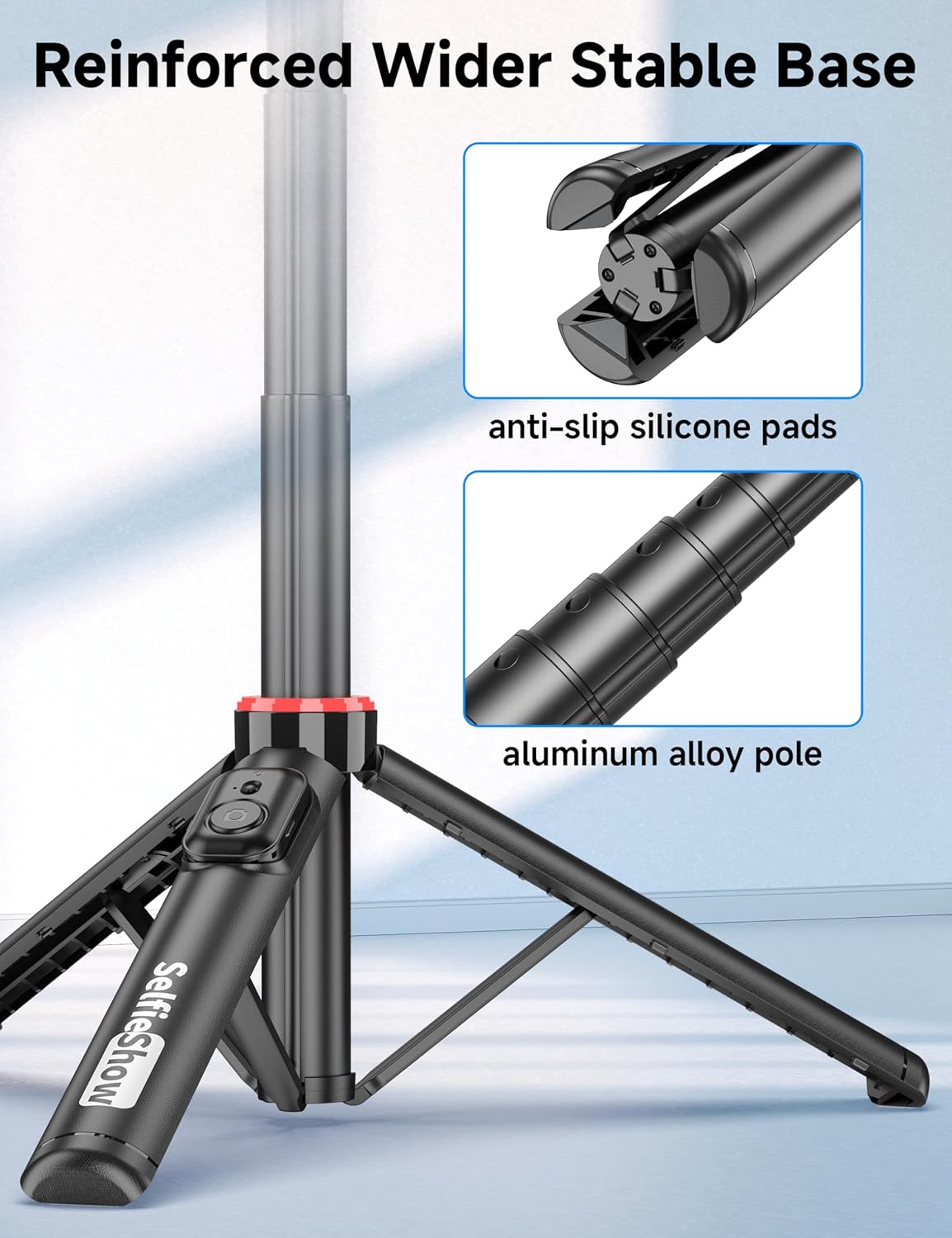
الشكل 2: الصورة عن قرب view of the reinforced tripod base, highlighting the anti-slip silicone pads and the durable aluminum alloy pole construction.
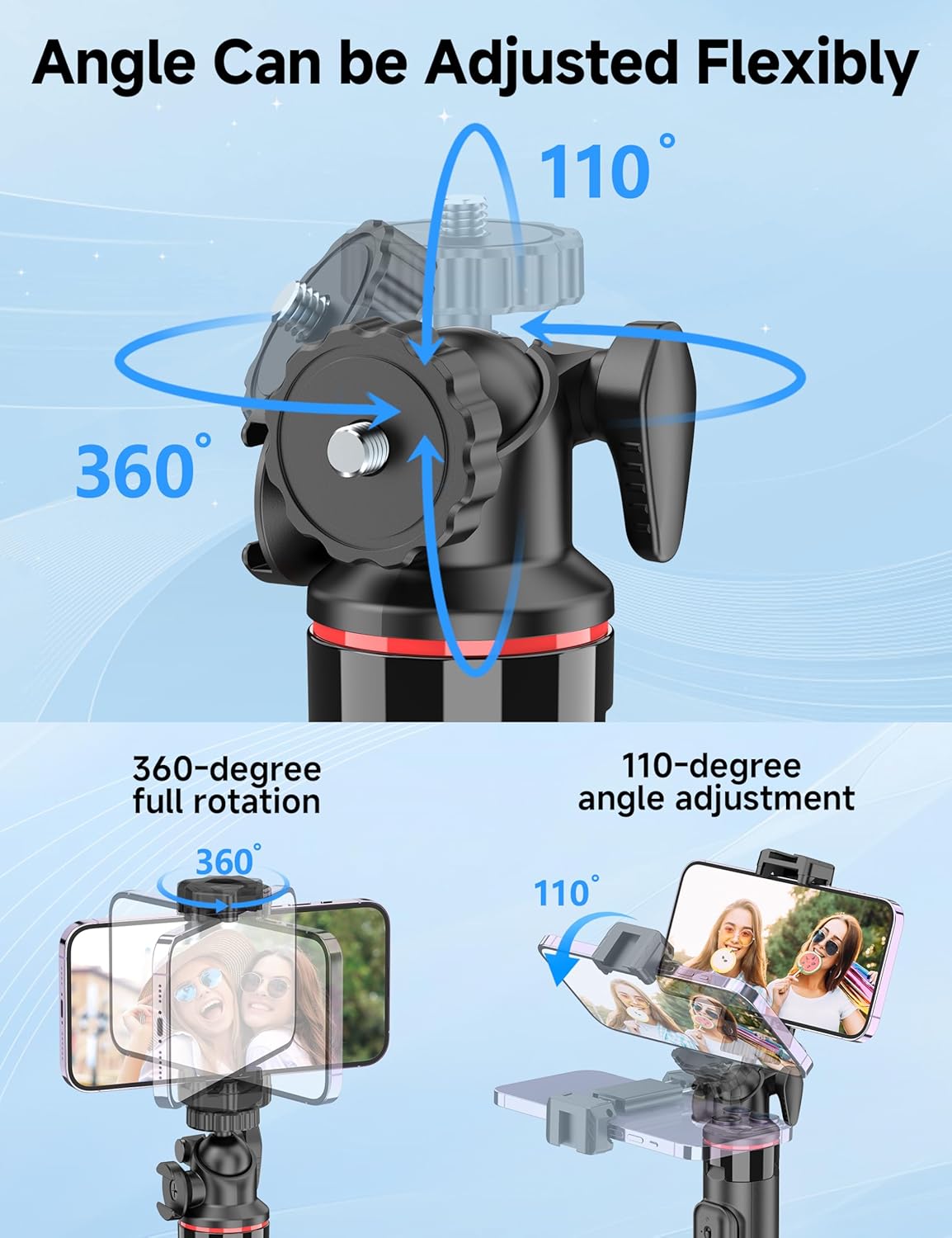
Figure 3: Illustration of the 360-degree full rotation and 110-degree angle adjustment capabilities of the ball head for flexible phone positioning.
3. تعليمات الإعداد
3.1 الاقتران بوحدة التحكم عن بعد
- Ensure the remote control has a working CR2032 battery.
- Press and hold the button on the remote control until the indicator light flashes, indicating it is in pairing mode.
- على هاتفك الذكي، انتقل إلى إعدادات البلوتوث وابحث عن الأجهزة المتاحة.
- Select "SelfieShow" from the list to pair. The indicator light on the remote will stop flashing once successfully paired.
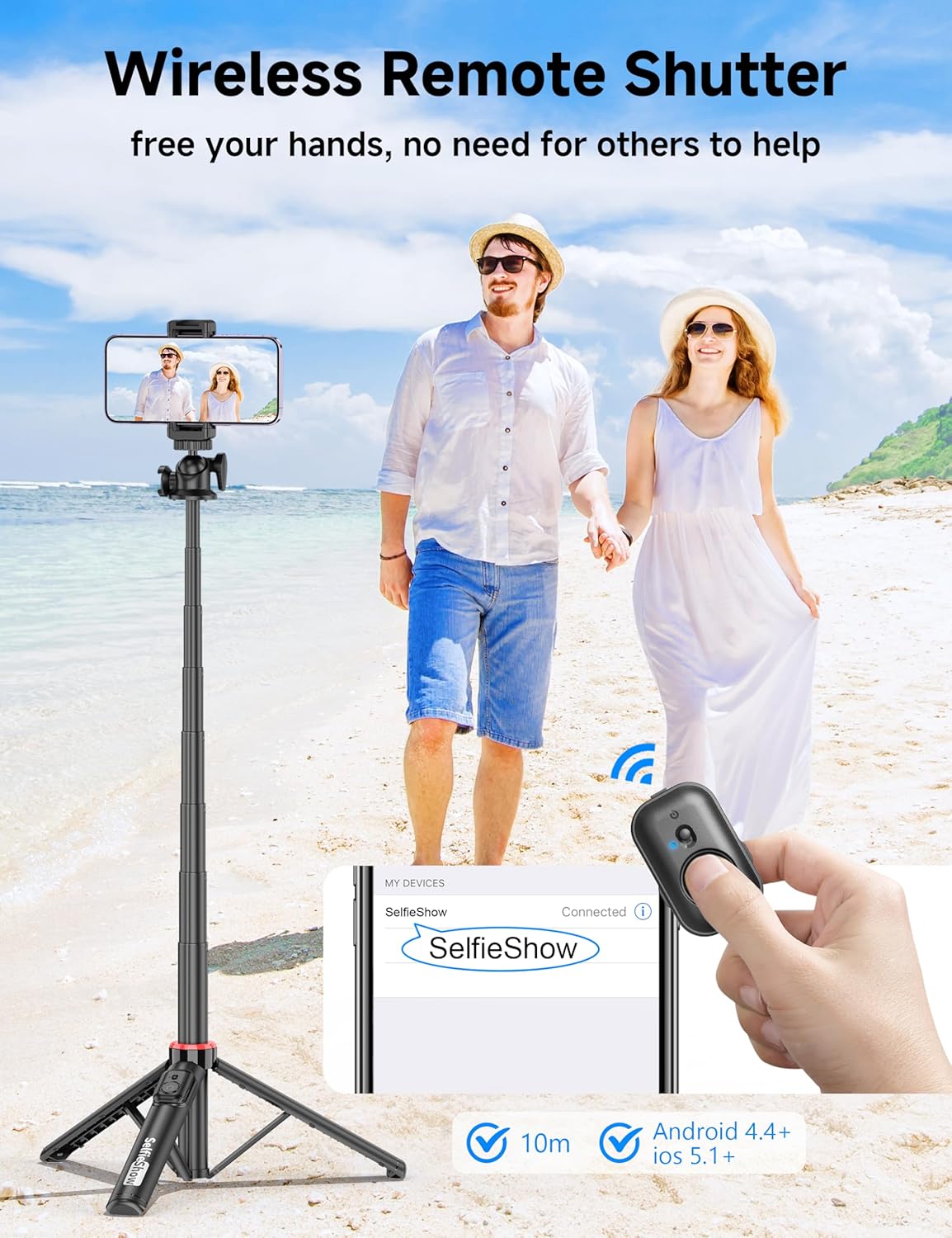
Figure 4: Visual guide for pairing the wireless remote shutter via Bluetooth, showing the remote and a phone screen with 'SelfieShow' connected.
3.2 توصيل هاتفك الذكي
- اسحب حامل الهاتف برفقampلتوسيعها.
- أدخل هاتفك الذكي في الحامل، مع التأكد من تثبيته بشكل آمن من كلا الجانبين.amps. The holder accommodates phones between 2.5 to 3.7 inches (6.5 to 9.5 cm) in width.
- Ensure your phone's buttons are not obstructed or pressed by the clamps.
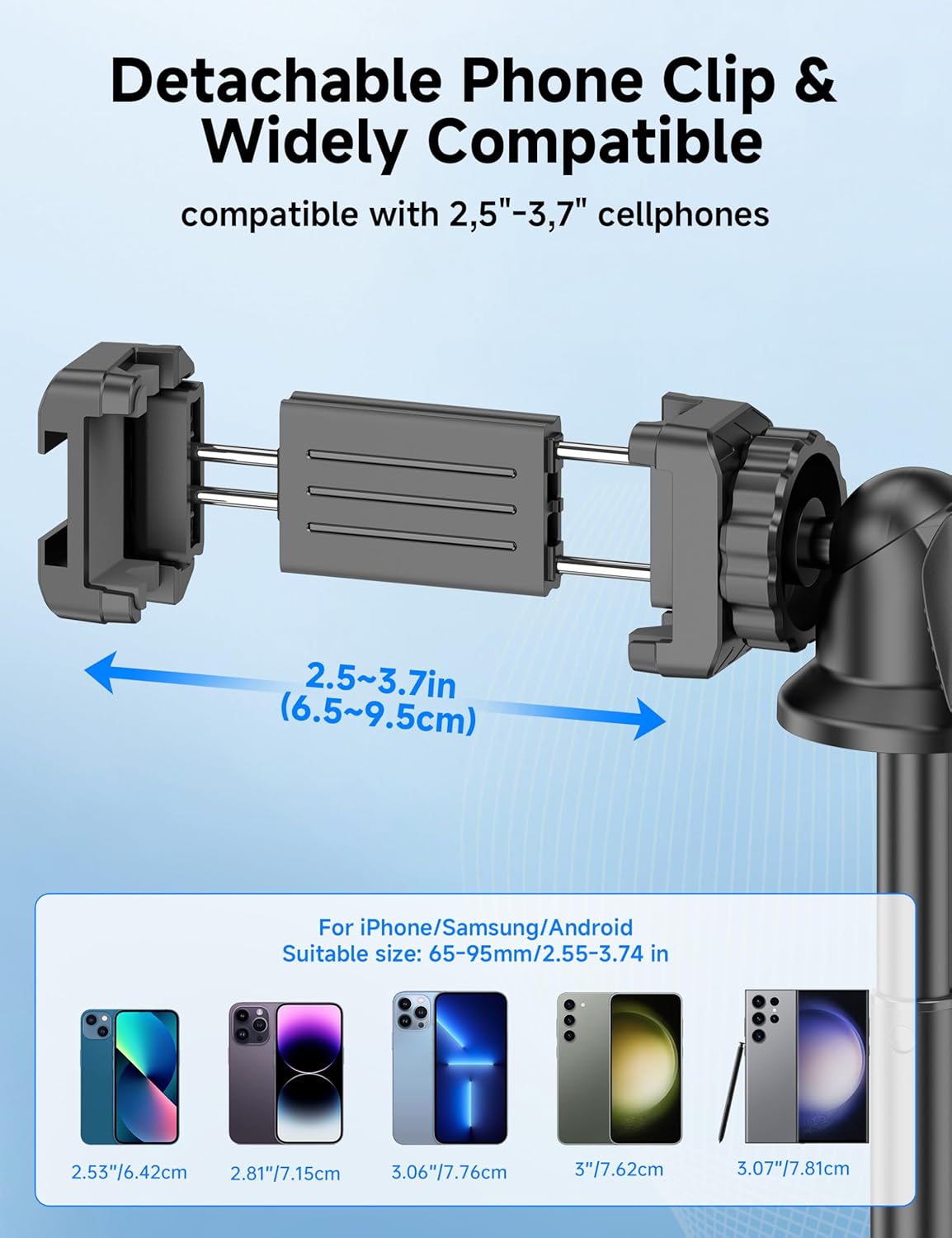
Figure 5: Diagram illustrating the adjustable width of the phone clip (2.5-3.7 inches) and its compatibility with various smartphone models.
4. تعليمات التشغيل
4.1 استخدامها كعصا سيلفي
- امسك المقبض بقوة.
- Extend the aluminum pole to your desired length. The pole can extend from 9.8 inches (25 cm) to 49 inches (126 cm).
- Adjust the phone holder's angle using the ball head to achieve the desired shot.
- Use the paired wireless remote control to capture photos or start/stop video recording.
4.2 الاستخدام كحامل ثلاثي القوائم
- From the collapsed position, gently pull the bottom handle downwards to deploy the tripod legs. Ensure the legs are fully spread for maximum stability.
- ضع الحامل الثلاثي على سطح مستوٍ ومستقر.
- Extend the aluminum pole to your desired height.
- Adjust the phone holder's angle using the ball head.
- Use the paired wireless remote control to capture photos or start/stop video recording.
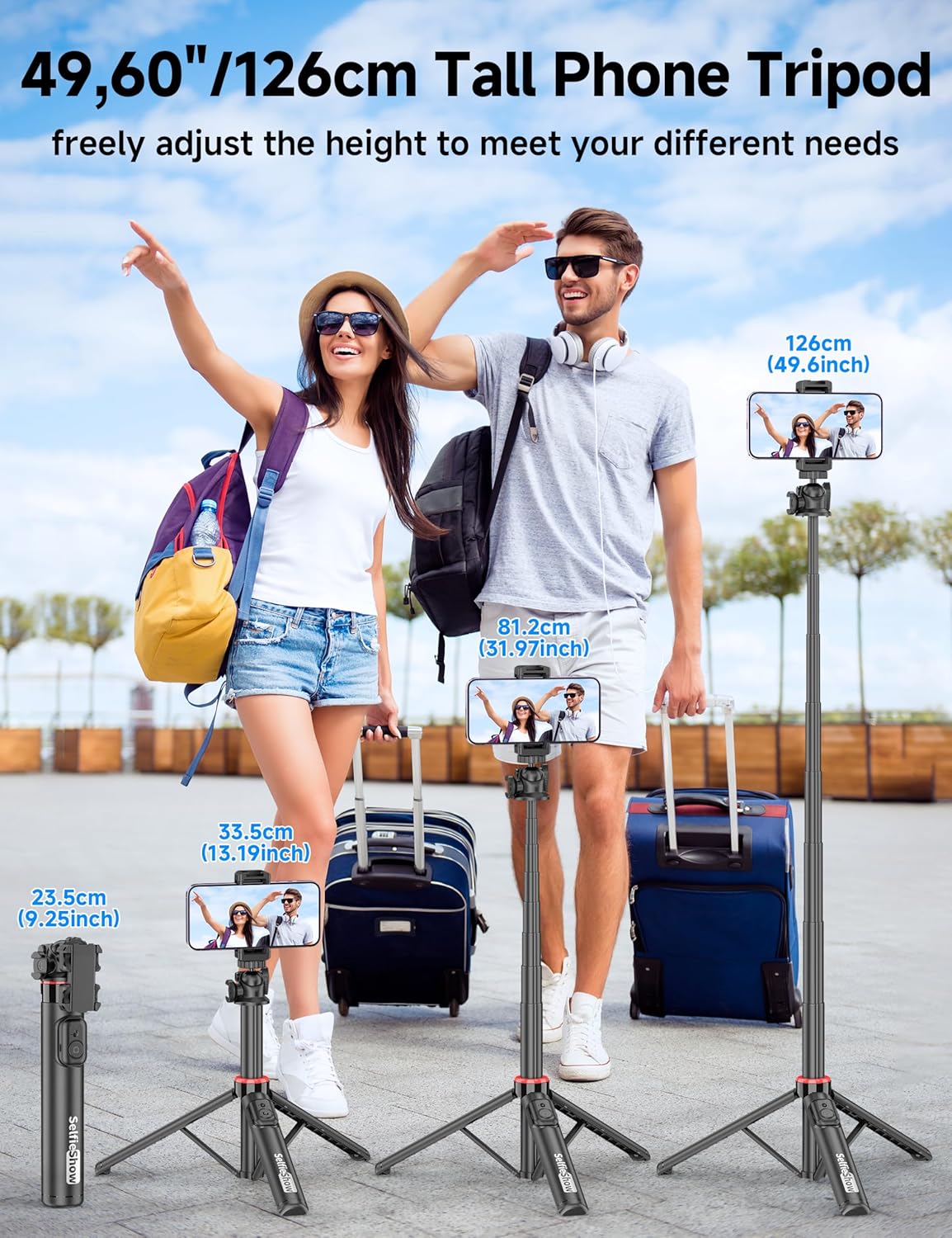
Figure 6: Visual guide demonstrating the adjustable height of the tripod from its folded state to various extended heights, up to 49 inches (126 cm).
4.3 Using the Cold Shoe and 1/4" Screw Mount
The SelfieShow C15 features a cold shoe interface and a standard 1/4" screw mount for expanded functionality:
- الحذاء البارد: Located on top of the phone holder, this allows you to attach accessories such as external microphones or LED fill lights.
- تركيب ببرغي 1/4 بوصة: The ball head features a universal 1/4" screw, allowing direct attachment of compact cameras, action cameras (like GoPro), or other compatible accessories when the phone holder is detached.
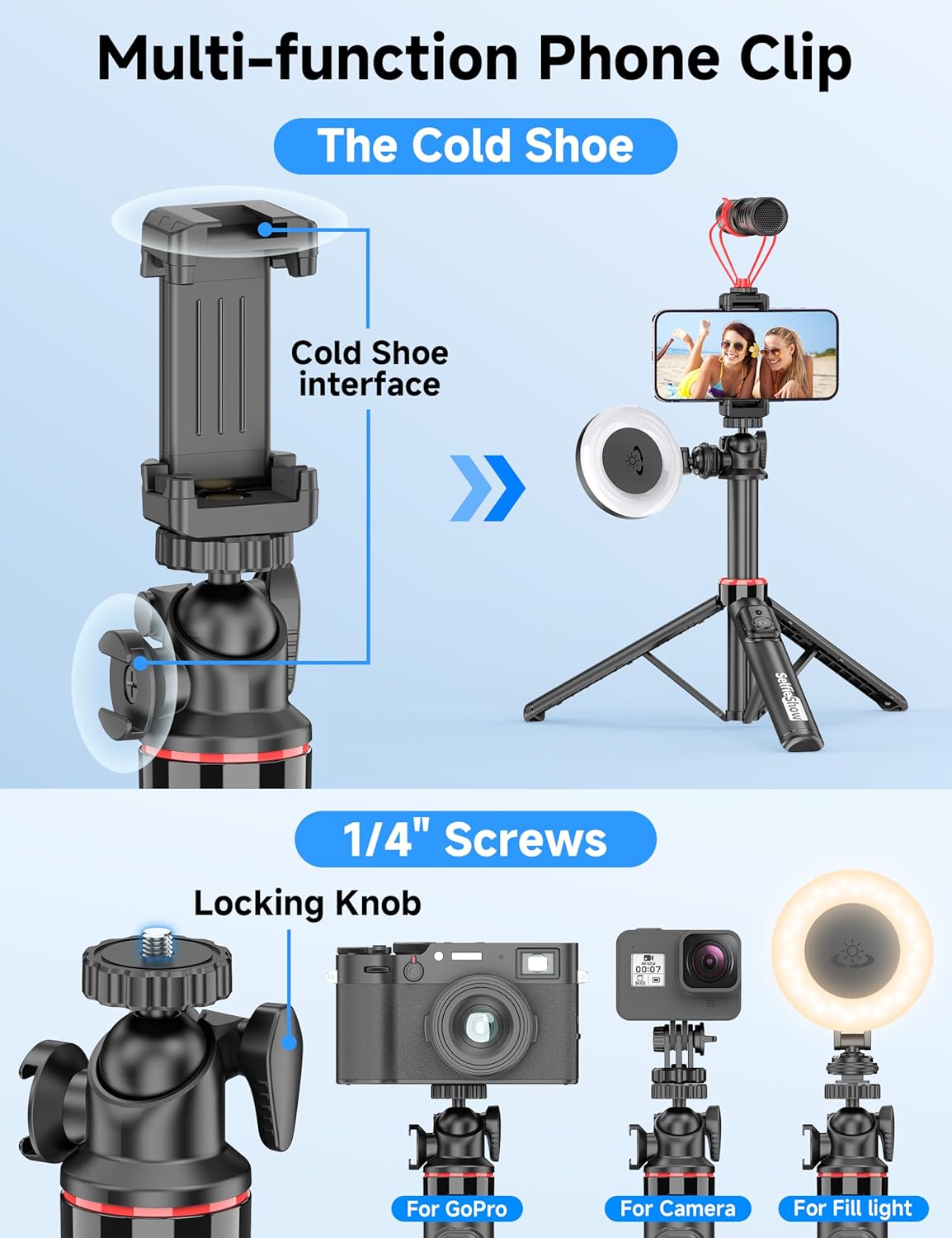
الشكل 7: مفصل view of the multi-function phone clip, highlighting the cold shoe interface for attaching external accessories.
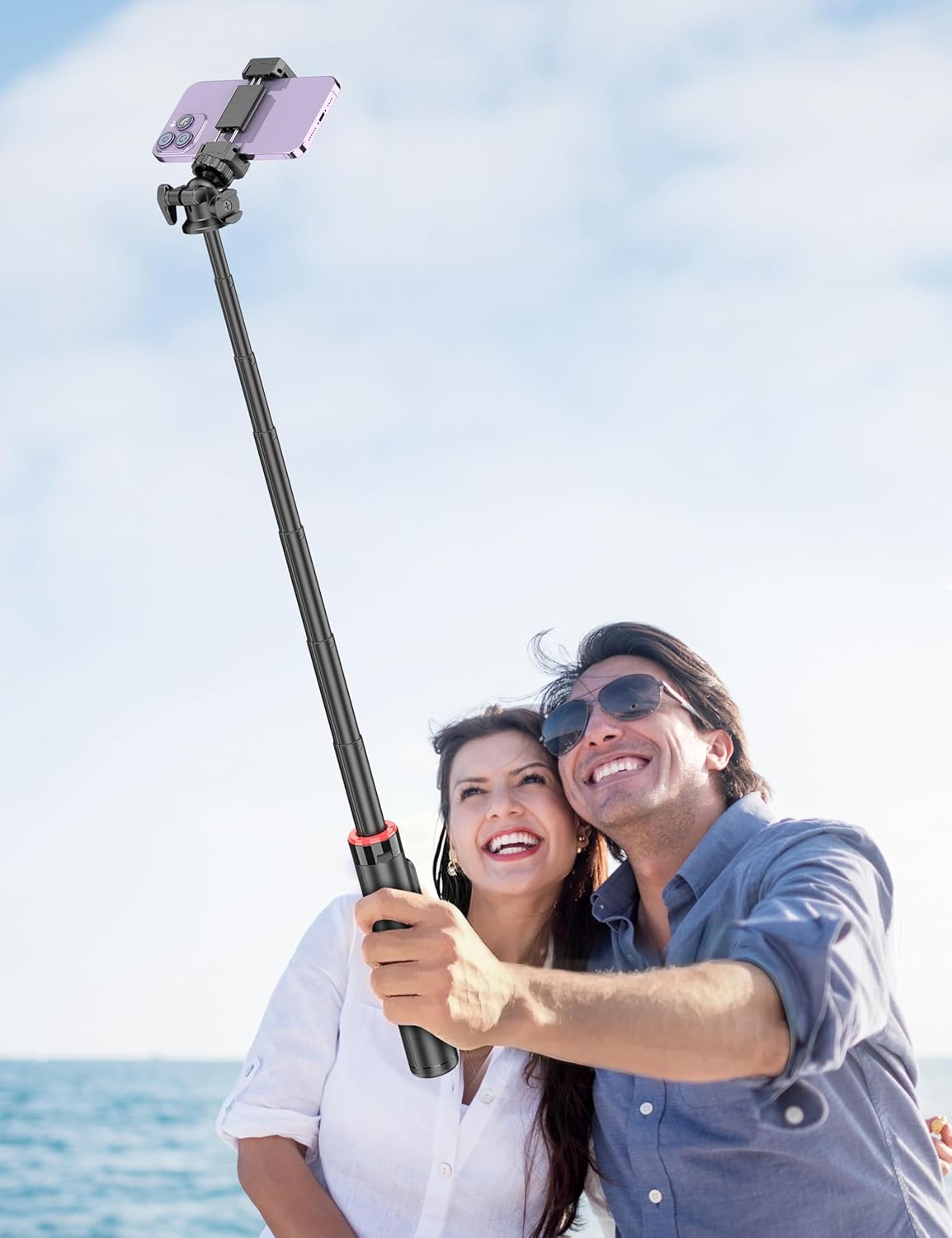
Figure 8: Image demonstrating the 1/4 inch screw mount for connecting cameras, GoPros, or fill lights, showcasing the versatility of the tripod head.
5. الصيانة
5.1 التنظيف
- امسح الجهاز بقطعة قماش ناعمة وجافة.
- لا تستخدم كيماويات مركزة أو منظفات كاشطة.
- تجنب تعريض الجهاز للرطوبة الزائدة.
5.2 التخزين
- احفظ عصا السيلفي في مكان بارد وجاف عند عدم استخدامها.
- Ensure the remote control is securely placed in its designated slot to prevent loss.
5.3 استبدال بطارية جهاز التحكم عن بعد
The remote control uses a CR2032 coin cell battery. To replace:
- حدد مكان حجرة البطارية بجهاز التحكم عن بُعد.
- Use a small coin or tool to open the compartment.
- Remove the old battery and insert a new CR2032 battery with the positive (+) side facing up.
- أغلق حجرة البطارية بشكل محكم.
6. استكشاف الأخطاء وإصلاحها
6.1 جهاز التحكم عن بعد غير متصل
- Ensure the remote control battery is not depleted. Replace if necessary.
- تأكد من تمكين البلوتوث على هاتفك الذكي.
- Try unpairing and re-pairing the remote control in your phone's Bluetooth settings.
- Ensure the remote is within the 30 ft (10 m) operating range of your phone.
6.2 عدم استقرار الحامل الثلاثي
- تأكد من أن أرجل الحامل الثلاثي ممتدة بالكامل ومثبتة في مكانها على سطح مستوٍ وثابت.
- Avoid extending the pole to its maximum height in windy conditions or on uneven terrain.
- Verify that your smartphone is securely seated in the phone holder and balanced.
6.3 الهاتف لا يتناسب مع الحامل
- Check that your phone's width is within the compatible range of 2.5 to 3.7 inches (6.5 to 9.5 cm).
- Remove any bulky phone cases if they prevent a secure fit.
7. المواصفات
| ميزة | التفاصيل |
|---|---|
| اسم الموديل | سي15 |
| ماركة | عرض صور شخصية |
| مادة | الألومنيوم |
| وزن العنصر | 10.5 أونصة (297.67 جرام) |
| الحجم المطوي | 9.8 بوصة (25 سم) |
| الحد الأدنى للارتفاع | 9.8 بوصة (25 سم) |
| الحد الأقصى للارتفاع | 49 بوصة (124.5 سم) |
| عرض حامل الهاتف | 2.5 - 3.7 بوصة (6.5 - 9.5 سم) |
| نوع رأس الحامل ثلاثي القوائم | Ball Head (360° rotation) |
| نطاق التحكم عن بعد | حتى 30 قدم (10 متر) |
| بطارية جهاز التحكم عن بعد | شنومكس x كرسنومكس (وشملت) |
| الأجهزة المتوافقة | الهواتف الذكية (آيفون، أندرويد) |
| مميزات اضافية | Cold Shoe, 1/4" Screw Mount |
8. معلومات الضمان
SelfieShow products are manufactured to high-quality standards. For specific warranty details, please refer to the warranty card included with your purchase or contact customer support. Typically, products are covered against manufacturing defects for a period specified at the time of purchase.
9. دعم العملاء
If you encounter any issues or have questions regarding your SelfieShow C15 Aluminum Selfie Stick Phone Tripod that are not addressed in this manual, please contact our customer support team. Refer to your product packaging or the SelfieShow official webموقع لمعلومات الاتصال.
Ask a question about this manual
Ask about setup, troubleshooting, compatibility, parts, safety, or missing instructions. Manuals+ will review the question and use this page’s manual context to help answer it.