
AINAVIGO 10.2'' TouchScreen 2+32G
AINAVIGO 10.2-inch TouchScreen Car Radio Stereo Upgrade User Manual
Model: 10.2'' TouchScreen 2+32G
1. المقدمة
This manual provides detailed instructions for the installation, operation, and maintenance of your AINAVIGO 10.2-inch TouchScreen Car Radio Stereo Upgrade. This advanced system features Android 12, Wireless CarPlay, Android Auto, GPS Navigation, and support for a backup camera, designed to enhance your driving experience with modern connectivity and entertainment options.
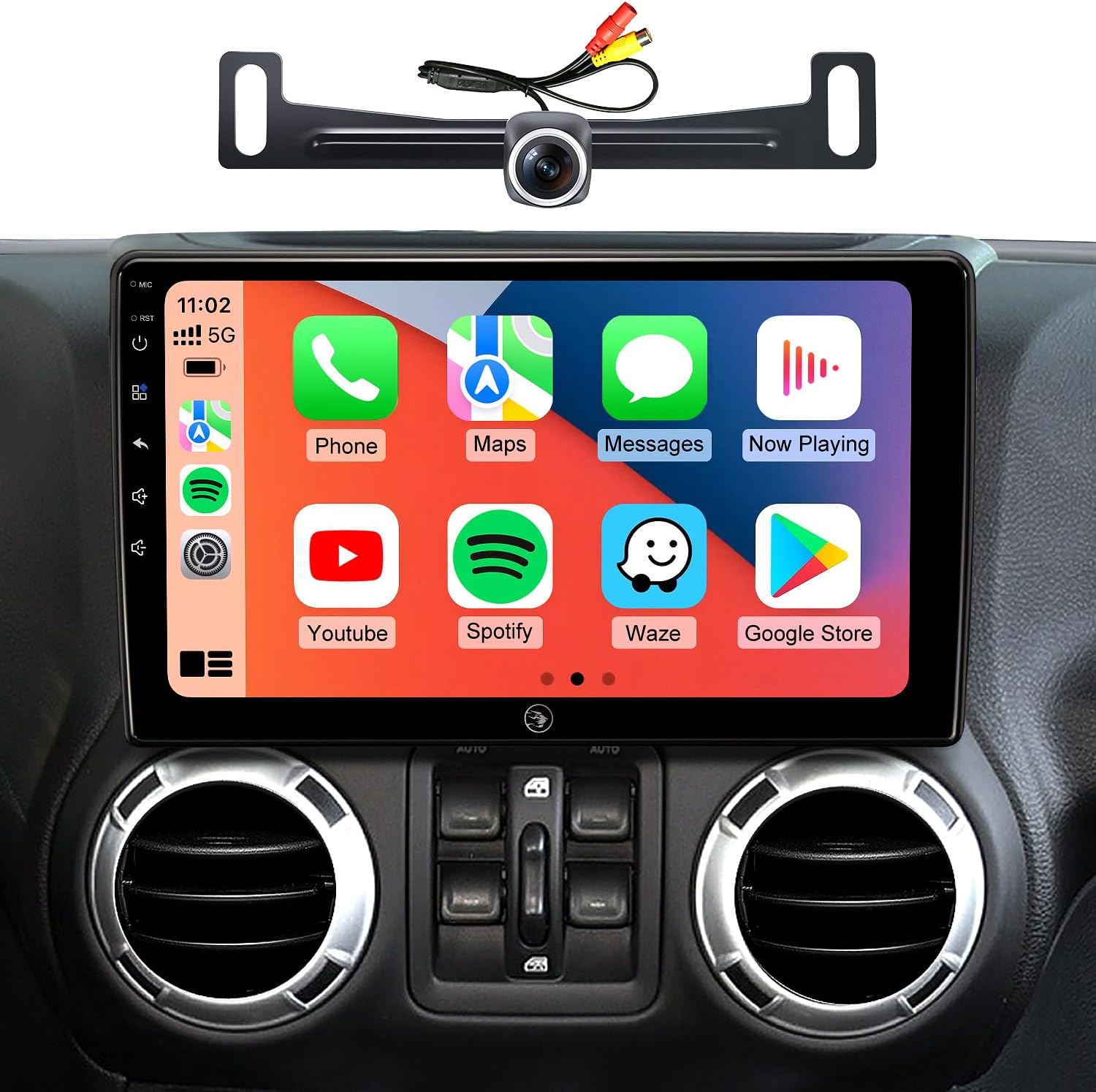
Image 1.1: AINAVIGO 10.2-inch TouchScreen Car Radio Stereo with CarPlay interface.
2. توافق السيارة
This car radio stereo upgrade is compatible with the following vehicle models:
- Jeep Wrangler JK/Unlimited: 2007-2018
- Jeep Compass: 2009-2016
- Jeep Patriot: 2009-2016
- جيب جراند شيروكي: 2011-2013
- Jeep Liberty: 2008-2011
- Jeep Commander: 2008-2011
- Chrysler Sebring: 2007-2010
- Chrysler Town & Country: 2007-2010
- Dodge Grand Caravan: 2011-2014
- Dodge Charger: 2008-2010
- Dodge Ram Pickup 1500/2500/3500: 2009-2012

Image 2.1: Before and After installation comparison, demonstrating the 1:1 replica fit.
3. ما هو المشمول
تحتوي الحزمة على جميع المكونات اللازمة للتثبيت والتشغيل:
- 1x AINAVIGO Car Radio Stereo GPS Navigation Head Unit
- 1 × كابل RCA
- 1 × كابل الطاقة
- 1x Car Microphone
- 1x خلفي View كاميرا بدقة 1080 بكسل
- 1x Reversing Control Cable (approximately 16.40 ft)
- 1x هوائي GPS
- 1x Frame Removal Tool
- عدد 2 كبلات USB
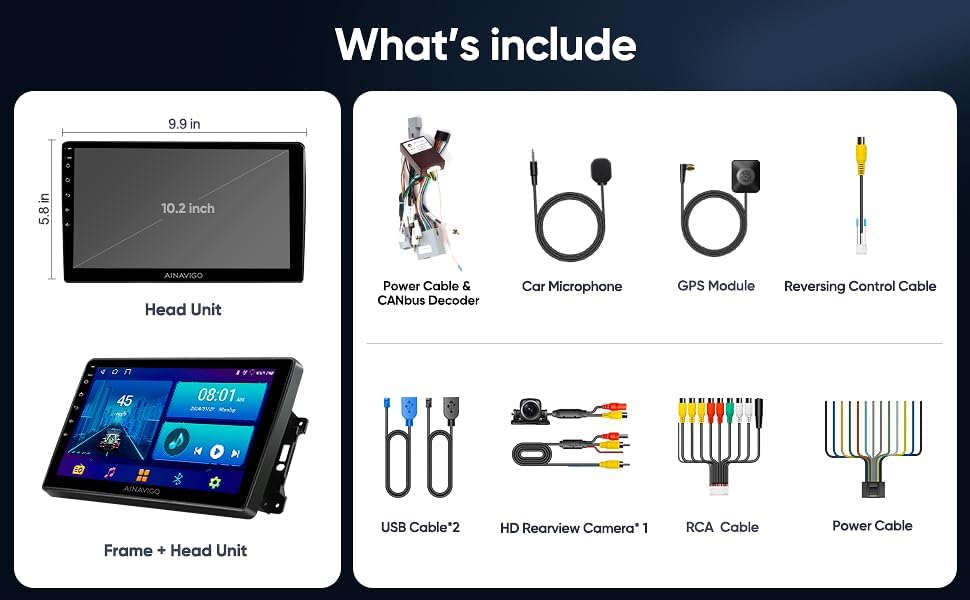
الصورة 3.1: انتهىview of included accessories and the head unit dimensions.
4. الإعداد والتثبيت
Installation of the AINAVIGO car radio requires basic automotive electrical knowledge. It is recommended to consult a professional installer if you are unfamiliar with car stereo installations.
4.1 قائمة التحقق من التثبيت المسبق
- تأكد من فصل بطارية السيارة قبل البدء في التثبيت.
- Verify all included components are present as listed in Section 3.
- Identify the existing car radio and dashboard panel for removal.
4.2 خطوات التثبيت
- إزالة الوحدة الموجودة: Use the provided frame removal tool to carefully pry open and remove the original car radio and dashboard trim. Disconnect all wiring harnesses.
- توصيل الأسلاك: Connect the new power cable, RCA cable, USB cables, GPS antenna, and microphone to the corresponding ports on the AINAVIGO head unit. Ensure all connections are secure.
- Backup Camera Installation (Optional): If installing the backup camera, route the reversing control cable from the rear of the vehicle to the head unit. Connect the camera to the designated input.
- وحدة رأسية مثبتة: Secure the AINAVIGO head unit into the dashboard opening. Ensure a snug and stable fit.
- إعادة توصيل البطارية: أعد توصيل بطارية السيارة.
- التشغيل الأولي: Turn on the vehicle's ignition and power on the head unit. Follow any on-screen prompts for initial setup.
For detailed wiring diagrams specific to your vehicle model, please refer to your vehicle's service manual or consult with a professional installer.
5. تعليمات التشغيل
5.1 انتهى النظامview
The AINAVIGO unit runs on أندرويد 12, providing a familiar and customizable interface. It features a شاشة عالية الدقة مقاس 10.2 بوصات مع 2 جيجا بايت من ذاكرة الوصول العشوائي و سعة تخزين 32 جيجابايت, allowing for smooth operation and app installation from the Google Play Store.

Image 5.1: Key features of the AINAVIGO Car Radio.
5.2 Wired/Wireless CarPlay & Android Auto
Seamlessly integrate your smartphone with the car's infotainment system using CarPlay or Android Auto. This allows access to navigation, music, messages, and calls directly from the unit's display.
- اتصال: Connect your smartphone via USB for wired connection or pair via Bluetooth and Wi-Fi for wireless functionality.
- التحكم الصوتي: Activate Siri or Google Assistant for hands-free operation, including making calls, sending messages, getting directions, and controlling music.
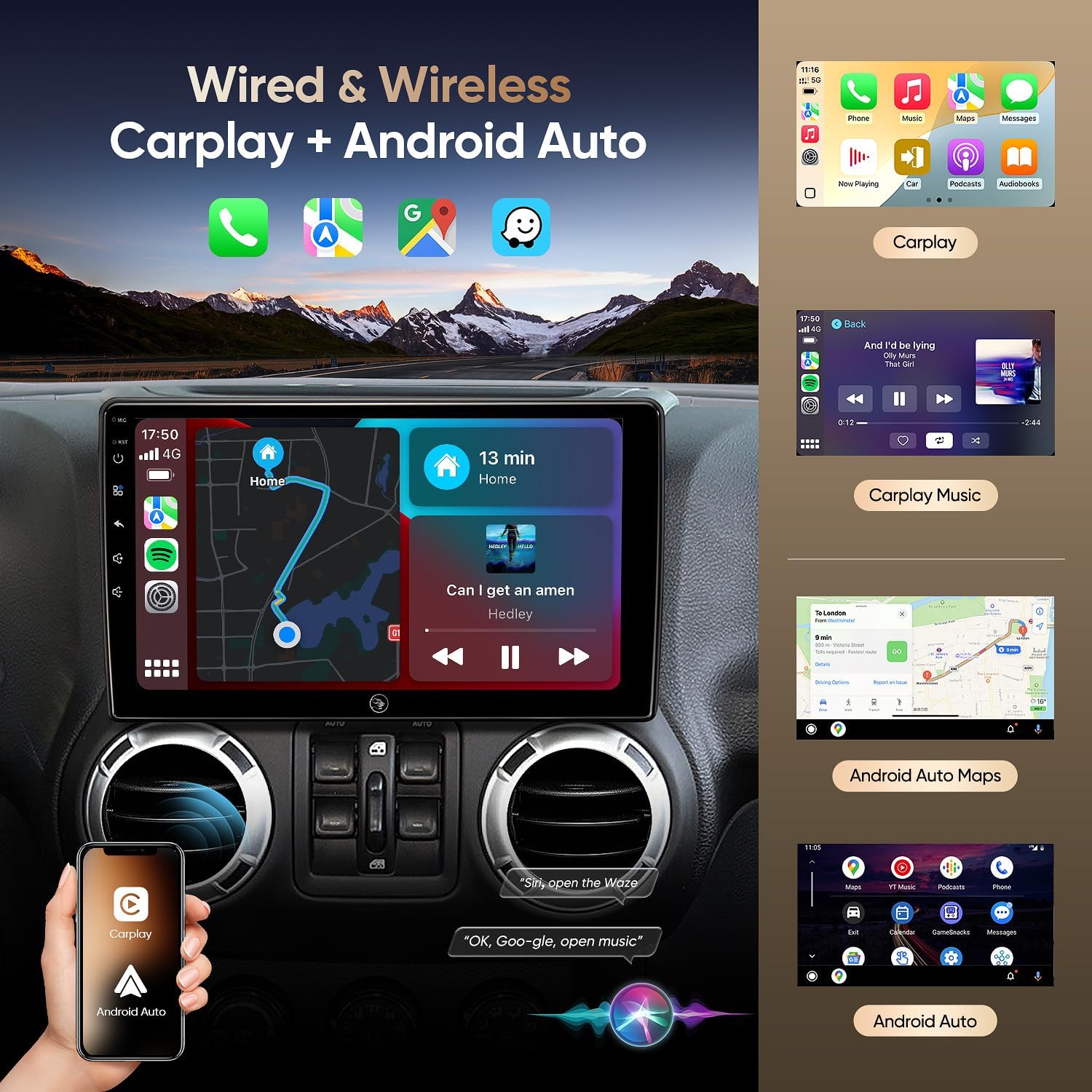
Image 5.2: Wired & Wireless CarPlay and Android Auto functionality.
5.3 ملاحة GPS
The unit comes pre-loaded with North American maps and supports various online navigation apps. The included GPS antenna ensures accurate positioning.
- التنقل عبر الإنترنت: Connect to Wi-Fi to use apps like Google Maps, Waze, or other preferred navigation services.
- التنقل دون اتصال بالإنترنت: Download maps for offline use to navigate without an internet connection.

Image 5.3: Online and Offline GPS Navigation capabilities.
5.4 بلوتوث 5.0
Connect your smartphone via Bluetooth 5.0 for faster data transfer speeds and stable connections.
- الاتصال بدون استخدام اليدين: Make and receive calls using the built-in and external microphones for clear audio.
- تدفق الصوت: Play music from your phone directly through the car's speakers.
- Contact Sync: Download your phone's contact book to the unit.
5.5 راديو FM
Tune into FM radio stations to stay updated with real-time traffic, news broadcasts, and weather forecasts.
5.6 Built-in DSP (Digital Sound Processor)
Adjust audio settings precisely to your preference with the built-in DSP, enhancing the acoustics of your vehicle for an immersive sound experience.

Image 5.4: Built-in DSP interface for sound customization.
5.7 AHD 1080P Rear Camera
The included AHD 1080P waterproof backup camera provides a 170° viewing angle. When reversing, the unit automatically displays a clear image on the screen, aiding in safer parking.

Image 5.5: AHD 1080P Rear View Camera display.
5.8 اتصال Wi-Fi
Utilize the built-in Wi-Fi hotspot feature to connect to the internet, browse, and download online navigation apps or social media platforms from the Play Store.
5.9 وظيفة تقسيم الشاشة
Multitask efficiently by using the split-screen function, allowing you to run two applications simultaneously, such as navigation and music playback.
5.10 التحكم الصوتي
Enhance driving safety and convenience with voice control features. Use commands to play music, check the weather, or navigate to destinations without taking your hands off the wheel.

الصورة 5.6: انتهىview of 5G WiFi, Split Screen, FM Radio, and Voice Control.
6. الصيانة
6.1 تنظيف الشاشة
استخدم قطعة قماش ناعمة وخالية من الوبر لمسح شاشة اللمس برفق. لإزالة البقع الصعبة، امسحها برفق.ampامسح القماش بالماء أو بمنظف آمن للشاشات. تجنب المواد الكيميائية القاسية أو المواد الكاشطة.
6.2 تحديثات البرامج
Periodically check for software updates through the system settings to ensure optimal performance and access to the latest features and security patches. Connect to a stable Wi-Fi network for updates.
6.3 العناية العامة
Avoid exposing the unit to extreme temperatures, direct sunlight for prolonged periods, or excessive moisture. Ensure all cables are securely connected and not pinched.
7. استكشاف الأخطاء وإصلاحها
If you encounter issues with your AINAVIGO car radio, refer to the following common solutions:
- لا يوجد طاقة: Check all power connections and ensure the vehicle's battery is properly connected. Verify fuses are intact.
- لا يوجد صوت: Check speaker connections, volume levels, and audio settings (including DSP). Ensure the correct audio source is selected.
- شاشة اللمس لا تستجيب: Try restarting the unit. If the issue persists, perform a system reset (refer to the system settings for this option).
- CarPlay/Android Auto Disconnection: Ensure your phone's Bluetooth and Wi-Fi are enabled and properly paired. Check for any software updates on your phone or the head unit. Try reconnecting the USB cable if using a wired connection.
- فقدان إشارة GPS: تأكد من تثبيت هوائي نظام تحديد المواقع العالمي (GPS) بشكل صحيح وأن له صورة واضحة view of the sky. Check for obstructions.
- كاميرا النسخ الاحتياطي لا تعرض: Verify the camera's power and video connections. Ensure the reversing control cable is correctly wired to trigger the display when in reverse gear.
- Unit Shuts Down Randomly: This could indicate a power supply issue. Check wiring for loose connections or insufficient power. In some cases, a hard reset (disconnecting and reconnecting power) may be necessary.
If these steps do not resolve the issue, please contact technical support.
8. المواصفات
| ميزة | مواصفة |
|---|---|
| اسم الموديل | HC-JEEP |
| نظام التشغيل | أندرويد 12 |
| كبش | 2 جيجا بايت |
| تخزين | 32 جيجا بايت |
| حجم الشاشة | 10.2 بوصة |
| دقة العرض | شنومكس * شنومكس إيبس |
| تكنولوجيا الاتصال | Bluetooth 5.0, Wi-Fi, Wired/Wireless CarPlay & Android Auto |
| المميزات الخاصة | HD Backup Camera Support, Touchscreen, Built-in DSP, GPS Navigation |
| نوع الخريطة | أمريكا الشمالية |
| وضع إخراج الصوت | ستيريو |
| نوع التركيب | جبل لوحة القيادة |
| وزن العنصر | 4.29 رطل |
| أبعاد الحزمة | 13.78 × 9.76 × 5.28 بوصة |
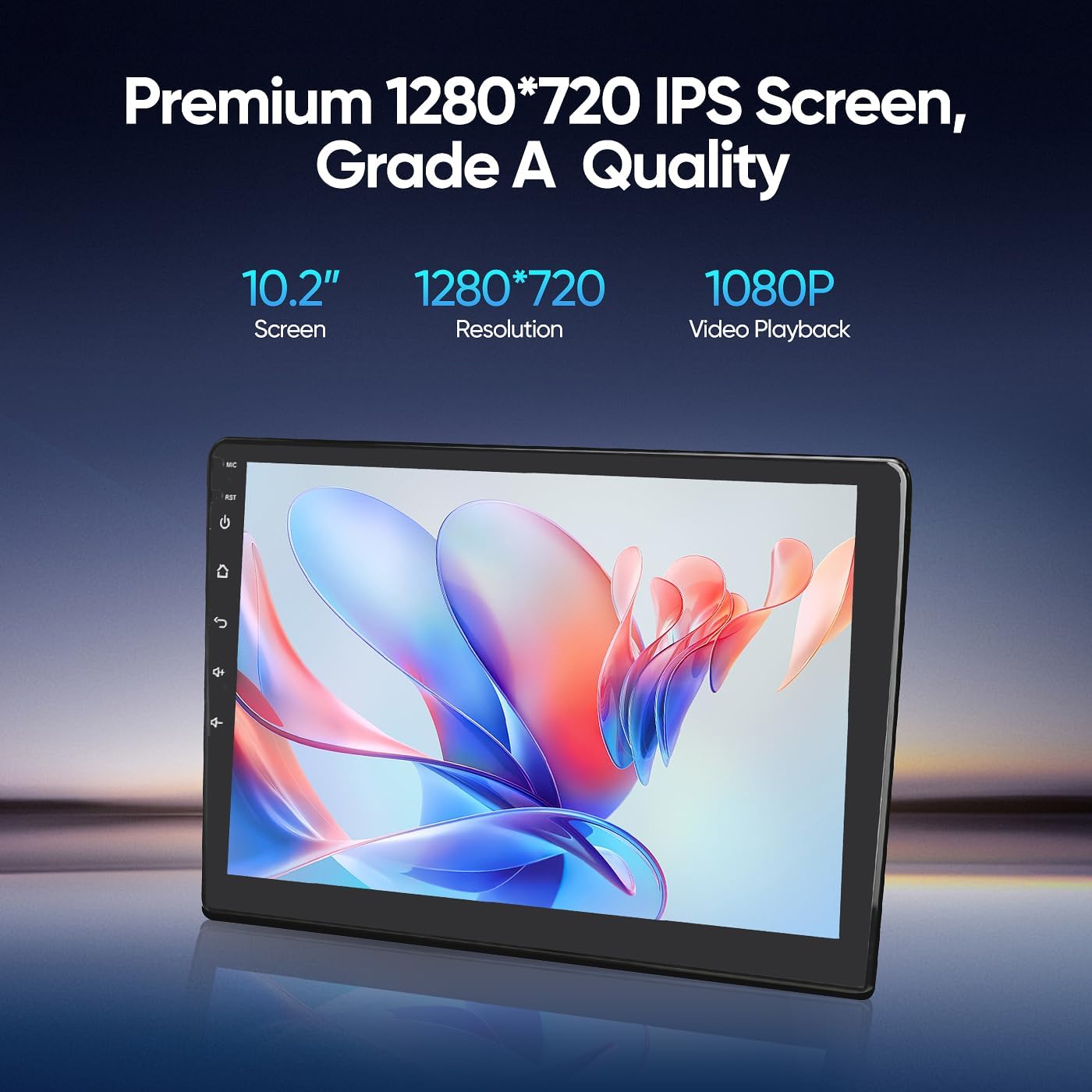
Image 8.1: Premium 1280*720 IPS Screen details.

Image 8.2: G+G Full Fit Ultra Clear Screen technology.
9. معلومات الضمان
The AINAVIGO 10.2-inch TouchScreen Car Radio Stereo Upgrade comes with a ضمان لمدة 12 شهرًا from the date of purchase. This warranty covers manufacturing defects and malfunctions under normal use. It does not cover damage caused by improper installation, misuse, accidents, or unauthorized modifications.
يرجى الاحتفاظ بإثبات الشراء الخاص بك لمطالبات الضمان.
10. الدعم الفني
For any installation assistance or technical inquiries, our professional technical support team is available to help. Please follow these steps to contact us:
- Visit the AINAVIGO Store page on Amazon.
- Locate and click the "Ask a question" button to send your inquiry.
We aim to respond to all queries as soon as possible.

Image 10.1: Steps to contact technical support.
Ask a question about this manual
Ask about setup, troubleshooting, compatibility, parts, safety, or missing instructions. Manuals+ will review the question and use this page’s manual context to help answer it.