
مقدمة
This manual provides comprehensive instructions for the safe and efficient use of your JUNJIEUNVO SY-BT1632 Wireless Bluetooth Headset. Please read this manual thoroughly before operating the device and retain it for future reference.
المنتج انتهىview
The SY-BT1632 is a wireless Bluetooth headset designed for audio playback, gaming, and sports activities. It features HiFi audio capabilities, an ultra-long standby time, hands-free calling with a built-in microphone, and support for TF card and AUX input.

Figure 1: SY-BT1632 Wireless Bluetooth Headset, front view.
المميزات الرئيسية:
- Wireless Bluetooth connectivity for audio streaming.
- ميكروفون مدمج للتواصل بدون استخدام اليدين.
- Support for TF (MicroSD) card for direct music playback.
- AUX input for wired connection to audio devices.
- Over-ear design for extended wear comfort.
- Adjustable headband for various head sizes.
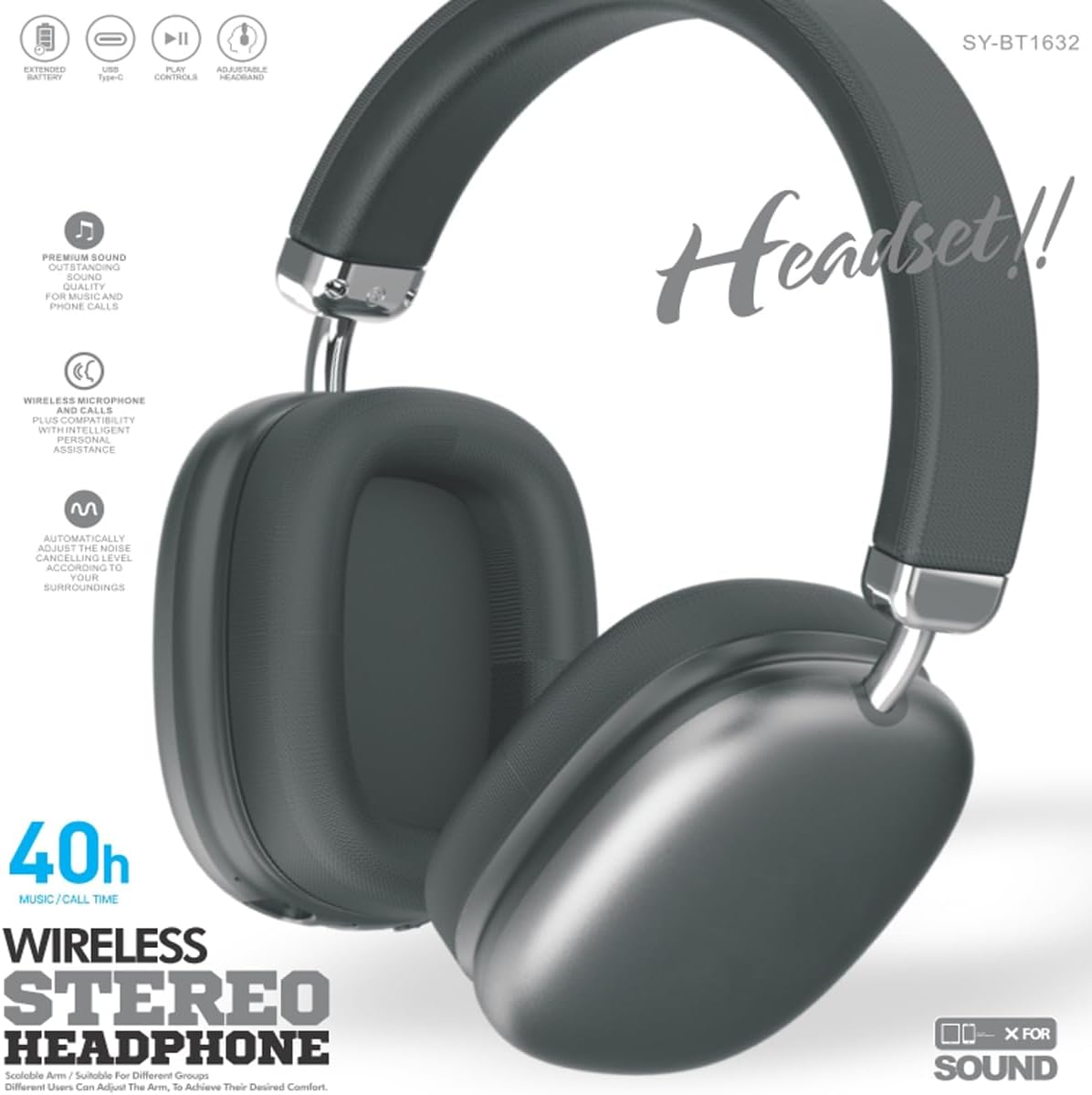
Figure 2: SY-BT1632 Wireless Bluetooth Headset being worn during activity.

Figure 3: Headband adjustment mechanism for the SY-BT1632 headset.

Figure 4: Diagram showing the 40mm dynamic speaker unit of the SY-BT1632 headset.

Figure 5: Close-up of the high-grade leather earpads for comfort.

Figure 6: Illustration of the Bluetooth 5.1 technology for stable connection and low power consumption.
يثبت
1. شحن سماعة الرأس
Before first use, fully charge the headset. Connect the provided USB Type-C charging cable to the headset's charging port and the other end to a compatible USB power source (e.g., computer, wall adapter). The charging indicator light will show the charging status. A full charge typically takes approximately 1.2 hours.
2. تشغيل / إيقاف التشغيل
- تشغيل الطاقة: Press and hold the Power button for a few seconds until the indicator light flashes.
- إيقاف التشغيل: اضغط مع الاستمرار على زر الطاقة لعدة ثوانٍ حتى ينطفئ مؤشر الضوء.
3. اقتران بلوتوث
- تأكد من إيقاف تشغيل سماعة الرأس.
- اضغط مع الاستمرار على زر الطاقة حتى يومض ضوء المؤشر باللونين الأحمر والأزرق بالتناوب، مما يشير إلى وضع الاقتران.
- على جهازك (الهاتف الذكي، الجهاز اللوحي، الكمبيوتر)، قم بتمكين البلوتوث وابحث عن الأجهزة المتاحة.
- Select "SY-BT1632" from the list of found devices.
- بمجرد الاقتران، سيتحول ضوء المؤشر إلى اللون الأزرق الثابت أو يومض باللون الأزرق ببطء.
ملاحظة: ستحاول سماعة الرأس تلقائيًا إعادة الاتصال بآخر جهاز مقترن بها عند تشغيلها.
تعليمات التشغيل
تشغيل الموسيقى
- تشغيل/إيقاف مؤقت: اضغط على الزر متعدد الوظائف مرة واحدة.
- المسار التالي: اضغط مع الاستمرار على زر رفع الصوت.
- المسار السابق: اضغط مع الاستمرار على زر خفض الصوت.
- رفع الصوت: اضغط لفترة قصيرة على زر رفع الصوت.
- اخفض الصوت: اضغط لفترة قصيرة على زر خفض الصوت.
مكالمات هاتفية
- الرد على المكالمة: اضغط على الزر متعدد الوظائف مرة واحدة.
- إنهاء المكالمة: اضغط على زر الوظائف المتعددة مرة واحدة أثناء المكالمة.
- رفض المكالمة: اضغط مع الاستمرار على الزر متعدد الوظائف لمدة ثانيتين.
- إعادة الاتصال بالرقم الأخير: اضغط مرتين على الزر متعدد الوظائف.
وضع بطاقة TF
أدخل بطاقة TF (MicroSD) تحتوي على ملفات صوتية MP3 files into the designated slot. The headset will automatically switch to TF card playback mode. Use the music playback controls as described above.
وضع AUX
Connect an audio cable (3.5mm jack) from your audio device to the AUX port on the headset. The headset will automatically switch to AUX mode. Controls on the headset may be limited in this mode; use your audio device for playback control.
الفيديو 1: انتهىview of the SY-BT1632 Wireless Bluetooth Headset, showcasinج- تصميمه وميزاته.
صيانة
- تنظيف: استخدم قطعة قماش ناعمة وجافة لتنظيف سماعة الرأس. لا تستخدم المنظفات الكاشطة أو المذيبات.
- تخزين: قم بتخزين سماعة الرأس في مكان بارد وجاف بعيدًا عن أشعة الشمس المباشرة ودرجات الحرارة القصوى.
- العناية بالبطارية: لإطالة عمر البطارية، تجنب تفريغها بالكامل بشكل متكرر. اشحن سماعة الرأس بانتظام، حتى لو لم تكن قيد الاستخدام لفترات طويلة.
- التعرض للماء: هذه السماعة غير مقاومة للماء. تجنب تعريضها للماء أو الرطوبة الزائدة.
استكشاف الأخطاء وإصلاحها
| مشكلة | السبب المحتمل | حل |
|---|---|---|
| سماعة الرأس لا تعمل. | بطارية منخفضة. | قم بشحن سماعة الرأس بالكامل. |
| لا يمكن الاقتران بالجهاز. | سماعة الرأس ليست في وضع الاقتران؛ البلوتوث غير مفعل على الجهاز؛ الجهاز بعيد جدًا. | Ensure headset is in pairing mode (flashing red/blue). Turn on Bluetooth on your device. Move device closer to headset (within 10 meters). |
| لا يوجد صوت أثناء التشغيل. | Volume too low; incorrect audio source; headset not connected. | Increase volume on headset and device. Check if headset is correctly paired or AUX/TF card is properly inserted. |
| الميكروفون لا يعمل. | تم كتم صوت الميكروفون؛ تم اختيار جهاز إدخال غير صحيح على الكمبيوتر. | Ensure microphone is not muted. On a computer, check audio settings to confirm SY-BT1632 is selected as the input device. |
تحديد
| ميزة | التفاصيل |
|---|---|
| رقم الموديل | سي-BT1632 |
| تكنولوجيا الاتصال | لاسلكي (بلوتوث) |
| نسخة البلوتوث | 5.1 |
| مدى البلوتوث | 15 مترا |
| وضع الأذن | فوق الأذن |
| قطر وحدة مكبر الصوت | 40 ملم |
| المقاومة المقدرة | 32 أوم ± 15٪ |
| نطاق التردد | شنومكسهز - شنومكسهز |
| حساسية الميكروفون | -42 ديسيبل ± 3 ديسيبل |
| حجم البطاريةtage | 3.7-4.2 فولت |
| وقت شحن البطارية | حوالي 1.2 ساعات |
| متوسط عمر البطارية | حتى ساعتين |
| الوسائط المدعومة | بطاقة TF، مدخل AUX |
| الأجهزة المتوافقة | Car Audio Systems, Cellphones, Desktops, Gaming Consoles, Laptops, Smart Speaker, Tablets, Telephones, Television |
| مادة | المعدن والبلاستيك |
الضمان والدعم
معلومات الضمان
The JUNJIEUNVO SY-BT1632 Wireless Bluetooth Headset comes with a ضمان لمدة 1 سنوات يسري هذا الضمان من تاريخ الشراء. ويغطي عيوب التصنيع والأعطال المادية في ظل الاستخدام العادي. ولا يغطي الأضرار الناجمة عن سوء الاستخدام أو الحوادث أو التعديلات غير المصرح بها أو التلف الناتج عن الاستخدام العادي.
دعم العملاء
For technical assistance, warranty claims, or any questions regarding your SY-BT1632 headset, please contact the seller or JUNJIEUNVO customer service through the platform where the product was purchased. Please have your purchase receipt and product model number available when contacting support.


