
1. المقدمة
This manual provides essential instructions for the proper setup, operation, and maintenance of your OnePlus Nord N30 5G smartphone. Please read this guide thoroughly before using your device to ensure optimal performance and longevity.
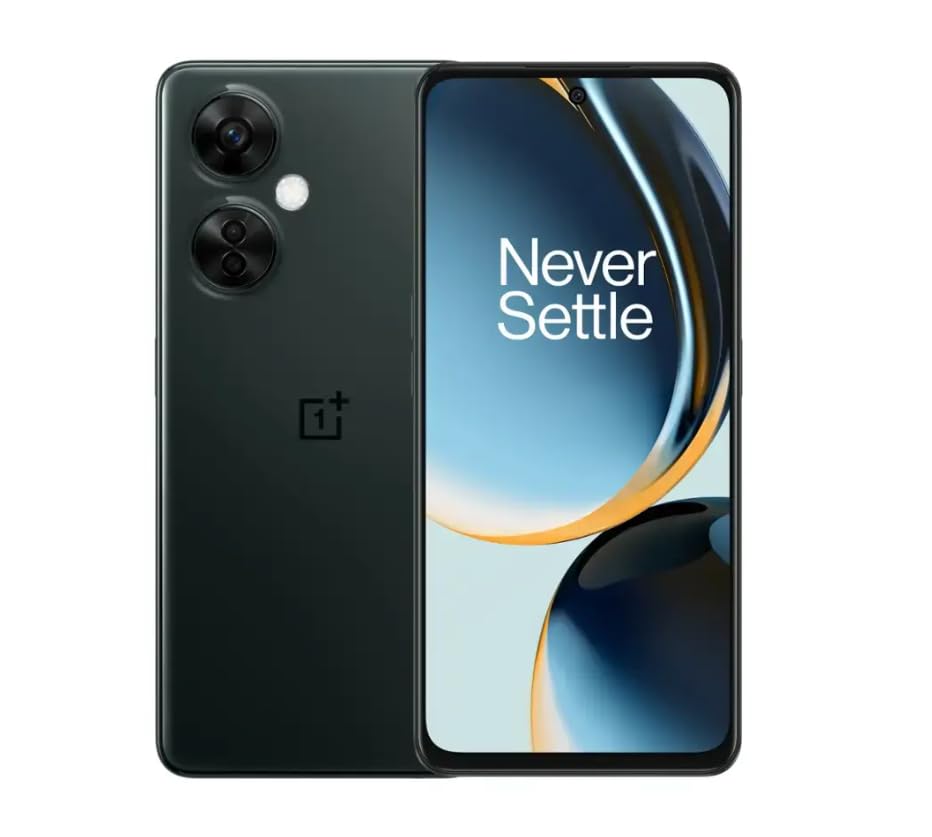
Image 1.1: OnePlus Nord N30 5G smartphone. This image displays the overall design of the device, highlighting its screen and camera module.
2. ماذا يوجد في الصندوق
تأكد من وجود جميع العناصر في العبوة:
- هاتف OnePlus Nord N30 5G الذكي
- محول الطاقة
- كابل يو اس بي
ملحوظة: قد تختلف الملحقات حسب المنطقة.
3. الإعداد
3.1. إدخال بطاقة SIM
- حدد مكان درج بطاقة SIM على جانب الجهاز.
- Insert the SIM ejector tool (not included, use a paperclip if necessary) into the small hole next to the tray to open it.
- Place your Nano-SIM card(s) into the tray with the gold contacts facing down. The device supports a single SIM card and a microSDXC card for expandable storage.
- قم بدفع الدرج بعناية إلى الفتحة مرة أخرى حتى يصبح مستويًا مع جسم الهاتف.
3.2. الشحن الأولي والتشغيل
قبل الاستخدام الأول، يُنصح بشحن الجهاز بالكامل.
- Connect the USB cable to the power adapter and then to the phone's USB-C port.
- Plug the power adapter into a wall outlet. The device supports 50W SUPERVOOC fast charging.
- Once sufficiently charged, press and hold the Power button (located on the side) until the OnePlus logo appears.
3.3. تكوين الجهاز الأولي
اتبع التعليمات التي تظهر على الشاشة لإكمال الإعداد الأولي:
- اختر اللغة المفضلة لديك.
- الاتصال بشبكة Wi-Fi.
- Review وقبول الشروط والأحكام.
- قم بتسجيل الدخول باستخدام حساب Google الخاص بك أو قم بإنشاء حساب جديد.
- Set up security features such as fingerprint unlock or face unlock.
4. تعليمات التشغيل
4.1. العرض والتنقل
The OnePlus Nord N30 5G features a 6.72-inch LCD display with a 120Hz refresh rate for smooth visuals. Navigate the OxygenOS interface using gestures or traditional navigation buttons.
- اسحب للاعلى: قم بالوصول إلى درج التطبيقات.
- انتقد أسفل: الوصول إلى الإشعارات والإعدادات السريعة.
- مقبض: اختيار العناصر.
- قرصة: تكبير أو تصغير.
4.2. استخدام الكاميرا
The device is equipped with a triple rear camera system and a front camera.
- الكاميرا الرئيسية: 108 MP, f/1.7 (wide) for high-resolution photos.
- كاميرا ماكرو: 2 MP, f/2.4 for close-up shots.
- كاميرا العمق: 2 MP, f/2.4 for portrait mode effects.
- الكاميرا الأمامية: 16 MP, f/2.4 for selfies and video calls.
Open the Camera app and select your desired mode (Photo, Video, Portrait, Macro, etc.) from the interface. Tap the shutter button to capture images or start/stop video recording.
4.3. إدارة التخزين
The phone comes with 128GB of internal storage. You can expand this up to 1TB using a microSDXC card inserted into the SIM tray.
- To check storage usage: Go to إعدادات > تخزين.
- للتحرك files to microSD: Use the File تطبيق المدير.
4.4. الاتصال
The device supports 5G cellular technology, Wi-Fi, and Bluetooth 5.1.
- 5G: Ensure your SIM card and plan support 5G for faster mobile data speeds.
- واي فاي: الاتصال بالشبكات اللاسلكية عبر إعدادات > واي فاي.
- بلوتوث: Pair with wireless headphones or other devices via إعدادات > بلوتوث.
4.5. ميزات الأمان
Secure your device using the side-mounted fingerprint sensor or face unlock.
- To set up fingerprint unlock: Go to إعدادات > الأمن والخصوصية > فتح القفل ببصمة الإصبع.
- To set up face unlock: Go to إعدادات > الأمن والخصوصية > فتح الوجه.
4.6. سمعي
The device features dual stereo speakers for enhanced audio experience. It also includes a 3.5 mm audio jack for wired headphones.
5. الصيانة
5.1. العناية بالبطارية
توفر البطارية بسعة 5000 مللي أمبير استخدامًا ممتدًا. لإطالة عمر البطارية:
- تجنب درجات الحرارة القصوى.
- Use the provided 50W SUPERVOOC charger for optimal charging speed and battery health.
- تجنب تفريغ البطارية بالكامل بشكل متكرر.
5.2. تحديثات البرامج
Keep your OxygenOS (based on Android 13) updated to ensure optimal performance, security, and access to new features.
- للتحقق من التحديثات: انتقل إلى إعدادات > حول الجهاز > OxygenOS version.
5.3. تنظيف الجهاز
استخدم قطعة قماش ناعمة وخالية من الوبر لتنظيف شاشة الهاتف وجسمه. تجنب استخدام المواد الكيميائية القاسية أو المواد الكاشطة.
6. استكشاف الأخطاء وإصلاحها
يتناول هذا القسم المشكلات الشائعة التي قد تواجهها.
6.1. الجهاز لا يعمل
- تأكد من شحن البطارية. قم بتوصيل الجهاز بالشاحن لمدة 15 دقيقة على الأقل.
- اضغط مع الاستمرار على زر الطاقة لمدة 10-15 ثانية لفرض إعادة التشغيل.
6.2. مشاكل الاتصال بالشبكة
- تأكد من إدخال بطاقة SIM بشكل صحيح.
- Verify that mobile data is enabled in إعدادات > شبكة الهاتف المحمول.
- أعد تشغيل الجهاز.
- Contact your carrier (T-Mobile) to confirm service availability in your area.
6.3. تعطل التطبيقات أو تجميدها
- أغلق التطبيق ثم أعد فتحه.
- Clear the app's cache: إعدادات > التطبيقات > [اسم التطبيق] > Storage usage > مسح ذاكرة التخزين المؤقت.
- Ensure the app and OxygenOS are updated to the latest versions.
6.4. استنزاف البطارية بسرعة
- تقليل سطوع الشاشة.
- قم بتعطيل الميزات غير المستخدمة مثل البلوتوث أو نظام تحديد المواقع العالمي (GPS) أو الواي فاي عند عدم الحاجة إليها.
- تحقق من استخدام البطارية في إعدادات > بطارية لتحديد التطبيقات التي تستهلك الكثير من الطاقة.
- Ensure background app refresh is limited for non-essential apps.
7. المواصفات
| اسم الموديل | ون بلس نورد N30 5G |
| نظام التشغيل | OxygenOS (based on Android 13) |
| المعالج | كوالكوم سنابدراجون 695 ثماني النواة |
| كبش | 8 جيجا بايت |
| التخزين الداخلي | 128GB (Expandable up to 1TB via microSDXC) |
| عرض | 6.72 inches LCD, 2400 x 1080 resolution, 120Hz Refresh Rate |
| الكاميرا الخلفية | 108 ميجابكسل (واسعة)، 2 ميجابكسل (ماكرو)، 2 ميجابكسل (عمق) |
| الكاميرا الأمامية | 16 ميجا بكسل |
| سعة البطارية | 5000 مللي أمبير |
| الشحن | شحن سريع بتقنية SUPERVOOC بقوة 50 واط (حوالي 47 دقيقة للشحن الكامل) |
| الاتصال | 5G, Wi-Fi, Bluetooth 5.1, USB-C |
| مقبس الصوت | 3.5 ملم |
| أبعاد | 6 × 4 × 4 بوصة |
| وزن | 10.8 أونصات |
| المميزات الخاصة | Dual SIM, Side-mounted Fingerprint Sensor, Face Unlock, Dual Stereo Speakers |
8. Renewed Product Information
This OnePlus Nord N30 5G is an Amazon Renewed product. Renewed products are pre-owned and professionally inspected, tested, and cleaned to work like new. They come with generic or original accessories and packaging.
8.1. شروط برنامج أمازون رينيويد
Amazon Renewed products are categorized based on their cosmetic condition and battery life. All renewed products are fully functional and have a battery life greater than 80% of a new equivalent.

Image 8.1: Amazon Renewed conditions overview. This image illustrates the criteria for Excellent, Good, and Acceptable cosmetic conditions for renewed products.

الصورة 8.2: مثال مرئيamples of renewed product cosmetic conditions. This image provides visual examples of what 'Excellent', 'Good', and 'Acceptable' cosmetic conditions might look like on a phone's back.

Image 8.3: Customer feedback on Amazon Renewed. This image presents testimonials from customers regarding their positive experiences with Amazon Renewed products.
9. الضمان والدعم
9.1. معلومات الضمان
As an Amazon Renewed product, this device is backed by the Amazon Renewed Guarantee. Please refer to the Amazon Renewed program terms and conditions for specific warranty details and coverage. This typically includes a limited warranty for a specified period from the date of purchase, covering defects in materials and workmanship.
9.2. دعم العملاء
For technical assistance, troubleshooting, or warranty claims, please contact Amazon Customer Service or refer to the official OnePlus support webموقع للحصول على موارد إضافية والأسئلة الشائعة.
- خدمة عملاء أمازون: يزور amazon.com/contact-us
- OnePlus Support: Visit the official OnePlus support webموقع لمنطقتك.