
1. المقدمة
The HW HAOWORKS S100 Wireless Voice Amplifier is a versatile and portable PA speaker system designed for clear and powerful audio projection. With 70W output, Bluetooth 5.3 connectivity, and multiple input options, it is ideal for teachers, public speakers, performers, and anyone needing amplified sound for events, karaoke, or parties. Its robust metal construction ensures durability and portability.

Figure 1: HW HAOWORKS S100 Wireless Voice Ampمكبر صوت وميكروفون
This image displays the main components of the S100 system: the portable PA speaker unit with a handle and a wireless handheld microphone. Both are black with metallic accents, highlighting the product's sleek design and portability.
2. ماذا يوجد في الصندوق
يرجى التأكد من وجود جميع العناصر عند فتح الصندوق:
- 1 x PA System Speaker
- 1 x Wireless Handheld Microphone
- 1 × كابل شحن من النوع C
- 1 × كابل Aux
- 1 × دليل المستخدم
3. الإعداد
3.1 الشحن الأولي
Before first use, fully charge the PA system speaker and the wireless microphone using the provided Type-C charging cable. The speaker's LED display will indicate charging status. The microphone also has an indicator light.
3.2 توصيل الميكروفون اللاسلكي
The wireless handheld microphone is pre-paired with the S100 speaker. Simply power on both devices, and they should automatically connect. If connection issues occur, refer to the troubleshooting section.
3.3 إقران البلوتوث (اختياري)
To connect a Bluetooth device (e.g., smartphone, tablet):
- Power on the S100 speaker.
- Ensure the speaker is in Bluetooth mode (indicated on the LED display). If not, press the 'Mode' button to cycle through input modes until Bluetooth is selected.
- On your device, enable Bluetooth and search for 'S100'.
- Select 'S100' to pair. A confirmation sound will indicate successful pairing.
4. التشغيل
4.1 تشغيل/إيقاف التشغيل
Press and hold the power button on the speaker and microphone to turn them on or off.
4.2 انتهت لوحة التحكمview
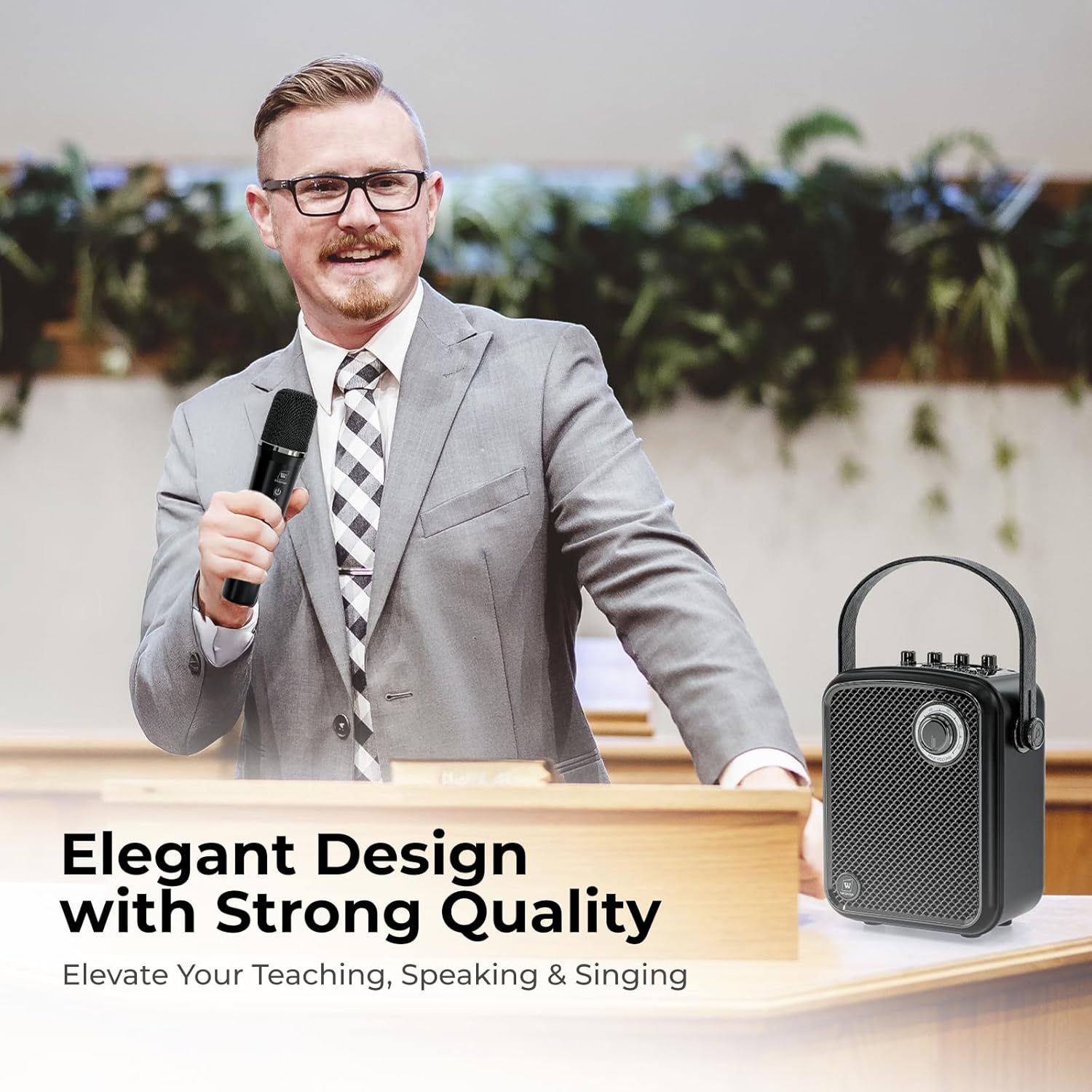
Figure 2: S100 Control Panel and Ports
This diagram illustrates the top control panel and rear ports of the S100 speaker. It highlights the various knobs for volume control (Monitor, Microphone, Echo, Instrument, Master), the LED display, and input/output ports including Type-C, USB, TF Card, Live, Monitor, AUX, Microphone, and Instrument inputs.
The S100 features an intuitive 5-dial control panel:
- الحجم الرئيسي: يتحكم في مستوى الصوت الإجمالي لمكبر الصوت.
- حجم صوت الميكروفون: يضبط مستوى صوت الميكروفون المتصل.
- حجم الصك: Adjusts the volume for connected instruments (e.g., guitar).
- حجم الشاشة: Controls the volume for headphone monitoring.
- صدى: Adjusts the echo effect level for the microphone.
A one-touch mute function is available for quick audio cutoff during presentations or performances.
4.3 أوضاع الميكروفون

Figure 3: Wireless Microphone Sound Modes
This image focuses on the wireless handheld microphone, detailing its four selectable sound effect modes: Acoustic, Professional, Popular, and Hip-hop. Icons represent each mode, indicating the versatility of the microphone for different audio needs.
The wireless handheld microphone offers four distinct sound modes:
- Acoustic Mode: Provides a natural and clear sound profile.
- الوضع المهني: Delivers a polished and refined sound, suitable for formal presentations.
- Popular Mode: Enhances sound for a lively and engaging atmosphere.
- Hip-hop Mode: Offers a dynamic and rhythmic sound, ideal for music performances.
Switch between modes by pressing the dedicated button on the microphone.
4.4 Input Modes and Connectivity

Figure 4: S100 Connectivity Options
This graphic illustrates the comprehensive connectivity options of the S100, including Bluetooth 5.3, Headphone Jack, 4 Sound Effects, Musical Instrument input, Mute function, Microphone Port, Single/All loop playback, USB/TF Card/AUX inputs, and Live streaming capability.
The S100 supports various audio input methods:
- بلوتوث شنومكس: للاتصال اللاسلكي بالأجهزة المتوافقة.
- USB: تشغيل الصوت fileمباشرة من محرك أقراص USB.
- بطاقة TF: تشغيل الصوت files من بطاقة TF (microSD).
- مساعد: Connect external audio sources via the 3.5mm AUX cable.
- 6.35mm Mic Interface: For wired microphones (if preferred).
- مدخلات الآلة: Dedicated input for connecting musical instruments like guitars.
Use the 'Mode' button to switch between these input sources.
4.5 Headphone Monitoring & Live Streaming
The S100 includes a headphone jack for real-time audio monitoring. Additionally, dedicated live streaming ports allow for direct connection to streaming devices, making it suitable for online broadcasts or recordings.
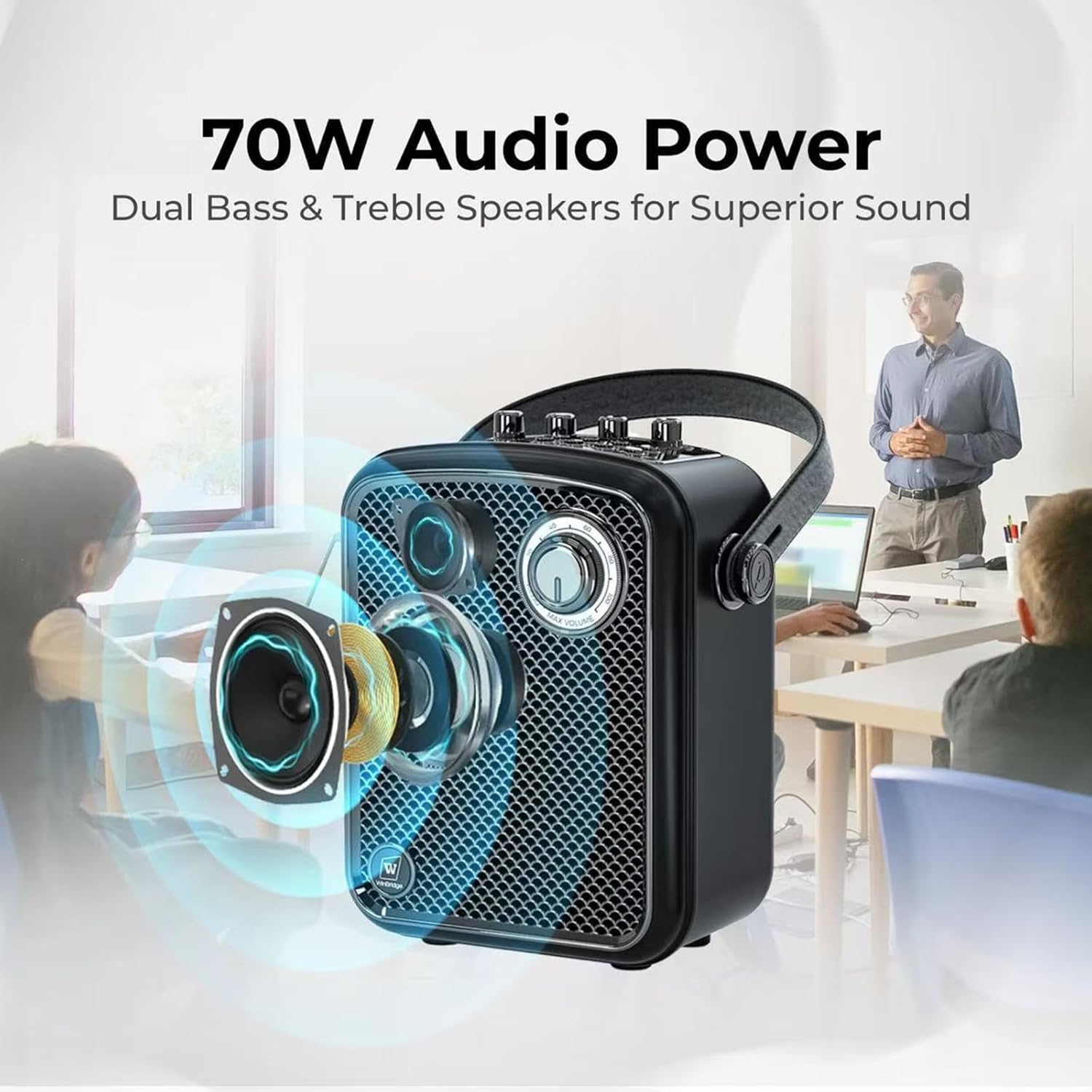
Figure 5: S100 Audio Power and Speaker Design
This image visually represents the 70W audio power of the S100, highlighting its dual bass and treble speakers for superior sound quality. The speaker's internal components are shown in an exploded view, emphasizing its acoustic design.
5. الصيانة
5.1 التنظيف
امسح الجهاز بقطعة قماش ناعمة وجافة. لا تستخدم المنظفات السائلة أو المواد الكاشطة، لأنها قد تتلف السطح أو المكونات الداخلية.
5.2 التخزين
Store the S100 in a cool, dry place away from direct sunlight and extreme temperatures. When storing for extended periods, ensure the battery is partially charged (around 50%) to prolong its lifespan.
5.3 العناية بالبطارية
The S100 speaker provides up to 6 hours of battery life, and the wireless microphone offers over 10 hours. To maximize battery longevity:
- تجنب تفريغ البطارية بالكامل بشكل متكرر.
- اشحن الجهاز بانتظام حتى لو لم يكن قيد الاستخدام المستمر.
- استخدم فقط كابل الشحن المقدم أو ما يعادله المعتمد.

Figure 6: S100 Portability and Battery Life
This image highlights the portable and rechargeable nature of the S100, showing its compact dimensions (7.6"L x 4.9"W x 8.9"H) and weight (5.04 lbs). It also indicates the battery life: up to 6 hours for the speaker and over 10 hours for the microphone.
6. استكشاف الأخطاء وإصلاحها
| مشكلة | السبب المحتمل | حل |
|---|---|---|
| لا يوجد صوت من السماعة | Speaker is off; Volume is too low; Incorrect input mode; Microphone not connected/paired. | Ensure speaker is on and charged. Increase Master Volume. Select correct input mode (Bluetooth, AUX, USB, TF). Power on and pair microphone. |
| الميكروفون لا يعمل | Microphone is off; Battery low; Not paired with speaker; Microphone volume too low. | Ensure microphone is on and charged. Re-pair microphone if necessary. Increase Microphone Volume on speaker. |
| فشل اقتران البلوتوث | Device too far; Bluetooth not enabled on device; Speaker not in pairing mode. | Ensure devices are within range. Enable Bluetooth on your device. Set speaker to Bluetooth mode. Forget 'S100' on your device and try pairing again. |
| Sound distortion/feedback | Microphone too close to speaker; Volume too high; ECHO setting too high. | Increase distance between microphone and speaker. Reduce Master or Microphone Volume. Adjust ECHO level. |
| عمر البطارية قصير | البطارية غير مشحونة بالكامل؛ بطارية قديمة. | Ensure full charge before use. If battery life significantly degrades, contact support. |
7. المواصفات
| ميزة | التفاصيل |
|---|---|
| رقم الموديل | س100 |
| مصدر الطاقة | تعمل بالبطارية |
| طاقة الإخراج | 70 واط |
| تكنولوجيا الاتصال | Bluetooth 5.3, AUX, USB, Wireless |
| نوع الموصل | مدخل إضافي، منفذ USB |
| عدد القنوات | 2 |
| مادة | أكريلونيتريل بوتادين ستايرين (ABS)، معدن |
| لون | أسود |
| وزن العنصر | 4.93 رطل |
| أبعاد الحزمة | 12.87 × 9.06 × 6.14 بوصة |
| Speaker Battery Life | تصل إلى 6 ساعة |
| عمر بطارية الميكروفون | أكثر من 10 ساعة |
| الأجهزة المتوافقة | Guitar, Headphone, Microphone, Smartphone, Tablet |
| الاستخدامات الموصى بها | Events, Karaoke, Lecturer, Party, Performer, Presentation, Public speaking, Singing, Speech, Teachers, Training |
8. الضمان والدعم
HW HAOWORKS is committed to providing uncompromising quality and responsive service. Every amplifier is built to last and is backed by lifetime after-sales support.
8.1 دعم العملاء
For any inquiries, technical assistance, or support needs, please contact HW HAOWORKS customer service. We aim for a 24-hour response time to ensure your satisfaction.
Visit the official HW HAOWORKS store for more information and support resources: متجر إتش دبليو هاووركس