
مقدمة
This manual provides instructions for the setup, operation, and maintenance of your Phomemo M834 Bluetooth Thermal Printer. Please read this manual thoroughly before using the device to ensure proper function and longevity.
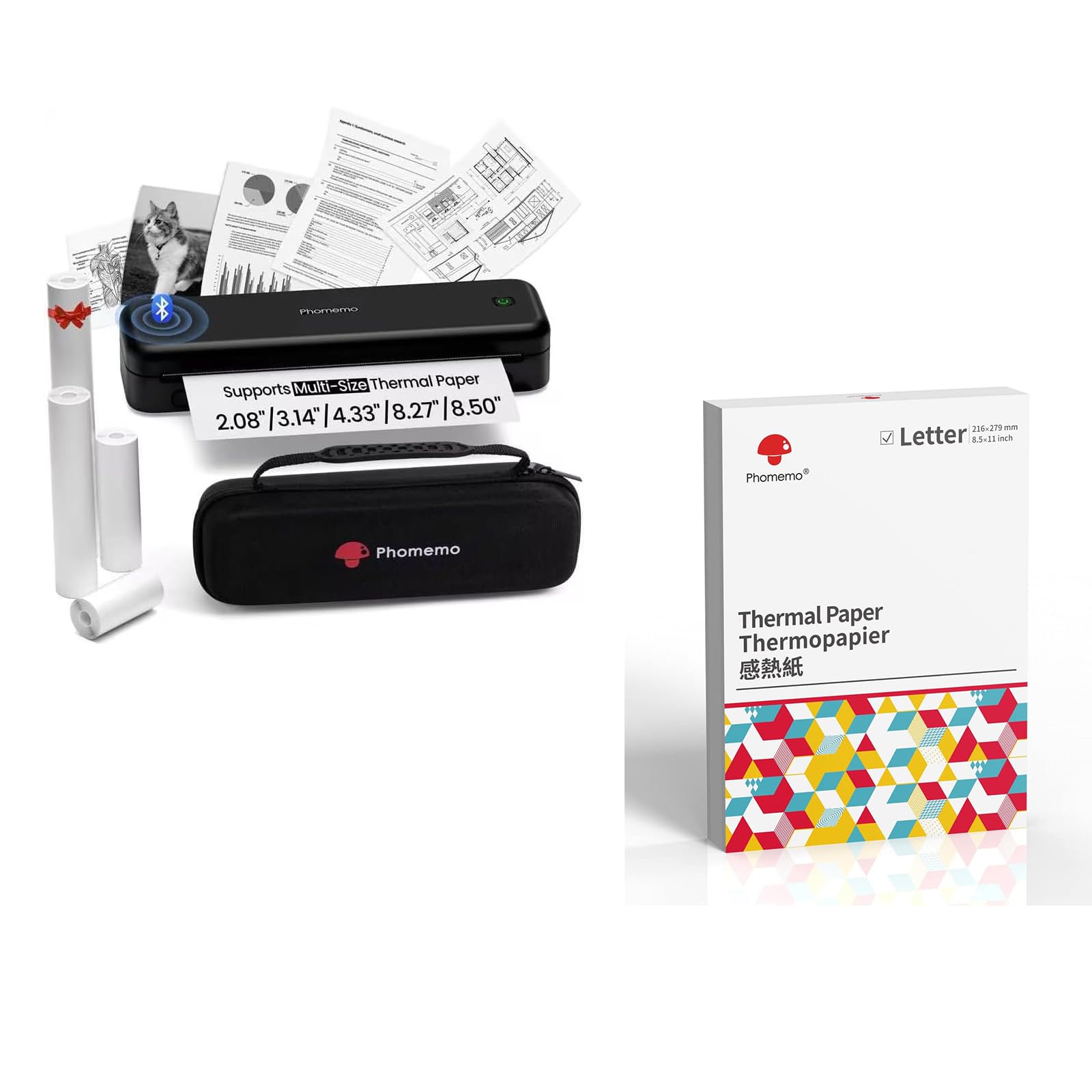
Image: The Phomemo M834 thermal printer, demonstrating its compatibility with multiple paper sizes and including its dedicated carry case.
محتويات الحزمة
تأكد من وجود جميع العناصر في العبوة:
- طابعة محمولة واحدة من طراز Phomemo M834
- شنومكس x كاري
- 1 x Roll of 8.5" Thermal Paper
- 1 x Roll of 4.33" Thermal Paper
- 1 x Roll of 3.14" Thermal Paper
- 1 x Roll of 2.08" Thermal Paper
دليل الإعداد
1. شحن الطابعة
The M834 printer is equipped with a 2600mAh rechargeable battery. Before initial use, fully charge the printer using the provided charging cable. A full charge allows for over 160 pages of continuous printing.
2. تحميل الورق الحراري
The Phomemo M834 supports various thermal paper sizes, including US Letter, A4, 4.33'', 3.14'', and 2.08''. It is compatible with roll, fold, and ordinary thermal paper types. Important: This printer is designed exclusively for thermal paper and is not compatible with standard laser or inkjet printer paper.
- افتح غطاء حجرة الورق.
- Insert the thermal paper roll or stack, ensuring the printable side faces the print head.
- أغلق غطاء حجرة الورق بإحكام.

Image: A box of Phomemo Letter size thermal paper, indicating its 8.5 x 11 inch dimensions.
3. توصيل الطابعة
The M834 printer offers both Bluetooth and USB connectivity.
اتصال بلوتوث:
- تأكد من تشغيل الطابعة.
- Enable Bluetooth on your mobile device (iOS, Android, Tablets) or computer.
- Open the Phomemo app or your device's Bluetooth settings and select "M834" to pair.
اتصال USB:
- Connect the printer to your computer (Windows, macOS, Chrome OS, Linux) using a USB cable.
- قم بتثبيت برامج التشغيل الضرورية إذا طلب منك نظام التشغيل الخاص بك ذلك.

Image: The Phomemo M834 printer connected to various devices, illustrating its compatibility with iOS, Android, Tablets via Bluetooth, and Windows, macOS, Chrome OS, Linux via USB.
تعليمات التشغيل
طباعة المستندات
Once connected, you can print documents from your device. The M834 printer offers a print resolution of 300 dpi, providing clear and sharp prints for various uses.
- افتح المستند أو الصورة التي ترغب في طباعتها على جهازك المتصل.
- حدد خيار الطباعة من تطبيقك.
- اختر "Phomemo M834" كطابعتك.
- اضبط إعدادات الطباعة حسب الحاجة (مثل حجم الورق، والاتجاه).
- ابدأ عملية الطباعة.

Image: A visual comparison highlighting the enhanced print clarity of 300 DPI output from the Phomemo M834 compared to a 203 DPI printer.
Supported Paper Types and Sizes
The M834 is versatile in its paper support:
- المقاسات: US Letter (8.5" x 11"), A4, 4.33'', 3.14'', 2.08''
- أنواع: Roll thermal paper, Fold thermal paper, Ordinary thermal paper
Ensure you use only Phomemo thermal paper for optimal results. Thermal prints are quick-drying, allowing for immediate handling and writing.

Image: A hand writing on a document printed with the Phomemo M834, demonstrating the quick-dry nature of thermal prints.
صيانة
تنظيف رأس الطباعة
للحفاظ على جودة الطباعة، نظّف رأس الطباعة بانتظام. استخدم قطعة قماش ناعمة وخالية من الوبر وامسح برفق.ampened with isopropyl alcohol. Gently wipe the print head surface. Ensure the printer is off and disconnected from power before cleaning.
العناية بالبطارية
To prolong battery life, avoid fully discharging the printer frequently. If storing the printer for an extended period, charge it to approximately 50% and store it in a cool, dry place.
استكشاف الأخطاء وإصلاحها
If you encounter issues with your Phomemo M834 printer, refer to the following common solutions:
- الطابعة لا تعمل: Ensure the battery is charged. Connect the printer to a power source and allow it to charge for at least 30 minutes before attempting to power it on again.
- جودة الطباعة رديئة: Check if the thermal paper is loaded correctly with the printable side facing the print head. Clean the print head as described in the Maintenance section. Ensure you are using genuine Phomemo thermal paper.
- غير قادر على الاتصال عبر البلوتوث: Make sure Bluetooth is enabled on both the printer and your device. Ensure the printer is within range. Try restarting both the printer and your device.
- انحشار ورقي: Turn off the printer and carefully open the paper compartment. Remove any jammed paper. Ensure paper is loaded correctly and not creased or bent.
- Printer not recognized by computer (USB): Verify the USB cable is securely connected. Try a different USB port or cable. Ensure necessary drivers are installed for your operating system.
تحديد
| اسم الموديل | م834 |
| تكنولوجيا الطباعة | حراري |
| تكنولوجيا الاتصال | بلوتوث، يو اس بي |
| دقة الطباعة القصوى | 300 dpi (Black and White) |
| مخرجات الطابعة | أحادي اللون |
| الحد الأقصى لحجم الوسائط | US Letter (8.5" x 11") |
| أحجام الورق المدعومة | مقاسات الورق: US Letter، A4، 4.33 بوصة، 3.14 بوصة، 2.08 بوصة |
| الحد الأقصى لسعة ورقة الإدخال | 100 sheets (for folded thermal paper) |
| سعة البطارية | 2600 مللي أمبير |
| الوظائف | الطباعة فقط |
| لون | أسود |
الضمان والدعم
The Phomemo M834 printer comes with a limited warranty. For specific warranty terms and conditions, please refer to the warranty card included in your package or visit the official Phomemo webموقع.
For technical support or customer service inquiries, please contact Phomemo customer support through their official channels.