
مقدمة
Thank you for choosing the RORSOU B8 Bluetooth Headphones. These over-ear headphones are designed to provide a superior audio experience with deep bass and Hi-Fi stereo sound, powered by a 40mm audio driver and advanced Bluetooth 5.4 technology. Enjoy extended listening with up to 50 hours of playtime and versatile connectivity options. This manual will guide you through the setup, operation, and maintenance of your new headphones.

Figure 1: RORSOU B8 Bluetooth Headphones (Beige White)
The RORSOU B8 headphones feature a sleek beige white finish with gold accents, designed for comfort and portability.
ماذا يوجد في الصندوق
- دليل المستخدم
- وسائد الأذن (مثبتة مسبقًا)
- Protective Case (Drawstring Bag)
- كابل شحن USB-C
- 3.5 مللي متر كابل صوت AUX

Figure 2: Included accessories with the RORSOU B8 Headphones.
The box contains the headphones, a user manual, a USB-C charging cable, a 3.5mm AUX cable, and a soft drawstring protective case.
المنتج انتهىview & ضوابط
Familiarize yourself with the buttons and ports on your RORSOU B8 headphones for optimal use.

الشكل 3: مفصل view من عناصر التحكم في سماعات الرأس والمنافذ.
The right earcup features the main controls including the EQ button, USB-C charging port, 3.5mm audio jack, and power/playback buttons.
- زر التشغيل/التشغيل/الإيقاف المؤقت: اضغط مطولاً لتشغيل/إيقاف التشغيل. اضغط ضغطة قصيرة لتشغيل/إيقاف الموسيقى مؤقتاً أو للرد على المكالمات/إنهائها.
- زر رفع الصوت (+): اضغط ضغطة قصيرة لزيادة مستوى الصوت. اضغط ضغطة طويلة للانتقال إلى المقطع التالي.
- زر خفض الصوت (-): اضغط ضغطة قصيرة لخفض مستوى الصوت. اضغط ضغطة طويلة للانتقال إلى المقطع السابق.
- زر EQ: Press to cycle through 6 preset EQ modes (Standard, Classical, Metal, Jazz, Rock, Bass).
- منفذ شحن USB-C: لشحن سماعات الرأس.
- مقبس صوت 3.5 ملم: للتوصيل السلكي باستخدام كابل AUX.
- ميكروفون: لإجراء مكالمات بدون استخدام اليدين.
يثبت
شحن سماعات الرأس الخاصة بك
- Connect the USB-C charging cable to the headphone's charging port.
- قم بتوصيل الطرف الآخر من كابل USB بمصدر طاقة USB متوافق (على سبيل المثال، منفذ USB في الكمبيوتر، أو محول الحائط).
- سيُظهر مؤشر LED حالة الشحن. يستغرق الشحن الكامل حوالي ساعتين.
- بمجرد شحنها بالكامل، توفر سماعات الرأس ما يصل إلى 50 ساعات من وقت التشغيل.
بلوتوث الاقتران
- تأكد من إيقاف تشغيل سماعات الرأس.
- Long press the Power/Play/Pause button until the LED indicator flashes blue and red alternately. This indicates pairing mode.
- على جهازك (الهاتف الذكي، الجهاز اللوحي، الكمبيوتر الشخصي)، قم بتمكين البلوتوث وابحث عن الأجهزة المتاحة.
- Select "RORSOU B8" from the list of found devices.
- بمجرد نجاح عملية الاقتران، سيتحول مؤشر LED إلى اللون الأزرق الثابت أو يومض باللون الأزرق ببطء.
- The headphones can be paired with two devices simultaneously and seamlessly switch between them.
اتصال سلكي (AUX)
If your headphones run out of battery or you prefer a wired connection, you can use the included 3.5mm AUX cable.
- Connect one end of the 3.5mm AUX cable to the headphone's 3.5mm audio jack.
- قم بتوصيل الطرف الآخر بمخرج الصوت الخاص بجهازك.
- سيتم تحويل سماعات الرأس تلقائيًا إلى الوضع السلكي.
تعليمات التشغيل
تشغيل/إيقاف الطاقة
- تشغيل الطاقة: Long press the Power/Play/Pause button until the LED indicator lights up.
- إيقاف التشغيل: Long press the Power/Play/Pause button until the LED indicator turns off. The headphones will automatically shut down after 5 minutes if no device is connected.
التحكم في مستوى الصوت
- ارفع على الصوت: اضغط لفترة قصيرة على زر رفع الصوت (+).
- تقليل الحجم: اضغط لفترة قصيرة على زر خفض الصوت (-).
التحكم في التشغيل
- تشغيل/إيقاف مؤقت: اضغط لفترة قصيرة على زر الطاقة/التشغيل/الإيقاف المؤقت.
- المسار التالي: اضغط لفترة طويلة على زر رفع الصوت (+).
- المسار السابق: اضغط لفترة طويلة على زر خفض الصوت (-).
استدعاء إدارة
- الرد على المكالمات الواردة: اضغط لفترة قصيرة على زر الطاقة/التشغيل/الإيقاف المؤقت.
- إنهاء المكالمة: اضغط لفترة قصيرة على زر الطاقة/التشغيل/الإيقاف المؤقت أثناء المكالمة.
- رفض المكالمة: Long press the Power/Play/Pause button when a call is incoming.
- Call Back Last Number: Double click the Power/Play/Pause button.
أوضاع EQ
The RORSOU B8 headphones offer 6 preset EQ modes to optimize your listening experience for different music genres.
- الوضع القياسي: صوت متوازن احترافيfile.
- Classical Mode: مُحسّن خصيصًا للموسيقى الكلاسيكية.
- الوضع المعدني: Optimized for heavy metal and rock.
- نمط الجاز: Tailored for jazz music.
- Rock Mode: Boosted for rock music.
- وضع الجهير: Enhanced bass for powerful low-end sound.
To switch between modes, press the EQ button on the right earcup.
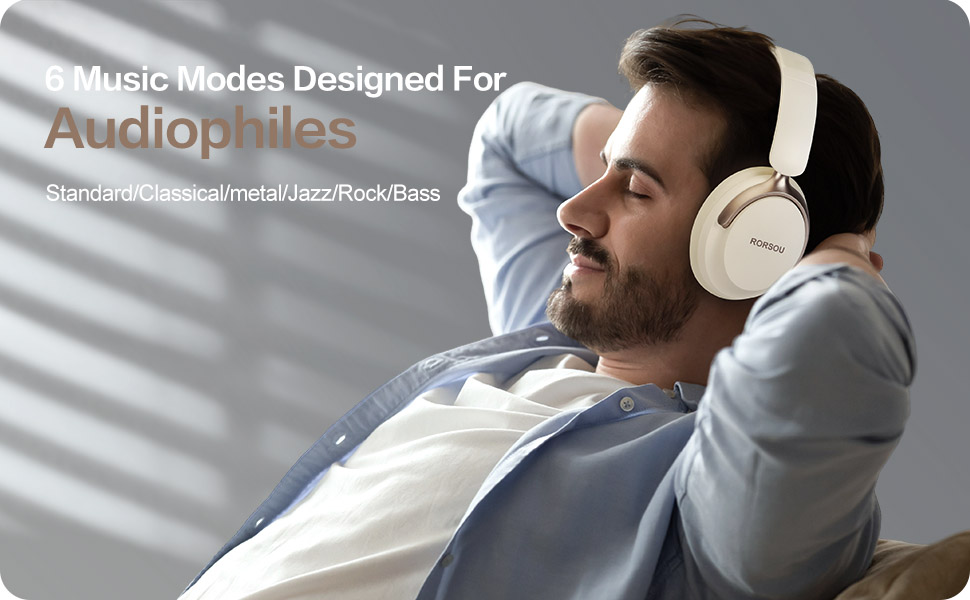
Figure 4: Experience optimized sound with 6 EQ modes.
The EQ modes allow users to customize the audio output to match their preferred music style.

