
1. المقدمة
Thank you for choosing the YI Smart Security Camera 360° PTZ Dome Camera. This camera provides comprehensive surveillance with its 360° pan and tilt capabilities, delivering crystal-clear 1080p Full HD video. Designed for indoor use, it features advanced motion detection, smart auto-tracking, enhanced night vision, and two-way audio communication. This manual will guide you through the setup, operation, and maintenance of your new security camera.
المميزات الرئيسية:
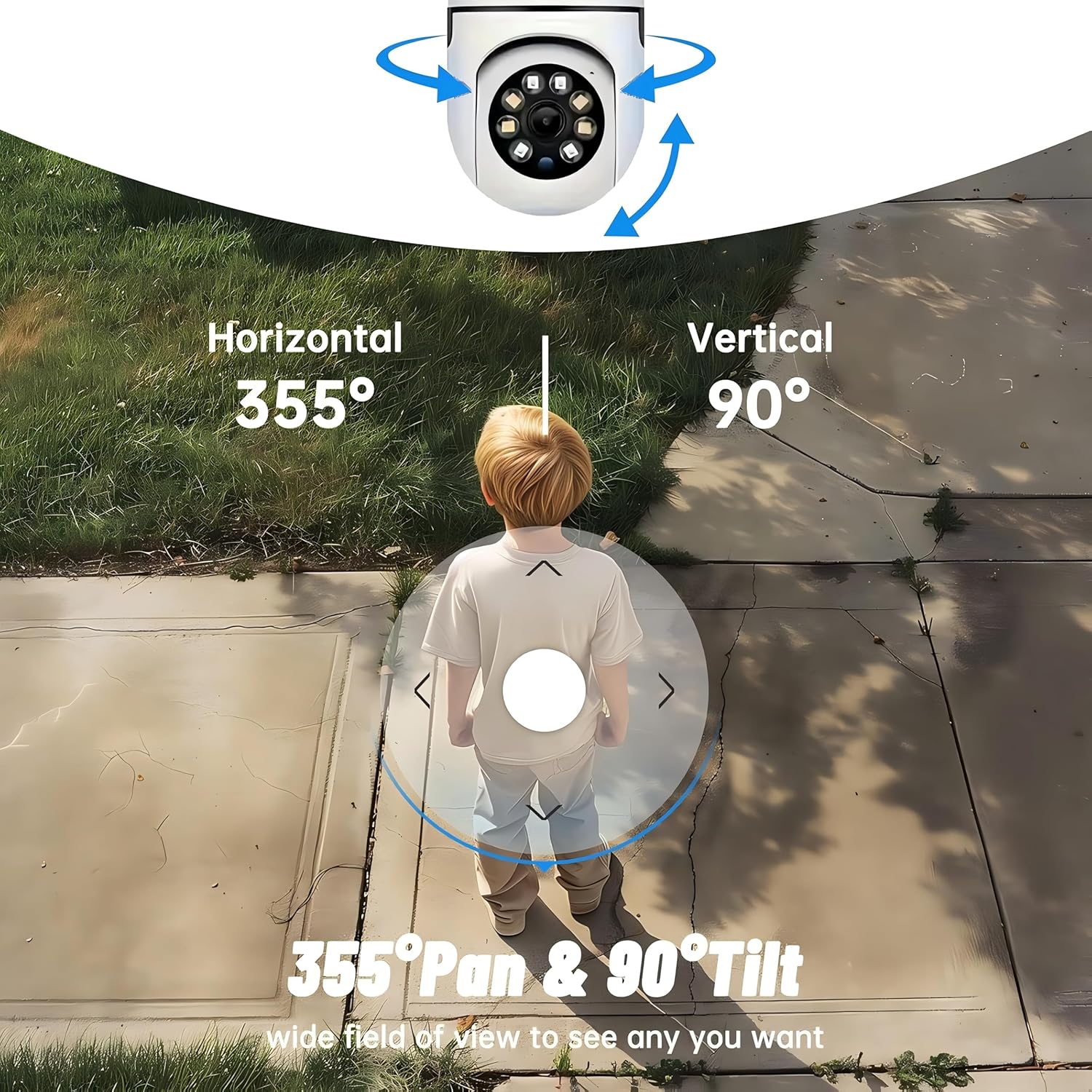
- تغطية 360 درجة: 355° horizontal and 90° vertical rotation for zero blind spots.
- 1080 بيكسل فل اتش دي: High-definition video for clear monitoring.
- Motion Detection & Auto Tracking: Alerts and tracks moving objects automatically.
- رؤية ليلية محسنة: Multiple modes including full-color night vision.
- صوت ثنائي الاتجاه: ميكروفون ومكبر صوت مدمجان للتواصل في الوقت الفعلي.
- تخزين مرن: Supports Cloud storage and local storage via microSD card (up to 128GB).
2. محتويات العبوة
يرجى التحقق من الحزمة للعناصر التالية:
- YI Smart Security Camera x1
- كابل USB x1
- دليل المستخدم (نسخة واحدة) (هذه الوثيقة)
3. انتهى المنتجview
Familiarize yourself with the components of your YI Smart Security Camera.

الشكل 3.1: الجبهة view of the YI Smart Security Camera, showing the lens, LED lights, and two antennas.

Figure 3.2: Dimensions of the YI Smart Security Camera, indicating a height of 180mm (7.08in), width of 102mm (4.0in), and depth of 85mm (3.34in).
4. الإعداد والتثبيت
4.1 التشغيل الأولي
- Connect the provided USB cable to the camera's power port and plug the other end into a compatible USB power adapter (not included).
- The camera will power on and initiate its self-test sequence. Wait for the indicator light to flash, indicating it's ready for setup.
4.2 تنزيل التطبيق وإنشاء الحساب
- تنزيل YI IOT App من متجر التطبيقات (iOS) أو متجر جوجل بلاي (أندرويد).
- افتح التطبيق واتبع الإرشادات التي تظهر على الشاشة لإنشاء حساب جديد أو تسجيل الدخول إذا كان لديك حساب بالفعل.
4.3 Adding Your Camera to the App
- In the YI IOT App, tap the "+" icon to add a new device.
- اختر طراز الكاميرا الخاص بك من القائمة.
- Follow the app's instructions to connect the camera to your 2.4GHz Wi-Fi network. This typically involves scanning a QR code generated by the app with the camera's lens.
- بمجرد الاتصال، يمكنك تسمية الكاميرا وبدء البث المباشر viewعمل.
4.4 تركيب الكاميرا
The camera is designed for indoor use and can be placed on a flat surface or wall-mounted. For wall mounting, use the included mounting accessories (if applicable) and ensure the camera is securely fastened.
الشكل 4.1: مثالamples of multi-scene applications, including wall and ceiling mounting, and placement in living rooms, bedrooms, and studies.
5. تشغيل الكاميرا
5.1 التحكم في الحركة الأفقية والرأسية
The YI Smart Security Camera offers extensive pan and tilt capabilities, allowing you to monitor a wide area.
- الدوران الأفقي: 355°
- الدوران العمودي: 90°
In the YI IOT App, use the directional controls on the live view screen to remotely adjust the camera's viewزاوية جي.

Figure 5.1: Illustration of the camera's 355° horizontal pan and 90° vertical tilt capabilities, providing a wide field of view.
5.2 Motion Detection & Smart Auto Tracking
The camera can detect movement and automatically track objects, sending alerts to your smartphone.
- كشف الحركة: When motion is detected, the camera will send an instant push notification with a 6-second video clip to your phone via the YI IOT App.
- Smart Auto Tracking: If enabled, the camera will automatically follow moving objects for up to 10 seconds after detection, ensuring continuous monitoring of the activity.
Adjust sensitivity settings and notification preferences within the app.

Figure 5.2: Real-time alarm notification on the YI IOT app, showing an intruder detected by the camera.
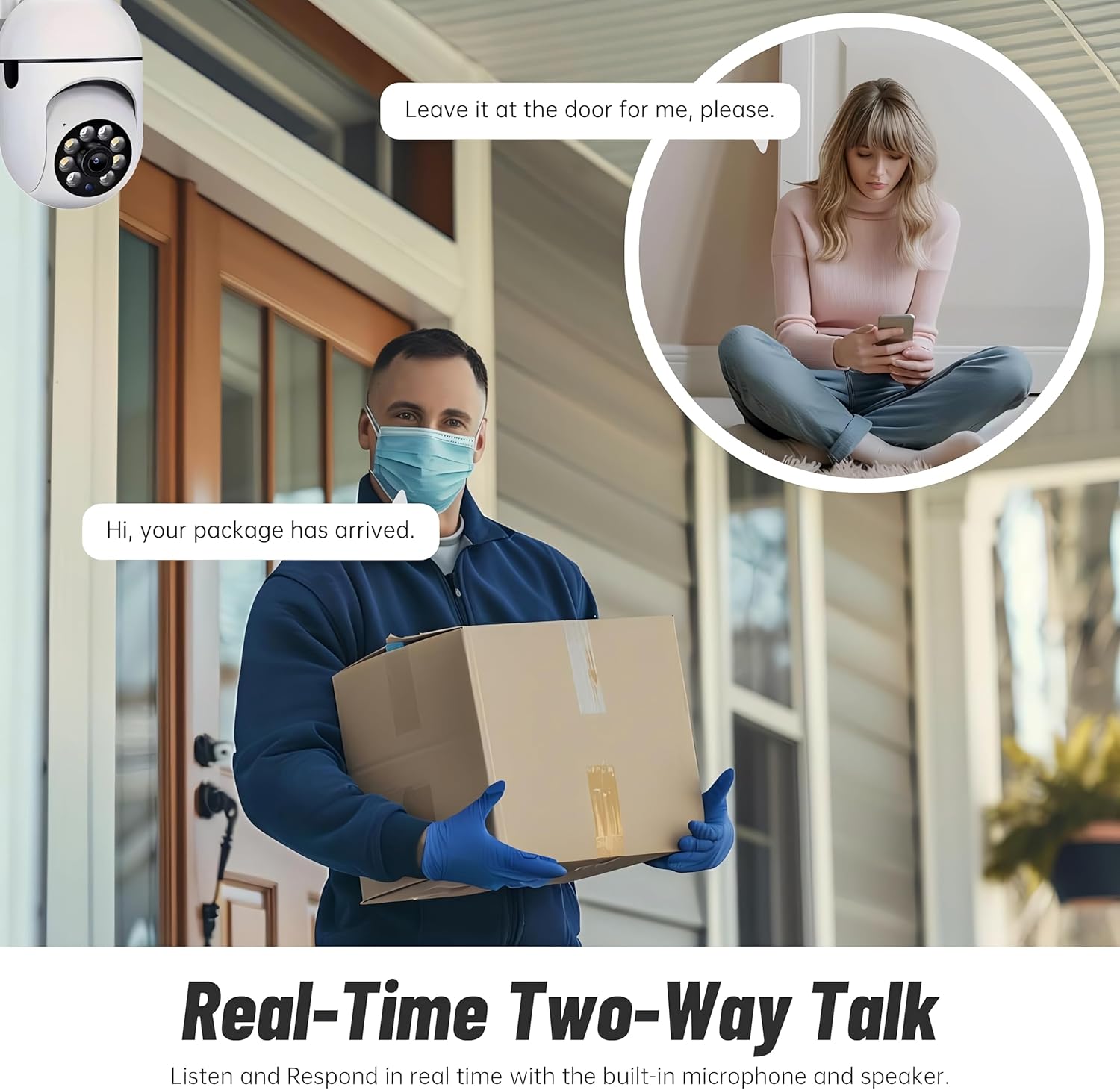
Figure 5.3: The camera's motion tracking feature focusing on a moving pet.

Figure 5.4: Visual representation of a motion detection alert, showing the camera capturing movement and sending notifications.
5.3 رؤية ليلية محسّنة
The camera is equipped with ultra-long-distance infrared LEDs and floodlight LEDs, offering multiple night vision modes for clear visibility in low-light conditions.
- الرؤية الليلية العادية: الأشعة تحت الحمراء القياسية بالأبيض والأسود view.
- نظام الرؤية الليلية الذكي: Automatically switches between infrared and full-color based on detected activity.
- رؤية ليلية كاملة الألوان: Provides a color image even in low light, utilizing the built-in floodlight.
You can switch between these modes directly from the YI IOT App.

Figure 5.5: Comparison illustrating the difference between standard infrared night vision (monochrome) and 1080p full-color night vision.
5.4 الصوت ثنائي الاتجاه
Communicate through the camera using its built-in microphone and high-power speaker.
- وضع الاتصال الداخلي: Press and hold the microphone icon in the app to speak, and release to listen. Ideal for giving commands to pets or deterring unwanted visitors.
- وضع حر اليدين: Allows for a continuous two-way conversation, similar to a phone call.
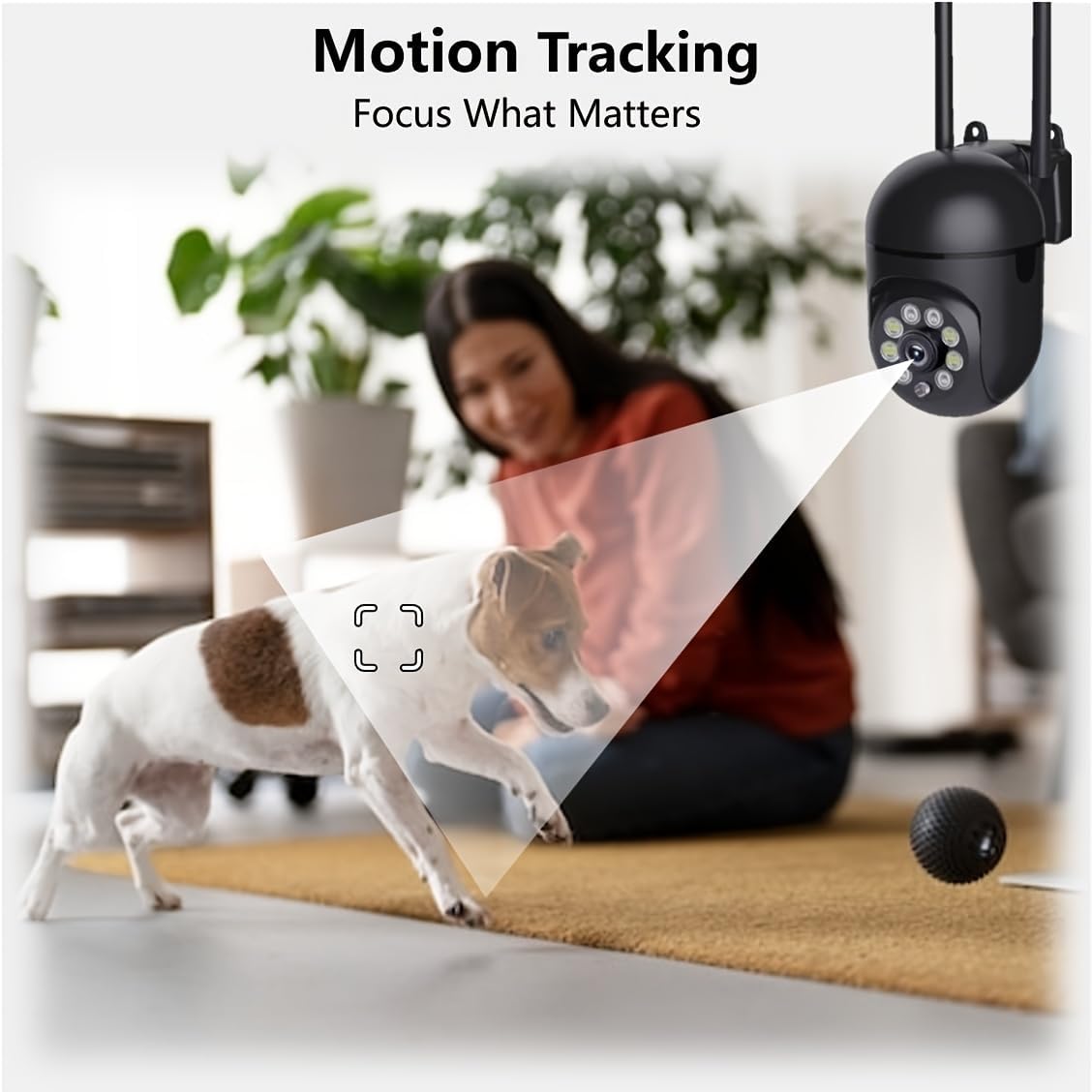
Figure 5.6: Demonstration of real-time two-way talk, allowing communication between the camera's location and the app user.
5.5 Cloud & Local Storage
Your camera offers flexible storage options for your video footage.
- YI Cloud Storage: Securely store 6-second video clips triggered by motion or sound detection. This ensures your footage is safe from loss, theft, or damage to local storage. Available for both iOS and Android.
- التخزين المحلي: The camera supports microSD cards up to 128GB (not included) for continuous recording or event-triggered recordings.
6. الصيانة
لضمان الأداء الأمثل وطول عمر الكاميرا، اتبع إرشادات الصيانة التالية:
- تنظيف: امسح عدسة الكاميرا وجسمها برفق بقطعة قماش ناعمة وجافة. تجنب استخدام المواد الكيميائية القاسية أو المواد الكاشطة.
- تحديثات البرامج الثابتة: Regularly check for and install firmware updates via the YI IOT App. Updates often include performance improvements, new features, and security enhancements.
- دورة الطاقة: If the camera becomes unresponsive, unplug it from the power source for 10 seconds, then plug it back in to restart it.
7. استكشاف الأخطاء وإصلاحها
إذا واجهت مشكلات مع الكاميرا، فراجع المشكلات والحلول الشائعة التالية:
| مشكلة | السبب المحتمل | حل |
|---|---|---|
| الكاميرا غير متصل | لا يوجد كهرباء؛ تم فصل شبكة الواي فاي؛ مشكلة في جهاز التوجيه | تحقق من توصيل الطاقة؛ أعد تشغيل الكاميرا وجهاز التوجيه؛ أعد توصيل الكاميرا بشبكة Wi-Fi عبر التطبيق. |
| جودة الصورة رديئة | Dirty lens; Insufficient lighting; Network bandwidth | Clean the lens; Ensure adequate lighting or enable night vision; Check Wi-Fi signal strength. |
| كشف الحركة لا يعمل | Feature disabled; Incorrect sensitivity; Obstruction | Enable motion detection in app; Adjust sensitivity; Ensure clear view. |
| مشاكل الصوت ثنائي الاتجاه | Microphone/speaker muted; App permissions; Network delay | Check app settings; Grant microphone permissions; Ensure stable network connection. |
| لم يتم التعرف على بطاقة MicroSD | البطاقة غير مُدخلة بشكل صحيح؛ بطاقة غير متوافقة؛ بطاقة تالفة | Reinsert card; Use a compatible card (Class 10 or higher); Format card in app or replace. |
If the problem persists, please contact YI customer support.
8. المواصفات
Detailed technical specifications for the YI Smart Security Camera.
| ميزة | مواصفة |
|---|---|
| اسم الموديل | CB201-1X-W |
| الاستخدام الداخلي والخارجي | داخلي |
| دقة التقاط الفيديو | 1080p Full HD |
| تكنولوجيا الاتصال | لاسلكي (واي فاي 2.4 جيجاهرتز) |
| نطاق التحريك/الإمالة | أفقي 355 درجة، عمودي 90 درجة |
| نطاق الرؤية الليلية | 10 مترا |
| صوت ثنائي الاتجاه | نعم |
| خيارات التخزين | Cloud Storage, MicroSD Card (up to 128GB) |
| مصدر الطاقة | كهرباء سلكية |
| الأجهزة المتوافقة | الهاتف الذكي (iOS/Android) |
| أبعاد المنتج (الطول × العرض × الارتفاع) | 4 × 3.35 × 7.09 بوصة |
| المكونات المضمنة | Security Camera x1, USB Cable x1 |
9. الضمان والدعم
For warranty information and technical support, please refer to the official YI website or contact their customer service directly. Details can typically be found on the product packaging or within the YI IOT App's 'About' or 'Support' section.
الدعم عبر الإنترنت: Visit the official YI webالموقع الخاص بالأسئلة الشائعة، ودليل استكشاف الأخطاء وإصلاحها، وخيارات الاتصال.
دعم التطبيق: Access support resources directly within the YI IOT App.