
1. المقدمة
The JLab JBuds Mini Tones are true wireless Bluetooth earbuds designed for compact size and robust performance. These earbuds offer a range of features to enhance your audio experience, whether for music, podcasts, or calls.
تتضمن الميزات الرئيسية ما يلي:
- تصميم مضغوط: Significantly smaller earbuds and charging case for enhanced portability.
- وقت اللعب الممتد: Up to 5.5 hours per earbud, with a total of 20 hours using the charging case.
- بلوتوث متعدد النقاط: Seamlessly connect and switch between two devices simultaneously.
- تصنيف IP55: Sweat and dustproof for durability during active use.
- تخصيص تطبيق JLab: Personalize sound settings, touch controls, and Be Aware Audio.
- تنبيه صوتي: Allows ambient noise to be heard for situational awareness.
- مكالمات واضحة تمامًا: MEMS microphones in each earbud reduce background noise for clear communication.

Figure 1.1: JLab JBuds Mini Tones Earbuds and Charging Case.
2. ماذا يوجد في الصندوق
Your JLab JBuds Mini Tones package includes the following items:
- JBuds Mini Earbuds
- حافظة الشحن اللاسلكي
- 3 Sets of Silicone Gel Tips (various sizes)
- دليل المستخدم (هذا المستند)
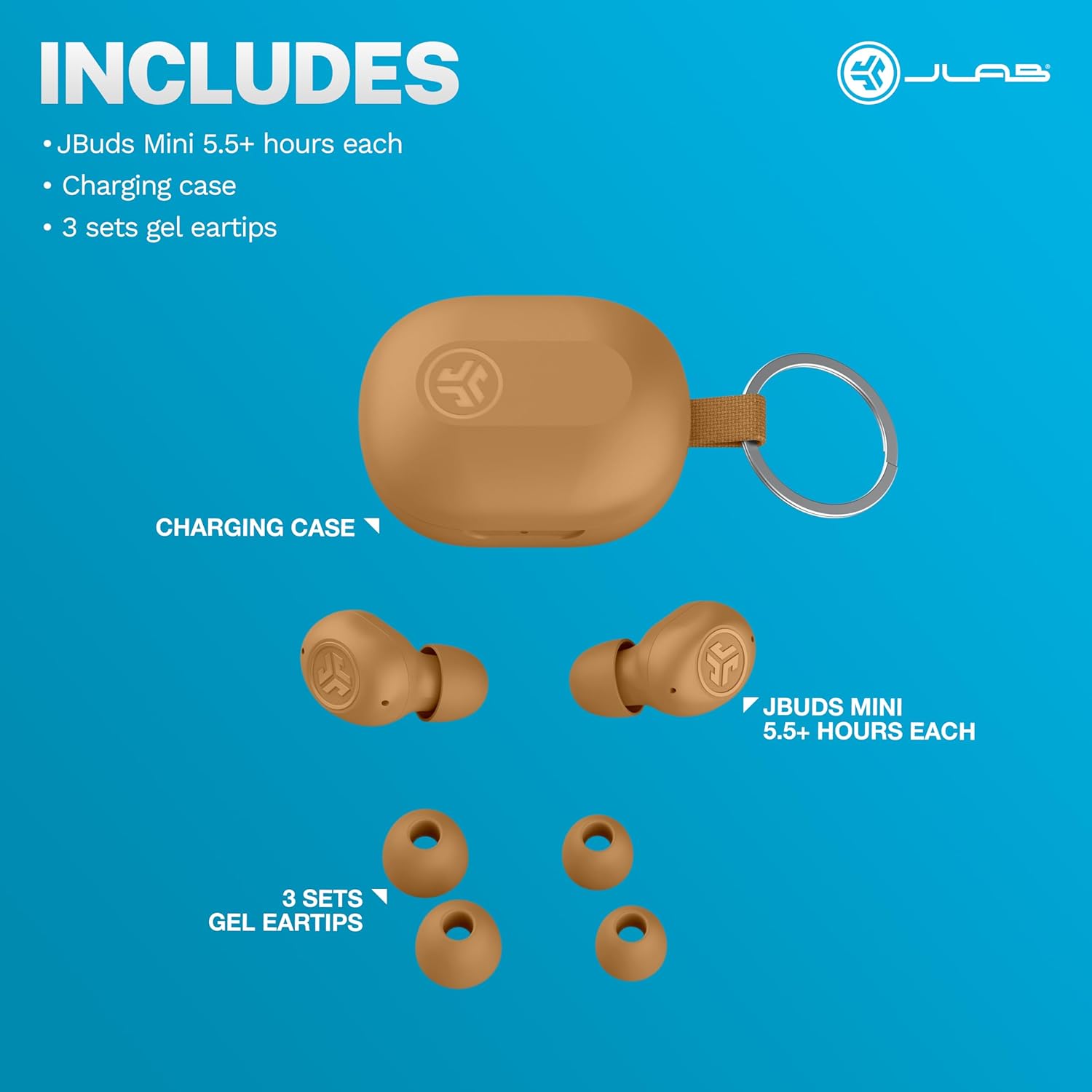
Figure 2.1: Included components: JBuds Mini earbuds, charging case, and three sets of silicone gel tips.
3. الإعداد
3.1 شحن سماعات الأذن والعلبة
Before first use, fully charge your JBuds Mini. The charging case provides additional power for on-the-go use.
- ضع سماعات الأذن داخل علبة الشحن.
- Connect the charging case to a USB-C power source using the provided cable.
- The earbuds offer approximately 5.5 hours of playtime, with the charging case extending total playtime to 20 hours.
3.2 الاقتران الأولي
لربط سماعات JBuds Mini بجهاز:
- أخرج كلا السماعتين من علبة الشحن. ستدخلان تلقائيًا في وضع الاقتران.
- On your device (smartphone, laptop, etc.), open Bluetooth settings.
- Select "JBuds Mini" from the list of available devices.
- بمجرد الاتصال، سوف تسمع مطالبة صوتية تؤكد نجاح الاقتران.
3.3 Bluetooth Multipoint Connection
The JBuds Mini support Bluetooth Multipoint, allowing simultaneous connection to two devices.
- Pair with your first device as described in section 3.2.
- قم بتعطيل البلوتوث على الجهاز الأول. ستعود سماعات الأذن إلى وضع الاقتران.
- Pair with your second device.
- Re-enable Bluetooth on the first device. The earbuds will now be connected to both devices.
- Audio will automatically switch between devices based on active playback.
3.4 Optimal Fit
Selecting the correct ear tip size is crucial for comfort and sound quality. Experiment with the three included silicone gel tip sizes to find the best fit for your ears.

Figure 3.1: The compact design of the JBuds Mini ensures a discreet and comfortable fit.
Video 3.1: A user demonstrates the unboxing and size comparison of JBuds Mini with other earbuds, highlighting their compact nature.
4. تعليمات التشغيل
4.1 الضوابط التي تعمل باللمس
The JBuds Mini feature intuitive touch controls on each earbud for managing playback, calls, and sound modes. Specific functions can be customized via the JLab App.
4.2 JLab App Customization
Download the JLab App to unlock the full potential of your JBuds Mini. The app allows you to:
- Adjust Be Aware Audio levels.
- تخصيص عناصر التحكم باللمس.
- Select from preset EQ sound settings (JLab Signature, Balance, Bass Boost) or create custom profiles.
- Enable safe hearing options with volume limits.
- احصل على تحديثات البرامج لسماعات الأذن الخاصة بك.

Figure 4.1: Customize your sound and controls using the JLab App.
4.3 Be Aware Audio
Activate Be Aware Audio to allow ambient sounds to pass through, keeping you connected to your surroundings. This feature is ideal for outdoor activities or when you need to hear conversations while listening to audio.

Figure 4.2: Be Aware Audio allows you to hear your surroundings for safe listening.
4.4 مكالمات واضحة للغاية
Each JBuds Mini earbud is equipped with a MEMS microphone designed to minimize background noise, ensuring your voice is transmitted clearly during calls. You can use either earbud independently for calls or both together.
5. الصيانة
5.1 التنظيف
Regularly clean your earbuds and charging case to maintain optimal performance and hygiene. Use a soft, dry cloth to wipe down the surfaces. For ear tips, remove them and clean with mild soap and water, ensuring they are completely dry before reattaching.
5.2 مقاومة الماء والغبار (IP55)
The JBuds Mini are rated IP55, meaning they are protected against dust ingress and low-pressure water jets from any direction. This makes them suitable for workouts and light rain. However, they are not designed for submersion in water.

Figure 5.1: The IP55 rating ensures durability against sweat and dust.
6. استكشاف الأخطاء وإصلاحها
If you encounter issues with your JBuds Mini, refer to the following common solutions:
6.1 Connectivity Issues (Sound Breaking Up)
If the audio connection is unstable or breaks up, ensure your earbuds are within close proximity to your connected device. Obstacles between the earbuds and the device can interfere with the Bluetooth signal. Try moving closer to your device or removing any potential obstructions.
6.2 Accidental Control Activation
If touch controls are accidentally triggered, particularly when lying down or adjusting the earbuds, ensure they are seated correctly in your ear. The JLab App allows for customization of touch controls, which may help mitigate unintended activations.
Video 6.1: A user highlights the comfort of JBuds Mini for side sleepers, indicating minimal pressure on the ear.
Video 6.2: A user demonstrates the comfortable fit of the JBuds Mini, suitable for various activities including lying down.
6.3 تحذير البطارية المنخفضة
The earbuds provide subtle audio warnings when the battery is low, allowing ample time to place them back in the charging case before they power off.
7. المواصفات
| ميزة | مواصفة |
|---|---|
| اسم الموديل | سماعات JBuds Mini |
| تكنولوجيا الاتصال | لاسلكي (بلوتوث) |
| نسخة البلوتوث | 4.0 |
| مستوى مقاومة الماء | IP55 (مقاوم للعرق والغبار) |
| عمر البطارية (سماعات الأذن) | 5.5 ساعة |
| إجمالي وقت اللعب (مع الحقيبة) | 20 ساعة |
| وقت الشحن | 5.5 Hours (for case, likely refers to total charge time for case + earbuds) |
| نوع التحكم | التحكم في مستوى الصوت باللمس |
| ميزات التحكم في الضوضاء | Be Aware Audio, Sound Isolation |
| الأجهزة المتوافقة | Mobile Phones, Laptops, Computers |
| وزن العنصر | 0.04 كيلوغرام (1.44 أونصة) |
| مادة | بلاستيك |
| رمز المنتج الموحد | 810119073532 |
8. الضمان والدعم
8.1 معلومات الضمان
Your JLab JBuds Mini Tones True Wireless Bluetooth Earbuds come with a JLab Two Year Warranty. Please refer to the official JLab webللاطلاع على شروط وأحكام الضمان الكاملة، يرجى زيارة الموقع الإلكتروني أو الاطلاع على وثائق الشراء الخاصة بك.
8.2 دعم العملاء
For further assistance, technical support, or warranty claims, please visit the official JLab support page or contact their customer service directly.
قم بزيارة متجر JLab على أمازون لمزيد من المعلومات.