
1. المقدمة
The Xigmatek Aqua V AIR is a high-performance mid-tower PC case designed for gaming enthusiasts. It features a spacious interior, optimized airflow, and tempered glass panels on the front and side to showcase your components. Equipped with seven 120mm ARGB fans, it supports graphics cards up to 410mm in length and is compatible with motherboards featuring hidden connectors for a clean build.
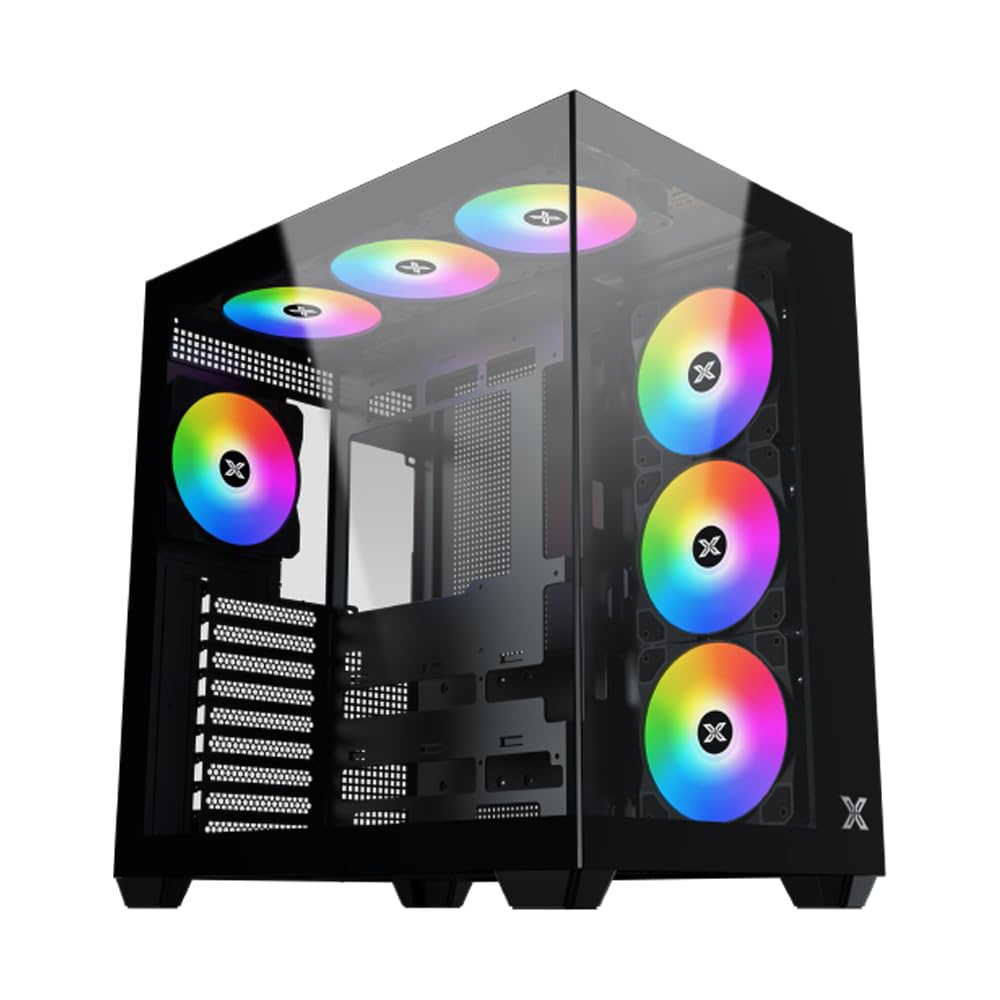
الشكل 1: بشكل عام view of the Xigmatek Aqua V AIR PC Case.
2. الميزات الرئيسية
- مادة: Constructed from high-quality steel for durability and reliability.
- أبعاد: 427 x 285 x 455 mm (L x W x H), offering a spacious interior.
- نظام التبريد: Supports up to three 120mm or two 140mm fans for optimal cooling performance.
- دعم المبرد: Compatible with 240/280/360mm radiators on the top, bottom, and rear for versatile cooling options.
- لوحة الإدخال/الإخراج: Features 2x USB 3.0 ports, 1x USB-C port, and HD audio for convenient connectivity.
- توافق اللوحة الأم: Supports ATX, Micro ATX, and Mini ITX motherboards, including those with hidden connectors.
- طول وحدة معالجة الرسومات: يستوعب بطاقات الرسومات التي يصل طولها إلى 410 مم.
- دعم التخزين: يوفر ample space for multiple storage drives.
3. المواصفات
| ميزة | التفاصيل |
|---|---|
| ماركة | زيغماتيك |
| رقم الموديل | EN45820 |
| مسلسل | Aqua V AIR BLACK |
| لون | أسود |
| الأبعاد (الطول × العرض × الارتفاع) | 42.7 × 28.5 × 45.5 سم |
| وزن المنتج | 8.8 كيلوغرام |
| مادة | فولاذ سبيكي، زجاج مقسّى |
| التوافق مع اللوحة الأم | ATX، Micro ATX، Mini ITX |
| نوع الحالة | برج متوسط |
| الاستخدامات الموصى بها | Gaming, High-Performance Computing |
| منافذ USB 3.0 | 2 |
| منافذ USB-C | 1 |
| طريقة التبريد | Water (Liquid Cooling Support) |
| حجم المروحة | 120 Millimeters (Pre-installed ARGB fans) |
| نوع تركيب وحدة إمداد الطاقة | التركيب السفلي |
4. الإعداد والتثبيت
This section provides general guidance for installing components into your Xigmatek Aqua V AIR PC case. Always refer to the specific manuals for your motherboard, power supply, and other components for detailed instructions.
4.1 إعداد القضية
- قم بفك علبة الكمبيوتر وإزالة جميع مواد التغليف.
- Carefully remove the tempered glass side panel(s) and front panel (if applicable) to access the interior. Store them safely to prevent damage.
- Identify the accessory box, which typically contains screws, cable ties, and other small parts.
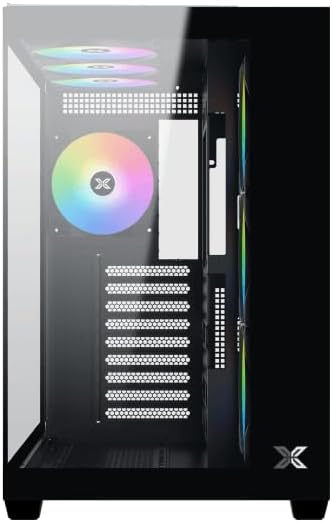
الشكل 2: الداخلية view مع إزالة اللوحة الجانبية.
4.2 تركيب اللوحة الأم
- قم بتركيب غطاء منافذ الإدخال/الإخراج (إذا لم يكن مثبتًا مسبقًا على اللوحة الأم) في الفتحة الخلفية للهيكل.
- Align your ATX, Micro ATX, or Mini ITX motherboard with the standoffs inside the case. Ensure all standoffs match the screw holes on your motherboard.
- Secure the motherboard with the appropriate screws provided in the accessory kit.

Figure 3: Motherboard tray and cable management area.
4.3 تركيب وحدة إمداد الطاقة (PSU)
- حدد مكان تركيب وحدة تزويد الطاقة في الجزء الخلفي السفلي من الهيكل.
- Slide your PSU into position, ensuring the fan faces downwards (if the case has a bottom vent) or upwards.
- قم بتأمين وحدة إمداد الطاقة باستخدام البراغي من الجزء الخلفي للعلبة.
4.4 تركيب محرك التخزين
The case supports various storage configurations. Refer to the case diagram for specific drive bay locations.
- Install 2.5" SSDs or 3.5" HDDs into the designated drive bays or mounting brackets.
- قم بتثبيت محركات الأقراص بالبراغي.
4.5 تثبيت بطاقة الرسومات (GPU)
- قم بإزالة أغطية فتحة PCIe الضرورية من الجزء الخلفي للعلبة.
- قم بإدخال بطاقة الرسوميات في فتحة PCIe المناسبة على اللوحة الأم.
- قم بتأمين بطاقة الرسوميات باستخدام البراغي.
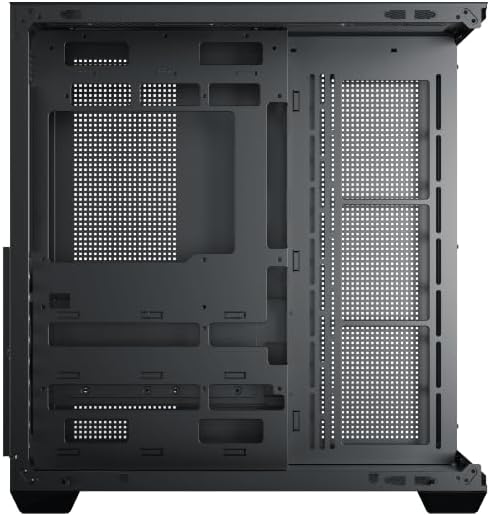
Figure 4: Components installed inside the case.
4.6 إدارة الكابلات
استخدم فتحات توجيه الكابلات ونقاط التثبيت الموجودة خلف لوحة الأم لإدارة الكابلات من أجل تحسين تدفق الهواء والمظهر الجمالي.
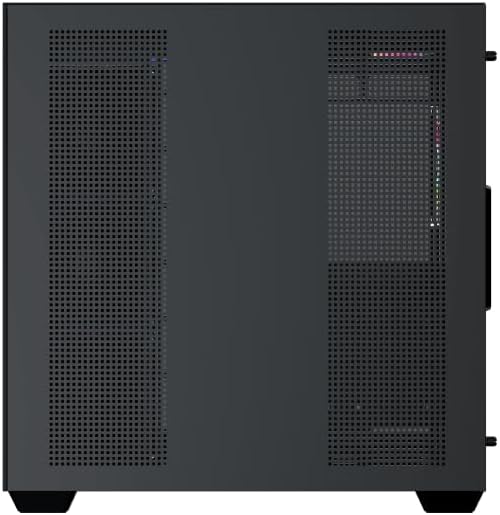
Figure 5: Top panel and I/O ports.
5. تعليمات التشغيل
5.1 التشغيل
Once all components are securely installed and connected, close the side panels. Connect your power cable to the PSU and press the power button on the case's front I/O panel.
5.2 التحكم في مروحة ARGB
The Xigmatek Aqua V AIR comes with pre-installed ARGB fans. These fans can typically be controlled via:
- برنامج اللوحة الأم: If your motherboard supports ARGB synchronization, connect the fan's ARGB cables to the motherboard's 3-pin 5V ARGB header and use the motherboard's software (e.g., ASUS Aura Sync, MSI Mystic Light, Gigabyte RGB Fusion) to customize lighting effects.
- Integrated Controller: If your case includes a built-in ARGB controller, use the dedicated button on the I/O panel to cycle through various lighting modes and colors.
6. الصيانة
تساعد الصيانة الدورية على ضمان الأداء الأمثل وطول عمر مكونات جهاز الكمبيوتر الخاص بك.
6.1 تنظيف فلتر الغبار
The Xigmatek Aqua V AIR case is equipped with dust filters to prevent dust buildup. Locate and gently remove the dust filters (typically on the top, front, and bottom). Clean them with compressed air or by rinsing with water. Ensure they are completely dry before reattaching.
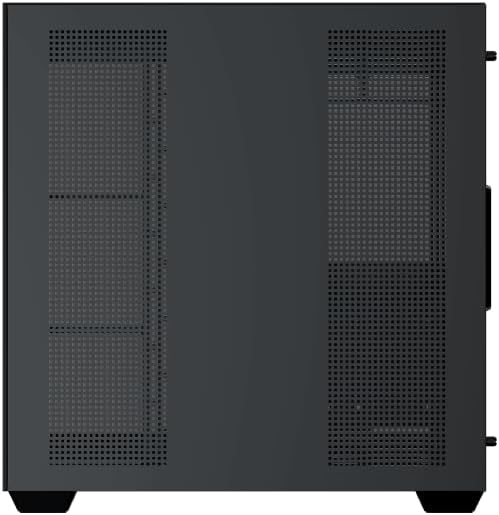
Figure 6: Bottom dust filter.
6.2 التنظيف العام
Use a soft, dry cloth to wipe down the exterior of the case. For tempered glass panels, use a glass cleaner and a microfiber cloth to avoid streaks. Avoid using abrasive cleaners or solvents.
7. استكشاف الأخطاء وإصلاحها
إذا واجهت مشاكل، فضع في اعتبارك خطوات استكشاف الأخطاء وإصلاحها الشائعة التالية:
- لا يوجد طاقة:
- Ensure the PSU is switched on and properly connected to the wall outlet and motherboard.
- Check all power connections to components (motherboard, CPU, GPU, drives).
- Verify the front panel power switch cable is correctly connected to the motherboard.
- المراوح لا تدور / إضاءة RGB لا تعمل:
- تأكد من توصيل كابلات طاقة المروحة بشكل آمن باللوحة الأم أو وحدة التحكم بالمروحة.
- Ensure ARGB cables are connected to the correct 3-pin 5V ARGB header (not 4-pin 12V RGB).
- If using a controller, ensure it has power and is functioning correctly.
- ارتفاع درجة الحرارة:
- Ensure all fans are spinning and oriented correctly for optimal airflow (intake/exhaust).
- قم بتنظيف فلاتر الغبار والمكونات الداخلية.
- تأكد من أن مبرد وحدة المعالجة المركزية ومبرد وحدة معالجة الرسومات مثبتان بشكل صحيح ويعملان بشكل صحيح.
8. الضمان والدعم
The Xigmatek Aqua V AIR PC Case comes with a ضمان الشركة المصنعة لمدة عامين. For technical support, warranty claims, or further assistance, please contact Xigmatek customer service or visit their official webموقع.
يرجى الاحتفاظ بإثبات الشراء لأغراض الضمان.