
مقدمة
Welcome to the GUHUAVMI GT4 Pro Smartwatch user manual. This guide provides detailed instructions on how to set up, operate, and maintain your new smartwatch. The GT4 Pro combines advanced health monitoring, comprehensive fitness tracking, and smart connectivity features in a durable, stylish design. Please read this manual carefully to ensure optimal performance and longevity of your device.
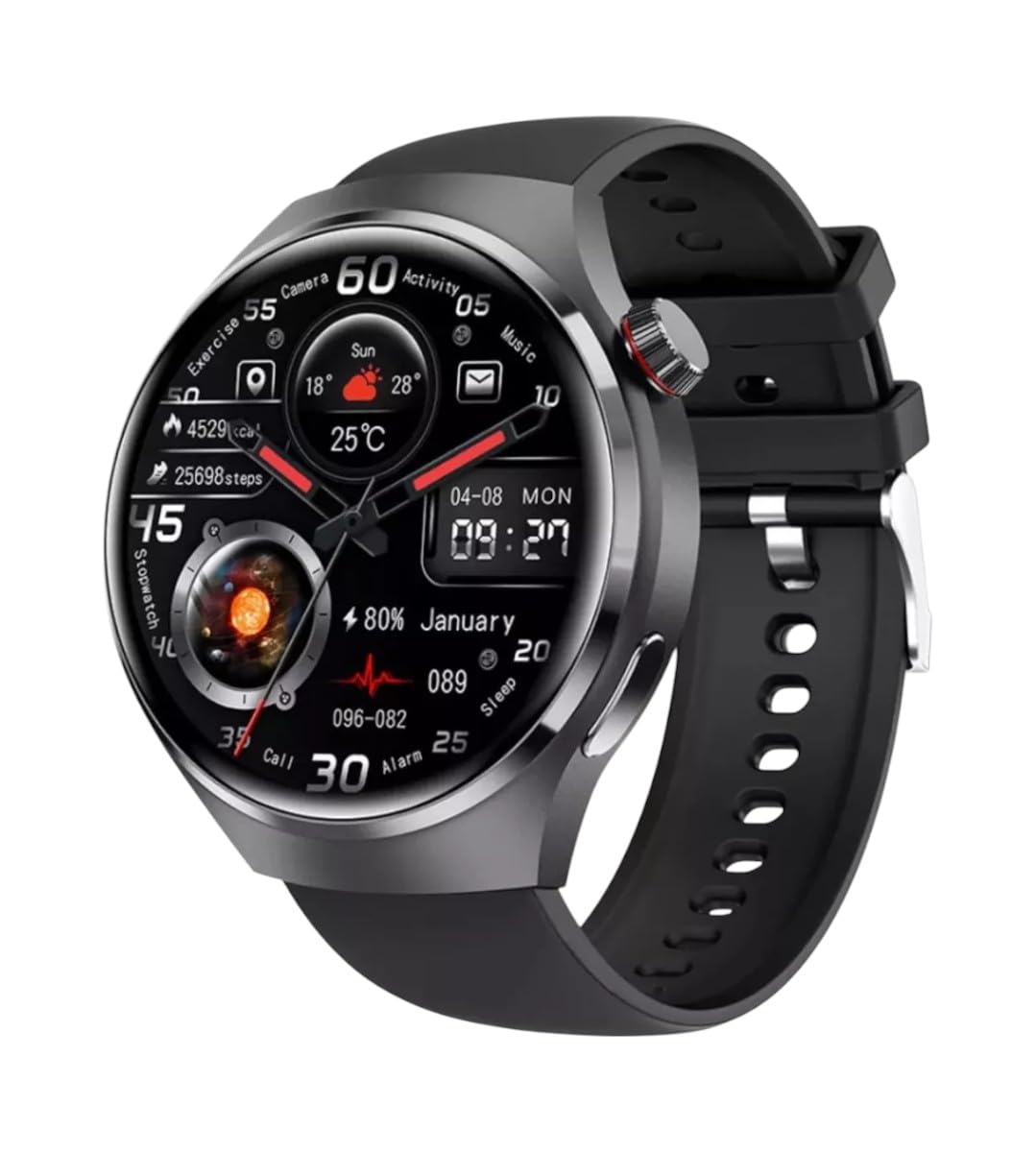
الصورة: الجبهة view of the GUHUAVMI GT4 Pro Smartwatch, showcasinيتميز بتصميمه الأنيق وشاشته.
يثبت
1. فتح العلبة والمكونات
قبل أن تبدأ، تأكد من وجود جميع المكونات في العبوة:
- GUHUAVMI GT4 Pro Smartwatch
- شاحن لاسلكي
- دليل المستخدم (هذا المستند)
2. شحن الساعة الذكية
For first-time use, fully charge your GT4 Pro Smartwatch. Connect the wireless charger to a USB power adapter (not included) and place the smartwatch onto the magnetic charging base. The watch will indicate charging status on its screen.
- وقت الشحن: حوالي ساعتين للشحن الكامل.
- عمر البطارية: Typical usage provides 5-7 days of battery life.

Image: The GUHUAVMI GT4 Pro Smartwatch placed on its magnetic wireless charger, displaying battery life and charging time information.
3. تشغيل/إيقاف التشغيل
- تشغيل الطاقة: اضغط مع الاستمرار على الزر الجانبي حتى تضيء الشاشة.
- إيقاف التشغيل: اضغط مع الاستمرار على الزر الجانبي، ثم حدد خيار "إيقاف التشغيل" على الشاشة.
4. تنزيل التطبيق وإقرانه
To unlock the full potential of your GT4 Pro, download the companion app on your smartphone. Scan the QR code provided in the watch's initial setup screen or search for the app name (usually indicated on the watch or packaging) in your phone's app store.
- قم بتمكين البلوتوث على هاتفك الذكي.
- افتح التطبيق المصاحب واتبع التعليمات التي تظهر على الشاشة لإنشاء حساب أو تسجيل الدخول.
- In the app, select 'Add Device' or 'Pair Device' and choose 'GT4 Pro' from the list of available devices.
- قم بتأكيد طلب الاقتران على كل من هاتفك الذكي وساعتك الذكية.
تعليمات التشغيل
1. التنقل الأساسي
The GT4 Pro features a 1.6-inch HD AMOLED touchscreen and a side crown button for navigation.
- اسحب لأعلى/لأسفل: قم بالتنقل عبر القوائم والإشعارات.
- اسحب لليسار/اليمين: قم بالوصول إلى أدوات سريعة أو واجهات ساعة مختلفة.
- مقبض: حدد عنصرًا أو افتح تطبيقًا.
- اضغط على الزر الجانبي: العودة إلى الشاشة الرئيسية أو الوصول إلى قائمة التطبيقات.
2. مساعد صوتي بالذكاء الاصطناعي
Your GT4 Pro is equipped with an integrated AI voice assistant for hands-free operation.
- التفعيل: Tap the voice assistant icon on the watch face or use a designated gesture/button press (refer to watch settings).
- الأوامر: Speak clearly to ask questions, set reminders, make calls, or control music.
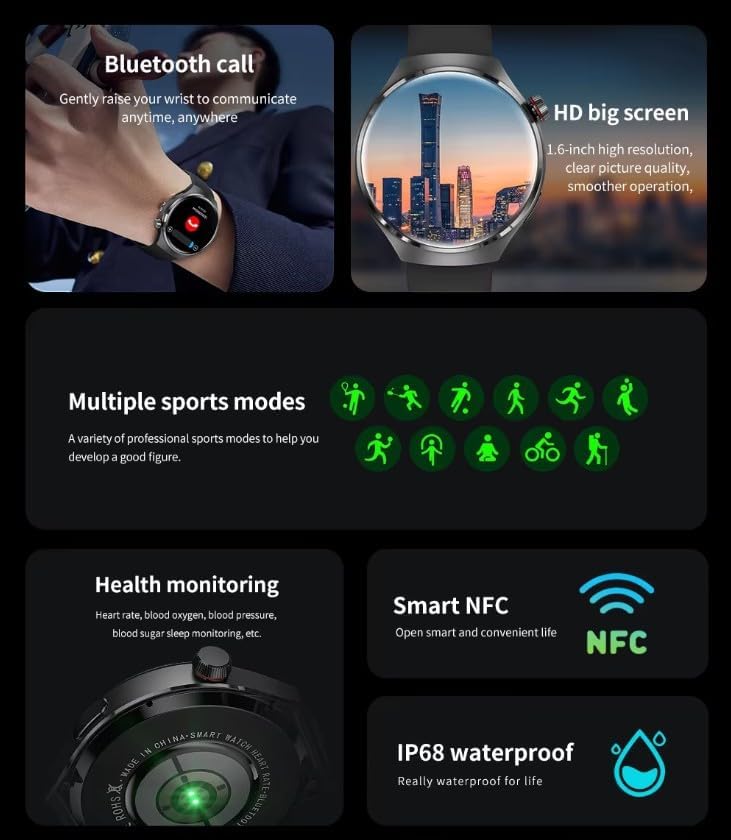
Image: The GUHUAVMI GT4 Pro Smartwatch displaying the AI voice assistant interface, showing exampعدد قليل من الأوامر الصوتية.
3. مكالمات البلوتوث
بمجرد إقرانها بهاتفك الذكي، يمكنك إجراء واستقبال المكالمات مباشرة من ساعتك الذكية.
- اجراء اتصالات: يمكنك الوصول إلى لوحة الاتصال أو قائمة جهات الاتصال على ساعتك.
- استقبال المكالمات: Answer or reject incoming calls directly from the watch screen.
4. مراقبة الصحة
The GT4 Pro provides real-time health data to help you monitor your well-being.
- معدل ضربات القلب: مراقبة مستمرة طوال اليوم.
- أكسجين الدم (SpO2): قم بقياس مستويات تشبع الأكسجين في الدم.
- Blood Sugar: Provides estimated blood sugar readings.
- تتبع النوم: يراقب النومtagالجودة والنوعية.
View detailed health reports in the companion app.
5. تتبع اللياقة البدنية
تتبع تمارينك ونشاطك اليومي بدقة.
- أوضاع رياضية متعددة: Select from various activities like running, cycling, swimming, and more for accurate data.
- نظام تحديد المواقع العالمي المدمج: Records your route, distance, and pace during outdoor activities.
- بوصلة: Provides directional guidance for outdoor adventures.

Image: The GUHUAVMI GT4 Pro Smartwatch showcasing icons for NFC, GPS, compass, heart rate, and Bluetooth call, highlighting its comprehensive features.
6. NFC Features
The GT4 Pro supports NFC for convenient interactions.
- التحكم في الوصول: Use your watch for compatible access systems.
- Find My iPhone: Utilize NFC to locate your paired iPhone.
7. Dynamic Island Function
Experience enhanced interactive displays for notifications, music, and charging status.
- Interactive Displays: Smart displays adapt to show relevant information dynamically.
- ترقيات عبر الهواء: New functional interactive displays may be added through future over-the-air updates.
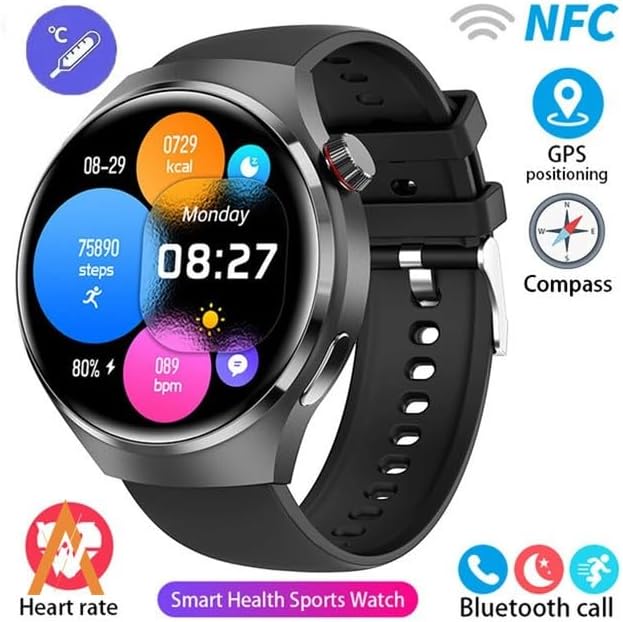
Image: The GUHUAVMI GT4 Pro Smartwatch screen demonstrating the Dynamic Island function, showing notifications and active processes.
8. Other Utility Features
تتضمن الساعة الذكية العديد من الأدوات المريحة:
- كاميرا عن بعد: تحكم بكاميرا هاتفك الذكي عن بعد.
- التنبيه: ضبط المنبهات مباشرة من معصمك.
- ساعة الإيقاف والمؤقت: لضبط الوقت بدقة.
- قياس الحرارة: Monitor ambient temperature.
- Multi-Time Zone Settings: Keep track of different time zones.
- التحكم في تشغيل الموسيقى: Manage music on your paired smartphone.
صيانة
1. مقاومة الماء (IP68)
The GT4 Pro has an IP68 waterproof rating, meaning it is resistant to dust and can withstand immersion in water up to 1.5 meters for 30 minutes. It is suitable for swimming and use in rainy conditions.
- Do not use in hot water, saunas, or steam rooms.
- Avoid exposure to high-velocity water.
- After exposure to water, wipe the watch dry with a soft cloth.
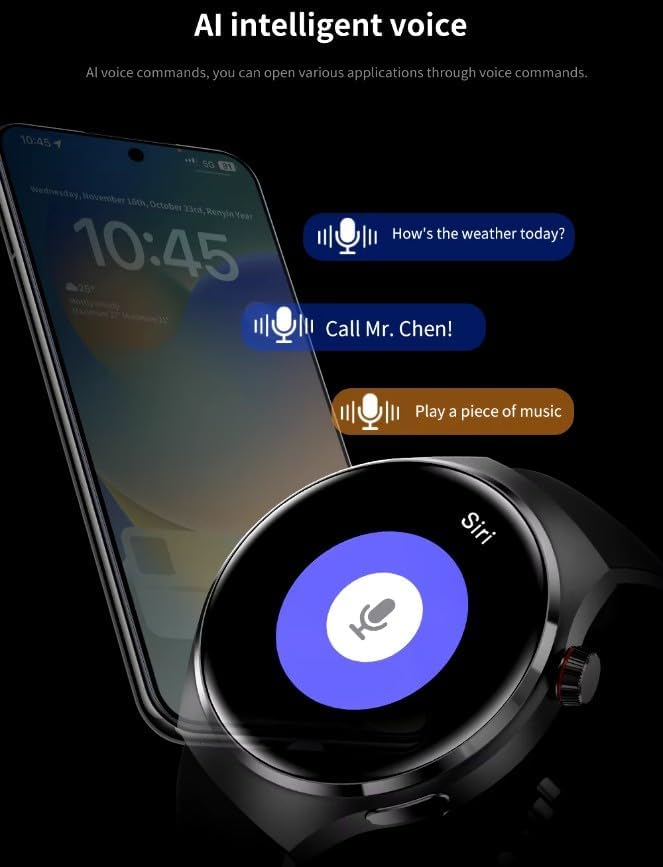
Image: Two GUHUAVMI GT4 Pro Smartwatches shown with water droplets, illustrating their IP68 waterproof capability.
2. التنظيف
Regularly clean your smartwatch to maintain its appearance and sensor accuracy.
- امسح الشاشة والجسم بقطعة قماش ناعمة و...amp، قطعة قماش خالية من الوبر.
- Clean the charging contacts and heart rate sensor on the back of the watch to ensure proper function.
- تجنب استخدام المواد الكيميائية القاسية أو المواد الكاشطة.
3. تحديثات البرامج
Periodically check for software updates through the companion app. Updates can provide new features, performance improvements, and bug fixes.
استكشاف الأخطاء وإصلاحها
- الساعة لا تعمل: تأكد من شحن الساعة بالكامل. وصلها بالشاحن لمدة 30 دقيقة على الأقل.
- لا يمكن الاقتران بالهاتف الذكي:
- تأكد من تمكين البلوتوث على هاتفك والساعة.
- تأكد من أن الساعة موجودة ضمن نطاق هاتفك.
- أعد تشغيل كل من الساعة والهاتف.
- تحقق مما إذا كان تطبيق المرافق محدثًا إلى الإصدار الأحدث.
- بيانات صحية غير دقيقة:
- تأكد من ارتداء الساعة بشكل مريح على معصمك، وليس ضيقًا جدًا أو فضفاضًا جدًا.
- قم بتنظيف المستشعرات الموجودة على الجزء الخلفي من الساعة.
- تجنب الحركة المفرطة أثناء القياسات.
- عمر بطارية قصير:
- تقليل سطوع الشاشة.
- Disable unnecessary notifications or features.
- قلل من مراقبة معدل ضربات القلب بشكل مستمر إذا لم تكن هناك حاجة لذلك.
تحديد
| ميزة | وصف |
|---|---|
| رقم الموديل | جي تي 4 برو |
| عرض | 1.6-inch HD AMOLED, 360x360 resolution |
| الاتصال | بلوتوث 5.0 |
| تصنيف مقاومة الماء | IP68 |
| مراقبة الصحة | Heart Rate, Blood Oxygen, Blood Sugar, Sleep Tracking |
| تتبع اللياقة البدنية | Built-in GPS, Compass, Multiple Sports Modes |
| مساعد صوتي | AI Voice Assistant Integrated |
| تقنية الاتصال قريب المدى | Supported (e.g., Find My iPhone, Access Control) |
| نوع الشحن | الشحن اللاسلكي المغناطيسي |
| عمر البطارية النموذجي | 5-7 أيام |
| وقت الشحن | حوالي 3 ساعات |
| المكونات المضمنة | Smartwatch, User Manual, Wireless Charger |
الضمان والدعم
معلومات الضمان
The GUHUAVMI GT4 Pro Smartwatch comes with a ضمان لمدة 6 شهرًا من تاريخ الشراء. يغطي هذا الضمان عيوب التصنيع في ظل الاستخدام العادي. ولا يغطي الأضرار الناجمة عن سوء الاستخدام، أو الحوادث، أو التعديلات غير المصرح بها، أو التآكل والتلف الطبيعي.
دعم العملاء
If you encounter any issues or have questions regarding your GUHUAVMI GT4 Pro Smartwatch, please refer to the troubleshooting section of this manual. For further assistance, contact your retailer or the manufacturer's customer support channel. Please have your purchase receipt and product model number (GT4 Pro) ready when contacting support.