
مقدمة
The GameSir G8 Plus Thanos Edition is a versatile mobile game controller designed to provide a console-like gaming experience across multiple platforms. This manual provides essential information for setting up, operating, maintaining, and troubleshooting your controller.
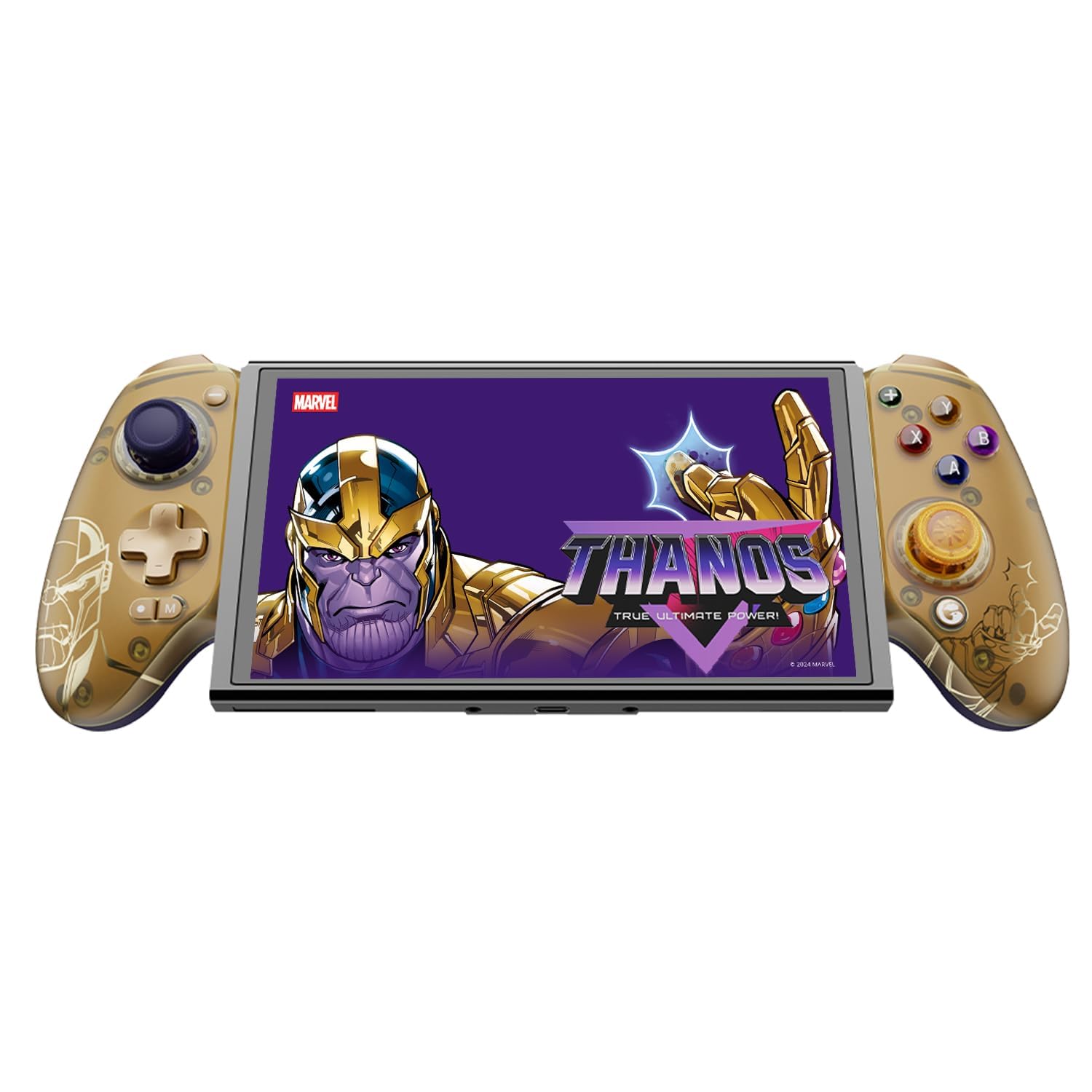
Figure 1: GameSir G8 Plus Thanos Edition Mobile Game Controller.
يثبت
محتويات الحزمة
تأكد من وجود جميع العناصر في العبوة:
- GameSir G8 Plus Thanos Edition Mobile Game Controller
- Interchangeable Thumbstick Caps (3 pairs)
- كابل USB-C
- دليل المستخدم (هذا المستند)

Figure 2: Contents of the GameSir G8 Plus Thanos Edition package.
توافق الجهاز
The GameSir G8 Plus is compatible with a wide range of devices:
- Android devices (Android 8.0 or later)
- أجهزة iOS
- نينتندو سويتش
- Tablets (4.7 to 8.4 inches)
- PC (via 2.4G receiver, sold separately, or wired)

Figure 3: Universal compatibility of the GameSir G8 Plus.
الاتصال الأولي
To connect your GameSir G8 Plus controller to a device:
- للأجهزة المحمولة (بلوتوث): Extend the controller to fit your smartphone or tablet. Ensure Bluetooth is enabled on your device. Press and hold the pairing button on the controller until the indicator light flashes, then select "GameSir G8 Plus" from your device's Bluetooth settings.
- لجهاز Nintendo Switch: Insert the Switch console into the controller. The controller should automatically connect.
- لأجهزة الكمبيوتر (سلكياً): قم بتوصيل وحدة التحكم بجهاز الكمبيوتر الخاص بك باستخدام كابل USB-C المرفق.
- For PC (2.4G Wireless): Insert the 2.4G receiver (sold separately) into your PC's USB port. The controller should connect automatically.
الفيديو 1: انتهىview of the Gamesir G8 Plus Bluetooth Marvel Licensed controller, demonstrating its design and features.
التشغيل
الميزات الرئيسية والضوابط
- عصا التحكم ذات التأثير القاعة: Experience precise 360° control with anti-drift technology, ensuring longevity and accuracy.
- محفزات تأثير هول: Optimized triggers provide smooth and quick response, ideal for various game genres.
- Mappable Back Buttons: Two additional back buttons (L4/R4) allow for instant button mapping, enhancing gameplay customization.
- استشعار الحركة: A built-in 6-axis gyroscope enhances motion control, particularly useful for compatible Switch games and motion-sensitive gameplay.
- ردود الفعل اللمسية: Console-level haptic feedback provides realistic and immersive sensations during gameplay.

Figure 4: Explanation of GameSir Hall Effect Sticks.

Figure 5: Toggle Trigger Modes for different game types.

Figure 6: Motion Control capabilities with built-in 6-axis gyro.

Figure 7: Realistic and immersive haptic sensation.
التخصيص
- Magnetic Faceplates: The controller features magnetic faceplates that can be easily removed and swapped for personalized aesthetics or maintenance.
- Interchangeable Thumbstick Caps: Three pairs of thumbstick caps with varying heights are included, allowing users to customize control feel.
- تطبيق GameSir: The GameSir app (Android exclusive) allows for real-time customization, including button mapping and sensitivity adjustments, for personalized gameplay.

Figure 8: Free customization options for the controller.

Figure 9: Advanced features of the GameSir G8 Plus.
Video 2: Introduction to the GameHub App, showcasing its features for game management and controller customization.
تبديل الوضع
The controller supports various modes for different platforms. To switch between modes, press the corresponding key combination:
| وضع | مؤشر المنزل | طريقة الاتصال | منصة متوافقة |
|---|---|---|---|
| أندرويد | أخضر | Controller + A | Android 8.0 أو الإصدارات الأحدث |
| دي اس 4 | أزرق | Controller + B | اي او اس |
| يُحوّل | أحمر | Controller + X | يُحوّل |
| جي تاتش | سماوي | Controller + Y | تطبيق GameSir |
*في حالة العمل، اضغط على مجموعة المفاتيح المقابلة للتبديل إلى الوضع المطلوب.
صيانة
To ensure the longevity and optimal performance of your GameSir G8 Plus controller, follow these maintenance guidelines:
- تنظيف: استخدم قطعة قماش ناعمة وجافة لمسح سطح وحدة التحكم. لإزالة الأوساخ المستعصية، افركها برفق.ampامسح بقطعة قماش مبللة بالماء أو بمحلول تنظيف خفيف. تجنب المواد الكيميائية القاسية أو المواد الكاشطة.
- تخزين: احفظ وحدة التحكم في مكان بارد وجاف بعيدًا عن أشعة الشمس المباشرة ودرجات الحرارة العالية. عند عدم استخدامها لفترات طويلة، تأكد من شحنها بالكامل قبل التخزين.
- التعامل: Avoid dropping the controller or subjecting it to strong impacts. Do not attempt to disassemble the controller beyond removing the magnetic faceplates and thumbstick caps.
استكشاف الأخطاء وإصلاحها
If you encounter issues with your GameSir G8 Plus controller, refer to the following common troubleshooting steps:
- وحدة التحكم غير متصلة: Ensure Bluetooth is enabled on your device and the controller is in the correct mode (Android, DS4, Switch). Try restarting both the controller and your device. For wired connections, ensure the USB-C cable is securely connected.
- الأزرار أو عصا التحكم لا تستجيب: Check if the controller's battery is charged. If using the GameSir App, verify that button mappings are correctly configured. For Hall Effect Joysticks, recalibration might be necessary if drift occurs (refer to GameSir App for calibration options).
- الجهاز غير مناسب: Ensure your device's dimensions are within the supported range of 4.7 to 8.4 inches. The controller's design accommodates devices with larger cameras.
- GameSir App Issues: Ensure your GameSir App is updated to the latest version. The app is currently exclusive to Android devices.
For further assistance, please contact GameSir customer support.
تحديد
Detailed specifications for the GameSir G8 Plus Thanos Edition Mobile Game Controller:
| ميزة | التفاصيل |
|---|---|
| الأجهزة المتوافقة | Android, iOS, Nintendo Switch, PC |
| نوع وحدة التحكم | لوحة الألعاب |
| تكنولوجيا الاتصال | Bluetooth 5.3, USB, 2.4G (receiver sold separately) |
| مميزات اضافية | Multiuse, Wireless, Hall Effect Joysticks & Triggers, 6-axis Gyroscope, Mappable Back Buttons, Magnetic Faceplates, Interchangeable Thumbstick Caps, Pass-through Charging |
| كمية الأزرار | 6 (standard face buttons) + D-pad, shoulder buttons, triggers, menu buttons, 2 back buttons |
| منصة الأجهزة | Smartphone, Tablet, Nintendo Switch, PC |
| مصدر الطاقة | Battery Powered (500mAh per side) |
| وزن العنصر | 620 جرام |
| اسم الموديل | جي 8 بلس |
| الشركة المصنعة | جيم سير |
| لون | Gamesir G8 Plus Thanos Edition (Gold/Purple) |
الضمان والدعم
معلومات الضمان
The GameSir G8 Plus Thanos Edition Mobile Game Controller comes with a ضمان لمدة سنتين. GameSir provides 12 months replacement service for product issues.
دعم العملاء
If you experience any problems with your product or require further assistance, please feel free to send a message through Amazon. GameSir aims to reply within 24 hours.