
1. انتهى المنتجview
The Morpheus 360 Sanctuary ANC Wireless UC Headset is designed for professional communication and audio playback. It features Active Noise Canceling (ANC), a noise-canceling boom microphone, and Bluetooth connectivity with an included USB dongle for unified communication platforms.
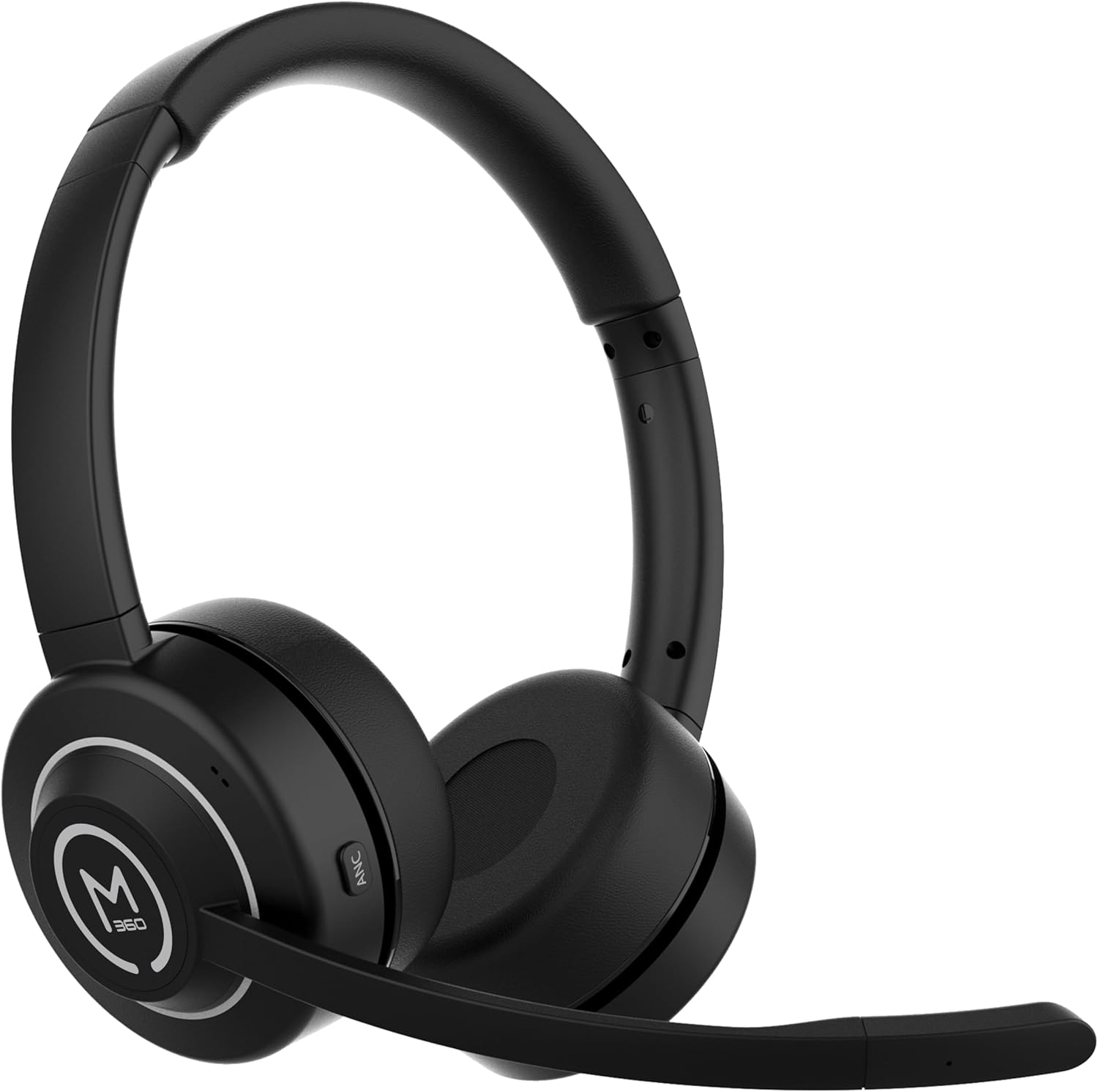
الصورة 1.1: الجبهة view of the Morpheus 360 Sanctuary ANC Wireless UC Headset.
2. ماذا يوجد في الصندوق
- Morpheus 360 Sanctuary ANC Wireless UC Headset
- USB بلوتوث دونغل
- حامل الشحن
- كابل شحن USB-C

Image 2.1: The dedicated charging stand for the headset.
3. الإعداد
3.1 شحن سماعة الرأس
- قم بتوصيل كابل الشحن USB-C بحامل الشحن ومصدر الطاقة.
- Place the headset onto the charging stand, ensuring proper alignment. The headset will begin charging.
- تتيح لك الشحنة الكاملة الحصول على عمر بطارية يصل إلى 55 ساعات تقريبًا.
ملحوظة: The headset cannot be used while it is charging on the stand.
3.2 الاقتران بالأجهزة
The headset can be paired via Bluetooth or using the included USB dongle.
الاقتران بلوتوث:
- تأكد من إيقاف تشغيل سماعة الرأس.
- اضغط مع الاستمرار على زر الطاقة حتى يومض مؤشر LED باللون الأزرق والأحمر، مما يشير إلى وضع الاقتران.
- On your device (smartphone, tablet), go to Bluetooth settings and select "Morpheus 360 Sanctuary" from the list of available devices.
- بمجرد الاتصال، سيُظهر مؤشر LED ضوءًا أزرق ثابتًا.
USB Dongle Pairing (for PC/Mac):
- Plug the USB Bluetooth dongle into an available USB port on your computer.
- Power on the headset. It should automatically connect to the dongle. The LED on the dongle will indicate a successful connection.
- تأكد من تحديد سماعة الرأس كجهاز إدخال وإخراج الصوت في إعدادات الصوت الخاصة بجهاز الكمبيوتر.
حذر: Handle the USB dongle with care. Repeated insertion and removal, or improper handling, may cause the dongle to separate.
3.3 ارتداء سماعة الرأس
- اضبط عصابة الرأس لتناسب رأسك بشكل مريح.
- Position the earcups so they sit gently on your ears. The eco-leather ear cushions are designed for comfort.
- Adjust the flexible boom microphone to be near your mouth for optimal voice pickup.

الصورة 3.1: الجانب view of the headset highlighting the boom microphone and control buttons.
4. تشغيل سماعة الرأس
4.1 تشغيل/إيقاف التشغيل
- تشغيل الطاقة: اضغط مع الاستمرار على زر الطاقة لمدة 3 ثوانٍ.
- إيقاف التشغيل: اضغط مع الاستمرار على زر الطاقة لمدة 5 ثوانٍ.
4.2 خاصية إلغاء الضوضاء النشطة (ANC)
The ANC feature detects and reduces background noise by up to 20dB, helping you focus. This is effective against consistent low-frequency sounds like office chatter or keyboard noise.
- تنشيط ANC: Press the ANC button located on the earcup.
- تعطيل ANC: اضغط على زر إلغاء الضوضاء النشط مرة أخرى.
4.3 وضع الشفافية
Transparency Mode allows you to hear your surroundings without removing the headset, useful for quick conversations or awareness.
- Activate/Deactivate Transparency Mode: Refer to the specific button on your headset (often shared with ANC or a dedicated button).
4.4 إدارة المكالمات
- الرد/إنهاء المكالمة: اضغط على الزر متعدد الوظائف مرة واحدة.
- رفض المكالمة: اضغط مع الاستمرار على الزر متعدد الوظائف لمدة ثانيتين.
- كتم / إلغاء كتم صوت الميكروفون: Use the dedicated mute button on the boom microphone or earcup.
The noise-canceling boom microphone uses specialized technology to filter out background noise from your voice during calls.
4.5 تشغيل الموسيقى
- تشغيل/إيقاف مؤقت: اضغط على الزر متعدد الوظائف مرة واحدة.
- المسار التالي: اضغط مع الاستمرار على زر رفع الصوت.
- المسار السابق: اضغط مع الاستمرار على زر خفض الصوت.
4.6 التحكم في مستوى الصوت
- ارفع على الصوت: اضغط على زر رفع الصوت.
- تقليل الحجم: اضغط على زر خفض الصوت.
5. الصيانة
5.1 التنظيف
- Wipe the headset and ear cushions with a soft, dry, lint-free cloth.
- لا تستخدم كيماويات مركزة أو محاليل التنظيف أو المنظفات القوية.
- تجنب دخول الرطوبة إلى أي فتحات.
5.2 التخزين
- قم بتخزين سماعة الرأس في مكان بارد وجاف بعيدًا عن أشعة الشمس المباشرة ودرجات الحرارة القصوى.
- When not in use, placing the headset on its charging stand can help keep it organized and ready for use.
5.3 العناية بالبطارية
- لإطالة عمر البطارية، تجنب تفريغ سماعة الرأس بالكامل بشكل متكرر.
- Charge the headset regularly, even if not used for extended periods.
6. استكشاف الأخطاء وإصلاحها
6.1 مشاكل الاتصال
- سماعة الرأس لا تقترن: Ensure the headset is in pairing mode (flashing blue/red LED). Check your device's Bluetooth settings.
- USB Dongle not connecting: Ensure the dongle is fully inserted into the USB port. Try a different USB port. Re-pair the headset if necessary.
- اتصال متقطع: Ensure no major obstructions are between the headset and your device/dongle. Move closer to the connected device.
6.2 قضايا الصوت
- لا يوجد صوت: Check volume levels on both the headset and your connected device. Ensure the headset is selected as the audio output device.
- الميكروفون لا يعمل: Ensure the microphone is not muted. Check that the headset is selected as the audio input device in your computer's sound settings.
6.3 Active Noise Canceling (ANC) Performance
- ANC is most effective against consistent low-frequency sounds. It may not completely block out human speech or sudden loud noises.
- Ensure the earcups are properly seated on your ears for optimal ANC performance.
6.4 USB Dongle Durability
Some users have reported the USB dongle separating. To prevent this, handle the dongle gently when inserting or removing it from USB ports or the charging stand. Avoid pulling it out by the plastic casing alone.
6.5 Battery Alerts
The headset may issue 'Charge headset' warnings when the battery level is around 30%. This is normal behavior to prompt early recharging.
7. المواصفات
| رقم الموديل | HS6750ANC |
| ماركة | مورفيوس 360 |
| لون | أسود |
| مادة | Faux Leather, Plastic, Stainless Steel |
| عمر البطارية | تصل إلى 55 ساعة |
| إلغاء الضوضاء النشط | Up to 20dB reduction |
| ميكروفون | Noise Canceling Boom Microphone |
| الاتصال | Bluetooth, USB Dongle |
| رمز المنتج الموحد | 856816008590 |
8. معلومات الضمان
The Morpheus 360 Sanctuary ANC Wireless UC Headset (Model HS6750ANC) comes with a 1 سنة قطع الغيار والعمالة warranty from the date of purchase. Please retain your proof of purchase for warranty claims.
9. الدعم
For further assistance, technical support, or warranty inquiries, please refer to the official Morpheus 360 webيمكنك زيارة الموقع الإلكتروني أو الاتصال بقسم خدمة العملاء. عادةً ما تجد معلومات الاتصال على عبوة المنتج أو على الموقع الإلكتروني الرسمي للعلامة التجارية.