
NBD PZJ-D100-US-2411
NBD 4K 48MP Vlogging Camcorder D100 Pro Instruction Manual
Model: PZJ-D100-US-2411
1. المقدمة
This manual provides detailed instructions for the NBD 4K 48MP Vlogging Camcorder D100 Pro. Please read this manual thoroughly before using the camera to ensure proper operation and to maximize its features. Keep this manual for future reference.
2. معلومات السلامة
- لا تعرض الكاميرا للماء أو الرطوبة.
- تجنب إسقاط الكاميرا أو تعريضها لصدمات قوية.
- أبقِ الكاميرا بعيدًا عن المجالات المغناطيسية القوية.
- استخدم فقط البطاريات والملحقات المحددة.
- لا تحاول تفكيك الكاميرا أو تعديلها.
- قم بتنظيف العدسة بقطعة قماش ناعمة وجافة.
3. محتويات العبوة
تأكد من تضمين جميع العناصر المدرجة أدناه في الحزمة الخاصة بك:
- NBD 4K Video Camera Camcorder (D100 Pro)
- ميكروفون
- ضوء ملء الصمام
- 43mm Lens Hood
- قارئ البطاقات
- بطاقة SD سعة 32 جيجابايت
- كابل يو اس بي
- بطاريات (x2)
- Camera Cleaning Kit (Blower, Brush)
- عدسة تنظيف القماش
- دليل المستخدم

Image: The NBD 4K Camcorder D100 Pro shown with all its included accessories, such as the microphone, LED fill light, batteries, SD card, and cleaning tools.
4. انتهى المنتجview
4.1 مكونات الكاميرا
Familiarize yourself with the various parts of your NBD D100 Pro camcorder.

الصورة: أ view of the NBD 4K Camcorder D100 Pro, highlighting its 270-degree flip IPS screen and the attached external microphone.
- عدسة: يلتقط الفيديو والصور.
- ضوء التعبئة LED: يوفر إضاءة إضافية في ظروف الإضاءة المنخفضة.
- مدخل الميكروفون: لتوصيل الميكروفون الخارجي.
- 3.0" IPS 270° Flip Screen: ل viewإدخال القوائم والتنقل بينها.
- Zoom Lever (T/W): Controls digital zoom.
- قرص الوضع: Selects shooting modes (Photo, Video, Slow Motion, Time-lapse).
- زر التسجيل/التصوير: يبدأ/يوقف التسجيل أو يلتقط صورة.
- حجرة البطارية: يحتوي على بطارية قابلة لإعادة الشحن.
- فتحة بطاقة SD: لإدخال بطاقة الذاكرة.
- منفذ USB: للشحن ونقل البيانات.
- منفذ HDMI: للتوصيل بشاشة خارجية.
5. الإعداد
5.1 شحن وتركيب البطاريات
- افتح غطاء حجرة البطارية.
- أدخل بطارية مشحونة بالكامل، مع التأكد من صحة القطبية.
- أغلق غطاء حجرة البطارية.
- To charge, connect the camera to a power source using the provided USB cable. The charging indicator will illuminate.
5.2 إدخال بطاقة SD
- حدد مكان فتحة بطاقة SD.
- Insert the 32GB SD card with the metal contacts facing the front of the camera until it clicks into place.
- لإزالتها، اضغط برفق على البطاقة حتى تخرج.
5.3 Attaching the Microphone and Fill Light
- Slide the external microphone into the hot shoe mount on top of the camera.
- Connect the microphone cable to the microphone input port on the camera.
- Attach the LED fill light to an available mount or accessory shoe if desired.
5.4 تركيب غطاء العدسة
- Align the 43mm lens hood with the front of the camera lens.
- Gently twist the lens hood clockwise until it is securely attached.
6. تعليمات التشغيل
6.1 تشغيل/إيقاف التشغيل
- تشغيل الطاقة: Open the 270° flip IPS screen. The camera will automatically power on.
- إيقاف التشغيل: Close the 270° flip IPS screen. The camera will automatically power off.
6.2 Basic Video Recording
- قم بتدوير قرص الوضع إلى أيقونة كاميرا الفيديو.
- Frame your shot using the flip screen.
- Press the Record/Shutter button to start recording. A red indicator will typically appear on the screen.
- Press the Record/Shutter button again to stop recording.
6.3 التقاط الصور
- Turn the mode dial to the camera icon.
- قم بتأطير اللقطة الخاصة بك.
- Press the Record/Shutter button halfway to focus (if applicable), then press fully to take the photo.
6.4 Using the Digital Zoom
The camera features 16X digital zoom.

Image: The NBD 4K Camcorder D100 Pro demonstrating its 16X digital zoom feature, with an inset showing the T/W zoom lever for adjustment.
- ادفع ذراع التكبير نحو T (التقريب) للتكبير.
- ادفع ذراع التكبير نحو W (واسع) للتصغير.
6.5 WiFi Connection and App Control
Connect your camcorder to a smartphone via Wi-Fi for remote control and file نقل.

Image: The NBD 4K Camcorder D100 Pro displaying a live view on its screen, while a smartphone shows the camera's app interface for remote control and social sharing options.
- Download the dedicated app (refer to the camera's on-screen instructions or included documentation for app name).
- على الكاميرا، انتقل إلى إعدادات الواي فاي وقم بتمكين الواي فاي.
- على هاتفك الذكي، قم بالاتصال بشبكة Wi-Fi الخاصة بالكاميرا (سيتم عرض اسم الشبكة وكلمة المرور على شاشة الكاميرا).
- Open the app to control the camera, preview فوtagهـ، ونقل files.
6.6 أوضاع التسجيل الخاصة
The D100 Pro offers various modes for creative shooting.
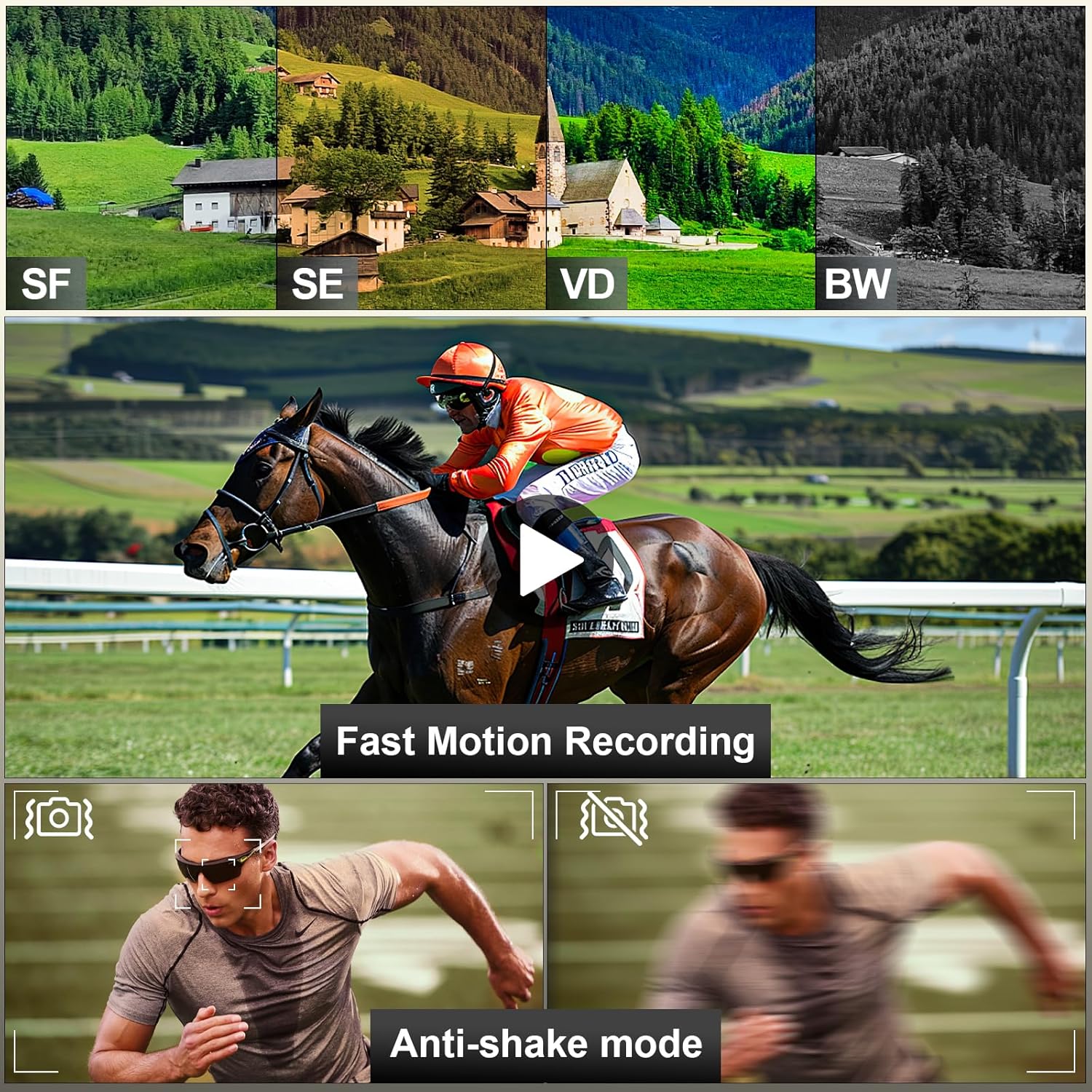
Image: A visual representation of the NBD 4K Camcorder D100 Pro's capabilities, including different color filters (SF, SE, VD, BW), fast motion recording, and anti-shake mode for stable footage.
- الحركة البطيئة: Captures video at a higher frame rate for slow-motion playback. Select this mode via the mode dial.
- الوقت الفاصل: Records images at set intervals to create a time-lapse video. Select this mode via the mode dial and configure settings in the menu.
- Anti-shake Mode: Enhances video stability. Enable this feature in the camera's settings menu.
7. الصيانة
7.1 تنظيف الكاميرا
- Use the provided lens cleaning cloth to gently wipe the lens and screen.
- For dust on the lens, use the air blower to remove particles before wiping.
- امسح جسم الكاميرا بقطعة قماش ناعمة وجافة. تجنب استخدام المواد الكيميائية القاسية.
7.2 التخزين
- قم بتخزين الكاميرا في مكان بارد وجاف بعيدًا عن أشعة الشمس المباشرة.
- قم بإزالة البطاريات إذا كنت لن تستخدم الكاميرا لفترة طويلة.
8. استكشاف الأخطاء وإصلاحها
| مشكلة | السبب المحتمل | حل |
|---|---|---|
| الكاميرا لا تعمل. | البطارية ميتة أو تم إدخالها بشكل غير صحيح. | قم بشحن البطارية أو إعادة إدخالها بشكل صحيح. |
| لا يمكن تسجيل الفيديو/التقاط الصور. | بطاقة الذاكرة SD ممتلئة أو مقفلة أو غير مُدخلة. | Insert an SD card, unlock it, or delete files إلى مساحة حرة. |
| جودة الصورة/الفيديو رديئة. | العدسة متسخة؛ الإضاءة غير كافية؛ الإعدادات غير صحيحة. | Clean the lens; use the fill light; adjust exposure settings. |
| مشاكل في الاتصال بشبكة Wi-Fi. | Incorrect password; camera Wi-Fi not enabled; app issues. | Verify password; ensure camera Wi-Fi is on; restart app/camera. |
9. المواصفات
- نموذج: PZJ-D100-US-2411
- دقة الفيديو: 4K (3840x2160) at 30fps, 1080p
- دقة الصورة: 48 ميجا بكسل
- التكبير الرقمي: 16X
- شاشة: 3.0" IPS 270° Flip Screen
- الاتصال: واي فاي، يو اس بي، اتش دي ام اي
- تخزين: بطاقة ذاكرة مايكرو إس دي (حتى 128 جيجابايت، 32 جيجابايت مضمنة)
- بطارية: 12V (x2 included)
- وزن: Approximately 2.33 pounds (with accessories)
- أبعاد: 8.5 × 6.46 × 4.41 بوصة (الحزمة)
- تقنية مستشعر الصور: سيموس
- الحد الأقصى للطول البؤري: 85 مليمتر
10. الضمان والدعم
NBD products are designed for reliability and performance. For warranty information, technical support, or service inquiries, please refer to the warranty card included in your package or visit the official NBD webيرجى الاحتفاظ بإثبات الشراء الخاص بك للمطالبة بالضمان.
معلومات الاتصال: Please refer to the contact details provided on the NBD official website or your product packaging for customer support.
Ask a question about this manual
Ask about setup, troubleshooting, compatibility, parts, safety, or missing instructions. Manuals+ will review the question and use this page’s manual context to help answer it.