
1. المقدمة
This manual provides detailed instructions for the setup, operation, and maintenance of your TUINYO WH-819 Wireless Over-Ear Bluetooth Headphones. Please read this manual thoroughly before using the product to ensure proper function and longevity.
2. انتهى المنتجview
The TUINYO WH-819 headphones offer high-fidelity stereo sound, comfortable over-ear design, and versatile connectivity options. They are designed for extended listening periods, featuring a long-lasting battery and a foldable structure for portability.
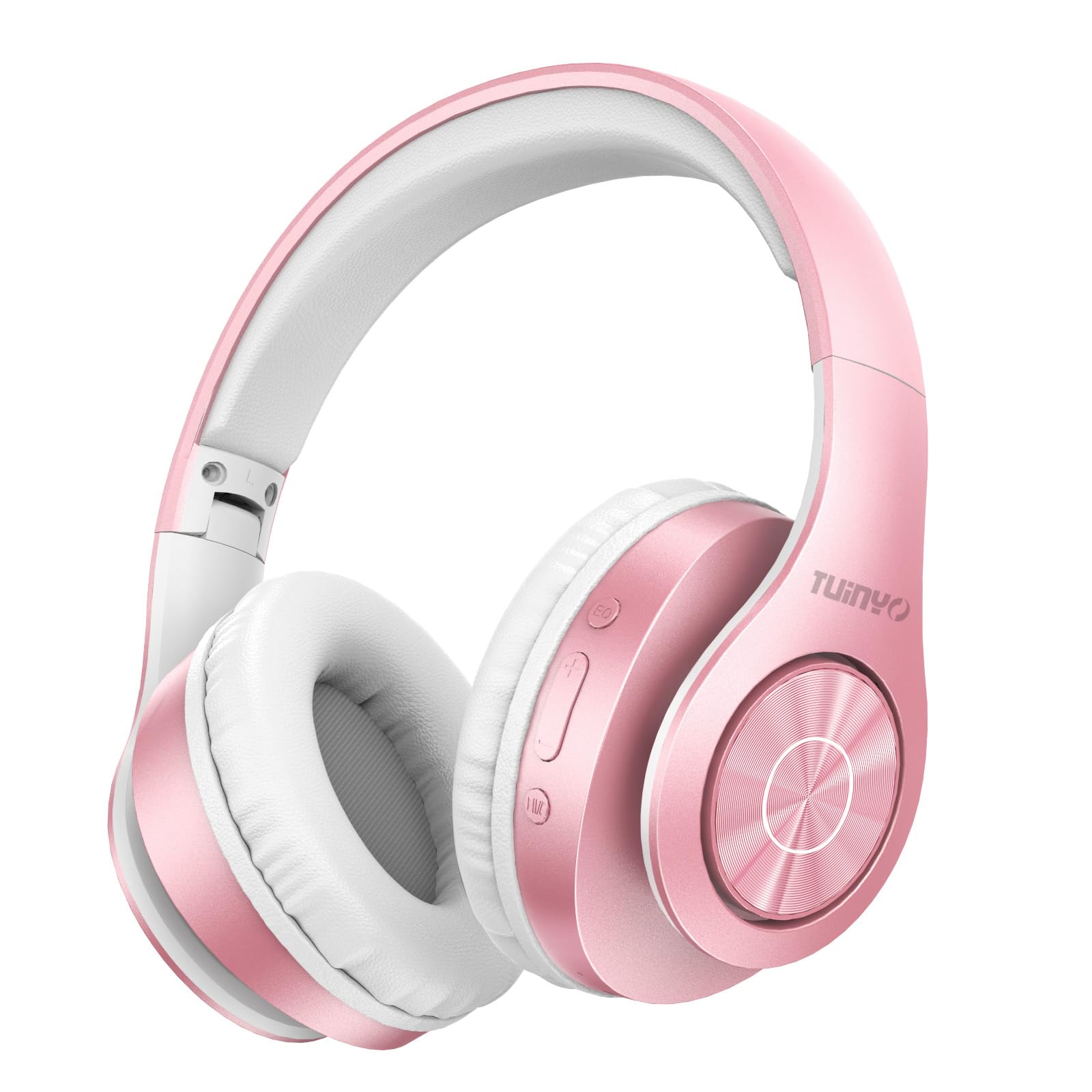
Figure 2.1: TUINYO WH-819 Rose Gold Wireless Over-Ear Bluetooth Headphones.
فيديو 2.1: أكثر منview of the TUINYO wireless Bluetooth headphones, highlighting their design and features.
3. محتويات العبوة
تأكد من وجود جميع العناصر في العبوة:
- TUINYO WH-819 Wireless Over-Ear Bluetooth Headphones
- كابل شحن USB
- كابل صوت 3.5 ملم
- Protective Premium Case
- دليل المستخدم

Figure 3.1: Included accessories with the TUINYO WH-819 headphones.
4. عناصر التحكم والمنافذ
تعرّف على عناصر التحكم والمنافذ الخاصة بسماعات الرأس:
- زر الطاقة: اضغط مطولاً لتشغيل/إيقاف التشغيل. اضغط ضغطة قصيرة لتشغيل/إيقاف الموسيقى مؤقتاً أو للرد على المكالمات/إنهائها.
- زر رفع الصوت/المسار التالي: اضغط ضغطة قصيرة لرفع الصوت. اضغط ضغطة مطولة للانتقال إلى المقطع التالي.
- زر خفض الصوت/المسار السابق: اضغط ضغطة قصيرة لخفض الصوت. اضغط ضغطة مطولة للانتقال إلى المقطع السابق.
- زر EQ: Press to cycle through different equalizer modes (Normal, Rock, Pop, Classic, Jazz, Country).
- مقبس صوت 3.5 ملم: للاتصال السلكي.
- منفذ شحن USB: لشحن سماعات الرأس.
- منفذ كارت الذاكرة الصغيرة: For direct music playback from a MicroSD card.

الشكل 4.1: مفصل view of headphone controls and features.
Video 4.1: A demonstration of the TUINYO headphones' folding mechanism and button controls.
5. الإعداد
5.1 شحن سماعات الرأس
- Connect the USB charging cable to the headphone's charging port.
- قم بتوصيل الطرف الآخر من كابل USB بمصدر طاقة USB متوافق (مثل الكمبيوتر أو محول الحائط).
- سيُظهر مؤشر LED حالة الشحن (على سبيل المثال، أحمر للشحن، أزرق للشحن الكامل).
- يستغرق الشحن الكامل عادةً 2-2.5 ساعات.
5.2 اقتران بلوتوث
- تأكد من شحن سماعات الرأس بالكامل.
- Long press the Power button until the LED indicator flashes blue and red, indicating pairing mode.
- على جهازك (الهاتف الذكي، الجهاز اللوحي، الكمبيوتر المحمول)، قم بتمكين البلوتوث وابحث عن الأجهزة المتاحة.
- Select "WH-819" from the list of devices.
- Once connected, the LED indicator will flash blue slowly, and a voice prompt will confirm successful pairing.
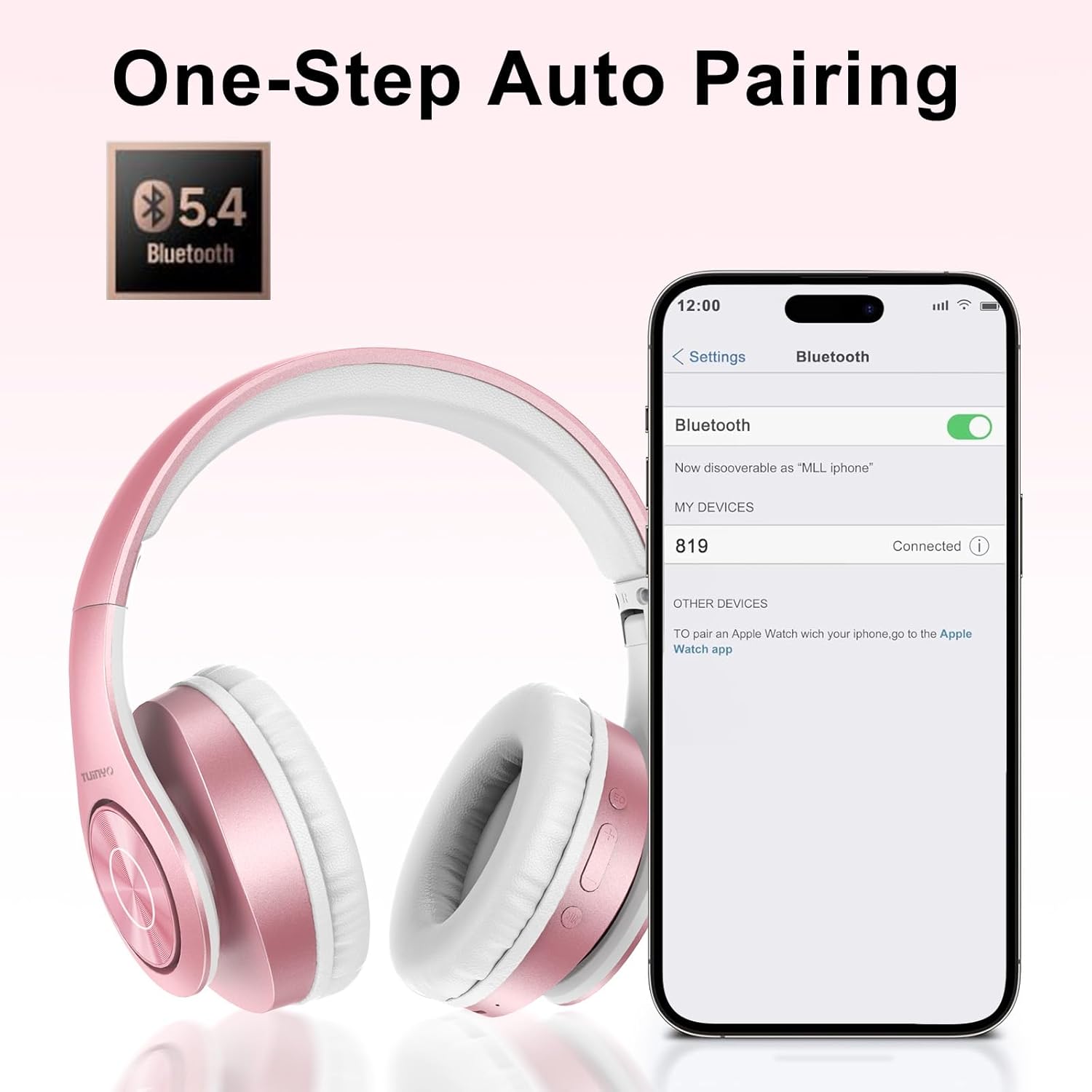
الشكل 5.1: عملية الاقتران عبر البلوتوث على الهاتف الذكي.
6. تعليمات التشغيل
6.1 تشغيل/إيقاف التشغيل
- تشغيل الطاقة: Long press the Power button until the LED indicator lights up blue.
- إيقاف التشغيل: اضغط مطولاً على زر الطاقة حتى ينطفئ مؤشر LED.
6.2 تشغيل الموسيقى
- تشغيل/إيقاف مؤقت: اضغط لفترة قصيرة على زر الطاقة.
- المسار التالي: اضغط لفترة طويلة على زر رفع الصوت.
- المسار السابق: اضغط لفترة طويلة على زر خفض الصوت.
- ضبط مستوى الصوت: اضغط ضغطة قصيرة على زر رفع الصوت أو زر خفض الصوت.
6.3 إدارة المكالمات
- الرد/إنهاء المكالمة: اضغط لفترة قصيرة على زر الطاقة.
- رفض المكالمة: اضغط لفترة طويلة على زر الطاقة.
وضع معادلة الصوت 6.4
- Press the EQ button to switch between different sound equalizer modes (Normal, Rock, Pop, Classic, Jazz, Country) to optimize your listening experience.
6.5 الوضع السلكي
- Insert the 3.5mm audio cable into the headphone's audio jack and the other end into your audio device.
- The headphones will automatically switch to wired mode, and Bluetooth functionality will be disabled.
6.6 MicroSD Card Playback
- Insert a MicroSD card with MP3 audio fileأدخلها في فتحة بطاقة MicroSD.
- ستكتشف سماعات الرأس البطاقة تلقائيًا وتبدأ تشغيل الموسيقى.
- Use the music playback controls (Play/Pause, Next/Previous Track, Volume) to manage your audio.
7. الصيانة
- نظف سماعات الرأس بانتظام بقطعة قماش ناعمة وجافة.
- تجنب استخدام المنظفات الكاشطة أو المذيبات.
- قم بتخزين سماعات الرأس في علبتها الواقية عند عدم استخدامها لمنع تلفها.
- الابتعاد عن درجات الحرارة القصوى والرطوبة.
8. استكشاف الأخطاء وإصلاحها
| مشكلة | حل |
|---|---|
| لا يتم تشغيل سماعات الرأس. | تأكد من شحن سماعات الرأس. وصّلها بمصدر طاقة وحاول مرة أخرى. |
| لا يمكن الاقتران عبر البلوتوث. | تأكد من أن سماعات الرأس في وضع الاقتران (يومض مؤشر LED باللون الأزرق/الأحمر). أعد تشغيل البلوتوث على جهازك. اقترب من الجهاز. |
| لا يوجد صوت في وضع البلوتوث. | Check volume levels on both headphones and connected device. Ensure headphones are successfully paired. |
| لا يوجد صوت في الوضع السلكي. | Ensure the 3.5mm audio cable is fully inserted into both the headphones and the audio device. Check the audio source. |
| بطاقة الذاكرة الصغيرة لا تعمل. | Ensure the MicroSD card is inserted correctly and contains compatible MP3 audio files. |
9. المواصفات
| ميزة | التفاصيل |
|---|---|
| اسم الموديل | دبليو اتش-819 |
| تكنولوجيا الاتصال | لاسلكي (بلوتوث)، سلكي (مقبس 3.5 ملم) |
| تكنولوجيا الاتصالات اللاسلكية | بلوتوث 4.0 |
| نوع برنامج تشغيل الصوت | Dynamic Driver (40mm neodymium) |
| عمر البطارية | Up to 40 hours of music time (800mAh battery) |
| وقت الشحن | 2-2.5 ساعات |
| شكل سماعة الأذن | فوق الأذن |
| مادة | Plastic, Memory-Protein Earmuffs |
| وزن | 13.4 أونصات |
| أبعاد | 8.5 × 6.22 × 4.25 بوصة (الحزمة) |
| الأجهزة المتوافقة | Tablets, Laptops, Desktops, Smartphones, Bluetooth-enabled devices |
| مستوى مقاومة الماء | غير مقاوم للماء |
10. الضمان والدعم
Your TUINYO WH-819 headphones are covered by a 30-day warranty from the date of purchase. For any product inquiries, technical support, or warranty claims, please refer to the contact information provided with your purchase or visit the official TUINYO webموقع.


