
1. المقدمة
Thank you for choosing the AWEI T21 Bluetooth Earbuds. These wireless earbuds are designed to provide a high-quality audio experience with advanced features such as Bluetooth 5.3 connectivity, smart touch controls, and IPX6 waterproofing. This manual will guide you through the setup, operation, and maintenance of your new earbuds.

الصورة: أكثر منview of AWEI T21 Earbuds key features including Bluetooth 5.3, TWS, HD Microphone, comfortable fit, Type-C fast charging, and touch control.
2. محتويات العبوة
- AWEI T21 Wireless Bluetooth Headset (Left and Right Earbuds)
- حافظة الشحن
- كابل شحن USB-C
- User Instructions (This Manual)
3. الإعداد
3.1 الشحن الأولي
Before first use, fully charge the earbuds and the charging case. Connect the provided USB-C cable to the charging port on the case and to a power source. The charging case has a 300mAh capacity and takes approximately 1.5 hours to fully charge.

Image: The AWEI T21 charging case with its Type-C fast-fill port, shown connected to a power source.

Image: The AWEI T21 multi-function charging case highlighting its 300mAh capacity, 2.5 hours play time, and 130 hours standby time.
3.2 الاقتران بجهاز
- افتح علبة الشحن. سيتم تشغيل سماعات الأذن تلقائيًا ودخول وضع الاقتران.
- على جهازك (الهاتف الذكي، الجهاز اللوحي، الكمبيوتر المحمول)، قم بتمكين البلوتوث.
- بحث عن "AWEI T21" in the list of available Bluetooth devices and select it to connect.
- بمجرد الاتصال، سوف تسمع نغمة تأكيد، وستكون سماعات الأذن جاهزة للاستخدام.
The earbuds feature Bluetooth 5.3 technology for a fast and stable connection, with a range of up to 10 meters.

Image: AWEI T21 earbuds in their charging case, illustrating instant connection via Bluetooth 5.3 upon removal.
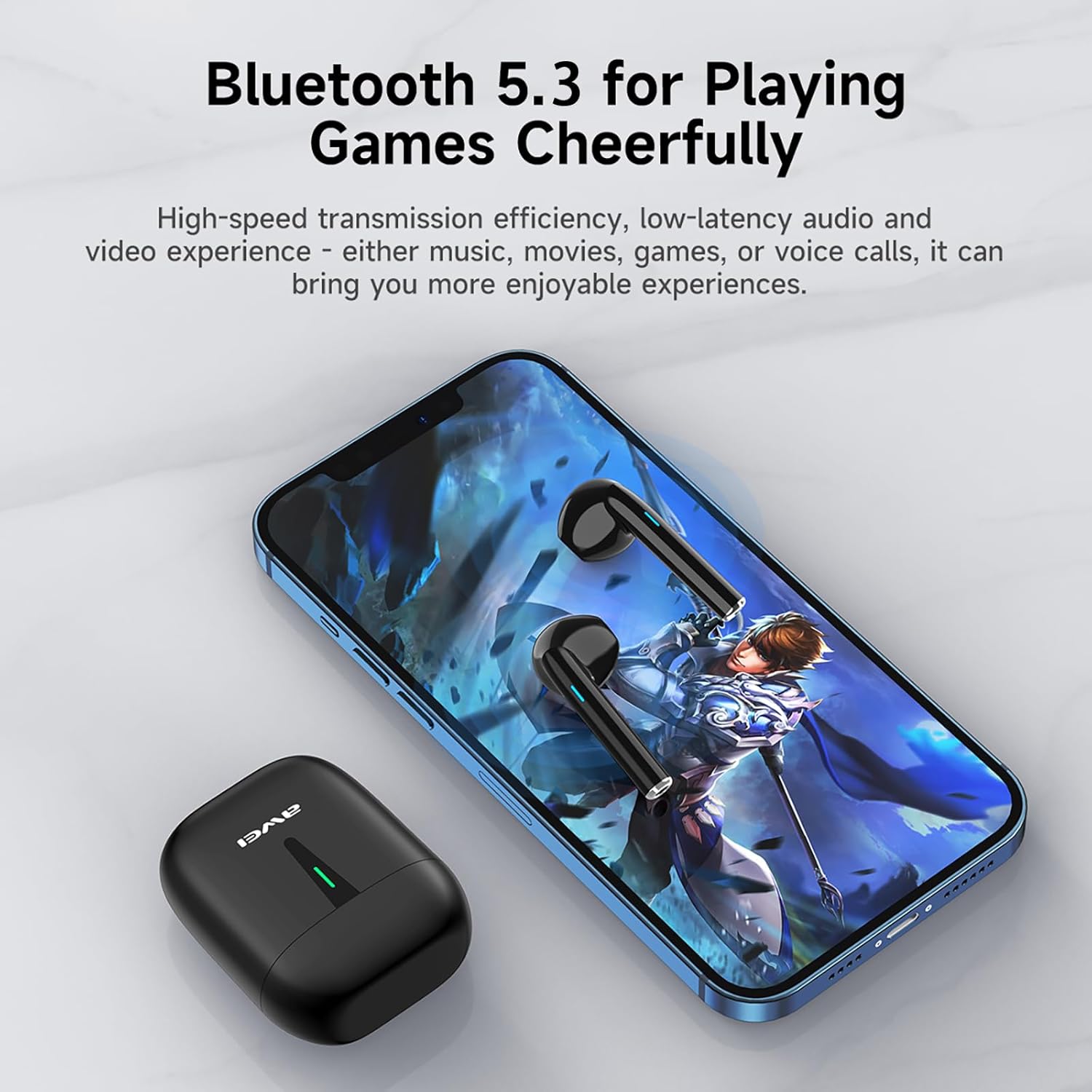
Image: A smartphone displaying a game, with AWEI T21 earbuds and their charging case nearby, emphasizing Bluetooth 5.3 for low-latency audio.
4. تعليمات التشغيل
4.1 تشغيل/إيقاف التشغيل
- تشغيل الطاقة: يتم تشغيل سماعات الأذن تلقائيًا عند إزالتها من علبة الشحن.
- إيقاف التشغيل: ضع سماعات الأذن مرة أخرى في علبة الشحن لإيقاف تشغيلها تلقائيًا وبدء الشحن.
4.2 عناصر التحكم باللمس الذكية
The AWEI T21 earbuds feature intuitive touch controls on each earbud. Specific touch functions may vary slightly by device, but common controls include:
- تشغيل/إيقاف مؤقت: ضغطة واحدة على أي سماعة أذن.
- الأغنية التالية: اضغط مرتين على سماعة الأذن اليمنى.
- الأغنية السابقة: اضغط مرتين على سماعة الأذن اليسرى.
- الرد/إنهاء المكالمة: ضغطة واحدة على أي سماعة أذن.
- رفض المكالمة: اضغط مع الاستمرار على أي من سماعات الأذن لمدة ثانيتين.
- التحكم في مستوى الصوت: (Specific gesture not detailed in product info, typically long press or multiple taps. Refer to device settings if needed.)
- تنشيط مساعد الصوت: (Specific gesture not detailed in product info, typically triple tap or long press.)
4.3 Monaural and Binaural Modes
The earbuds support both single-ear (monaural) and dual-ear (binaural) usage modes.
- الوضع الأحادي: Use one earbud independently while the other is in the charging case. This extends total listening time by allowing you to alternate earbuds.
- الوضع الثنائي: Use both earbuds simultaneously for stereo sound.

Image: Illustration of AWEI T21 earbuds in both monaural (single earbud connected) and binaural (both earbuds connected for stereo) modes.
5. الصيانة
5.1 التنظيف
- امسح سماعات الأذن وعلبة الشحن برفق باستخدام قطعة قماش ناعمة وجافة وخالية من الوبر.
- لا تستخدم المنظفات الكاشطة أو المذيبات أو البخاخات الهوائية.
- تأكد من أن نقاط اتصال الشحن الموجودة على سماعات الأذن والعلبة نظيفة وجافة.
5.2 مقاومة الماء
The AWEI T21 earbuds are rated IPX6 waterproof, meaning they are protected against high-pressure water jets from any direction. This makes them suitable for use during workouts or in light rain. However, they are not designed for submersion in water. Ensure earbuds are dry before placing them back in the charging case.
5.3 التخزين
عند عدم الاستخدام، ضع سماعات الأذن في علبة الشحن لحمايتها والحفاظ على شحنها. خزّنها في مكان بارد وجاف بعيدًا عن درجات الحرارة العالية.
6. استكشاف الأخطاء وإصلاحها
| مشكلة | الحل المحتمل |
|---|---|
| سماعات الأذن غير مقترنة بالجهاز. |
|
| تعمل سماعة أذن واحدة فقط. |
|
| سماعات الأذن لا يتم شحنها. |
|
| Low sound quality or intermittent connection. |
|
7. المواصفات
| اسم الموديل | ت21 |
| ماركة | أوي |
| تكنولوجيا الاتصال | لاسلكي (بلوتوث) |
| نسخة البلوتوث | 5.3 |
| مدى البلوتوث | 10 أمتار |
| وضع الأذن | في الأذن |
| نوع التحكم | التحكم باللمس |
| مستوى مقاومة الماء | مقاومة للماء بدرجة IPX6 |
| عمر بطارية سماعة الأذن | 6 ساعة (استخدام متواصل) |
| سعة علبة الشحن | 300 مللي أمبير |
| إجمالي وقت اللعب (مع الحقيبة) | Up to 36 Hours (dual-ear mode), Up to 72 Hours (single-ear alternating) |
| مدة الشحن (العلبة) | 1.5 Hours (via Type-C) |
| نوع برنامج تشغيل الصوت | محرك ديناميكي (مكبر صوت 10 مم) |
| مادة | Silicone (ear caps) |
| وزن العنصر | 0.09 كيلوغرام |
| المكونات المضمنة | USB-C Charging Cable, Wireless Bluetooth Headset, User Instructions, Wireless Bluetooth Headset Charging Case |
8. معلومات الضمان
The AWEI T21 Bluetooth Earbuds come with a ضمان لمدة 1 سنوات يسري هذا الضمان من تاريخ الشراء. يغطي هذا الضمان عيوب التصنيع. يُرجى الاحتفاظ بإيصال الشراء للمطالبة بالضمان. لا يغطي الضمان الأضرار الناتجة عن سوء الاستخدام، أو الحوادث، أو التعديلات غير المصرح بها، أو التآكل والتلف الطبيعي.
9. دعم العملاء
For further assistance, technical support, or warranty inquiries, please contact Awei customer service through the retailer where you purchased the product or visit the official Awei webموقع لمعلومات الاتصال.