
اوي T86
دليل مستخدم سماعات الأذن اللاسلكية AWEI T86
الموديل: T86
1. المقدمة
Thank you for choosing the AWEI T86 Wireless Earbuds. This manual provides detailed instructions on how to set up, operate, and maintain your earbuds to ensure optimal performance and longevity. Please read this manual carefully before using the product.

Image: AWEI T86 Wireless Earbuds in their charging case, showcasinتصميم أنيق.
2. محتويات العبوة
تأكد من وجود جميع العناصر في العبوة:
- AWEI T86 Wireless Bluetooth Headset (Left and Right Earbuds)
- حافظة الشحن
- كابل شحن USB-C
- User Instructions (This manual)
3. انتهى المنتجview
The AWEI T86 earbuds feature a compact design with advanced audio technology. Each earbud is equipped with a touch control area and a microphone. The charging case protects the earbuds and provides extended battery life.
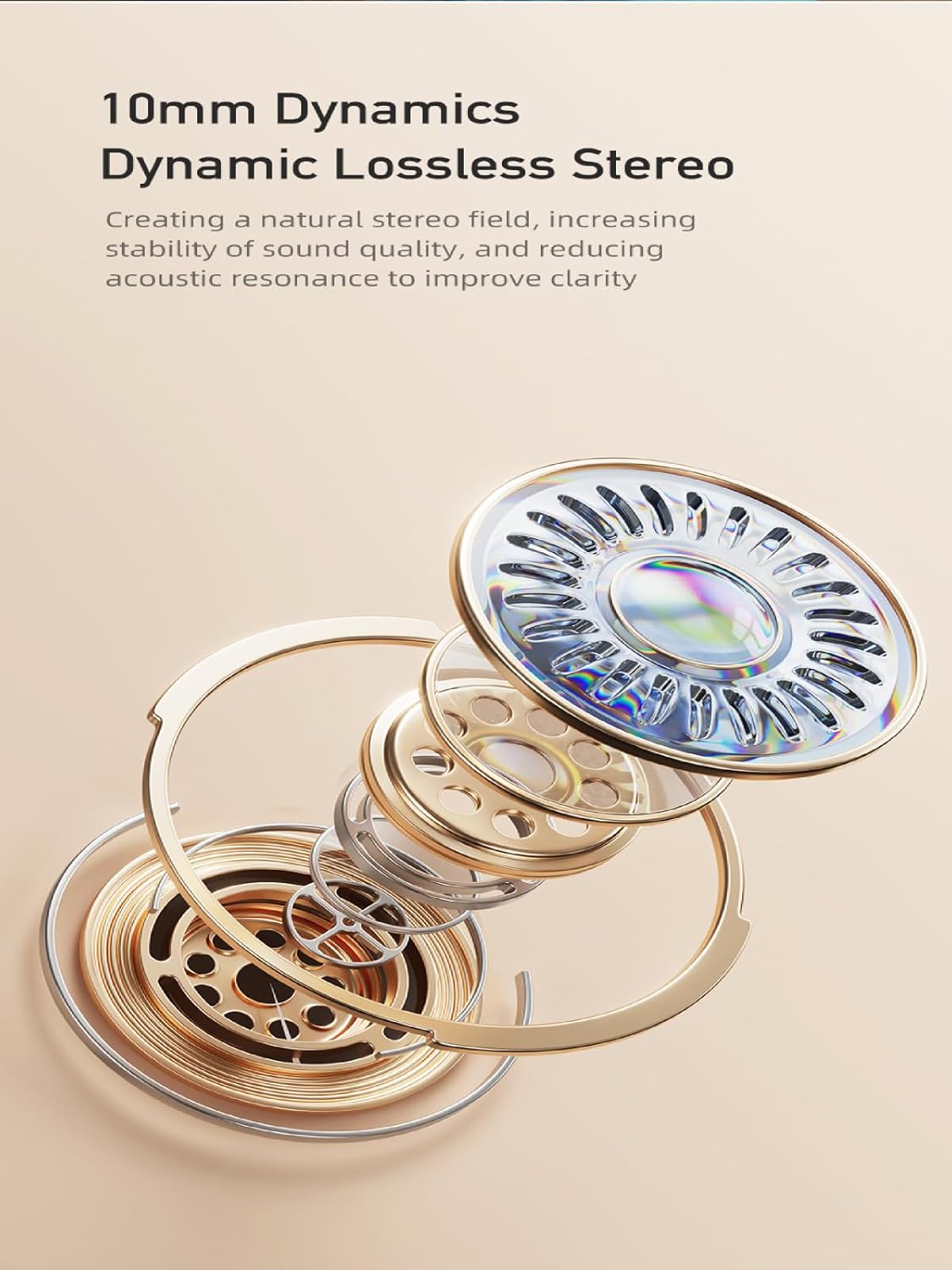
Image: AWEI T86 Wireless Earbuds displayed individually, highlighting their ergonomic shape.
3.1 الميزات الرئيسية
- صوت عالي الدقة: 13mm speakers for immersive sound and ENC calling noise cancellation for clear calls.
- تقنية البلوتوث 5.3: Ensures fast, stable, and low-latency wireless connection up to 10 meters.
- عمر بطارية ممتد: Up to 7 hours of playback per charge, with the charging case providing up to 35 hours (dual-ear mode) or 70 hours (single-ear mode).
- تصميم مقاوم للماء IPX6: Resistant to dust and rain, suitable for various environments.
- التحكم باللمس الذكي: Manage music playback, volume, and calls directly from the earbuds.

الصورة: مفصلة view of an AWEI T86 earbud, highlighting its ergonomic design and touch control area.
4. الإعداد
4.1 شحن سماعات الأذن والعلبة
قبل الاستخدام الأول، قم بشحن سماعات الأذن وعلبة الشحن بالكامل.
- Place the earbuds into the charging case. Ensure they are correctly seated; the indicator lights on the earbuds will illuminate to show charging status.
- قم بتوصيل كابل الشحن USB-C بمنفذ الشحن الموجود على العلبة والطرف الآخر بمحول طاقة USB (غير متضمن) أو منفذ USB الخاص بالكمبيوتر.
- The charging case will display its charging status. A full charge for the case takes approximately 1.5 hours.

Image: AWEI T86 charging case with earbuds inserted, illustrating the charging process.
4.2 الاقتران بجهاز
تستخدم سماعات الأذن تقنية Bluetooth 5.3 للحصول على اتصال مستقر.
- الاقتران لأول مرة:
- افتح علبة الشحن. سيتم تشغيل سماعات الأذن تلقائيًا ودخول وضع الاقتران.
- على جهازك (الهاتف الذكي، الجهاز اللوحي، وما إلى ذلك)، قم بتمكين البلوتوث.
- بحث عن available Bluetooth devices and select "AWEI T86" from the list.
- Once connected, you will hear a confirmation sound, and the earbuds' indicator lights will change.
- إعادة الاتصال التلقائي: بعد عملية الاقتران الأولية، ستتصل سماعات الأذن تلقائيًا بآخر جهاز مقترن عند إخراجها من العلبة، بشرط أن يكون البلوتوث مفعلًا على الجهاز.
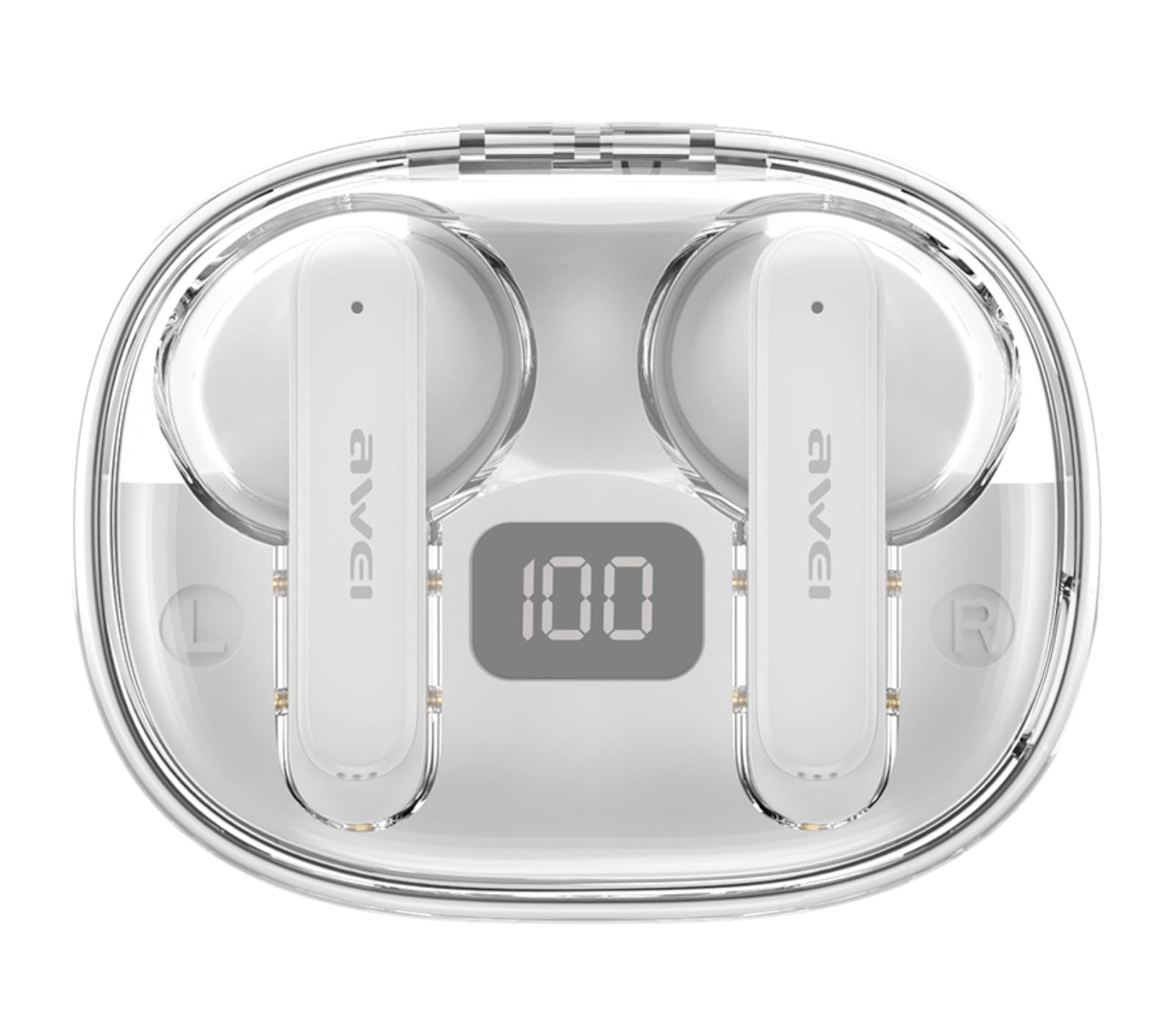
Image: AWEI T86 earbud with an overlay indicating Bluetooth 5.3 technology, representing the pairing process.
5. تشغيل سماعات الأذن
5.1 ارتداء سماعات الأذن
للحصول على أفضل جودة صوت وراحة، تأكد من ارتداء سماعات الأذن بشكل صحيح.
- قم بتحديد سماعات الأذن اليسرى (L) واليمنى (R).
- Gently insert each earbud into your ear canal and rotate slightly until it fits snugly and comfortably.

Image: A person wearing the AWEI T86 earbuds, demonstrating proper fit and usage.
5.2 الضوابط التي تعمل باللمس
The AWEI T86 earbuds feature smart touch controls on each earbud. The functions may vary slightly depending on your device and application.
| فعل | وظيفة |
|---|---|
| نقرة واحدة (يسار/يمين) | تشغيل/إيقاف الموسيقى مؤقتًا، الرد على المكالمة/إنهائها |
| الضغط مرتين على سماعة الأذن اليمنى | الأغنية التالية |
| الضغط مرتين على سماعة الأذن اليسرى | الأغنية السابقة |
| الضغط الثلاثي (سماعة الأذن اليمنى) | رفع الصوت |
| الضغط الثلاثي (سماعة الأذن اليسرى) | خفض الصوت |
| الضغط لفترة طويلة (2 ثوان) | رفض المكالمة، تفعيل المساعد الصوتي |
ملحوظة: The ENC (Environmental Noise Cancellation) feature for calls is automatically active during phone calls, enhancing voice clarity by reducing ambient noise.
Image: Close-up of an AWEI T86 earbud, indicating the touch-sensitive control area.
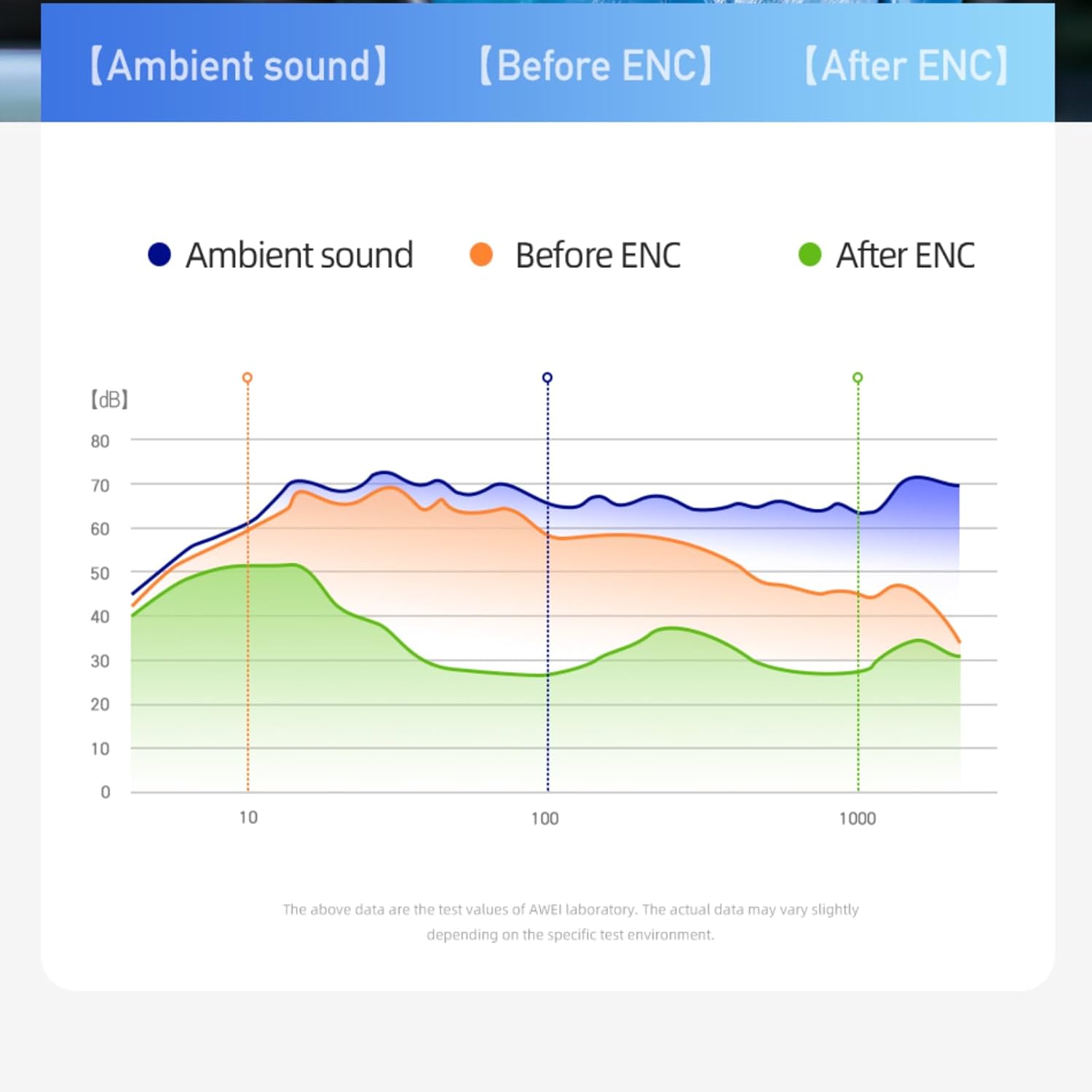
Image: A graph illustrating the effect of ENC (Environmental Noise Cancellation) on ambient sound, showing reduction of noise levels.
5.3 تشغيل/إيقاف التشغيل
- تشغيل الطاقة: يتم تشغيل سماعات الأذن تلقائيًا عند إزالتها من علبة الشحن.
- إيقاف التشغيل: يتم إيقاف تشغيل سماعات الأذن تلقائيًا وبدء الشحن عند وضعها مرة أخرى في علبة الشحن وإغلاق الغطاء.
- إيقاف التشغيل اليدوي: If not in the case, long-press the touch area on either earbud for approximately 5 seconds until you hear a power-off prompt.
6. الصيانة
6.1 التنظيف
يساعد التنظيف المنتظم على الحفاظ على جودة الصوت والنظافة.
- استخدم قطعة قماش ناعمة وجافة وخالية من الوبر لمسح سماعات الأذن وعلبة الشحن.
- لا تستخدم المنظفات الكاشطة أو المذيبات أو البخاخات الهوائية.
- Gently clean the ear tips and speaker mesh with a cotton swab or a small, soft brush to remove earwax or debris.
6.2 التخزين
عندما لا تكون قيد الاستخدام، قم بتخزين سماعات الأذن في علبة الشحن الخاصة بها لحمايتها والحفاظ عليها مشحونة.
- قم بتخزينه في مكان بارد وجاف، بعيدًا عن درجات الحرارة العالية وأشعة الشمس المباشرة.
- Avoid storing near magnetic fields.
6.3 مقاومة الماء (IPX6)
The AWEI T86 earbuds are rated IPX6, meaning they are protected against powerful water jets. This makes them suitable for use during workouts or in light rain.
- لا تغمر سماعات الأذن في الماء.
- The charging case is not waterproof. Keep it dry.
- If the earbuds get wet, wipe them dry completely before placing them back in the charging case to prevent damage.
7. استكشاف الأخطاء وإصلاحها
If you encounter issues with your AWEI T86 earbuds, try the following solutions:
| مشكلة | الحل المحتمل |
|---|---|
| سماعات الأذن لا تقترن |
|
| تعمل سماعة أذن واحدة فقط |
|
| مستوى صوت منخفض أو جودة صوت رديئة |
|
| سماعات الأذن لا تشحن |
|
8. المواصفات
| ميزة | التفاصيل |
|---|---|
| نموذج | ت86 |
| نسخة البلوتوث | 5.3 |
| حجم السماعة | 13 ملم |
| مقاومة الماء | IPX6 (سماعات الأذن فقط) |
| وقت تشغيل سماعة الأذن | تصل إلى 7 ساعة |
| إجمالي وقت اللعب (مع الحقيبة) | Up to 35 hours (dual-ear), 70 hours (single-ear) |
| علبة شحن البطارية | 300 مللي أمبير |
| مدة الشحن (العلبة) | حوالي 1.5 ساعة (عبر USB-C) |
| لاسلكي المدى | حتى 10 مترا (33 قدما) |
| وزن | 0.15 كيلوغرام (الوزن الإجمالي للحزمة) |
| نوع التحكم | التحكم باللمس |
| المكونات المضمنة | سماعات أذن، علبة شحن، كابل USB-C، دليل المستخدم |
Image: AWEI T86 Wireless Earbuds, representing the product's technical specifications.
9. معلومات السلامة
- لا تقم بتفكيك المنتج أو تعديله.
- يُحفظ بعيداً عن درجات الحرارة القصوى والرطوبة والمواد المسببة للتآكل.
- تجنب إسقاط سماعات الأذن أو تعريضها لصدمات قوية.
- لا تعرض علبة الشحن للماء أو الرطوبة.
- قد يؤدي التعرض المطول للأصوات العالية إلى تلف السمع. اضبط مستوى الصوت على مستوى معتدل.
- استخدم فقط كابل الشحن المقدم أو المعتمد.
10. الضمان والدعم
For warranty information and technical support, please refer to the warranty card included with your purchase or visit the official AWEI webالموقع. احتفظ بإثبات الشراء الخاص بك لتقديم مطالبات الضمان.
Ask a question about this manual
Ask about setup, troubleshooting, compatibility, parts, safety, or missing instructions. Manuals+ will review the question and use this page’s manual context to help answer it.