
1. المقدمة
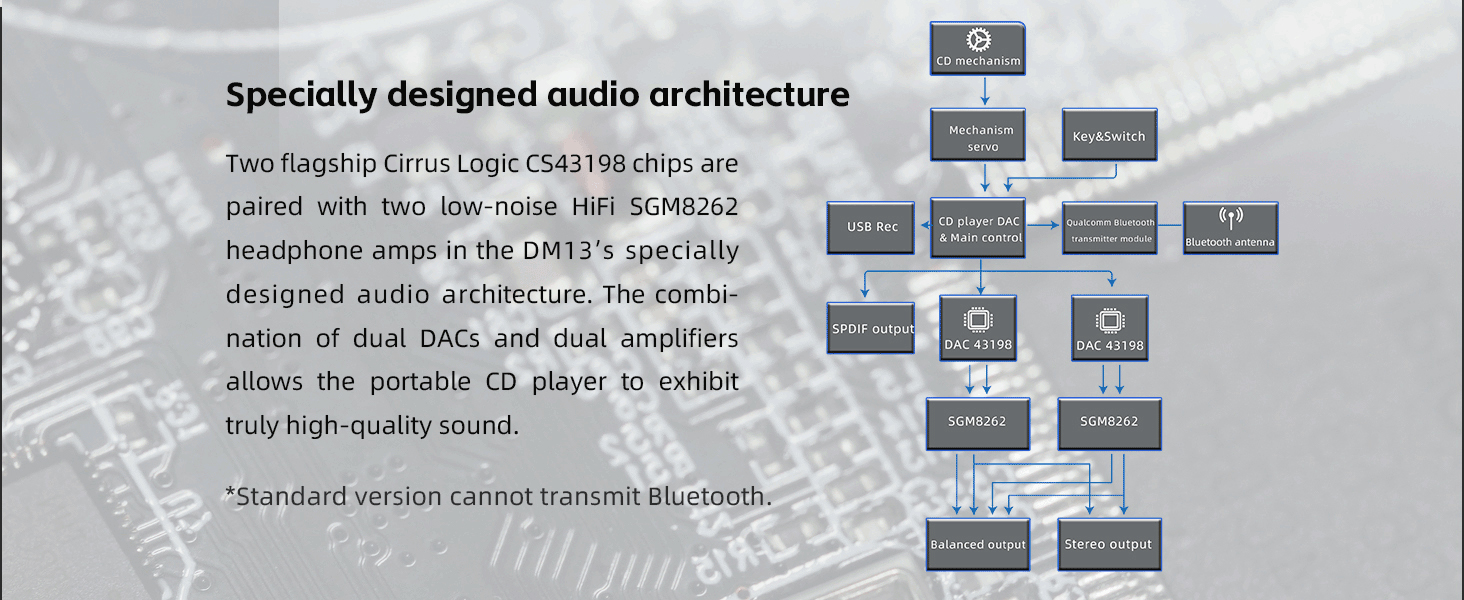
The FiiO DM13 is a multifunctional portable stereo CD player designed to deliver high-fidelity audio. It features a professional audio architecture with dual CS43198 DACs and dual SGM8262 headphone amplifiers, ensuring clear and precise sound reproduction. This compact device supports various output options, including 3.5mm, 4.4mm balanced, optical, and coaxial, allowing versatile connectivity to headphones, active speakers, or external amplifiers. Additionally, the DM13 offers convenient features such as USB ripping for digital archiving of your CDs and Bluetooth connectivity for wireless audio streaming.
2. انتهى المنتجview
الميزات الرئيسية
- صوت عالي الدقة: Dual CS43198 DACs and dual SGM8262 headphone amps for professional-grade sound.
- تصميم صغير الحجم، أداء قوي: Delivers up to 660mW balanced output power, capable of driving most earbuds and connecting to advanced audio systems.
- USB Ripping: Supports ripping CDs to WAV format on FAT32 formatted USB storage devices (32GB or lower recommended).
- مخارج صوتية متعددة: Includes 3.5mm and 4.4mm headphone outputs, 3.5mm and 4.4mm line outputs, and optical/coaxial digital audio outputs.
- وضع سطح المكتب: Allows direct power from a USB adapter without consuming battery, extending battery life.
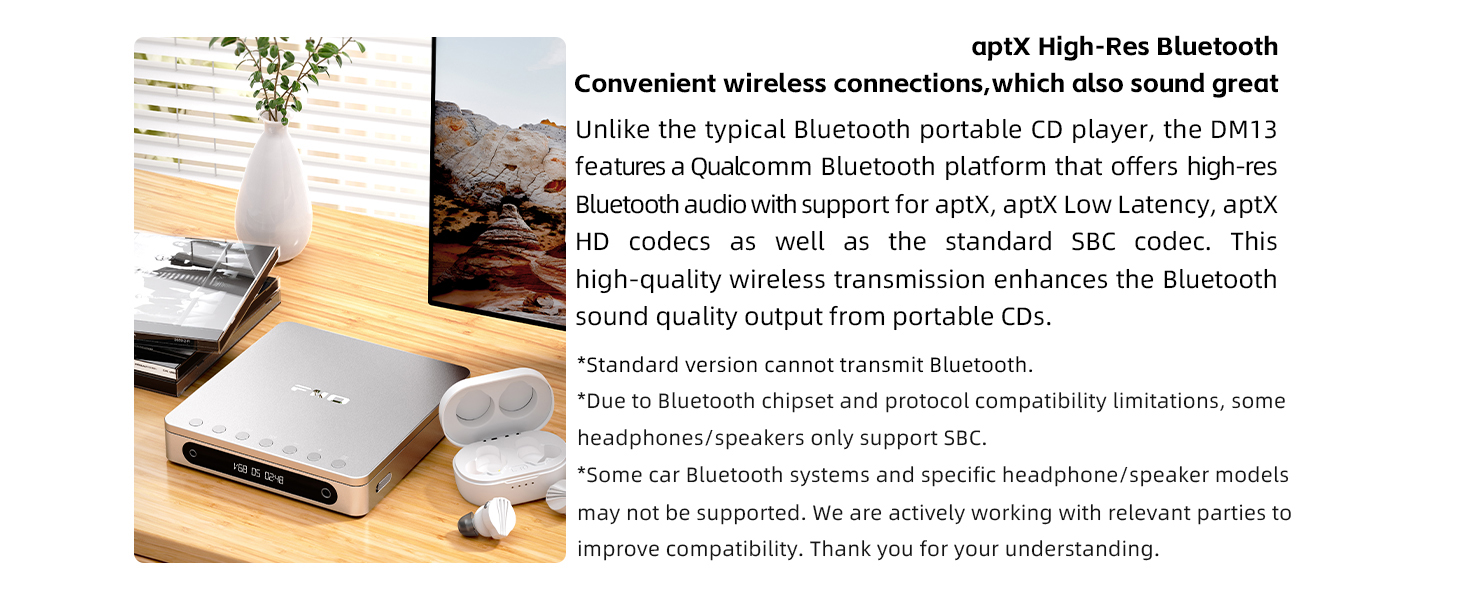
- الاتصال عبر البلوتوث: Features a Qualcomm Bluetooth platform with support for aptX, aptX Low Latency, aptX HD, and SBC codecs.
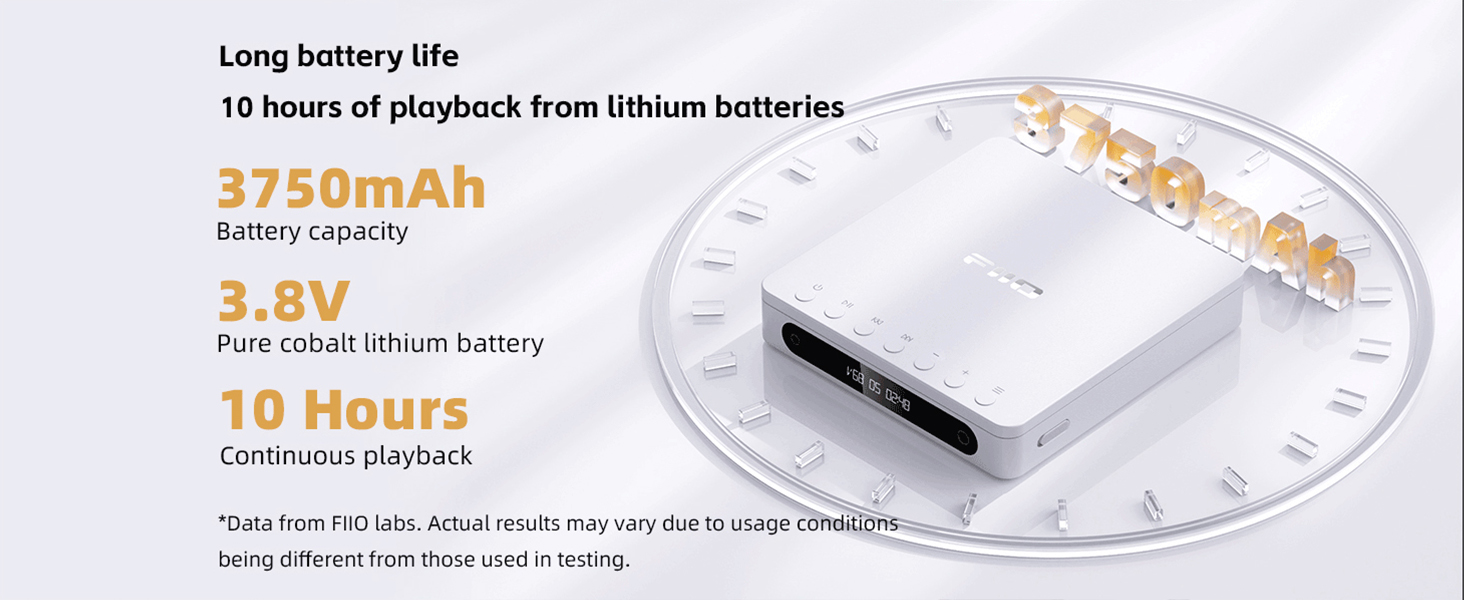
- عمر بطارية طويل: Equipped with a 3750mAh pure cobalt lithium battery providing approximately 10 hours of continuous playback.
- شاشة LCD واضحة: Custom high-contrast LCD shows volume, track number, and playback duration.
مكونات المنتج

The FiiO DM13 Portable Stereo CD Player in its closed state, showcasinتصميمها المدمج.

The FiiO DM13 CD Player with its lid open, ready for CD insertion or playback. Note: CD not included.

A close-up of the FiiO DM13's top panel, highlighting the playback control buttons and display.
This image displays the rear panel of the DM13, detailing the available connectivity options such as headphone outputs, line outputs, digital audio outputs, USB recording port, power input, and the D.MODE and ESP switches.
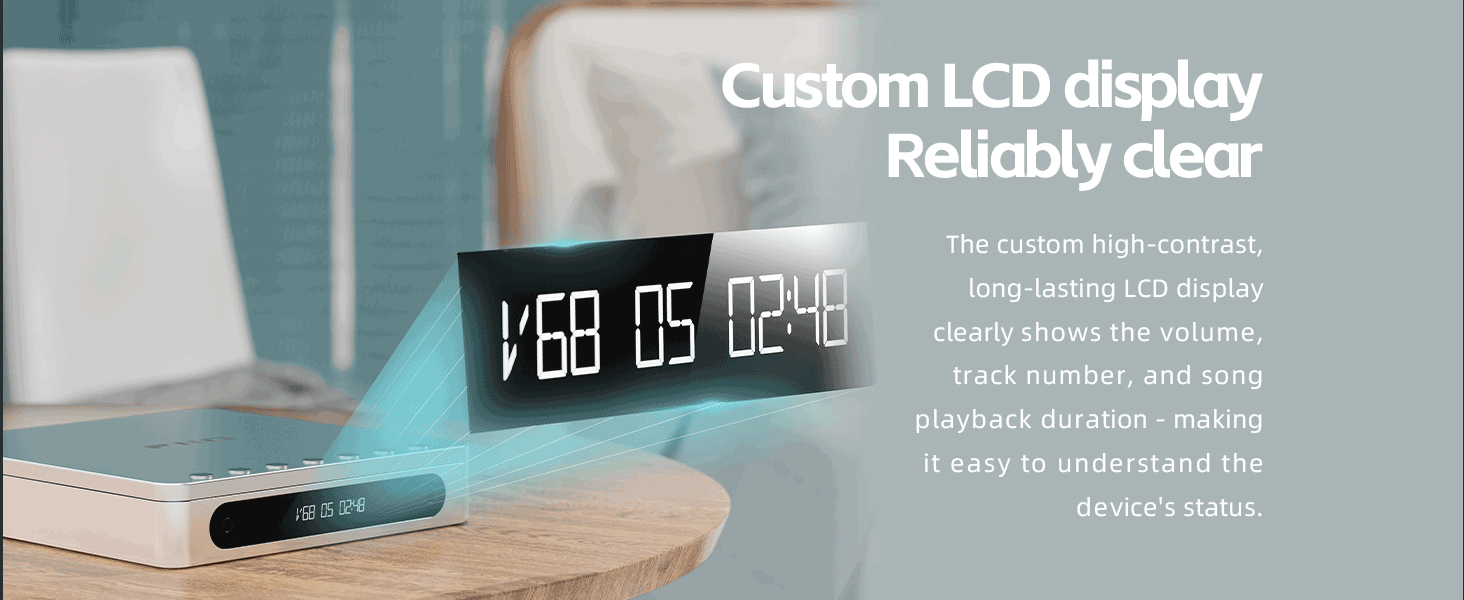
واضح view of the DM13's custom LCD display, providing essential information such as volume level, track number, and playback duration.
3. الإعداد
3.1 فك التعبئة
Carefully remove all components from the packaging. Ensure all accessories, including the USB cable, are present.
3.2 شحن الجهاز
- قم بتوصيل كابل USB-C المرفق بـ السلطة في port on the DM13.
- قم بتوصيل الطرف الآخر من كابل USB-C بمحول طاقة USB متوافق (غير متضمن) أو بمنفذ USB الخاص بالكمبيوتر.
- The device will begin charging. The display may indicate charging status.
3.3 إدخال قرص مضغوط
- Gently open the lid of the CD player.
- Place a standard audio CD onto the spindle, ensuring it is centered and flat.
- أغلق الغطاء بإحكام حتى تسمع صوت طقطقة عند إغلاقه.
3.4 توصيل مخارج الصوت
- سماعات الرأس: Connect your headphones to either the 3.5mm or 4.4mm headphone output jack.
- خارجي Ampمكبر الصوت/مكبرات الصوت النشطة: Use the 3.5mm or 4.4mm line output jacks to connect to an external ampمكبرات الصوت أو مكبرات الصوت النشطة.
- External DAC: For connection to an external high-end decoder, use the optical or coaxial digital audio outputs.
4. تعليمات التشغيل
4.1 تشغيل/إيقاف التشغيل
Press and hold the power button (usually located on the side or top panel) for a few seconds to turn the device on or off.
4.2 عناصر التحكم الأساسية في التشغيل
- تشغيل/إيقاف مؤقت: Press the Play/Pause button to start or temporarily stop playback.
- المسار التالي / السابق: Use the skip buttons to navigate to the next or previous track.
- تقديم سريع / ترجيع: Press and hold the skip buttons to fast forward or rewind within a track.
- التحكم في مستوى الصوت: Use the dedicated volume buttons to adjust the audio output level. The DM13 offers 99 levels of precise volume control.
A video tutorial explaining the basic functions of the control buttons on the FiiO DM13 Portable CD Player.
4.3 USB CD Ripping
The DM13 allows you to rip audio tracks from your CDs to a USB storage device.
- Ensure a FAT32 formatted USB drive (32GB or lower recommended) is inserted into the تسجيل USB ميناء.
- Insert the desired audio CD into the player.
- اضغط على تسجيل USB button. The display will show "REC XXXX" indicating the ripping process is active.
- The ripped tracks will be saved as WAV fileعلى محرك أقراص USB الخاص بك.
The FiiO DM13 connected to a laptop, illustrating its USB CD ripping capability to transfer audio fileإلى جهاز تخزين.
Official video guide on how to rip audio tracks from a CD to a USB drive using the FiiO DM13's USB ripping function.
4.4 اقتران بلوتوث
To connect your DM13 wirelessly to Bluetooth headphones or speakers:
- Turn on your Bluetooth receiving device (headphones, speaker) and set it to pairing mode.
- On the DM13, activate Bluetooth pairing mode (refer to the device's display or specific button for Bluetooth function).
- Place both devices close together. They should automatically pair.
- Once paired, the DM13 display will show the corresponding Bluetooth codec (e.g., aptX HD).
Official video guide demonstrating the steps to successfully pair Bluetooth devices with the FiiO DM13 Portable CD Player.
4.5 وضع سطح المكتب (D.MODE)
To use the DM13 without consuming battery power:
- Connect the DM13 to a USB power source using the USB-C cable.
- اقلب D.MODE switch on the rear panel to the "ON" position.
- The device will now be powered directly by the USB source, preserving the internal battery.
The FiiO DM13 operating in Desktop Mode, powered directly via USB with the D.MODE switch engaged, preserving battery life.
Video demonstrating how to activate and utilize the Desktop Mode and ESP switch on the FiiO DM13 for optimized power usage and audio settings.
4.6 ESP Switch
The ESP switch is designed for audiophiles, offering specific audio processing options. Refer to advanced user guides or FiiO's official resources for detailed information on its functionality.
5. الصيانة
- تنظيف: Use a soft, dry, lint-free cloth to clean the device's exterior. Avoid using liquid cleaners or abrasive materials.
- التعامل مع الأقراص المضغوطة: Always handle CDs by their edges. Keep them free from dust, fingerprints, and scratches to ensure optimal playback and prevent damage to the player's laser lens.
- العناية بالبطارية: To prolong battery life, avoid exposing the device to extreme temperatures. Utilize the Desktop Mode (D.MODE) whenever possible when near a power source.
- تخزين: When not in use for extended periods, store the DM13 in a cool, dry place.
6. استكشاف الأخطاء وإصلاحها
- Device Will Not Power On:
- تأكد من أن البطارية مشحونة بشكل كافٍ.
- If connected to a power source, verify the USB cable and adapter are functioning correctly.
- If using Desktop Mode, ensure the D.MODE switch is in the "ON" position and external power is supplied.
- CD Not Reading or Skipping:
- Check the CD for dirt, scratches, or damage. Clean the CD with a soft cloth if necessary.
- Ensure the CD is properly seated on the spindle.
- Try a different audio CD to rule out a disc-specific issue.
- Note that some CD-R discs may have compatibility issues depending on their quality or burning method.
- لا يوجد إخراج صوت:
- Verify the volume level is not set to minimum or muted.
- Ensure headphones or speakers are securely connected to the correct output port.
- If using digital outputs, confirm the external DAC or receiver is correctly configured.
- مشكلات الاقتران بالبلوتوث:
- Ensure both the DM13 and the receiving Bluetooth device are in pairing mode.
- Place the devices in close proximity during pairing.
- Some Bluetooth headphones/speakers may only support the basic SBC codec, which can affect compatibility or sound quality with advanced codecs.
- Certain car Bluetooth systems or specific headphone/speaker models may not be fully supported.
7. المواصفات
| ماركة | فييو |
| اسم الموديل | دي ام 13 |
| تكنولوجيا الاتصال | يو اس بي، بلوتوث |
| المميزات الخاصة | USB Ripping, 4.4 Balanced Line Output, Desktop Mode |
| عدد الأقراص | 1 |
| تنسيق الصوت المدعوم | CD-Audio, WAV (for ripped files), MP3 (playback compatibility not explicitly stated for MP3 CDs, but common for modern players) |
| أنواع الموصلات | 3.5mm, 4.4mm, Optical, Coaxial |
| عدد القنوات | 2 |
| نوع تنسيق الوسائط | قرص صوتي مضغوط |
| الأجهزة المتوافقة | Headphones, Speakers, Ampالقاتلون |
| مقبس سماعات الرأس | 3.5 ملم جاك ، 4.4 ملم جاك |
| نوع البطارية | 1 بطارية ليثيوم أيون (مضمنة) |
| الشركة المصنعة | فييو |
8. معلومات الضمان
The FiiO DM13 Portable Stereo CD Player comes with a ضمان الشركة المصنعة لمدة عامين. This warranty covers defects in materials and workmanship under normal use. Please retain your proof of purchase for warranty claims. For specific terms and conditions, refer to the warranty card included with your product or visit the official FiiO webموقع.
9. الدعم
For further assistance, technical support, or to access updated resources, please visit the official FiiO webموقع:
You may also contact FiiO customer service directly through their website for product inquiries or support requests.