
مقدمة
Thank you for choosing the AWEI T28 Wireless Earbuds. This manual provides detailed instructions for setting up, operating, and maintaining your earbuds to ensure optimal performance and longevity. Please read this manual thoroughly before using the product.
محتويات الحزمة
تأكد من وجود جميع العناصر في الحزمة الخاصة بك:
- Wireless Bluetooth Headset (Left and Right Earbuds)
- Wireless Bluetooth Headset Charging Case
- كابل شحن USB-C
- User Instructions (This Manual)
المنتج انتهىview
The AWEI T28 Wireless Earbuds are designed for a comfortable in-ear fit, offering high-fidelity audio and clear call performance. They feature Bluetooth 5.3 technology for stable connectivity and touch controls for easy operation.

الشكل 1: AWEI T28 Wireless Earbuds and Charging Case. This image displays the white earbuds resting inside their open charging case, highlighting their compact and sleek design.

الشكل 2: Earbuds and Charging Case. The image shows the earbuds removed from the charging case, which is open, illustrating the product's design and indicating its readiness for use or charging.
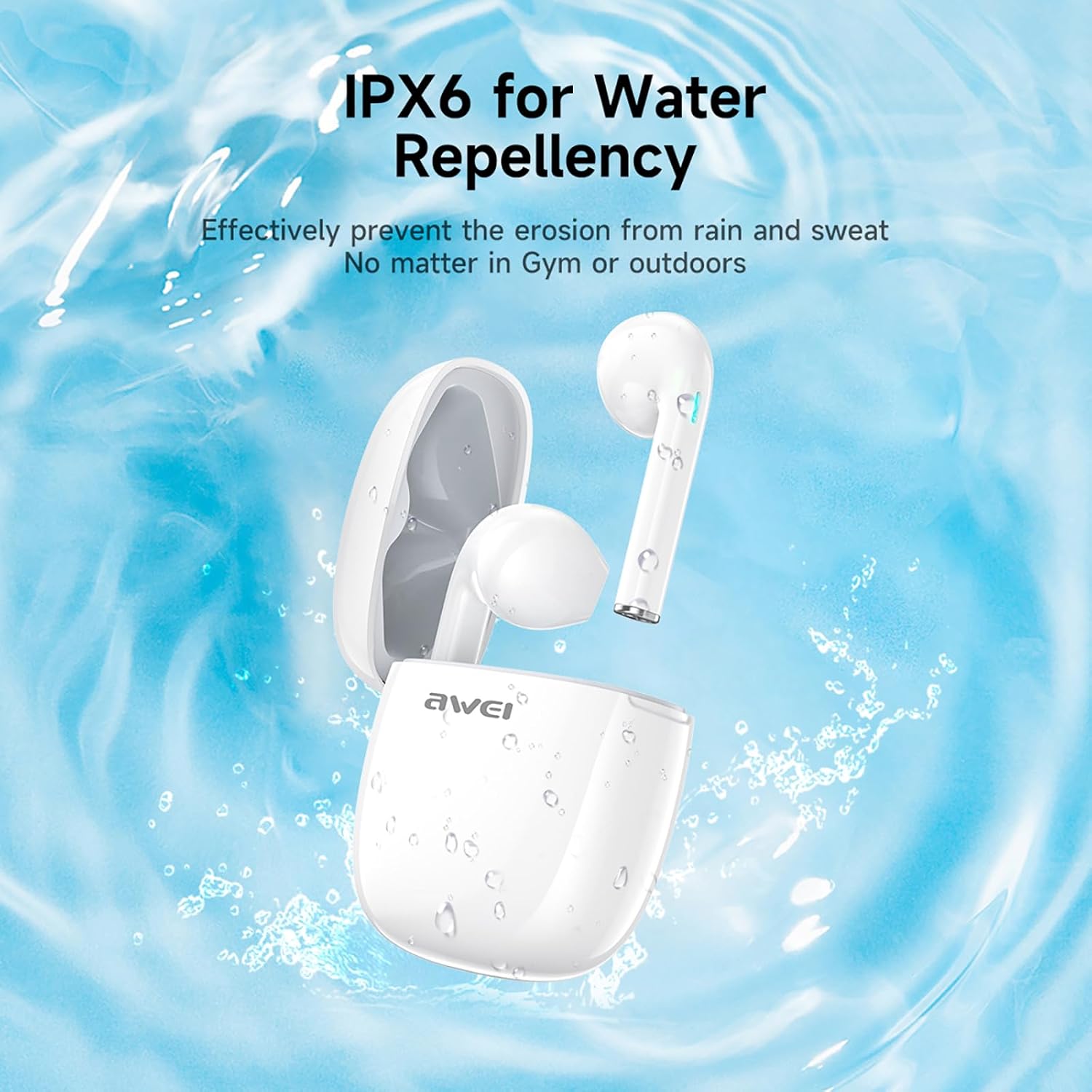
الشكل 3: IPX6 Water Repellency. This image depicts the earbuds and charging case with water splashes, visually representing their IPX6 waterproof rating, suitable for use during exercise or in light rain.
يثبت
1. شحن سماعات الأذن والعلبة
- التهمة الاولية: قبل الاستخدام الأول، قم بشحن سماعات الأذن وعلبة الشحن بالكامل.
- شحن العلبة: Connect the provided USB-C charging cable to the charging port on the case and to a USB power source. The charging time for the case is approximately 1.5 hours.
- شحن سماعات الأذن: Place the earbuds into the charging case. They will automatically begin charging. The earbuds provide approximately 7 hours of continuous use per charge. The charging case extends total playback time to 35 hours in dual-ear mode, or up to 70 hours in single-ear mode by alternating earbuds.
- مؤشرات البطارية: راجع مؤشرات LED الموجودة على العلبة وسماعات الأذن لمعرفة حالة الشحن.
2. الاقتران بجهاز
- تشغيل الطاقة: افتح علبة الشحن. سيتم تشغيل سماعات الأذن تلقائيًا ودخول وضع الاقتران.
- تفعيل البلوتوث: على هاتفك الذكي أو جهازك اللوحي أو أي جهاز آخر مزود بتقنية البلوتوث، انتقل إلى إعدادات البلوتوث وقم بتشغيل البلوتوث.
- اختر جهاز: Look for "AWEI T28" in the list of available devices and select it to connect.
- تأكيد: Once connected, you will hear an audio prompt from the earbuds, and the device's Bluetooth settings will show "AWEI T28" as connected.
- إعادة الاتصال التلقائي: After the initial pairing, the earbuds will automatically connect to the last paired device when removed from the charging case, provided Bluetooth is enabled on the device.
تعليمات التشغيل
عناصر التحكم باللمس
The AWEI T28 earbuds feature smart touch controls on each earbud for convenient management of audio playback and calls.
- تشغيل/إيقاف مؤقت: ضغطة واحدة على أي سماعة أذن.
- الأغنية التالية: اضغط مرتين على سماعة الأذن اليمنى.
- الأغنية السابقة: اضغط مرتين على سماعة الأذن اليسرى.
- رفع الصوت: انقر ثلاث مرات على سماعة الأذن اليمنى.
- اخفض الصوت: انقر ثلاث مرات على سماعة الأذن اليسرى.
- الرد/إنهاء المكالمة: اضغط مرة واحدة على أي سماعة أذن أثناء المكالمة الواردة.
- رفض المكالمة: اضغط مع الاستمرار على أي سماعة أذن لمدة ثانيتين أثناء المكالمة الواردة.
- تنشيط مساعد الصوت: Press and hold either earbud for 3 seconds (functionality may vary by device).
Monaural and Binaural Mode
The earbuds support both monaural (single earbud) and binaural (both earbuds) modes. You can seamlessly switch between modes:
- الوضع الثنائي: أخرج كلا السماعتين من علبة الشحن. ستتصلان ببعضهما البعض تلقائياً ثم بجهازك.
- الوضع الأحادي: Remove only one earbud from the charging case. It will connect to your device independently. You can place the other earbud back in the case or keep it off.
- التحويل: If using one earbud, simply remove the other from the case to automatically switch to binaural mode. If using both, place one back in the case to switch to monaural mode.
صيانة
Proper maintenance ensures the longevity and performance of your AWEI T28 Wireless Earbuds.
- تنظيف: نظّف سماعات الأذن وعلبة الشحن بانتظام بقطعة قماش ناعمة وجافة وخالية من الوبر. لا تستخدم منظفات أو مذيبات كاشطة.
- نصائح الأذن: If applicable, gently remove ear tips and clean them with mild soap and water, then dry thoroughly before reattaching.
- شحن جهات الاتصال: تأكد من أن نقاط اتصال الشحن الموجودة على سماعات الأذن وداخل العلبة نظيفة وخالية من الحطام للحفاظ على الشحن المناسب.
- مقاومة الماء: The earbuds are IPX6 waterproof, meaning they are resistant to strong jets of water. However, they are not designed for swimming or submersion. Ensure they are dry before placing them back in the charging case.
- تخزين: عند عدم الاستخدام، ضع سماعات الأذن في علبة الشحن لحمايتها من الغبار والتلف. خزّنها في مكان بارد وجاف بعيدًا عن درجات الحرارة العالية.
استكشاف الأخطاء وإصلاحها
If you encounter issues with your AWEI T28 Wireless Earbuds, refer to the following common solutions:
- سماعات الأذن غير مقترنة بالجهاز:
- تأكد من شحن سماعتي الأذن بالكامل.
- قم بإيقاف تشغيل البلوتوث على جهازك، ثم قم بتشغيله مرة أخرى.
- Forget "AWEI T28" from your device's Bluetooth list and attempt to pair again.
- Ensure the earbuds are in pairing mode (usually indicated by flashing LED lights).
- حاول الاقتران بجهاز مختلف لاستبعاد المشكلات الخاصة بالجهاز.
- سماعة أذن واحدة فقط تعمل:
- Place both earbuds back into the charging case, close the lid, wait a few seconds, then open the lid and remove both earbuds simultaneously.
- تأكد من شحن كلا سماعات الأذن.
- Check if the earbuds are connected in monaural mode. If so, try re-pairing both earbuds.
- سماعات الأذن لا يتم شحنها:
- تأكد من شحن علبة الشحن.
- Check that the charging contacts on the earbuds and inside the case are clean and free of obstructions.
- تأكد من تثبيت سماعات الأذن بشكل صحيح في علبة الشحن.
- حاول استخدام كابل USB-C أو محول طاقة مختلف.
- انخفاض مستوى الصوت أو جودة الصوت رديئة:
- قم بضبط مستوى الصوت على جهازك وسماعات الأذن.
- تأكد من تثبيت سماعات الأذن بشكل صحيح في أذنيك لضمان إغلاق جيد.
- قم بتنظيف أي شمع أذن أو شوائب من فوهات سماعات الأذن.
- حاول تشغيل مصادر صوتية مختلفة لتحديد ما إذا كانت المشكلة في سماعات الأذن أو الصوت file.
- ينقطع الاتصال بشكل متكرر:
- Ensure there are no significant obstacles (walls, large electronic devices) between the earbuds and your connected device.
- Keep the earbuds within the 10-meter Bluetooth range of your device.
- Avoid environments with high Wi-Fi or other wireless interference.
تحديد
| نموذج | ت28 |
| ماركة | أوي |
| تكنولوجيا الاتصال | لاسلكي (بلوتوث 5.3) |
| وضع الأذن | في الأذن |
| نوع التحكم | التحكم باللمس |
| مستوى مقاومة الماء | مقاومة للماء بدرجة IPX6 |
| متوسط عمر البطارية (سماعات الأذن) | 7 ساعة |
| إجمالي وقت اللعب مع علبة الشحن | Up to 35 Hours (Dual-ear), 70 Hours (Single-ear) |
| مدة الشحن (العلبة) | 1.5 ساعة |
| مادة | سيليكون |
| وزن العنصر | 150 جرام |
| الأجهزة المتوافقة | الهواتف الذكية، وأجهزة الكمبيوتر، وأجهزة التلفاز |
الضمان والدعم
For warranty information and customer support, please refer to the documentation provided with your purchase or contact the retailer where you purchased the AWEI T28 Wireless Earbuds. Keep your proof of purchase for any warranty claims.
For further assistance, you may also visit the official Awei webالموقع أو اتصل بخدمة العملاء الخاصة بهم مباشرة.