
1. المقدمة
This manual provides detailed instructions for the installation, operation, and maintenance of your Walfront 50A Shunt Battery Monitor. This device is designed to accurately measure and display various battery parameters, including voltage, current, capacity, and power, for a wide range of battery types in applications such as RVs, boats, cars, motorcycles, and golf carts.

Figure 1: Complete Walfront 50A Shunt Battery Monitor Kit, including the display unit, sampler, and connecting cables.
2. انتهى المنتجview
2.1 الميزات الرئيسية
- واجهة سهلة الاستخدام: Features a clear 1.8-inch display with larger text and responsive silicone keys for easy operation.
- سهولة التركيب: Designed for versatile embedding with multiple bracket options, including a handlebar bracket, ensuring stable mounting.
- عرض متعدد الوظائف: Provides real-time data on power, voltage, current, remaining capacity, discharge status, estimated time, and capacity percentage.
- الاتصال عبر البلوتوث: Allows remote monitoring and settings adjustment via a mobile app within a 10-meter unobstructed range.
- توافق واسع للبطارية: Suitable for various battery types including lead-acid, LiFePO4, lithium-ion, and Ni-MH batteries.
2.2 مكونات
The Walfront 50A Shunt Battery Monitor package includes the following components:
- Display Unit (1.8-inch screen)
- Sampler (50A Shunt)
- 3-Meter Communication Cable
- 1-Meter Positive Pole Cable
- حامل تثبيت المقود
- دليل المستخدم
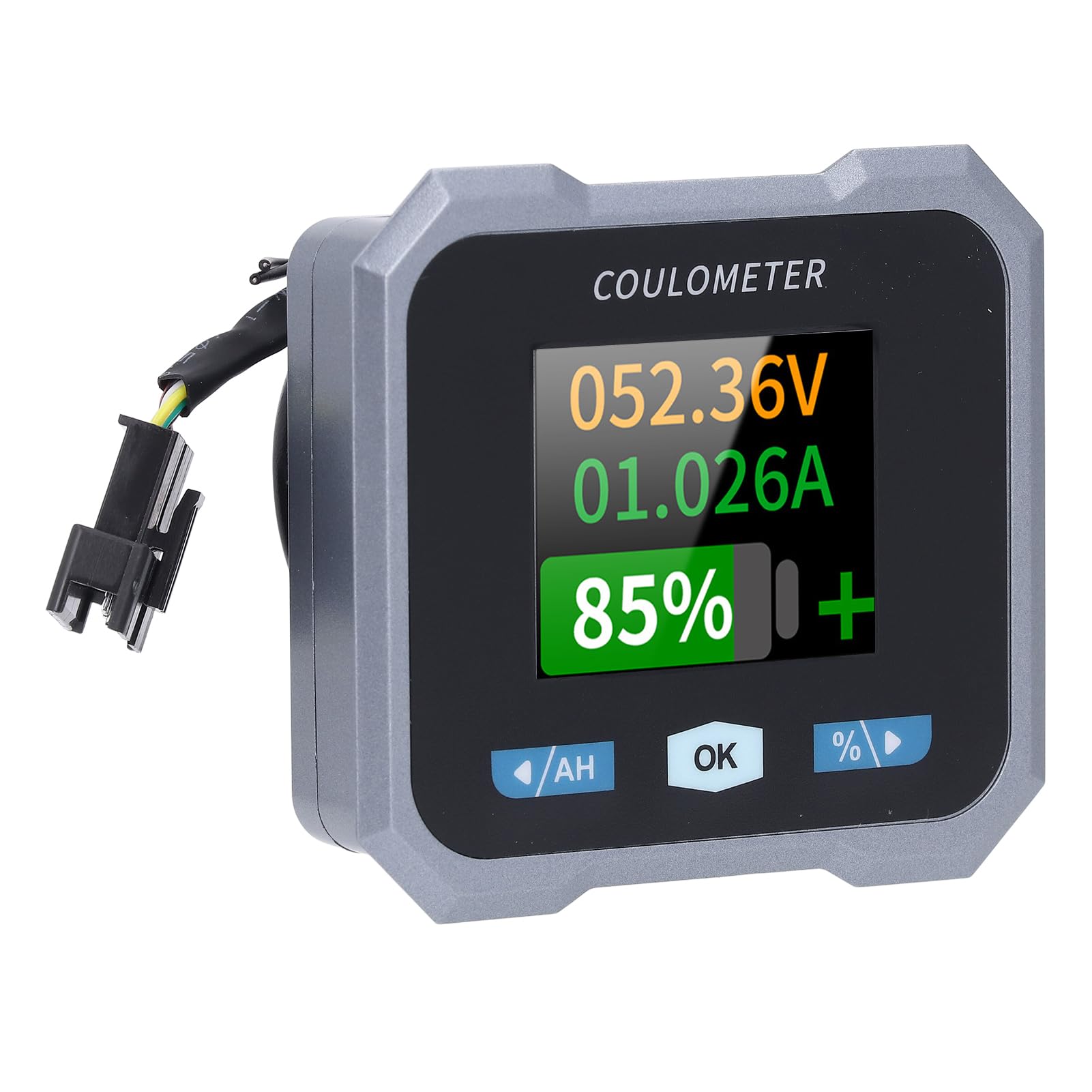
Figure 2: Individual components of the Walfront 50A Shunt Battery Monitor kit.
3. الإعداد والتثبيت
3.1 احتياطات السلامة
- Ensure the power is disconnected from the battery before installation.
- ارتدِ معدات السلامة المناسبة، بما في ذلك حماية العين.
- Verify correct polarity when connecting wires to prevent damage to the device or battery.
3.2 تركيب وحدة العرض
The display unit can be embedded or mounted using the provided handlebar bracket.
- تركيب المقود: Attach the handlebar bracket to your desired location. Secure the display unit into the bracket. The bracket features mechanical locking knobs and thickened anti-slip washers for a secure, non-destructive installation.
- Embedded Mounting: For custom installations, ensure the cutout dimensions match the display unit's specifications (refer to Section 6. Specifications for dimensions).

Figure 3: Display unit mounted on a handlebar, showing clear visibility.

Figure 4: Illustration of the handlebar bracket installation process, highlighting locking knobs and anti-slip washers.
3.3 Wiring the Sampler and Display
لياليampler is the current sensing component and must be installed in series with the negative terminal of the battery. The display unit connects to the sampler via the provided communication cable.
- تواصل سampلير: Connect the negative terminal of your battery to the 'B-' terminal on the sampler. Connect the load's negative terminal to the 'P-' terminal on the sampلير.
- Connect Positive Power: Use the 1-meter positive pole cable to connect the 'V+' terminal on the sampler to the positive terminal of your battery. This provides power to the sampler and display.
- توصيل كابل الاتصالات: Plug one end of the 3-meter communication cable into the sampler and the other end into the display unit.
- التحقق من الاتصالات: Double-check all connections for tightness and correct polarity before restoring power to the battery.

Figure 5: The compact size of the sampler, designed for easy installation even in small battery compartments.
4. تعليمات التشغيل
4.1 واجهة العرض
The 1.8-inch display provides a clear view of various battery parameters. The interface can be viewed manually or set to auto-rotate.
- صفحة الدليل View: Press the left and right arrow keys (labeled '/AH' and '%/>') to manually switch between different display interfaces and view content such as voltage, current, remaining capacity, power, and estimated time.
- Auto Page Rotation: Access the settings interface to enable the auto-rotate function. When active, the monitor will sequentially switch and display different interfaces in a cycle.
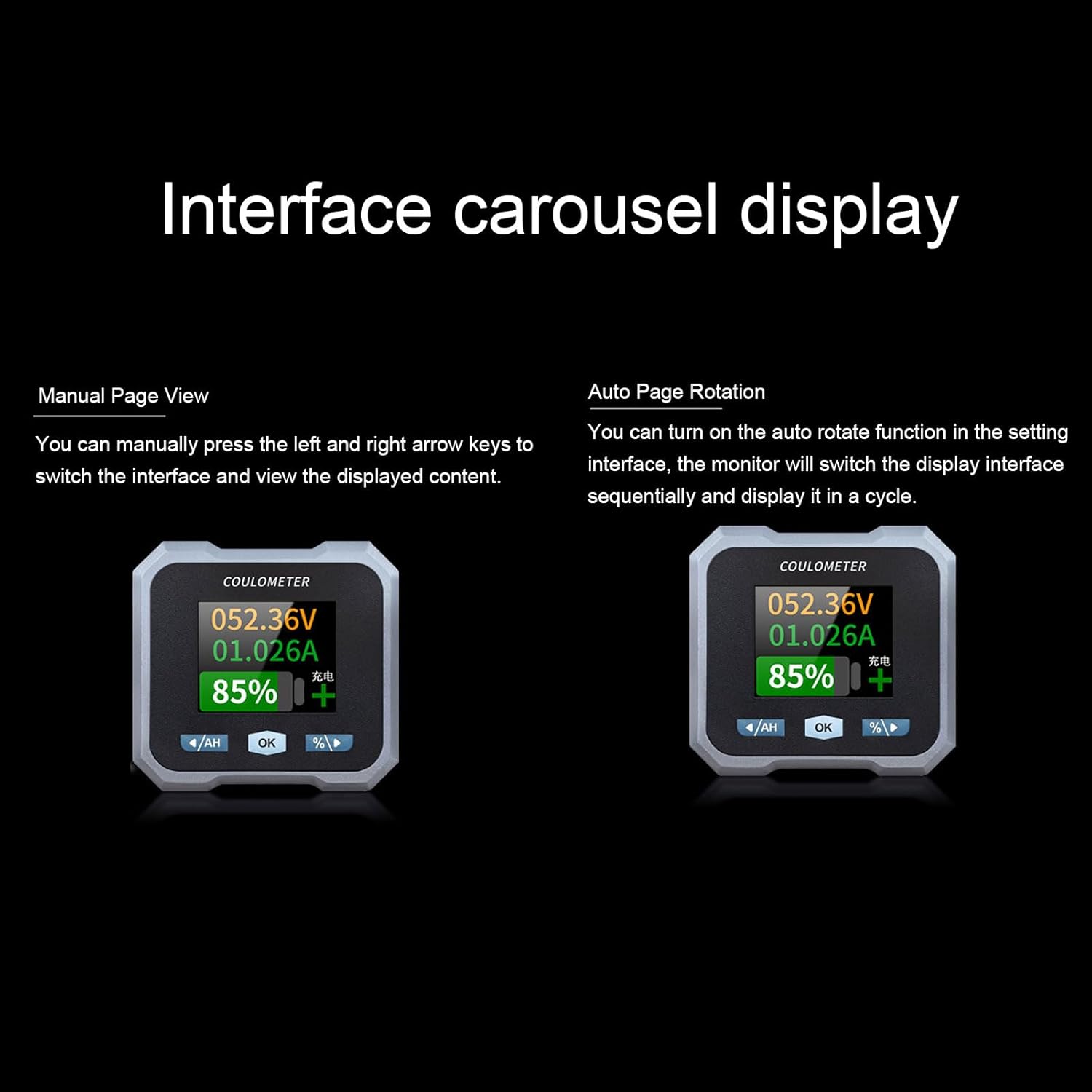
Figure 6: Interface carousel display options, showing manual page view and auto page rotation.

Figure 7: The multifunctional display showing voltage, current, estimated charge/discharge time, percentage of capacity, remaining capacity, and power.
4.2 وظائف الأزرار
- '/AH' Button (Left Arrow): Navigates left through display screens or decreases values in settings.
- 'OK' Button: يؤكد الاختيارات أو يدخل إلى قوائم الإعدادات.
- '%/>' Button (Right Arrow): Navigates right through display screens or increases values in settings.
4.3 اتصال البلوتوث
The monitor supports Bluetooth connectivity for remote monitoring and control via a mobile application.
- تحميل التطبيق: بحث عن the official Walfront battery monitor app on your smartphone's app store.
- إقران الجهاز: Enable Bluetooth on your smartphone and open the app. Follow the in-app instructions to search for and pair with your battery monitor.
- المراقبة عن بعد: بمجرد الاتصال ، يمكنك ذلك view real-time data, adjust settings, and monitor functions remotely within a 10-meter unobstructed range.
4.4 تكوين نوع البطارية
The monitor is compatible with various battery types. Ensure the correct battery type is configured in the settings for accurate readings.
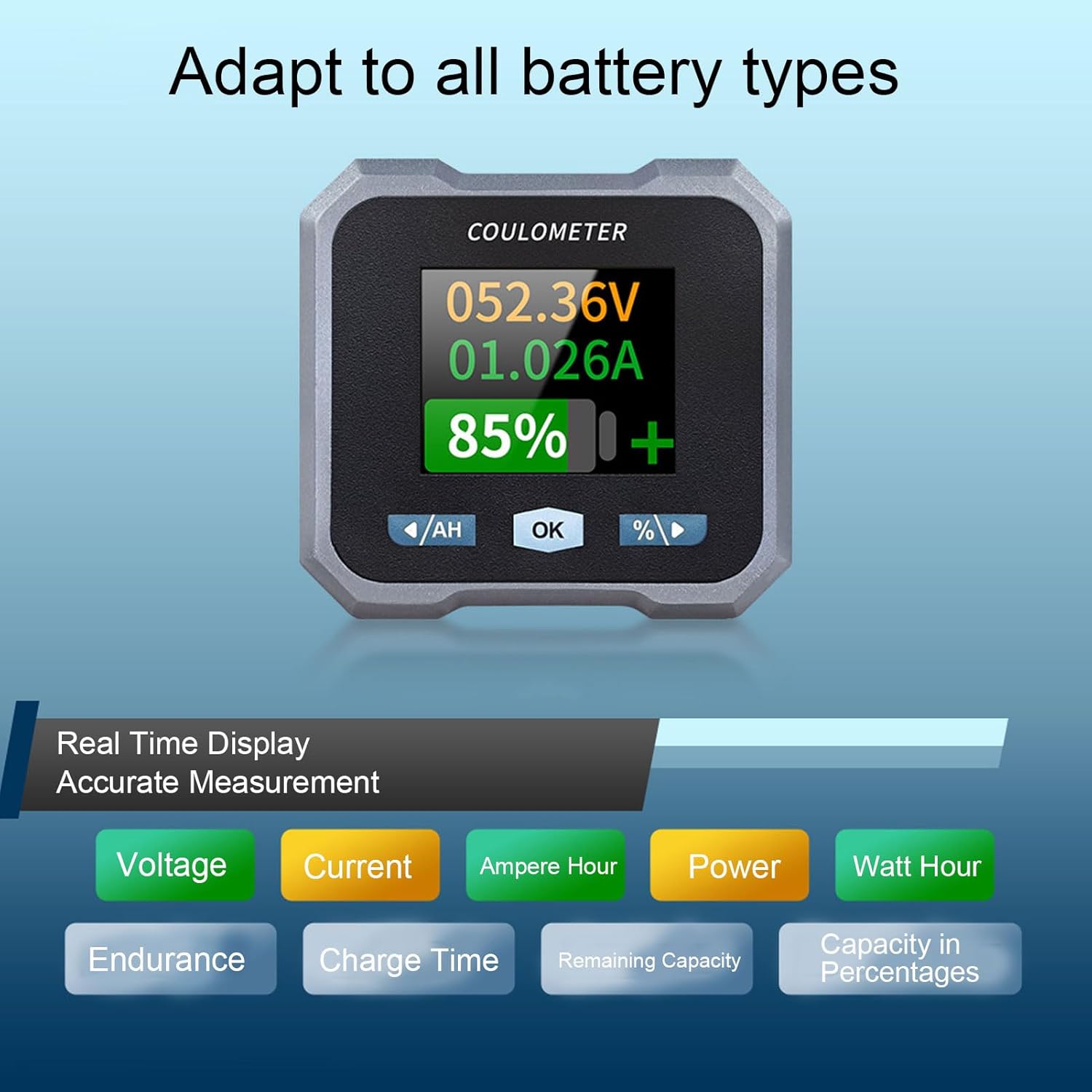
Figure 8: Display indicating real-time measurements and highlighting compatibility with various battery types.
5. الصيانة
To ensure the longevity and accurate performance of your Walfront 50A Shunt Battery Monitor, follow these general maintenance guidelines:
- تنظيف: Gently wipe the display screen and unit housing with a soft, dry cloth. Avoid using abrasive cleaners or solvents.
- الاتصالات: قم بفحص جميع توصيلات الأسلاك بشكل دوري للتأكد من أنها آمنة وخالية من التآكل.
- حماية البيئة: While designed for various environments, avoid prolonged exposure to extreme temperatures, direct sunlight, or excessive moisture.
- تحديثات البرامج الثابتة: Check the Walfront official webقم بزيارة الموقع أو التطبيق للاطلاع على أي تحديثات متاحة للبرامج الثابتة لضمان الأداء الأمثل والميزات الجديدة.
6. استكشاف الأخطاء وإصلاحها
If you encounter issues with your battery monitor, refer to the following common troubleshooting steps:
- لا يوجد عرض/طاقة:
- Check all power connections, especially the positive pole cable to the battery and the communication cable to the sampلير.
- تأكد من حجم البطاريةtagيقع e ضمن نطاق التشغيل (10-100 فولت).
- قراءات غير دقيقة:
- تحقق من أن ملف sampler is correctly installed in series with the negative battery terminal.
- Confirm that the battery type and capacity settings in the monitor match your actual battery.
- Ensure all connections are tight and free of corrosion, which can affect current sensing.
- مشاكل الاتصال عبر البلوتوث:
- Ensure the monitor is powered on and within the 10-meter unobstructed range of your smartphone.
- Restart the mobile app and your smartphone's Bluetooth.
- If pairing fails, try unpairing and re-pairing the device in your phone's Bluetooth settings.
- Screen Auto-Off During Use:
- The screen automatically turns off after 20 seconds during charging. During discharge, it turns off if the current is below 15mA for 20 seconds. This is normal behavior to conserve power.
- اضغط على أي زر لإعادة تنشيط الشاشة.
If problems persist, contact Walfront customer support for further assistance.
7. المواصفات
| المعلمة | قيمة |
|---|---|
| نموذج | WALFRONTpo13qkgbfh |
| مادة | ABS, Stainless Steel, Silicone |
| حجم الشاشة | Approx. 1.8 inches / 4.57 cm |
| Sampطريقة لينغ | ناور |
| المجلدtagنطاق الاختبار الإلكتروني | Approx. 10-100V |
| المجلدtagهـ القرار | تقريبا. 0.01 فولت |
| نطاق القياس الحالي | Approx. 0-50A |
| القرار الحالي | تقريبا. 0.001 أ |
| Capacity Display Range | Approx. 0%-100% |
| نطاق قياس الطاقة | Approx. 0-5KW |
| دقة الطاقة | تقريبا 0.01 واط |
| Ah Measurement Range | Approx. 0-9999AH |
| Capacity Resolution | Approx. 0.1AH |
| مسافة اتصال بلوتوث | Approx. 10m / 32.81ft (unobstructed) |
| المجلدtagهـ الدقة | ± 1٪ + 2 أرقام |
| الدقة الحالية | ±2%+0.002 أمبير |
| Display Power Consumption | تقريبا 0.75 واط |
| وقت إيقاف تشغيل الشاشة | 20 seconds auto off during charging; screen on when I≥15mA, off when I<15mA for 20s |
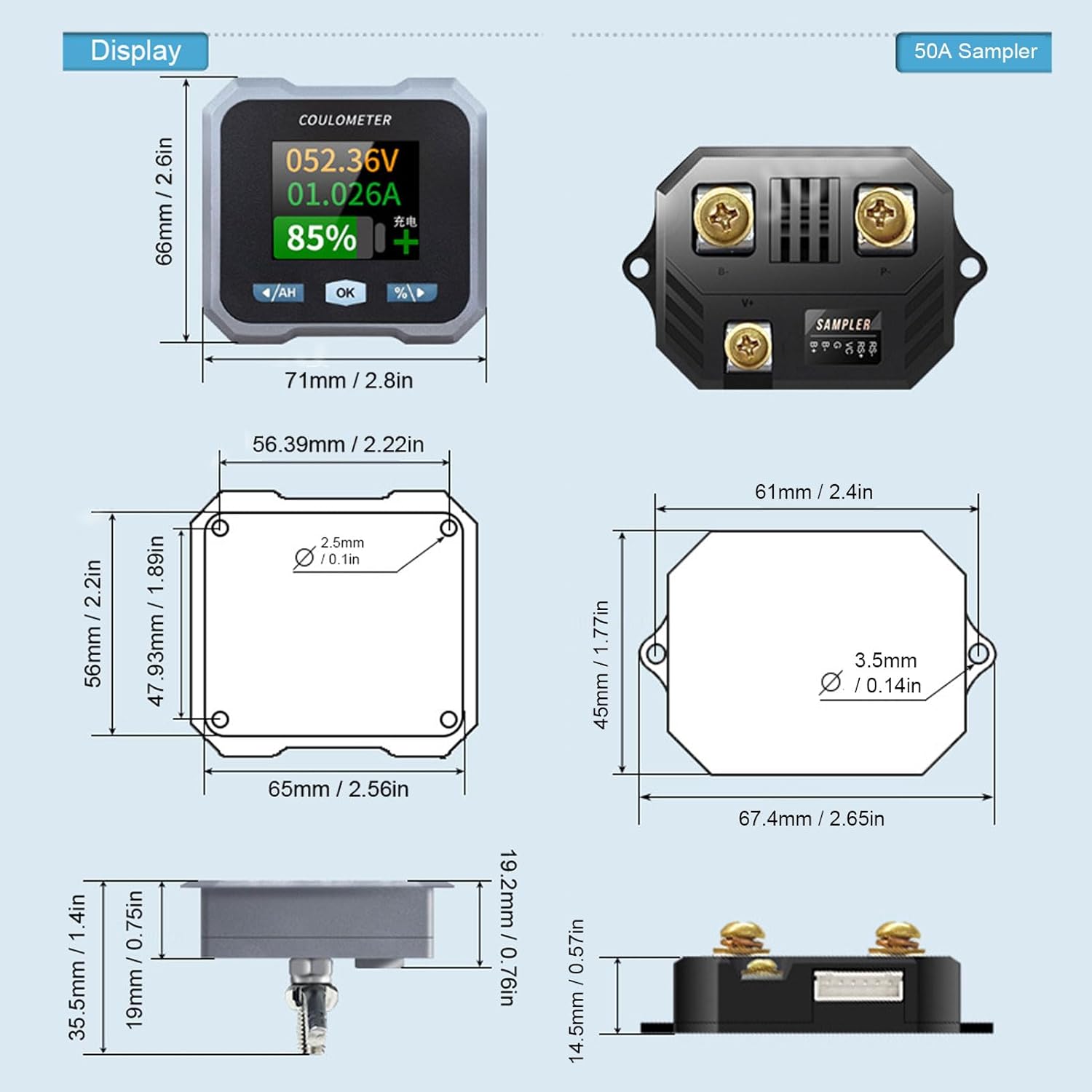
Figure 9: Detailed dimensions for both the display unit and the 50A sampلير.
8. الضمان والدعم
For warranty information and technical support, please refer to the documentation provided with your purchase or visit the official Walfront webالموقع. احتفظ بإيصال الشراء الخاص بك كإثبات للشراء في حالة وجود أي مطالبات بالضمان.