
ARPHA AL501-01
ARPHA Smart Door Lock with Video Camera User Manual
الموديل: AL501-01
1. المقدمة
The ARPHA AL501 Smart Door Lock with Video Camera is an advanced 6-in-1 security solution designed for modern homes. It integrates a 2K HD camera, doorbell, fingerprint reader, keypad, traditional key access, and Wi-Fi app control into a single device. This manual provides comprehensive instructions for installation, operation, and maintenance to ensure optimal performance and security.
2. ماذا يوجد في الصندوق
تأكد من وجود كافة المكونات قبل البدء في التثبيت:
- ARPHA AL501 Smart Door Lock (Exterior and Interior Assemblies)
- Rechargeable 10,000 mAh Battery Pack
- Doorbell Chime Module
- قالب التثبيت
- Mounting Hardware (Screws, Spindle, etc.)
- دليل المستخدم (هذا المستند)
- دليل البدء السريع
- بطاقة ذاكرة SD سعة 32 جيجابايت (مثبتة مسبقًا أو مرفقة)
- المفاتيح التقليدية (2)
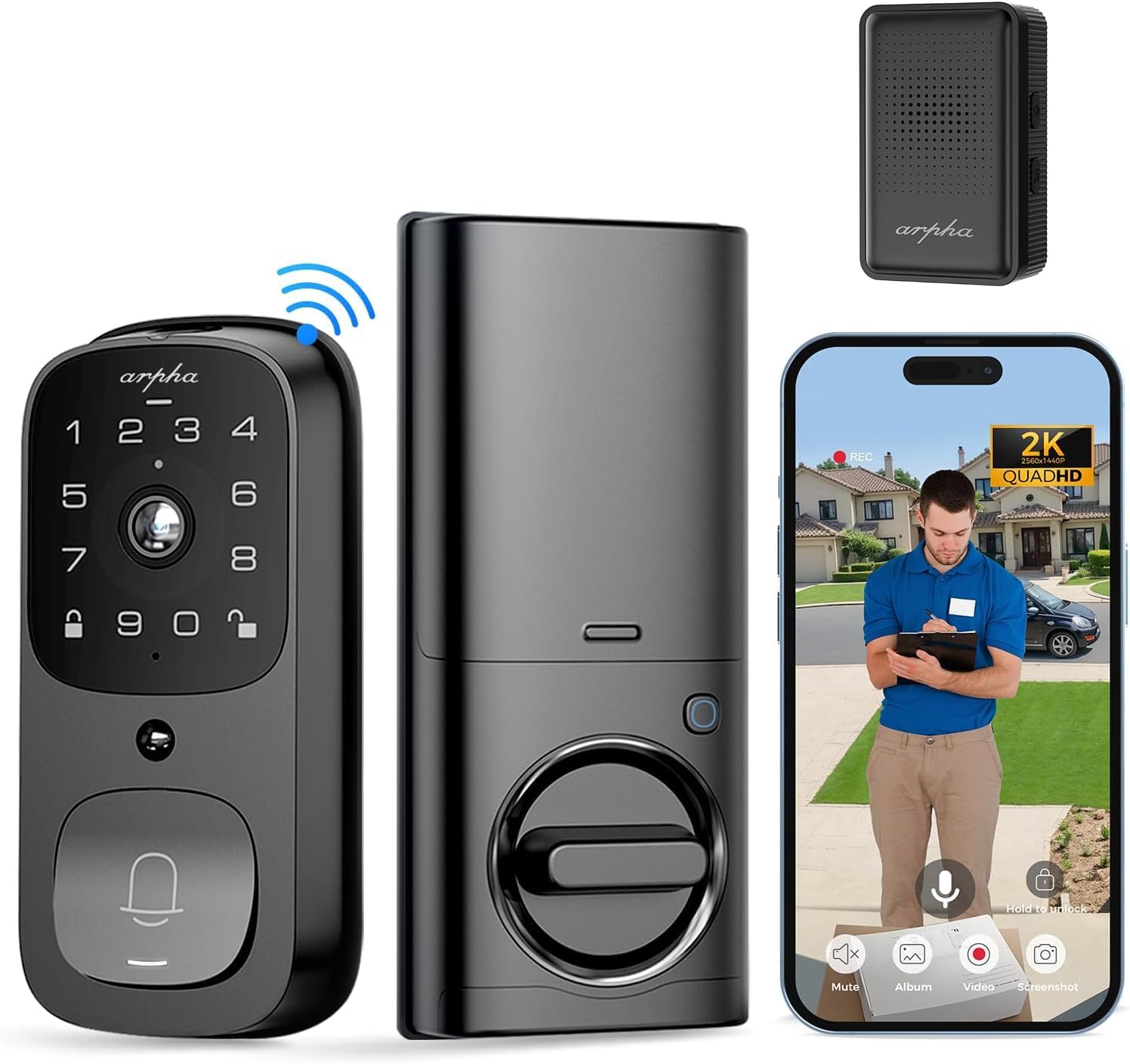
الصورة: أكثر منview of the ARPHA AL501 Smart Door Lock and its accessories.
3. الإعداد والتثبيت
3.1 قائمة التحقق قبل التثبيت
- Ensure your door thickness is between 1-3/8" to 2-1/8" (35mm - 55mm).
- Verify your door's backset is 2-3/8" (60mm) or 2-3/4" (70mm).
- Confirm the lock is suitable for both left and right-handed door directions.
- A screwdriver is the primary tool required for installation.

Image: Door compatibility and dimensions for installation.
3.2 خطوات التثبيت
اتبع الخطوات التالية بعناية للتثبيت الصحيح:
- إزالة الأجهزة الموجودة: Unscrew and remove your current deadbolt and any associated hardware from the door.
- تركيب مزلاج القفل: Insert the new latch bolt into the door edge, ensuring the "UP" arrow is pointing upwards. Secure it with screws.
- تثبيت الجمعية الخارجية: Place the exterior keypad assembly onto the door, aligning the spindle through the latch bolt. Ensure the cable passes through the door.
- تثبيت لوحة التركيب: Secure the interior mounting plate to the door using the provided screws, ensuring it's flush against the door surface.
- توصيل الكابلات: قم بتوصيل الكابل من المجموعة الخارجية إلى المجموعة الداخلية.
- تثبيت التجميع الداخلي: Attach the interior assembly to the mounting plate, securing it with screws. Ensure the thumb turn operates smoothly.
- أدخل البطارية: Fully charge the 10,000 mAh battery pack before first use. Insert the charged battery into the interior assembly.
- Install Doorbell Chime: Plug the Doorbell Chime module into a USB power port. Press and hold the doorbell icon button on the chime for 10 seconds until you hear a sound to pair it with the lock.
- عملية الاختبار: Test the lock's functionality using the keypad, fingerprint sensor, and traditional key.
- إعداد التطبيق: Download the "Arpha Plus" app from your device's app store. Follow the in-app instructions to connect your smart lock to your 2.4GHz Wi-Fi network and complete the setup.
4. تعليمات التشغيل
4.1 Arpha App Control
The Arpha Plus App provides remote control and monitoring capabilities:
- فتح عن بعد: Unlock your door from anywhere using the app.
- الرموز المؤقتة: Generate and share one-time or time-limited access codes for visitors and family.
- الإشعارات في الوقت الحقيقي: Receive alerts for motion detection, doorbell rings, and lock status changes.
- يعيش View: Access the 2K HD camera live feed to see who is at your door.
- صوت ثنائي الاتجاه: تواصل مع الزوار مباشرة من خلال التطبيق.

Image: Two-way audio and app control interface.
4.2 فتح القفل ببصمة الإصبع
The integrated fingerprint sensor offers quick and secure access:
- Fast Identification: Unlock the door in approximately 0.3 seconds.
- دقة عالية: Features a 99.9% accuracy rate with AI self-learning for improved recognition over time.
- التسجيل: Follow the app instructions to enroll multiple fingerprints for authorized users.

Image: Fingerprint unlock feature.
4.3 Keypad Entry
Use the touchscreen keypad for code-based entry:
- رموز الإعداد: Create and manage user codes through the Arpha Plus app.
- كلمة مرور مكافحة التجسس: Enter random digits before or after your actual code to prevent others from guessing your entry code.
- لوحة المفاتيح ذات الإضاءة الخلفية: The keypad illuminates for easy use in low-light conditions.
4.4 2K Video & Two-Way Audio
The integrated camera and audio features enhance security and communication:
- فيديو عالي الدقة 2K: Provides clear, high-resolution video footage.
- عدسة واسعة الزاوية 170 درجة: يقدم مجموعة واسعة view of your front door area, minimizing blind spots.
- رؤية ليلية محسنة: رؤية واضحة حتى مسافة 33 قدمًا في ظروف الإضاءة المنخفضة.
- صوت ثنائي الاتجاه: Speak and listen to visitors in real-time via the Arpha Plus app.
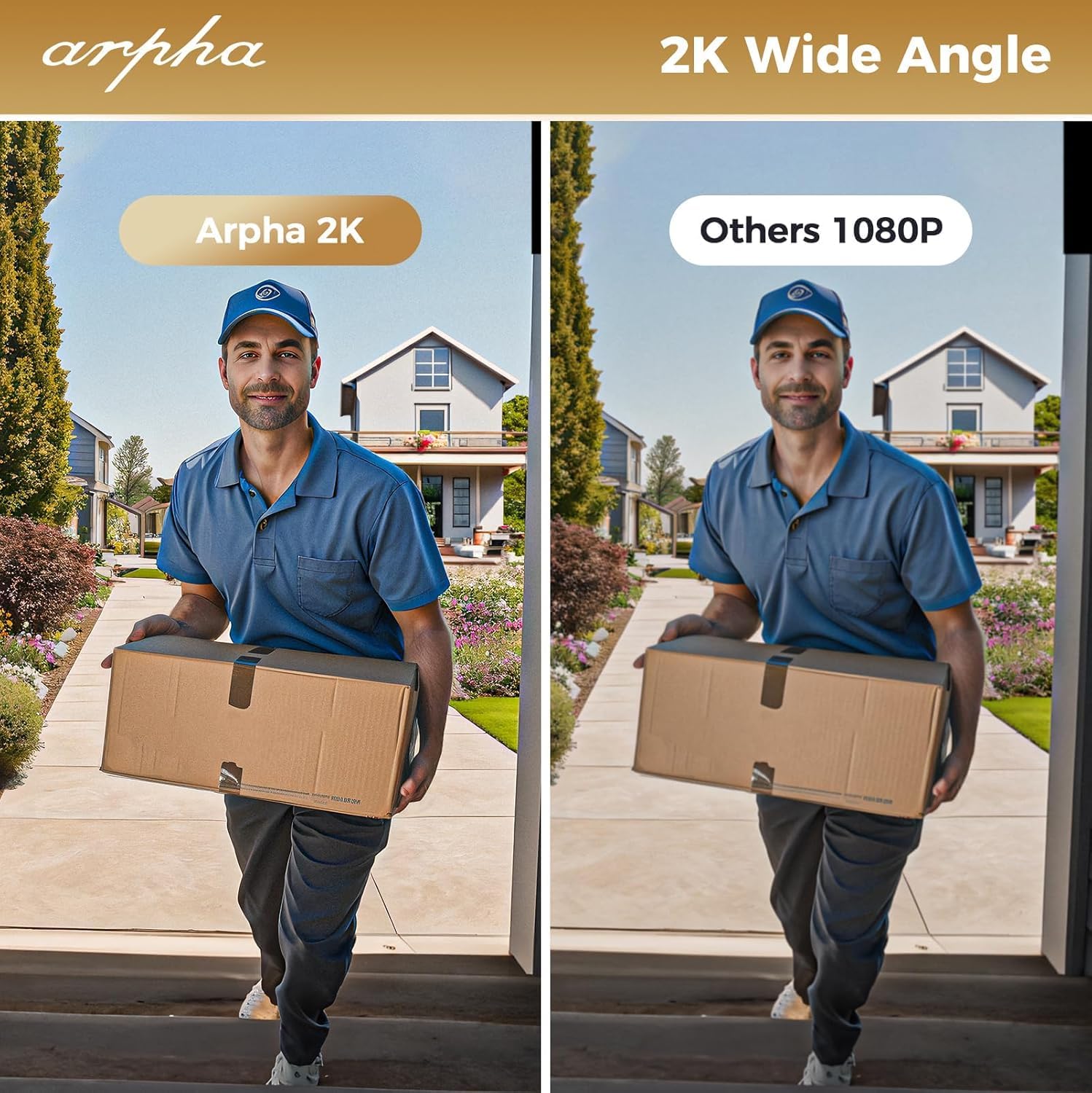
Image: 2K wide-angle camera view مقارنة.
4.5 كشف الحركة بالأشعة تحت الحمراء السلبية
The Passive Infrared (PIR) sensor detects movement and provides alerts:
- Human/Animal Detection: Identifies motion in the front door area.
- الإشعارات في الوقت الحقيقي: Sends instant alerts to your Arpha Plus app when motion is detected.
- Customizable Activity Areas: Define specific zones to monitor, reducing unwanted alerts.
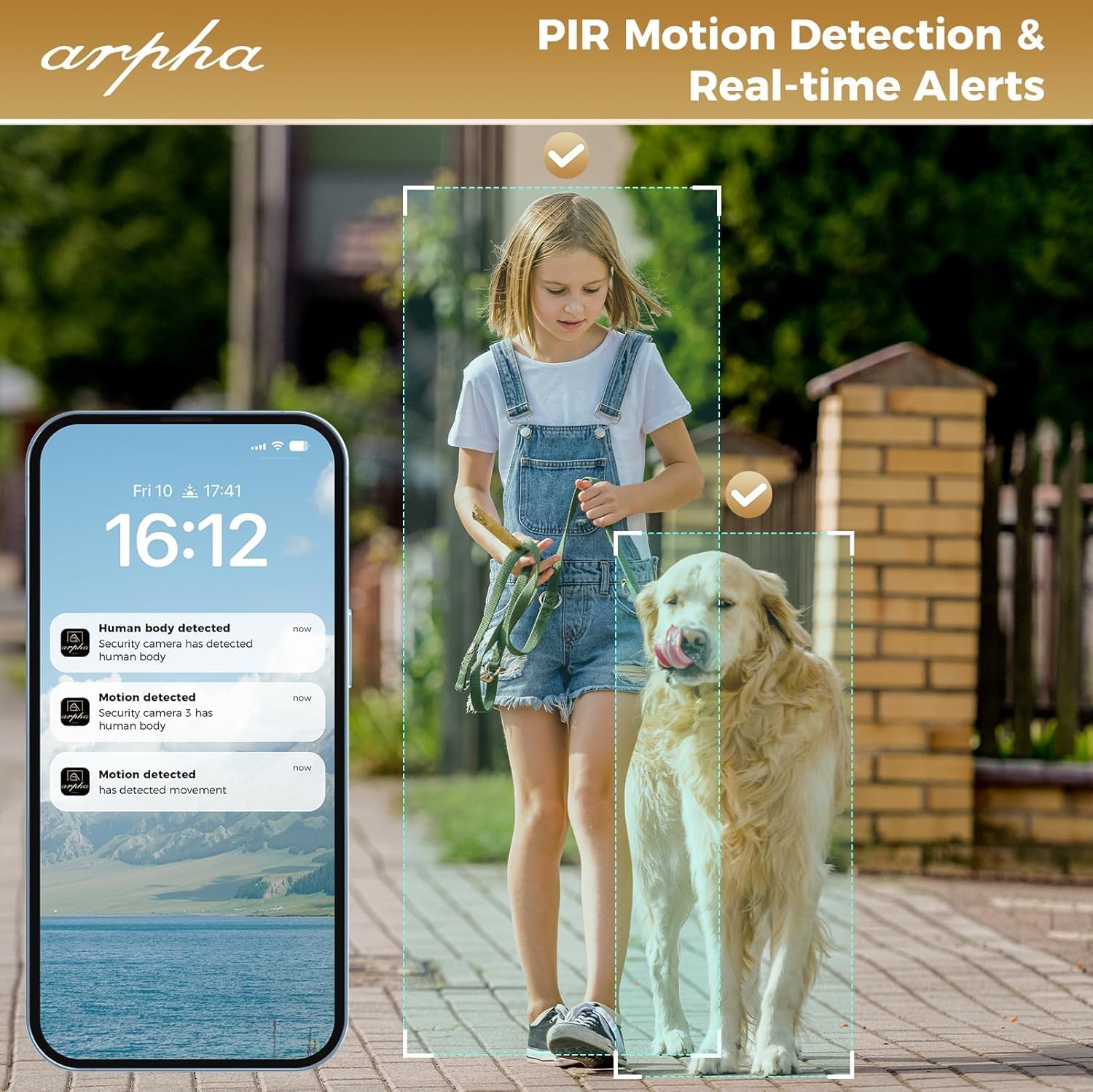
Image: PIR motion detection and real-time alerts.
5. الصيانة
- عمر البطارية: The 10,000 mAh battery pack can last up to 270 days with 10 daily uses on a single full charge.
- الشحن: Recharge the battery using the provided USB cable when the low battery warning is issued.
- التخزين المحلي: The lock supports up to 32GB of local storage for video recordings.
- تنظيف: Regularly clean the camera lens with a soft microfiber cloth to ensure clear video quality. Avoid harsh cleaners.
- مانعة لتسرب الماء: The lock is IP65 weatherproof, designed to withstand rain and various weather conditions.

Image: Long battery life feature.
6. استكشاف الأخطاء وإصلاحها
- القفل لا يستجيب: Check battery level. If low, recharge the battery. Ensure the battery is properly seated.
- مشاكل التعرف على بصمات الأصابع: Ensure your finger is clean and dry. Re-enroll your fingerprint if issues persist.
- مشاكل الاتصال بالواي فاي: The lock only connects to 2.4GHz Wi-Fi networks. Ensure your router is broadcasting on this frequency. Move the router closer if signal is weak.
- جرس الباب لا يعمل: Ensure the chime module is plugged into a USB power port. Re-pair the chime by pressing and holding its doorbell icon button for 10 seconds until it makes a sound.
- App Issues (Android): As of mid-August, the Android app is undergoing an upgrade. If you experience issues, please contact customer service for assistance.
- جودة الفيديو رديئة: Clean the camera lens with a soft microfiber cloth. Ensure adequate lighting for optimal night vision performance.
- تنبيهات الحركة الكاذبة: Adjust the sensitivity settings for PIR motion detection in the Arpha Plus app. Consider customizing activity areas to exclude high-traffic zones.
- Lock Not Fitting Door: Double-check your door's thickness and backset against the specifications in Section 3.1.
7. المواصفات
| ميزة | التفاصيل |
|---|---|
| ماركة | ARPHA |
| اسم الموديل | ال501 |
| رقم موديل العنصر | أ501-01 |
| نوع القفل | Biometric (Fingerprint), Keypad, Key, App Control |
| الاتصال | واي فاي (2.4 جيجاهرتز فقط) |
| دقة الكاميرا | 2K عالية الدقة |
| زاوية الكاميرا | زاوية واسعة 170 درجة |
| نطاق الرؤية الليلية | حتى 33 قدم |
| سعة البطارية | 10,000 مللي أمبير ليثيوم بوليمر |
| التخزين المحلي | بطاقة SD سعة 32 جيجابايت (مضمنة) |
| كتامة | IP65 |
| توافق سمك الباب | من 1-3/8 بوصة إلى 2-1/8 بوصة (35 مم - 55 مم) |
| توافق المسافة الخلفية | 2-3/8" (60mm) and 2-3/4" (70mm) |
| مادة | معدن |
| أبعاد العنصر (الطول × العرض × الارتفاع) | 2.8 × 5.9 × 1.2 بوصة |
| وزن العنصر | 2.75 رطل |
8. الضمان والدعم
ARPHA is committed to providing high-quality products and excellent customer service. For any questions, concerns, or support needs regarding your ARPHA Smart Door Lock, please contact our support team.
- الخدمة عبر الإنترنت: يتوفر الدعم عبر الإنترنت على مدار الساعة طوال أيام الأسبوع.
- وقت الاستجابة: Expect a response within 2 hours for inquiries.
- دعم البريد الإلكتروني: For assistance, please email support@arpha.com.

Image: ARPHA Support Team commitment.
Ask a question about this manual
Ask about setup, troubleshooting, compatibility, parts, safety, or missing instructions. Manuals+ will review the question and use this page’s manual context to help answer it.