
1. المقدمة
Thank you for choosing the M VAVE ABY Line Selector AB Switch. This compact and versatile pedal is designed for guitar and bass enthusiasts, allowing seamless switching between two input sources to one output, or one input source to two output destinations. Its true bypass design ensures your original tone remains unaffected when the pedal is disengaged. This manual provides detailed instructions for setup, operation, maintenance, and troubleshooting to help you get the most out of your new pedal.

Figure 1: M VAVE ABY Line Selector AB Switch Pedal
The M VAVE ABY pedal is engineered for durability with its metal construction and features a compact design, making it ideal for pedalboards where space is at a premium. It supports both DC9V and USB5V power supplies, offering flexibility in various setups.
2. انتهى المنتجview
The M VAVE ABY Line Selector AB Switch features intuitive controls and robust construction. Familiarize yourself with the components:
- مفتاح القدم: Activates or deactivates the selected channel(s).
- جاك: Standard 1/4" MONO/TS input/output.
- B Jack: Standard 1/4" MONO/TS input/output.
- C Jack: Standard 1/4" MONO/TS input/output.
- Mode Select Switch (A/B, A&B): Toggles between selecting channel A or B exclusively, or both A and B simultaneously.
- مؤشر LED: Displays the active channel(s) (Red for A, Green for B, Yellow for A&B).
- العاصمة في مقبس الطاقة: For 9V DC power supply.
- جاك يو اس بي: For 5V USB power supply.

Figure 2: Labeled Diagram of Pedal Components
3. المواصفات
Detailed technical specifications for the M VAVE ABY Line Selector AB Switch:
| ميزة | وصف |
|---|---|
| مادة | معدن |
| A/B/C Jack Type | Standard 1/4" MONO/TS |
| مصدر الطاقة 1 | DC9V ≥ 300mA (center negative) |
| مصدر الطاقة 2 | USB5V ≥ 300mA |
| حجم العنصر | 90 * 48.5 * 42 مم / 3.54 * 1.91 * 1.65 بوصة |
| وزن العنصر | 178g / 6.29oz (approx. 5.5 ounces) |
| وزن الحزمة | 155 جرام / 5.48 أونصة |
| حجم الحزمة | 10.5 * 5.5 * 4.5 سم / 4.13 * 2.17 * 1.77 بوصة |
| ASIN | B0DMF2YLC9 |
| رقم موديل العنصر | Kavolet3wt08bhfdp |
| واجهة الأجهزة | صوت 1/4 بوصة |

Figure 3: Pedal Dimensions
4. الإعداد
Follow these steps to set up your M VAVE ABY Line Selector AB Switch:
- توصيل الطاقة: Connect a DC9V (center negative) power adapter to the DC IN jack or a USB 5V power source to the USB jack. Note: The pedal can function without external power if LED indication is not required.
- Instrument/Source Connection:
- Scenario 1 (Two Inputs to One Output): Connect your first instrument (e.g., Guitar 1) to the 'A' jack and your second instrument (e.g., Guitar 2) to the 'B' jack. Connect your amplifier or desired output device to the 'C' jack.
- Scenario 2 (One Input to Two Outputs): Connect your instrument (e.g., Guitar) to the 'C' jack. Connect your first amplifier/output device to the 'A' jack and your second amplifier/output device to the 'B' jack.
- إدارة الكابلات: Ensure all cables are securely connected and routed to prevent tripping hazards or accidental disconnections.

الشكل 4: مثالample Setup with Cables Connected
5. تعليمات التشغيل
The M VAVE ABY pedal offers flexible signal routing. Understand its modes and functions:
5.1. Signal Flow Direction
The ABY pedal supports dual-direction signal flow:
- A/B to C: Route signals from either A or B (or both) to C. Ideal for switching between two instruments into one ampمكبر.
- C to A/B: Route a signal from C to either A or B (or both). Ideal for sending one instrument's signal to two different amplifiers or effects chains.

Figure 5: ABY Line Selector in a typical setup
5.2. Mode Select Switch
Use the small toggle switch to select the desired output mode:
- A/B Mode: In this mode, the footswitch toggles between channel A and channel B. Only one channel will be active at a time.
- A&B Mode: In this mode, the footswitch toggles between channel A and both channels A and B simultaneously. This allows you to combine signals or send a signal to both outputs.
5.3. Footswitch Operation
Press the footswitch to switch between the active channels based on the selected mode. The true bypass design ensures that when the pedal is disengaged (or not powered for LED), your signal passes through without coloration.
5.4. مؤشرات LED
The LED provides visual feedback on the active channel(s):
- الصمام الأحمر: Channel A is active.
- الصمام الأخضر: Channel B is active.
- الصمام الأصفر: Both Channel A and Channel B are active.
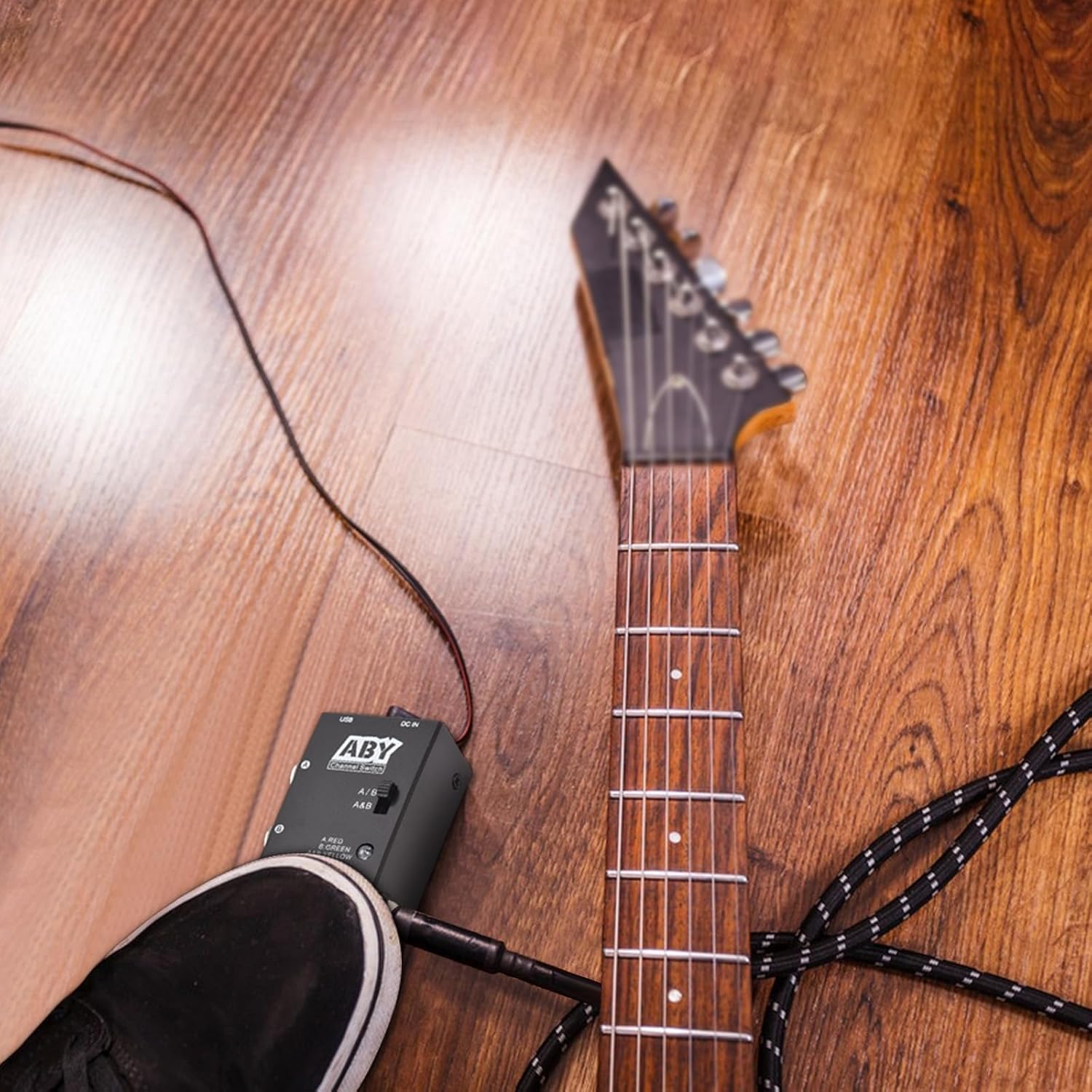
Figure 6: Pedal in use on the floor

Figure 7: The compact size of the pedal makes it highly portable.
6. الصيانة
Proper care and maintenance will extend the life of your M VAVE ABY pedal:
- تنظيف: Use a soft, dry cloth to wipe down the pedal. Avoid abrasive cleaners, solvents, or excessive moisture, which can damage the finish or internal components.
- تخزين: قم بتخزين الدواسة في مكان بارد وجاف بعيدًا عن أشعة الشمس المباشرة ودرجات الحرارة القصوى والرطوبة العالية.
- التعامل: Avoid dropping the pedal or subjecting it to strong impacts. While robust, excessive force can cause damage.
- الاتصالات: Periodically check all cable connections for wear and tear. Replace damaged cables to ensure optimal performance and safety.
7. استكشاف الأخطاء وإصلاحها
If you encounter issues with your M VAVE ABY pedal, refer to the following common troubleshooting steps:
- لا يوجد إخراج صوت:
- Ensure all cables are securely connected to the correct input/output jacks.
- Check the Mode Select Switch position (A/B or A&B) and ensure the footswitch is set to the desired active channel.
- Test your instrument and amplifier independently to confirm they are working correctly.
- If using power, ensure the power supply meets the specifications (DC9V or USB5V) and is properly connected.
- لا يضيء مؤشر LED:
- The pedal can operate without power (true bypass), but the LED indicators require power. Ensure a compatible power supply is connected and functioning.
- Verify the power supply's polarity (DC9V center negative).
- Signal Loss or Noise:
- Ensure you are using high-quality instrument cables.
- تحقق من عدم وجود أي كابلات تالفة أو اتصالات فضفاضة.
- Ensure the pedal is not placed too close to power supplies or other devices that might cause electromagnetic interference.
- Footswitch Not Responding:
- Ensure the footswitch is fully depressed.
- إذا استمرت المشكلة ، فاتصل بدعم العملاء.
8. الضمان والدعم
This product is covered by a manufacturer's warranty. Please refer to the warranty card included with your purchase for specific terms and conditions, including the warranty period and coverage details. Keep your proof of purchase for warranty claims.
For technical support, troubleshooting assistance beyond this manual, or warranty inquiries, please contact the seller or manufacturer directly through the contact information provided at the point of purchase or on the product packaging. When contacting support, please have your product model number (Kavolet3wt08bhfdp) and purchase date ready.