
مقدمة
Welcome to the Maxell Wireless Soundbar and Voice Amplifier user manual. This guide provides essential information for setting up, operating, and maintaining your device. Designed for versatility and clarity, this system enhances audio projection in various environments, from classrooms to meetings.

The Maxell Wireless Soundbar in use within a classroom, demonstrating its application in educational settings.
محتويات الحزمة
يرجى التأكد من أن جميع العناصر المدرجة أدناه متضمنة في الحزمة الخاصة بك:
- Maxell Wireless Soundbar (Model 197337)
- 2.4GHz Wireless Microphone Transmitter
- 2.4GHz Wireless Microphone Receiver
- كابل شحن USB-C
- حقيبة الحمل
- دليل المستخدم
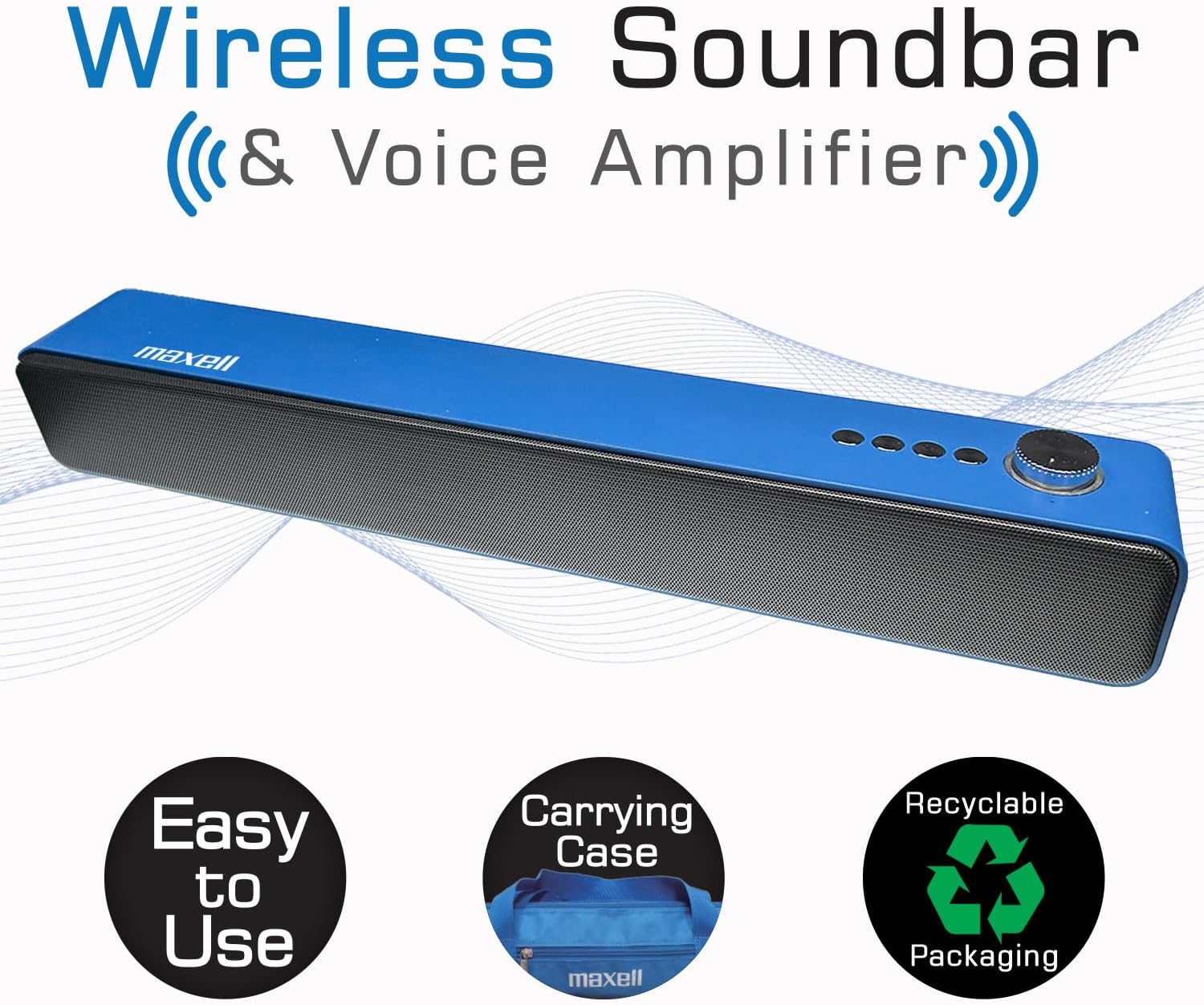
The Maxell Wireless Soundbar alongside its vibrant blue carrying case, emphasizing its portability.
المنتج انتهىview
Familiarize yourself with the components and controls of your Maxell Wireless Soundbar and 2.4GHz Microphone system.
Soundbar Controls and Ports
- زر التشغيل/مقبض الصوت: Press and hold to power on/off. Rotate to adjust volume.
- زر الوضع: Cycle through Bluetooth, MicroSD, AUX, and USB modes.
- زر التشغيل/الإيقاف المؤقت: التحكم في تشغيل الصوت.
- أزرار المسار السابق/التالي: Navigate audio tracks.
- منفذ USB: For USB drive audio playback.
- منفذ كارت الذاكرة الصغيرة: For MicroSD card audio playback.
- مدخل AUX (3.5 مم): للاتصال الصوتي السلكي.
- مدخل الميكروفون (3.5 مم): For 2.4GHz microphone receiver.
- منفذ شحن USB-C: لشحن مكبر الصوت.
2.4GHz Microphone Components
- جهاز إرسال الميكروفون: Clips onto clothing to capture voice.
- Microphone Receiver: Plugs into the soundbar to receive audio from the transmitter.
- زر الطاقة: On/Off for transmitter and receiver.
- منفذ شحن USB-C: For charging microphone components.
- مقطع: لتثبيت جهاز الإرسال على الملابس.
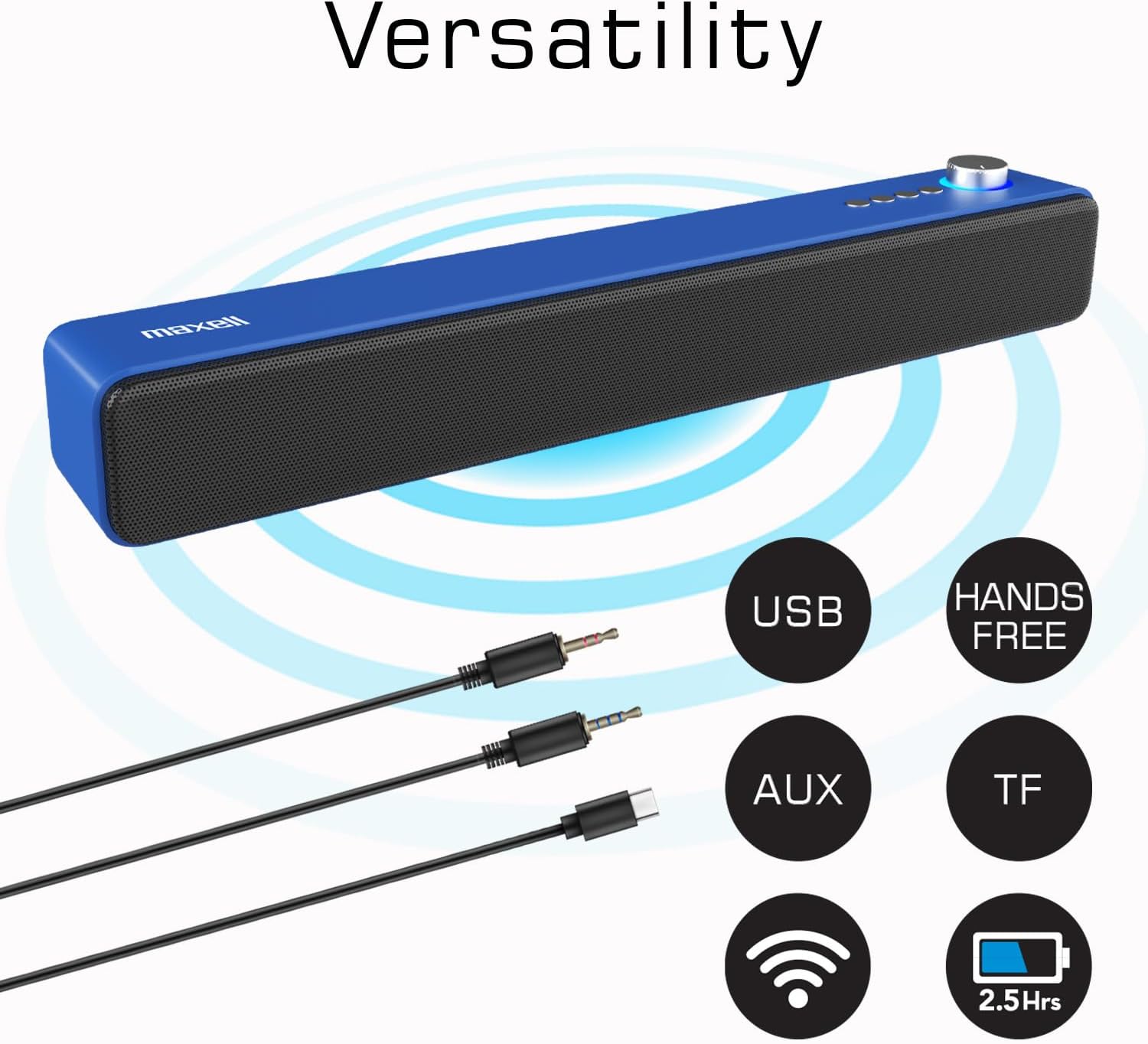
The Maxell Wireless Soundbar displaying its multiple input options, including USB, AUX, and TF (MicroSD), along with its wireless capabilities.
يثبت
الشحن الأولي
Before first use, fully charge both the soundbar and the wireless microphone components to ensure optimal performance.
- Connect the USB-C charging cable to the soundbar's USB-C port and a compatible power source (e.g., USB wall adapter, computer USB port).
- Connect the USB-C charging cable to the microphone transmitter and receiver, respectively, and a power source.
- Charging indicators will illuminate (e.g., red for charging) and typically turn off or change color (e.g., blue) when fully charged.
تشغيل/إيقاف التشغيل
To power on or off the devices:
- شريط الصوت: Press and hold the Power button/Volume knob for approximately 3 seconds.
- جهاز إرسال الميكروفون: Press and hold its Power button for approximately 3 seconds.
- Microphone Receiver: Press and hold its Power button for approximately 3 seconds.
تعليمات التشغيل
Wireless Soundbar Mode (Bluetooth)
To use the soundbar for music or audio playback via Bluetooth:
- Ensure the soundbar is powered on and in Bluetooth mode (indicated by a flashing blue light or a voice prompt). If not, press the Mode button to switch to Bluetooth.
- على جهازك الصوتي (الهاتف الذكي، الجهاز اللوحي، الكمبيوتر المحمول)، قم بتمكين البلوتوث وابحث عن الأجهزة المتاحة.
- Select "Maxell Soundbar" from the list to pair. A confirmation sound will indicate successful pairing.
صوت Amplifier Mode (2.4GHz Microphone)
For voice amplification in classrooms, lectures, or meetings:
- Plug the 2.4GHz microphone receiver into the 3.5mm microphone input port on the soundbar.
- Power on the 2.4GHz microphone transmitter. The transmitter and receiver should automatically pair.
- Clip the microphone transmitter to your shirt or clothing, ensuring it is close to your mouth for optimal sound capture.
- Your voice will now be amplified through the soundbar. Adjust the soundbar's volume as needed.

A teacher demonstrating the use of the Maxell 2.4GHz wireless microphone transmitter, clipped to their shirt, with the soundbar amplifying their voice in a classroom setting.
تشغيل بطاقة MicroSD
لتشغيل الصوت files directly from a MicroSD card:
- Insert a MicroSD card (containing MP3 or other compatible audio files) into the MicroSD slot on the soundbar.
- The soundbar will automatically detect the card, switch to MicroSD mode, and begin playing the audio files.
- Use the soundbar's Play/Pause and Track navigation buttons to control playback.
Wired Use (AUX/USB)
For wired audio connections:
- وضع AUX: Connect an external audio device (e.g., MP3 player, computer) to the soundbar's 3.5mm AUX input using a 3.5mm audio cable. The soundbar will automatically switch to AUX mode or can be manually selected using the Mode button.
- وضع كابل التوصيل: قم بتوصيل محرك أقراص فلاش USB يحتوي على ملفات صوتية files into the soundbar's USB port. The soundbar will automatically switch to USB mode and begin playing files.
صيانة
Proper care and maintenance will extend the life of your Maxell Wireless Soundbar and Microphone system.
- تنظيف: Use a soft, dry cloth to clean the surfaces of the soundbar and microphone. Do not use liquid cleaners, aerosols, or harsh chemicals.
- تخزين: When not in use, store the devices in the provided carrying case to protect them from dust, scratches, and accidental damage.
- بيئة: Keep the devices dry and away from extreme temperatures, direct sunlight, and high humidity.
استكشاف الأخطاء وإصلاحها
If you encounter any issues, refer to the table below for common problems and their solutions.
| مشكلة | حل |
|---|---|
| الجهاز لا يعمل | Ensure the device is fully charged. Check the USB-C charging cable and power source for proper connection. |
| لا يوجد صوت من شريط الصوت | Verify that the volume levels on both the soundbar and the connected audio source are turned up. Ensure the correct input mode (Bluetooth, MicroSD, AUX, Mic) is selected on the soundbar. |
| 2.4GHz Microphone not working | Confirm both the microphone transmitter and receiver are powered on and fully charged. Ensure the receiver is correctly plugged into the soundbar's microphone input. Check for any obstructions between the transmitter and receiver. |
| فشل اقتران البلوتوث | Ensure the soundbar is in Bluetooth pairing mode (flashing blue light). Turn off and then on Bluetooth on your audio device. Move your audio device closer to the soundbar. Disconnect from other Bluetooth devices if necessary. |
| Audio distortion or static | Reduce the volume on both the soundbar and the audio source. Ensure the microphone is not too close to the soundbar to prevent feedback. Check for interference from other 2.4GHz devices. |
تحديد
Detailed technical specifications for the Maxell Wireless Soundbar and 2.4GHz Microphone system.

An image displaying a table of technical specifications for both the Maxell Soundbar and the 2.4GHz Microphone, including playtime, charging ports, output power, and model numbers.
| ميزة | التفاصيل |
|---|---|
| ماركة | ماكسيل |
| اسم الموديل | Wireless Soundbar & Voice Ampالقمامة |
| رقم الموديل | 197337 |
| الحد الأقصى لقوة خرج السماعة | 3 واط |
| استجابة التردد | 20 كيلو هرتز |
| تكنولوجيا الاتصال | بلوتوث، لاسلكي بتردد 2.4 جيجاهرتز |
| وضع إخراج الصوت | ستيريو |
| مميزات اضافية | خفيفة الوزن، محمولة |
| Maximum Range (2.4GHz Mic) | 100 مترا |
| طريقة التحكم | يلمس |
| حجم السماعة | 2.25 بوصة |
| Soundbar Battery Life | Up to 4 hours (wireless mode) |
| عمر بطارية الميكروفون | 5-6 ساعة |
| أبعاد المنتج (العمق × العرض × الارتفاع) | 16.5 بوصة عمق × 2.25 بوصة عرض × 2.25 بوصة ارتفاع |
| مصدر الطاقة | تعمل بالبطارية |
| توافق بطاقة MicroSD | نعم |
| الشحن | الشحن السريع عبر USB-C |
الضمان والدعم
This Maxell product comes with a Limited Warranty. For detailed warranty information, technical assistance, or any questions regarding your device, please contact Maxell customer support.
معلومات الاتصال: Refer to the official Maxell website or the contact details provided on the product packaging for the most up-to-date support information.
الموارد المتاحة على الإنترنت: قم بزيارة متجر ماكسيل على أمازون لمزيد من المعلومات والموارد حول المنتج.