
1. المقدمة
This manual provides comprehensive instructions for the operation and maintenance of your Symcode MJ-2023 Upgraded 2D Industrial Barcode Scanner. Please read this manual thoroughly before use to ensure proper functionality and to maximize the lifespan of your device.
المميزات الرئيسية:
- Unique Designed Screen: 1.9-inch TFT Color LCD Screen displays barcode content, type, number, length, battery power, and transmission status in real-time.
- Switchable Storage Modes: Easily toggle between Storage mode (stores up to 10,000 codes for later upload) and Normal mode (direct transmission to PC).
- High-Resolution Industrial Scan Engine: Equipped with a 1-megapixel optical lens for swift and accurate reading of various printed and screen-displayed barcodes, even if damaged or poorly printed.
- Exceptional Signal Range: 433MHz RF wireless transmission up to 1968 feet (600 meters) in unobstructed environments and 656 feet (200 meters) with obstacles.
- الشحن اللاسلكي: Convenient wireless charging by placing the scanner on its stand.
- توافق واسع: Compatible with Windows, Mac OS, iOS, Android, and software like QuickBooks, Word, Excel.
- تصميم متين: Shock and dust proof, designed to withstand multiple drops from 8 feet (2.5 meters).
2. الإعداد
محتويات الحزمة:
- Symcode MJ-2023 Barcode Scanner
- حامل الشحن
- سلك الشحن (كابل USB)
- دليل المستخدم (هذا المستند)
شحن الماسح الضوئي:
Place the scanner onto the charging cradle. The scanner supports wireless charging. Ensure the charging cradle is connected to a power source via the provided USB cable. A full charge takes approximately 2.5 hours and provides up to 30 hours of battery life.

Figure 2.1: Symcode MJ-2023 Barcode Scanner in its charging cradle, ready for use or charging.
أوضاع الاتصال:
The Symcode MJ-2023 offers multiple connection options for versatility:
- 433MHz Wireless: Connects via the charging base, which has a built-in 433MHz wireless receiver. This mode offers an extended transmission range, ideal for large warehouses.
- بلوتوث: Connects directly to Bluetooth-enabled devices like laptops, tablets, or smartphones.
- USB سلكي: Connects directly to a computer via the USB cable for a stable, direct connection.

Figure 2.2: Illustration of the two primary connection modes: 433MHz wireless via the charging base and direct Bluetooth connection.

Figure 2.3: Transmission range comparison: Bluetooth (15m/49ft interior) and 433MHz Wireless (600m/1968ft outdoor).
3. تعليمات التشغيل
Basic Scanning Operation:
To scan a barcode, aim the scanner's light at the barcode and press the trigger button. The scanner will emit a beep and the display screen will show the scanned data.
Display Screen Functionality:
The 1.9-inch TFT color LCD screen provides real-time feedback on your scanning activities and scanner status.

الشكل 3.1: الصورة عن قرب view of the scanner's display screen.
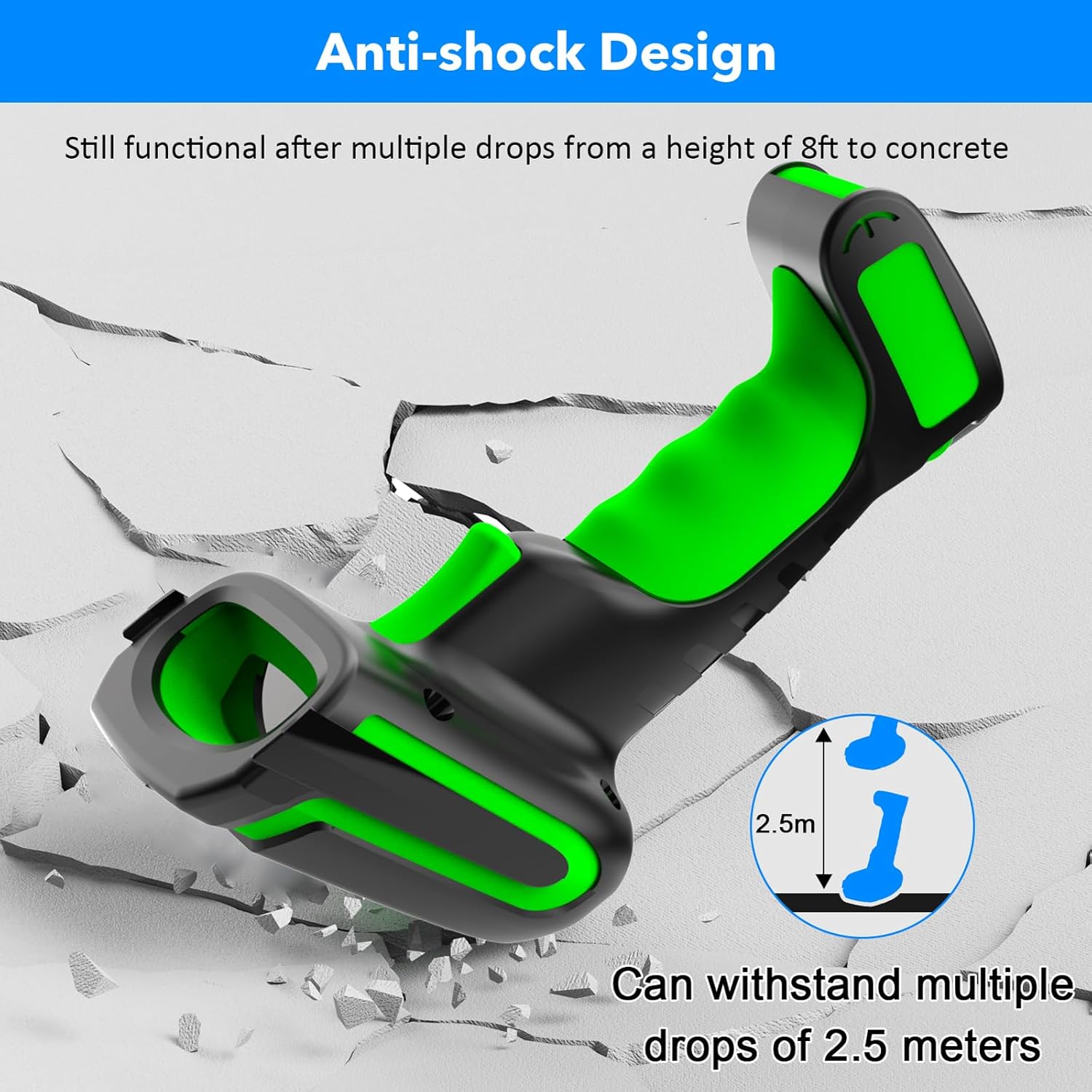
Figure 3.2: Explanation of display screen elements: 1. Time, 2. Connection status, 3. Connection mode, 4. Electricity level, 5. Store (scanned items in storage), 6. Total (total scanned items).
Storage vs. Normal Mode:
A toggle switch allows you to select between two operational modes:
- وضع التخزين: When set to 'Storage', the scanner saves scanned barcodes internally. This is useful when working away from a computer. Data can be uploaded later. The scanner can store up to 10,000 codes.
- الوضع العادي: When set to 'Normal', scanned barcodes are transmitted directly to the connected computer or device in real-time.

Figure 3.3: Illustration of Storage mode (offline saving) and Normal mode (direct transfer).
أنواع الباركود المدعومة:
The scanner supports a wide range of 1D and 2D barcode symbologies, including:
- 1D: UPC/EAN, UPC/EAN with Supplemental, UCC/EAN 128, Code 39, Code 39 Full ASCII, Trioptic Code 39, Code 128 Full ASCII, Codabar, Interleaved 2 of 5, Discrete 2 of 5, Code 93, MSI, Code 11, RSS variants, Chinese 2 of 5.
- 2D: PDF417, QR Code, Data Matrix.
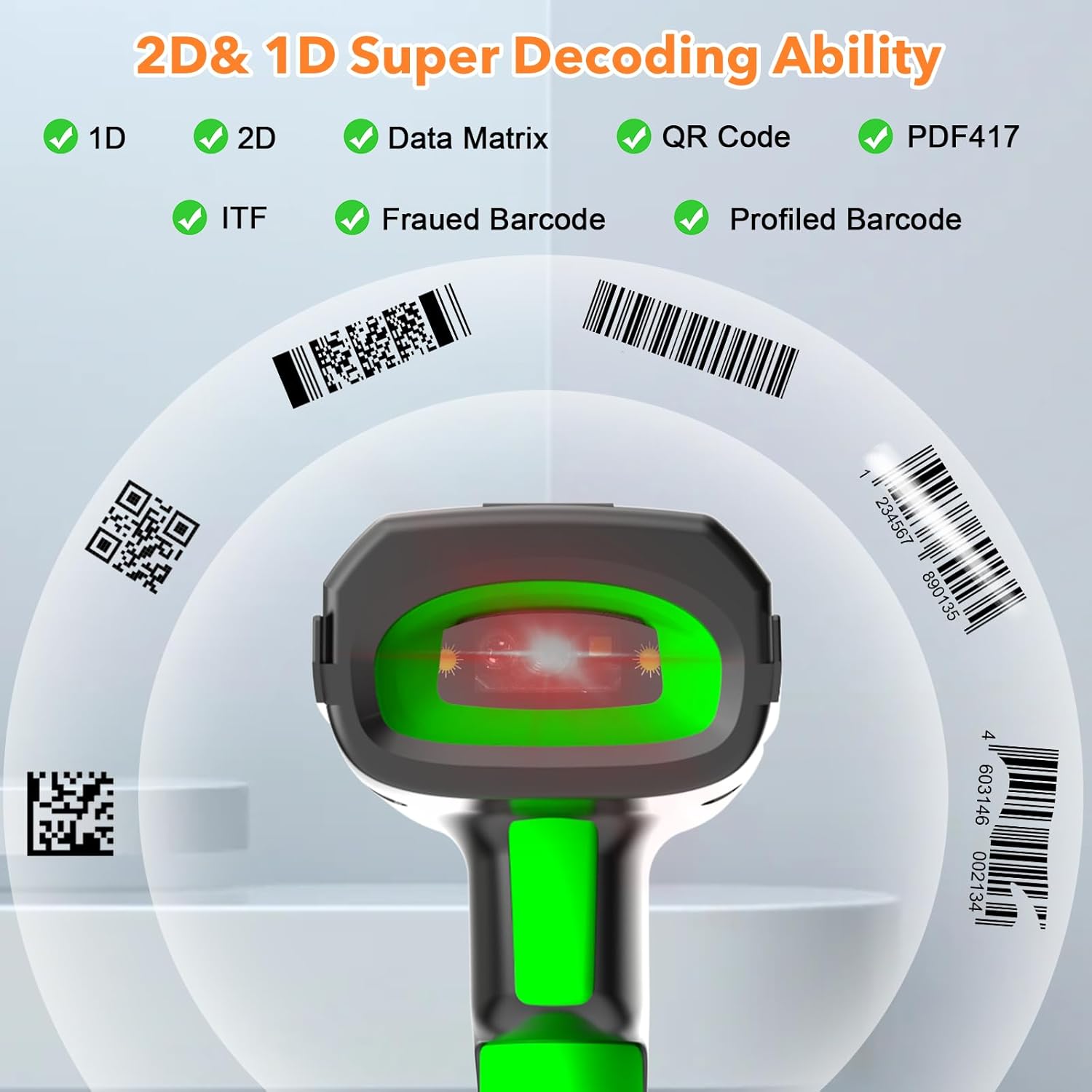
Figure 3.4: The scanner's super decoding ability for 1D and 2D barcodes.
خيارات التكوين:
The barcode reader offers over 180 configuration options. These allow you to customize the scanning output, such as adding prefixes or suffixes to scanned data, deleting starting or ending characters, or even adding keyboard keys/combinations to the scanning operation. Refer to the detailed configuration guide (if provided separately) for advanced settings.
4. الصيانة
تنظيف:
لتنظيف الماسح الضوئي، استخدم قطعة قماش ناعمة و...amp cloth. Do not use abrasive cleaners or solvents, as these can damage the device. Ensure the scanner is powered off before cleaning.
العناية بالبطارية:
The scanner is equipped with a 2600 mAh high-capacity rechargeable Lithium Polymer battery. To prolong battery life:
- تجنب تفريغ البطارية بالكامل بشكل متكرر.
- قم بتخزين الماسح الضوئي في مكان بارد وجاف عندما لا يكون قيد الاستخدام لفترات طويلة.
- قم بشحن البطارية بانتظام، حتى لو لم تكن قيد الاستخدام المستمر.

Figure 4.1: Battery specifications: 2600mAh capacity, 4 hours charging time, 30 hours scanning time.
متانة:
The Symcode MJ-2023 is designed with an anti-shock construction, allowing it to withstand multiple drops from a height of 8 feet (2.5 meters) onto concrete surfaces, ensuring reliability in demanding environments.

Figure 4.2: Anti-shock design demonstration.
5. استكشاف الأخطاء وإصلاحها
المشاكل الشائعة والحلول:
- الماسح الضوئي لا يعمل: Ensure the battery is charged. Place the scanner on the charging cradle or connect via USB cable.
- Scanner not connecting to device:
- For 433MHz wireless: Ensure the charging cradle is properly connected to your computer and the scanner is within range.
- For Bluetooth: Ensure Bluetooth is enabled on your device and the scanner is in pairing mode. Re-pair if necessary.
- For USB wired: Ensure the USB cable is securely connected to both the scanner and your computer.
- الماسح الضوئي لا يقرأ الباركود:
- Ensure the barcode is clean and not excessively damaged.
- Check if the barcode type is supported by the scanner.
- ضبط المسافة وزاوية الماسح الضوئي إلى الباركود.
- Verify the scanner is in the correct operating mode (Normal or Storage).
- البيانات الممسوحة ضوئيا غير صحيحة أو غير كاملة: Check the scanner's configuration settings (e.g., prefix/suffix, data formatting). Reset to factory defaults if necessary (refer to the detailed configuration guide).
6. المواصفات
| ميزة | مواصفة |
|---|---|
| رقم الموديل | إم جيه-2023 |
| حجم الإدخالtage | DC5V±0.25v |
| Current (Work) | 25 مللي أمبير |
| Current (Instantaneous) | 95 مللي أمبير |
| سرعة فك التشفير | 100 مرة / ثانية |
| Wireless Range (433MHz) | Up to 600m (1968ft) unobstructed, 200m (656ft) with obstacles |
| نطاق الاتصال اللاسلكي (بلوتوث) | حتى 15 أمتار (49 قدمًا) |
| نوع البطارية | بوليمر الليثيوم |
| سعة البطارية | 2600 مللي أمبير |
| وقت الشحن | 2.5 ساعة |
| عمر البطارية | 30 ساعة |
| شاشة العرض | شاشة LCD ملونة TFT مقاس 1.9 بوصة |
| أنظمة التشغيل المدعومة | ويندوز، ماك أو إس، آي أو إس، أندرويد، لينكس |
| الأبعاد (العبوة) | 9.65 × 4.96 × 4.06 بوصة |
| وزن العنصر | 1.43 رطل |
7. معلومات الضمان
The Symcode MJ-2023 Barcode Scanner is covered by the manufacturer's standard warranty. Please refer to the warranty card included in your product packaging or contact Symcode customer support for specific details regarding warranty terms and conditions.
8. الدعم
For technical assistance, troubleshooting beyond this manual, or general inquiries, please contact Symcode customer support. Contact information can typically be found on the Symcode official webالموقع أو على عبوة المنتج.